🚀 Zaprep: Your Socials on Steroids. 免费开始 — 每月自动发送 1,000 条私信,将互动转化为潜在客户。 ,每月 1,000 条自动私信。
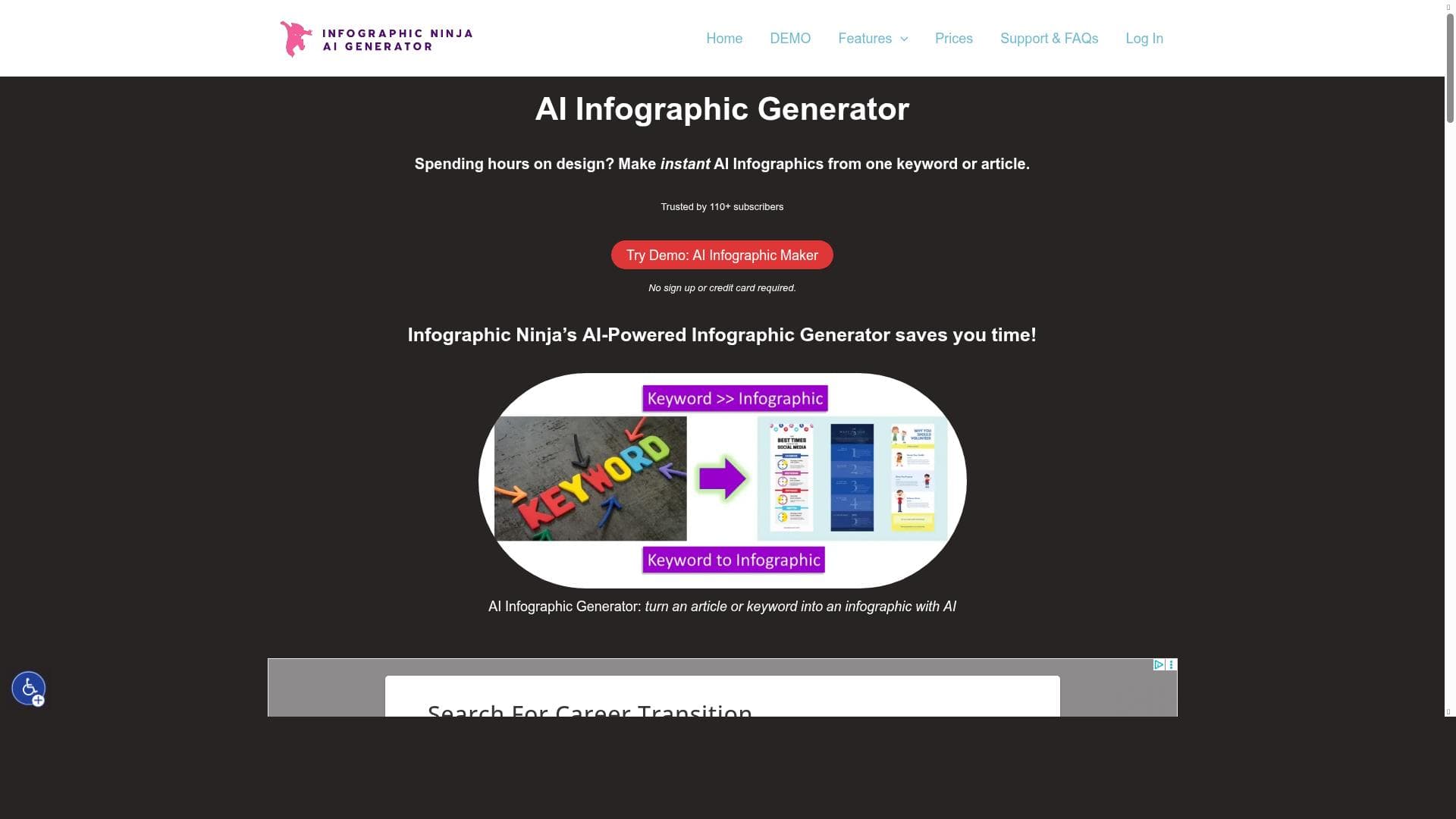


Outline Ninja is a cutting-edge AI-powered infographic maker that transforms simple keywords and titles into visually compelling infographics in just 30 seconds. Ideal for marketers, educators, and content creators, it streamlines the design process by automating content generation and layout, making high-quality infographic creation fast and accessible.

描述
An automated infographic maker using A.I. Converts a keyword into an Infographic. It requires a keyword and title to generate the rest of the information. It is a part of Outline Ninja's suite of products.
详细描述
Outline Ninja is an innovative AI-powered tool designed to automate the creation of infographics from simple keywords and titles. Its core purpose is to transform raw textual input into visually engaging and informative infographics quickly and efficiently, making it an invaluable asset for content creators, marketers, educators, and businesses looking to enhance their visual communication. By leveraging advanced artificial intelligence, Outline Ninja eliminates the traditionally time-consuming and design-intensive process of infographic creation, allowing users to generate professional-quality visuals in as little as 30 seconds. This tool is part of the broader Outline Ninja suite, which focuses on streamlining content creation workflows through AI-driven solutions. One of the standout features of Outline Ninja is its rapid production capability. Users only need to input a keyword and a title, and the AI engine automatically generates the rest of the infographic content, including relevant data points, visual elements, and layout structure. This automation is powered by sophisticated AI models that understand context and design principles, ensuring that the resulting infographics are not only visually appealing but also informative and coherent. The tool’s ability to convert text into infographics seamlessly means that users can repurpose existing content or ideas into engaging visual formats without needing graphic design expertise. Outline Ninja’s unique AI infographic maker stands out by combining ease of use with powerful automation. Unlike traditional infographic tools that require manual input of data and design elements, Outline Ninja handles these tasks autonomously, significantly reducing the effort required from the user. The tool supports a wide range of use cases, from marketing campaigns and social media posts to educational materials and business presentations. Its quick turnaround time makes it ideal for professionals who need to produce high-quality visuals on tight deadlines or those who want to experiment with different infographic styles rapidly. The tool operates on a freemium pricing model, allowing users to access basic features at no cost while offering premium plans with enhanced capabilities and additional customization options. This pricing structure makes Outline Ninja accessible to individuals, small businesses, and larger enterprises alike, providing flexibility depending on the user’s needs and scale of infographic production. The freemium plan is particularly useful for users who want to test the tool’s core functionalities before committing to a paid subscription. When compared to alternative infographic makers, Outline Ninja’s key advantage lies in its AI-driven automation and speed. Many traditional tools require manual design input or rely on templates that limit creativity and customization. In contrast, Outline Ninja’s AI generates unique infographics tailored to the input keyword and title, offering a more dynamic and personalized output. However, users should be aware that while the AI generates content quickly, the depth and accuracy of the information depend on the keyword and title provided, and some manual refinement may be necessary for highly specialized or technical subjects. Notable limitations include the current dependency on keyword and title inputs to guide the AI, which means the quality of the infographic is influenced by how well these inputs are crafted. Additionally, while the tool excels at speed and automation, users seeking highly customized or brand-specific designs might find the options somewhat limited compared to fully manual design platforms. Nonetheless, Outline Ninja remains a powerful solution for those prioritizing efficiency and ease of use in infographic creation, especially for users who need to produce multiple infographics regularly without extensive design resources.
工具功能
- Produces infographics in 30 seconds
- Uses artificial intelligence to generate infographics
- Automatically converts text to infographics
- Unique AI infographic maker
描述
Outline Ninja is a cutting-edge AI-powered infographic maker that transforms simple keywords and titles into visually compelling infographics in just 30 seconds. Ideal for marketers, educators, and content creators, it streamlines the design process by automating content generation and layout, making high-quality infographic creation fast and accessible.
An automated infographic maker using A.I. Converts a keyword into an Infographic. It requires a keyword and title to generate the rest of the information. It is a part of Outline Ninja's suite of products.
详细描述
Outline Ninja is an innovative AI-powered tool designed to automate the creation of infographics from simple keywords and titles. Its core purpose is to transform raw textual input into visually engaging and informative infographics quickly and efficiently, making it an invaluable asset for content creators, marketers, educators, and businesses looking to enhance their visual communication. By leveraging advanced artificial intelligence, Outline Ninja eliminates the traditionally time-consuming and design-intensive process of infographic creation, allowing users to generate professional-quality visuals in as little as 30 seconds. This tool is part of the broader Outline Ninja suite, which focuses on streamlining content creation workflows through AI-driven solutions. One of the standout features of Outline Ninja is its rapid production capability. Users only need to input a keyword and a title, and the AI engine automatically generates the rest of the infographic content, including relevant data points, visual elements, and layout structure. This automation is powered by sophisticated AI models that understand context and design principles, ensuring that the resulting infographics are not only visually appealing but also informative and coherent. The tool’s ability to convert text into infographics seamlessly means that users can repurpose existing content or ideas into engaging visual formats without needing graphic design expertise. Outline Ninja’s unique AI infographic maker stands out by combining ease of use with powerful automation. Unlike traditional infographic tools that require manual input of data and design elements, Outline Ninja handles these tasks autonomously, significantly reducing the effort required from the user. The tool supports a wide range of use cases, from marketing campaigns and social media posts to educational materials and business presentations. Its quick turnaround time makes it ideal for professionals who need to produce high-quality visuals on tight deadlines or those who want to experiment with different infographic styles rapidly. The tool operates on a freemium pricing model, allowing users to access basic features at no cost while offering premium plans with enhanced capabilities and additional customization options. This pricing structure makes Outline Ninja accessible to individuals, small businesses, and larger enterprises alike, providing flexibility depending on the user’s needs and scale of infographic production. The freemium plan is particularly useful for users who want to test the tool’s core functionalities before committing to a paid subscription. When compared to alternative infographic makers, Outline Ninja’s key advantage lies in its AI-driven automation and speed. Many traditional tools require manual design input or rely on templates that limit creativity and customization. In contrast, Outline Ninja’s AI generates unique infographics tailored to the input keyword and title, offering a more dynamic and personalized output. However, users should be aware that while the AI generates content quickly, the depth and accuracy of the information depend on the keyword and title provided, and some manual refinement may be necessary for highly specialized or technical subjects. Notable limitations include the current dependency on keyword and title inputs to guide the AI, which means the quality of the infographic is influenced by how well these inputs are crafted. Additionally, while the tool excels at speed and automation, users seeking highly customized or brand-specific designs might find the options somewhat limited compared to fully manual design platforms. Nonetheless, Outline Ninja remains a powerful solution for those prioritizing efficiency and ease of use in infographic creation, especially for users who need to produce multiple infographics regularly without extensive design resources.
常见问题
What is Outline Ninja?
Outline Ninja is an AI-driven tool that automatically creates infographics from a keyword and title, generating the rest of the content and design elements to produce professional visuals quickly and efficiently.
How much does Outline Ninja cost?
Outline Ninja offers a freemium pricing model, allowing users to access basic features for free, with premium plans available for enhanced capabilities and additional customization options.
Who is Outline Ninja best for?
Outline Ninja is best suited for marketers, educators, content creators, and businesses that need to produce engaging infographics quickly without requiring extensive graphic design skills.
What are the main features of Outline Ninja?
Key features include rapid infographic production in 30 seconds, AI-powered content and design generation, automatic text-to-infographic conversion, and a unique AI-driven infographic maker that simplifies the creation process.
Does Outline Ninja offer a free trial?
Yes, Outline Ninja provides a freemium plan that allows users to try the core features for free before opting for any paid subscription.
What integrations does Outline Ninja support?
Currently, Outline Ninja primarily functions as a standalone tool focused on infographic creation; specific third-party integrations are not prominently featured.
How does Outline Ninja work?
Users input a keyword and title, and Outline Ninja’s AI automatically generates the infographic content, including relevant data and visual elements, producing a complete infographic within seconds.
社交媒体
使用工具评价
暂无评价。成为第一个分享使用体验的人。
赞助工具











































推荐工具
及时了解最新 AI 工具
获取最新资讯,订阅我们的新闻通讯
已有 50,000+ 位读者阅读并信赖
加入最大的 AI 社区
我们的社区和团队随时为您提供帮助!
您的反馈将帮助 Alice AI 在未来版本中不断改进。









