OpenMemory Chrome Extension


这是您的 AI 工具吗?立即认领。
验证所有权、管理资料,并解锁增长功能。
OpenMemory is a Chrome extension that keeps your AI chatbot conversations perfectly synchronized across all your devices, eliminating the need to repeat yourself and boosting productivity. Ideal for professionals and AI users who want seamless, continuous interactions without losing context, it transforms fragmented AI chats into a unified experience.

描述
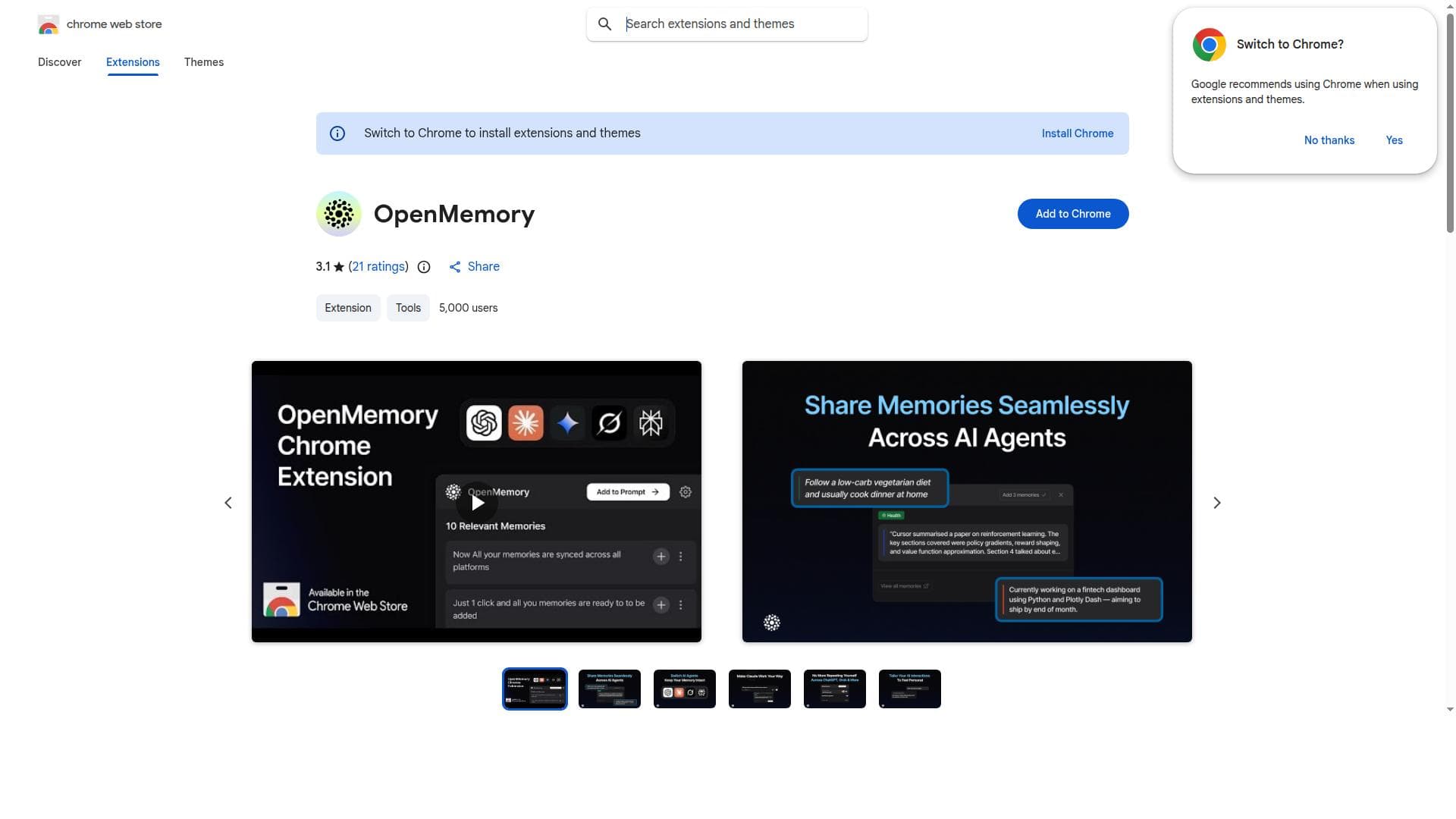
OpenMemory Chrome Extension is your shared memory across ChatGPT, Claude, Perplexity, Grok & Gemini. It captures useful context like preferences, goals & tasks from conversations and syncs it across tools, so you never have to repeat yourself.
详细描述
OpenMemory is a powerful Chrome extension designed to revolutionize the way users interact with AI-powered chatbots and conversational agents by synchronizing conversations across multiple sessions and devices. Its core purpose is to eliminate the frustration of repeating information or context when switching between devices or returning to a conversation after a break. By maintaining a continuous and unified conversation history, OpenMemory ensures that users can pick up right where they left off, enhancing both productivity and the overall user experience. One of the standout features of OpenMemory is its ability to keep AI conversations in perfect sync across all devices where the extension is installed. Whether you start a conversation on your desktop and continue it on your laptop or mobile device, OpenMemory seamlessly synchronizes the dialogue, preserving all context and details. This synchronization removes the need to restate previous information, which is a common pain point in AI interactions. Additionally, OpenMemory fosters seamless AI collaboration by allowing users to maintain a coherent conversation thread, which is particularly valuable for complex queries or ongoing projects that require multiple interactions with AI. OpenMemory’s design focuses heavily on enhancing productivity. By maintaining conversation context, it reduces cognitive load and saves time, allowing users to focus on the task at hand rather than managing fragmented conversations. This makes it an ideal tool for professionals, students, researchers, and anyone who relies heavily on AI chatbots for information, brainstorming, coding assistance, or customer support. For example, a content creator can use OpenMemory to keep track of creative ideas and AI-generated suggestions across devices without losing continuity. Similarly, developers can maintain coding discussions or debugging sessions without interruption. Regarding pricing, OpenMemory is available as a free extension on the Chrome Web Store, making it accessible to a wide audience without upfront costs. While the current offering focuses on core synchronization features, users should check the official website or extension page for any updates on premium plans or additional features that may be introduced in the future. When compared to alternatives, OpenMemory stands out due to its focus on cross-device synchronization and conversation continuity. Many AI tools offer chat history locally or within a single session, but few provide seamless syncing across devices. This unique capability positions OpenMemory as a valuable companion for users who need persistent AI interactions without losing context. However, unlike some AI platforms that integrate directly with multiple AI providers or offer built-in AI capabilities, OpenMemory primarily acts as a synchronization layer, so users still rely on their preferred AI chat services. Some limitations to consider include dependency on Chrome as the browser platform, which may exclude users on other browsers. Additionally, the extension’s effectiveness depends on the AI platforms it supports and how well it can capture and sync conversation data. Privacy-conscious users should review the extension’s data handling policies to ensure their conversations remain secure. Lastly, while OpenMemory excels at syncing conversation history, it does not replace the AI’s native capabilities or provide advanced AI functionalities itself. In summary, OpenMemory is an innovative Chrome extension that addresses a common challenge in AI chatbot usage by synchronizing conversations across devices and sessions. Its focus on eliminating repetitive context sharing and enhancing productivity makes it an excellent tool for anyone who frequently interacts with AI chatbots. With its free availability and unique synchronization features, OpenMemory is well-suited for professionals, students, and AI enthusiasts looking to streamline their AI communication workflows.
工具功能
- Keeps your AI conversations in sync across devices
- Eliminates the need to repeat yourself in conversations
- Provides seamless AI collaboration
- Enhances productivity by maintaining conversation context
描述
OpenMemory is a Chrome extension that keeps your AI chatbot conversations perfectly synchronized across all your devices, eliminating the need to repeat yourself and boosting productivity. Ideal for professionals and AI users who want seamless, continuous interactions without losing context, it transforms fragmented AI chats into a unified experience.
OpenMemory Chrome Extension is your shared memory across ChatGPT, Claude, Perplexity, Grok & Gemini. It captures useful context like preferences, goals & tasks from conversations and syncs it across tools, so you never have to repeat yourself.
详细描述
OpenMemory is a powerful Chrome extension designed to revolutionize the way users interact with AI-powered chatbots and conversational agents by synchronizing conversations across multiple sessions and devices. Its core purpose is to eliminate the frustration of repeating information or context when switching between devices or returning to a conversation after a break. By maintaining a continuous and unified conversation history, OpenMemory ensures that users can pick up right where they left off, enhancing both productivity and the overall user experience. One of the standout features of OpenMemory is its ability to keep AI conversations in perfect sync across all devices where the extension is installed. Whether you start a conversation on your desktop and continue it on your laptop or mobile device, OpenMemory seamlessly synchronizes the dialogue, preserving all context and details. This synchronization removes the need to restate previous information, which is a common pain point in AI interactions. Additionally, OpenMemory fosters seamless AI collaboration by allowing users to maintain a coherent conversation thread, which is particularly valuable for complex queries or ongoing projects that require multiple interactions with AI. OpenMemory’s design focuses heavily on enhancing productivity. By maintaining conversation context, it reduces cognitive load and saves time, allowing users to focus on the task at hand rather than managing fragmented conversations. This makes it an ideal tool for professionals, students, researchers, and anyone who relies heavily on AI chatbots for information, brainstorming, coding assistance, or customer support. For example, a content creator can use OpenMemory to keep track of creative ideas and AI-generated suggestions across devices without losing continuity. Similarly, developers can maintain coding discussions or debugging sessions without interruption. Regarding pricing, OpenMemory is available as a free extension on the Chrome Web Store, making it accessible to a wide audience without upfront costs. While the current offering focuses on core synchronization features, users should check the official website or extension page for any updates on premium plans or additional features that may be introduced in the future. When compared to alternatives, OpenMemory stands out due to its focus on cross-device synchronization and conversation continuity. Many AI tools offer chat history locally or within a single session, but few provide seamless syncing across devices. This unique capability positions OpenMemory as a valuable companion for users who need persistent AI interactions without losing context. However, unlike some AI platforms that integrate directly with multiple AI providers or offer built-in AI capabilities, OpenMemory primarily acts as a synchronization layer, so users still rely on their preferred AI chat services. Some limitations to consider include dependency on Chrome as the browser platform, which may exclude users on other browsers. Additionally, the extension’s effectiveness depends on the AI platforms it supports and how well it can capture and sync conversation data. Privacy-conscious users should review the extension’s data handling policies to ensure their conversations remain secure. Lastly, while OpenMemory excels at syncing conversation history, it does not replace the AI’s native capabilities or provide advanced AI functionalities itself. In summary, OpenMemory is an innovative Chrome extension that addresses a common challenge in AI chatbot usage by synchronizing conversations across devices and sessions. Its focus on eliminating repetitive context sharing and enhancing productivity makes it an excellent tool for anyone who frequently interacts with AI chatbots. With its free availability and unique synchronization features, OpenMemory is well-suited for professionals, students, and AI enthusiasts looking to streamline their AI communication workflows.
常见问题
What is OpenMemory?
OpenMemory is a Chrome extension that synchronizes your AI chatbot conversations across multiple devices and sessions, allowing you to maintain continuous and context-rich interactions without having to repeat information.
How much does OpenMemory cost?
OpenMemory is currently available for free on the Chrome Web Store, providing its core synchronization features at no cost.
Who is OpenMemory best for?
OpenMemory is ideal for professionals, students, researchers, and anyone who frequently interacts with AI chatbots and wants to maintain seamless, continuous conversations across devices to enhance productivity.
What are the main features of OpenMemory?
The main features include cross-device synchronization of AI conversations, elimination of repetitive context sharing, seamless AI collaboration, and enhanced productivity through maintained conversation context.
Does OpenMemory offer a free trial?
Since OpenMemory is offered as a free Chrome extension, there is no need for a trial period; users can install and use it immediately without cost.
What integrations does OpenMemory support?
OpenMemory works as a synchronization layer for AI conversations within supported AI chat platforms accessed via Chrome, but specific AI service integrations depend on the platforms you use alongside the extension.
How does OpenMemory work?
OpenMemory captures your AI chatbot conversations in your browser and syncs them securely across all devices where the extension is installed, preserving conversation history and context to provide a seamless chat experience.
社交媒体

评价
暂无评价。成为第一个分享使用体验的人。