🚀 Zaprep: Your Socials on Steroids. 免费开始 — 每月自动发送 1,000 条私信,将互动转化为潜在客户。 ,每月 1,000 条自动私信。


这是您的 AI 工具吗?立即认领。
验证所有权、管理资料,并解锁增长功能。
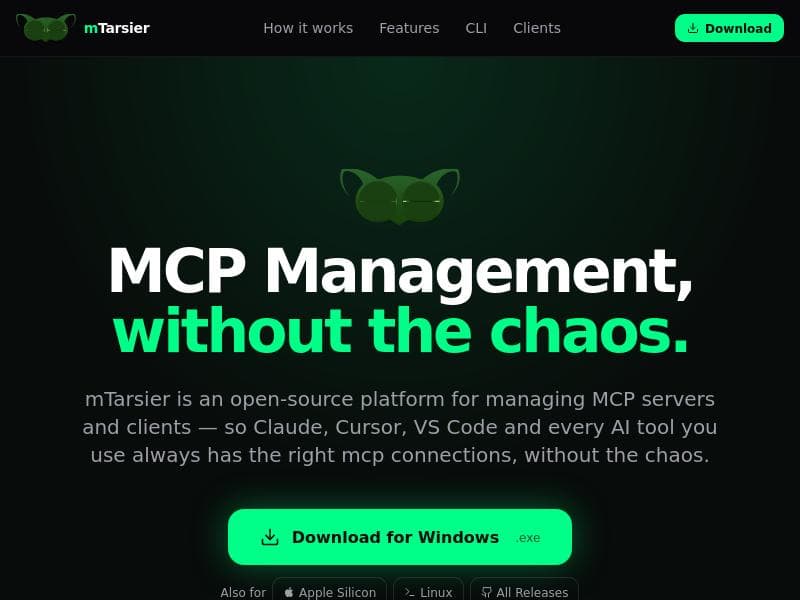
mTarsier is a free, open-source desktop app that auto-detects and manages all AI clients and MCP server configurations on your machine in one centralized place. Ideal for AI developers and enthusiasts, it simplifies configuration management across macOS, Windows, and Linux with marketplace integration and one-click backups.

描述
Free, open-source desktop app that auto-detects every AI client on your machine — Claude Desktop, Cursor, Windsurf, VS Code and more. Manage all your MCP server configs in one place, install from the marketplace, and back up with one click. macOS, Windows & Linux.
详细描述
mTarsier is a free, open-source desktop application designed to streamline the management of AI clients and MCP (Model Control Protocol) server configurations across multiple platforms including macOS, Windows, and Linux. Its core purpose is to provide users with a centralized hub that automatically detects all AI clients installed on their machine, such as Claude Desktop, Cursor, Windsurf, VS Code, and others, thereby simplifying the often fragmented experience of managing multiple AI tools and configurations separately. By consolidating these capabilities into one intuitive interface, mTarsier significantly reduces the complexity and time required to maintain and operate various AI environments. One of the standout features of mTarsier is its auto-detection capability. Upon launching, the app scans the user’s system to identify every AI client present, eliminating the need for manual configuration or tracking. This ensures that users have an up-to-date overview of their AI tool ecosystem at all times. Beyond detection, mTarsier offers comprehensive management of MCP server configurations, allowing users to view, edit, and organize all their server settings in one place. This centralized management is particularly valuable for developers and AI practitioners who work with multiple models and servers, as it reduces configuration errors and enhances workflow efficiency. Additionally, mTarsier integrates a marketplace from which users can install MCP configurations directly, facilitating quick access to pre-built setups and community-shared configurations. This marketplace feature not only accelerates deployment but also encourages collaboration and sharing within the AI community. Backup functionality is another critical aspect of mTarsier; with a single click, users can back up all their MCP configurations, ensuring that their setups are safely stored and easily recoverable in case of system failures or migrations. mTarsier’s open-source nature invites transparency and community-driven development, allowing users to contribute to its evolution or customize it to their specific needs. This openness, combined with its cross-platform support, makes it an accessible and versatile tool for a broad range of users. The tool is best suited for AI developers, researchers, and enthusiasts who regularly interact with multiple AI clients and require a streamlined way to manage their environments. It is particularly useful for those who deploy and maintain MCP servers, as it simplifies configuration management and backup processes. Use cases include managing AI model deployments, testing different AI clients side-by-side, and maintaining consistent server configurations across development teams or personal projects. Pricing for mTarsier is straightforward—it is completely free to use, with no paid tiers or subscription plans. This makes it an attractive option for individuals and organizations looking for cost-effective AI management solutions without sacrificing functionality. Compared to alternatives, mTarsier stands out due to its comprehensive auto-detection feature and centralized management of MCP configurations, which many other tools lack or offer only partially. Its open-source status also differentiates it from proprietary solutions, providing greater flexibility and community support. However, unlike some commercial products, mTarsier may not offer dedicated customer support or advanced enterprise features, which could be a consideration for large-scale deployments. Notable limitations include its focus on MCP server configurations and AI clients that are compatible with this protocol, which may exclude some AI tools outside this ecosystem. Additionally, as an open-source project, updates and new features depend on community contributions and developer availability, which might affect the pace of innovation. Users should also be comfortable with managing open-source software and potentially troubleshooting issues independently. Overall, mTarsier is a powerful, user-friendly tool that fills a niche for centralized AI client and server configuration management across multiple operating systems. Its free, open-source model combined with robust features makes it an excellent choice for AI practitioners seeking to optimize their workflows and maintain control over their AI environments.
工具功能
- Auto-detects Claude Desktop, Cursor, Windsurf, VS Code and more AI clients on your machine
- Manage all MCP server configurations in one centralized place
- Install MCP configurations from the marketplace
- Back up MCP configurations with one click
- Supports macOS, Windows, and Linux platforms
- Open-source platform
描述
mTarsier is a free, open-source desktop app that auto-detects and manages all AI clients and MCP server configurations on your machine in one centralized place. Ideal for AI developers and enthusiasts, it simplifies configuration management across macOS, Windows, and Linux with marketplace integration and one-click backups.
Free, open-source desktop app that auto-detects every AI client on your machine — Claude Desktop, Cursor, Windsurf, VS Code and more. Manage all your MCP server configs in one place, install from the marketplace, and back up with one click. macOS, Windows & Linux.
详细描述
mTarsier is a free, open-source desktop application designed to streamline the management of AI clients and MCP (Model Control Protocol) server configurations across multiple platforms including macOS, Windows, and Linux. Its core purpose is to provide users with a centralized hub that automatically detects all AI clients installed on their machine, such as Claude Desktop, Cursor, Windsurf, VS Code, and others, thereby simplifying the often fragmented experience of managing multiple AI tools and configurations separately. By consolidating these capabilities into one intuitive interface, mTarsier significantly reduces the complexity and time required to maintain and operate various AI environments. One of the standout features of mTarsier is its auto-detection capability. Upon launching, the app scans the user’s system to identify every AI client present, eliminating the need for manual configuration or tracking. This ensures that users have an up-to-date overview of their AI tool ecosystem at all times. Beyond detection, mTarsier offers comprehensive management of MCP server configurations, allowing users to view, edit, and organize all their server settings in one place. This centralized management is particularly valuable for developers and AI practitioners who work with multiple models and servers, as it reduces configuration errors and enhances workflow efficiency. Additionally, mTarsier integrates a marketplace from which users can install MCP configurations directly, facilitating quick access to pre-built setups and community-shared configurations. This marketplace feature not only accelerates deployment but also encourages collaboration and sharing within the AI community. Backup functionality is another critical aspect of mTarsier; with a single click, users can back up all their MCP configurations, ensuring that their setups are safely stored and easily recoverable in case of system failures or migrations. mTarsier’s open-source nature invites transparency and community-driven development, allowing users to contribute to its evolution or customize it to their specific needs. This openness, combined with its cross-platform support, makes it an accessible and versatile tool for a broad range of users. The tool is best suited for AI developers, researchers, and enthusiasts who regularly interact with multiple AI clients and require a streamlined way to manage their environments. It is particularly useful for those who deploy and maintain MCP servers, as it simplifies configuration management and backup processes. Use cases include managing AI model deployments, testing different AI clients side-by-side, and maintaining consistent server configurations across development teams or personal projects. Pricing for mTarsier is straightforward—it is completely free to use, with no paid tiers or subscription plans. This makes it an attractive option for individuals and organizations looking for cost-effective AI management solutions without sacrificing functionality. Compared to alternatives, mTarsier stands out due to its comprehensive auto-detection feature and centralized management of MCP configurations, which many other tools lack or offer only partially. Its open-source status also differentiates it from proprietary solutions, providing greater flexibility and community support. However, unlike some commercial products, mTarsier may not offer dedicated customer support or advanced enterprise features, which could be a consideration for large-scale deployments. Notable limitations include its focus on MCP server configurations and AI clients that are compatible with this protocol, which may exclude some AI tools outside this ecosystem. Additionally, as an open-source project, updates and new features depend on community contributions and developer availability, which might affect the pace of innovation. Users should also be comfortable with managing open-source software and potentially troubleshooting issues independently. Overall, mTarsier is a powerful, user-friendly tool that fills a niche for centralized AI client and server configuration management across multiple operating systems. Its free, open-source model combined with robust features makes it an excellent choice for AI practitioners seeking to optimize their workflows and maintain control over their AI environments.
常见问题
What is mTarsier?
mTarsier is a free, open-source desktop application that automatically detects AI clients installed on your computer and allows you to manage all your MCP server configurations centrally. It supports macOS, Windows, and Linux platforms.
How much does mTarsier cost?
mTarsier is completely free to use with no subscription fees or paid plans.
Who is mTarsier best for?
mTarsier is best suited for AI developers, researchers, and enthusiasts who work with multiple AI clients and need a streamlined way to manage MCP server configurations across different platforms.
What are the main features of mTarsier?
Key features include auto-detection of AI clients like Claude Desktop, Cursor, Windsurf, and VS Code; centralized management of MCP server configurations; installation of MCP configurations from a marketplace; one-click backup of configurations; support for macOS, Windows, and Linux; and an open-source platform.
Does mTarsier offer a free trial?
Since mTarsier is free and open-source, there is no need for a free trial—it is fully accessible to all users at no cost.
What integrations does mTarsier support?
mTarsier supports integration with various AI clients including Claude Desktop, Cursor, Windsurf, VS Code, and any other AI tools compatible with MCP server configurations.
How does mTarsier work?
mTarsier works by scanning your machine to automatically detect installed AI clients, then provides a unified interface to manage all MCP server configurations. Users can install configurations from the marketplace and back them up with a single click, all within a cross-platform desktop app.
评价
暂无评价。成为第一个分享使用体验的人。
赞助工具











































推荐工具
及时了解最新 AI 工具
获取最新资讯,订阅我们的新闻通讯
已有 50,000+ 位读者阅读并信赖
加入最大的 AI 社区
我们的社区和团队随时为您提供帮助!
您的反馈将帮助 Alice AI 在未来版本中不断改进。









