



Mappy AI is a versatile mindmap editor that combines manual editing with powerful AI to create visually rich, traceable maps from diverse content sources like files, links, and videos. Ideal for students, educators, and teams, it enhances idea organization with AI-driven explanations, branch expansion, and collaborative features.

描述
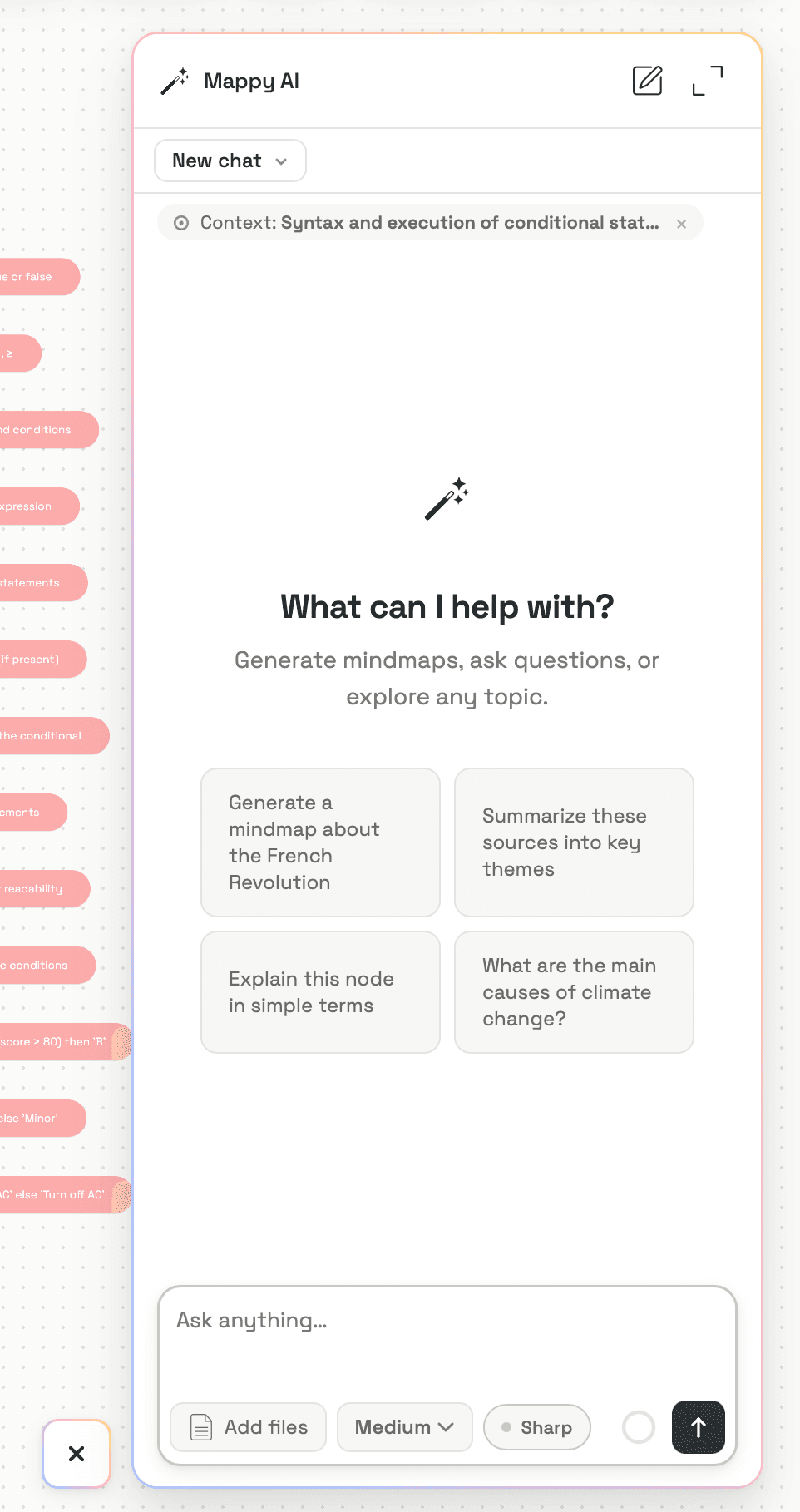
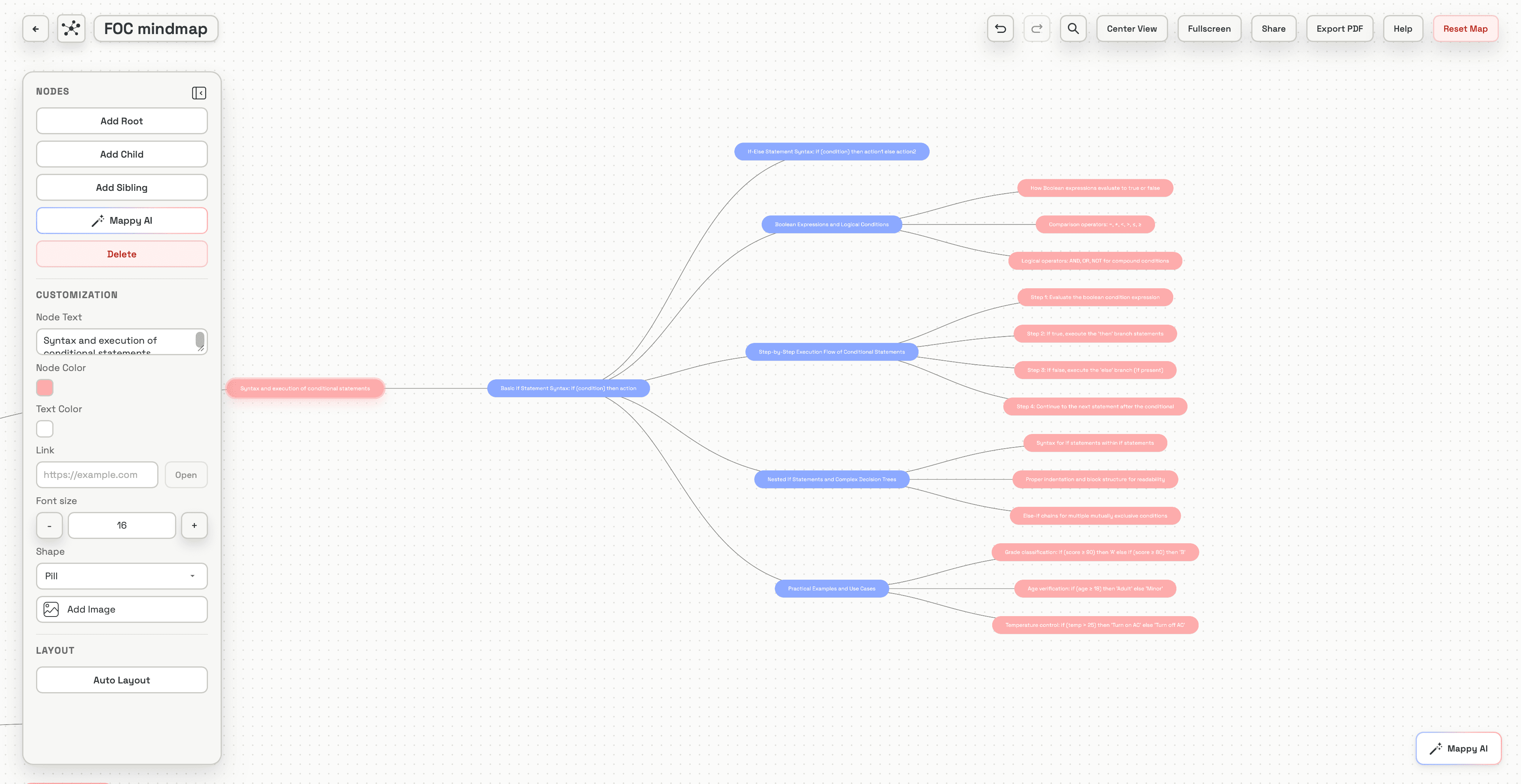
Mappy AI is a mindmap editor for creating clear visual maps manually or with AI. Users can build maps from their own ideas or generate them from many source types, including files, links, PDFs, videos, screenshots, and learning materials. AI-generated maps can include images from sources and keep information traceable, so users can check where each idea came from. The AI assistant helps explain nodes, expand branches, improve structure, and edit the map. The manual editor is simple but highly functional, allowing users to add, move, style, and customize nodes freely. Mappy AI also supports collaboration and mindmap export.
详细描述
Mappy AI is an advanced mindmap editor designed to help users create clear, visually engaging maps either manually or with the assistance of artificial intelligence. Its core purpose is to facilitate the organization and visualization of ideas, concepts, and information in a structured and intuitive format. Users can start from scratch by inputting their own ideas or leverage AI to generate mindmaps from a wide variety of source materials, including files, web links, PDFs, videos, screenshots, and other learning materials. This versatility makes Mappy AI a powerful tool for knowledge management, brainstorming, project planning, and educational purposes. One of the standout features of Mappy AI is its ability to incorporate images and visuals directly from source materials into the generated mindmaps. Each node within the map is traceable back to its original source, ensuring transparency and ease of verification. The AI assistant embedded in the platform enhances the user experience by offering explanations for nodes, expanding branches to add depth, improving the overall structure for clarity, and assisting with map editing. This combination of manual and AI-driven editing tools provides users with flexibility and control, allowing them to customize nodes by adding, moving, styling, and organizing content freely. Mappy AI supports multiple input methods, including uploading files, pasting links, or even recording lectures to create comprehensive mindmaps. The tool intelligently maps the structure of the input content and pulls in relevant visuals such as screenshots or diagrams, enriching the visual context. The design ensures that the entire topic fits on a single screen, making it easy to get an overview at a glance. Users can expand any branch without cluttering the rest of the map, enabling focused exploration of specific areas. Additionally, the platform supports collaborative mindmapping in its higher-tier plans, allowing teams to work together in real time, share ideas, and co-create maps seamlessly. Mappy AI is ideal for students, educators, researchers, project managers, content creators, and anyone who needs to organize complex information visually. It is particularly useful for those who work with diverse content types and require a tool that can integrate multimedia sources into a cohesive structure. Use cases include academic note-taking, project brainstorming sessions, content planning, knowledge management, and collaborative workshops. Regarding pricing, Mappy AI offers tiered plans with varying levels of access to features such as collaboration and export options. While specific pricing details are available on their website, the free or basic plans typically provide manual editing and AI-assisted map generation, whereas premium tiers unlock advanced collaboration tools and additional export formats. Compared to alternatives, Mappy AI stands out due to its strong AI integration that not only generates mindmaps from diverse content types but also maintains source traceability and includes relevant visuals automatically. Many traditional mindmapping tools focus solely on manual input or lack the ability to pull in multimedia content dynamically. Mappy AI’s blend of AI assistance and manual customization offers a unique balance that enhances productivity and creativity. However, some considerations include the learning curve associated with mastering both manual and AI-driven features, as well as potential limitations in the free tier regarding collaboration and export capabilities. Users should also ensure that their source materials are compatible and well-structured to maximize the AI’s effectiveness. Overall, Mappy AI is a robust and innovative tool that significantly streamlines the mindmapping process by combining AI intelligence with user-friendly manual editing.
工具功能
- Upload a file, paste a link, or record a lecture to create mind maps
- Maps the structure and pulls in relevant visuals like screenshots or diagrams
- Keeps every node tied back to the source material
- Visual structure shows how ideas relate
- The whole topic fits on one screen
- Expand any branch without crowding the rest
- Skim the shape first, then dive only where needed
- Supports collaborative mindmapping in higher tiers
描述
Mappy AI is a versatile mindmap editor that combines manual editing with powerful AI to create visually rich, traceable maps from diverse content sources like files, links, and videos. Ideal for students, educators, and teams, it enhances idea organization with AI-driven explanations, branch expansion, and collaborative features.
Mappy AI is a mindmap editor for creating clear visual maps manually or with AI. Users can build maps from their own ideas or generate them from many source types, including files, links, PDFs, videos, screenshots, and learning materials. AI-generated maps can include images from sources and keep information traceable, so users can check where each idea came from. The AI assistant helps explain nodes, expand branches, improve structure, and edit the map. The manual editor is simple but highly functional, allowing users to add, move, style, and customize nodes freely. Mappy AI also supports collaboration and mindmap export.
详细描述
Mappy AI is an advanced mindmap editor designed to help users create clear, visually engaging maps either manually or with the assistance of artificial intelligence. Its core purpose is to facilitate the organization and visualization of ideas, concepts, and information in a structured and intuitive format. Users can start from scratch by inputting their own ideas or leverage AI to generate mindmaps from a wide variety of source materials, including files, web links, PDFs, videos, screenshots, and other learning materials. This versatility makes Mappy AI a powerful tool for knowledge management, brainstorming, project planning, and educational purposes. One of the standout features of Mappy AI is its ability to incorporate images and visuals directly from source materials into the generated mindmaps. Each node within the map is traceable back to its original source, ensuring transparency and ease of verification. The AI assistant embedded in the platform enhances the user experience by offering explanations for nodes, expanding branches to add depth, improving the overall structure for clarity, and assisting with map editing. This combination of manual and AI-driven editing tools provides users with flexibility and control, allowing them to customize nodes by adding, moving, styling, and organizing content freely. Mappy AI supports multiple input methods, including uploading files, pasting links, or even recording lectures to create comprehensive mindmaps. The tool intelligently maps the structure of the input content and pulls in relevant visuals such as screenshots or diagrams, enriching the visual context. The design ensures that the entire topic fits on a single screen, making it easy to get an overview at a glance. Users can expand any branch without cluttering the rest of the map, enabling focused exploration of specific areas. Additionally, the platform supports collaborative mindmapping in its higher-tier plans, allowing teams to work together in real time, share ideas, and co-create maps seamlessly. Mappy AI is ideal for students, educators, researchers, project managers, content creators, and anyone who needs to organize complex information visually. It is particularly useful for those who work with diverse content types and require a tool that can integrate multimedia sources into a cohesive structure. Use cases include academic note-taking, project brainstorming sessions, content planning, knowledge management, and collaborative workshops. Regarding pricing, Mappy AI offers tiered plans with varying levels of access to features such as collaboration and export options. While specific pricing details are available on their website, the free or basic plans typically provide manual editing and AI-assisted map generation, whereas premium tiers unlock advanced collaboration tools and additional export formats. Compared to alternatives, Mappy AI stands out due to its strong AI integration that not only generates mindmaps from diverse content types but also maintains source traceability and includes relevant visuals automatically. Many traditional mindmapping tools focus solely on manual input or lack the ability to pull in multimedia content dynamically. Mappy AI’s blend of AI assistance and manual customization offers a unique balance that enhances productivity and creativity. However, some considerations include the learning curve associated with mastering both manual and AI-driven features, as well as potential limitations in the free tier regarding collaboration and export capabilities. Users should also ensure that their source materials are compatible and well-structured to maximize the AI’s effectiveness. Overall, Mappy AI is a robust and innovative tool that significantly streamlines the mindmapping process by combining AI intelligence with user-friendly manual editing.
常见问题
What is Mappy AI?
Mappy AI is a mindmap editor that allows users to create clear visual maps manually or with AI assistance. It can generate maps from various content types such as files, links, PDFs, videos, and more, while keeping all information traceable to its original source.
How much does Mappy AI cost?
Mappy AI offers tiered pricing plans, including free or basic options with manual and AI-assisted mindmapping features. Higher-tier plans provide advanced collaboration and export capabilities. For detailed pricing, visit their website.
Who is Mappy AI best for?
Mappy AI is best suited for students, educators, researchers, project managers, content creators, and teams who need to organize complex information visually and collaborate on mindmaps using diverse content sources.
What are the main features of Mappy AI?
Key features include creating mindmaps from uploaded files, links, or recorded lectures; AI-generated maps with relevant visuals; source traceability for every node; a clear visual structure fitting on one screen; expandable branches; and collaborative mindmapping in higher-tier plans.
Does Mappy AI offer a free trial?
Mappy AI typically offers a free or basic plan that allows users to explore manual and AI-assisted mindmapping features. For trial details or premium feature access, check their official website.
What integrations does Mappy AI support?
Mappy AI supports integration with various content sources by allowing users to upload files, paste links, import PDFs, videos, screenshots, and record lectures, enabling seamless creation of mindmaps from diverse materials.
How does Mappy AI work?
Mappy AI works by letting users input ideas manually or generate mindmaps automatically from multiple content types. Its AI assistant helps explain nodes, expand branches, improve map structure, and edit content, while keeping all nodes linked to their original sources.
社交媒体
使用工具评价
暂无评价。成为第一个分享使用体验的人。




















































