

这是您的 AI 工具吗?立即认领。
验证所有权、管理资料,并解锁增长功能。
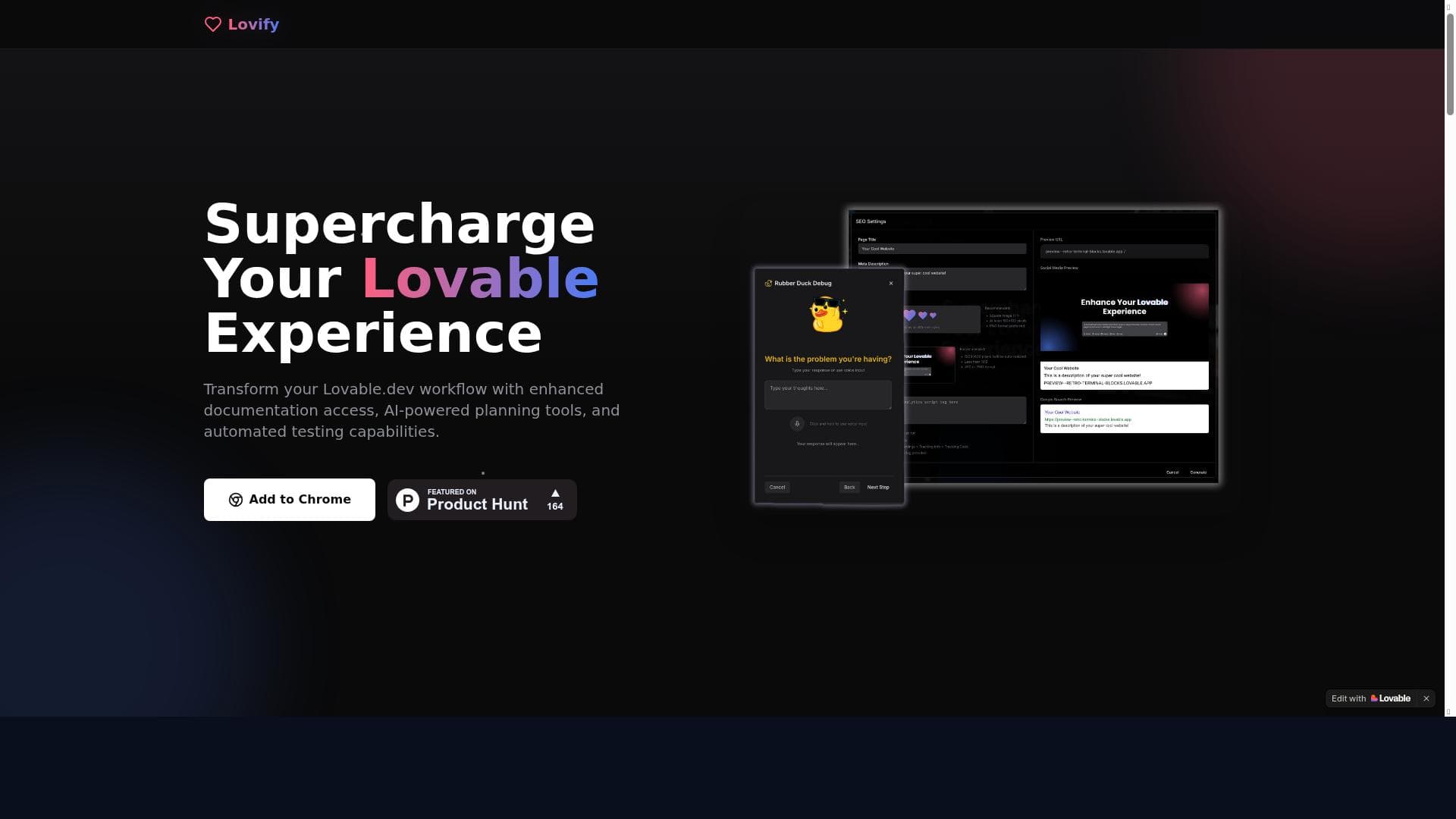
Lovify is a free Chrome extension that supercharges your Lovable.dev experience by combining improved prompts, project plan management, and seamless GitHub transfers into one playful and intuitive interface. Ideal for developers and project managers, it streamlines debugging and collaboration, making complex workflows effortless within the Lovable.dev ecosystem.

描述
Meet Lovify – your all-in-one Chrome extension that makes working on Lovable.dev a breeze! Whether you're debugging code, managing project plans, or transferring GitHub projects, Lovify has you covered with a playful and intuitive interface.
详细描述
Lovify is an innovative Chrome extension designed to enhance and streamline the user experience on Lovable.dev, a platform focused on coding, project management, and GitHub integration. At its core, Lovify serves as an all-in-one assistant that simplifies complex workflows by providing a playful yet highly intuitive interface. Whether you are debugging code, organizing your project plans, or transferring GitHub repositories, Lovify acts as a productivity booster that brings efficiency and ease to your development environment. Its seamless integration with Lovable.dev ensures that users can perform multiple tasks without switching contexts or juggling between different tools, making it an indispensable companion for developers and project managers alike. One of the standout features of Lovify is its improved prompt system. This feature enhances the way users interact with Lovable.dev by offering smarter, context-aware prompts that help reduce errors and speed up coding and project management tasks. The prompt improvements are designed to anticipate user needs, suggest relevant actions, and provide helpful hints, which collectively reduce the cognitive load on users. Additionally, Lovify includes robust plan management capabilities, allowing users to organize, track, and adjust their project plans directly within the extension. This feature supports better project visibility and control, enabling teams to stay aligned and meet deadlines effectively. Furthermore, Lovify enriches the overall Lovable.dev experience by integrating GitHub project transfers, allowing users to move repositories effortlessly without leaving their workspace. This integration saves time and minimizes disruptions, making project handoffs and collaboration smoother. Lovify is best suited for software developers, project managers, and teams who rely heavily on Lovable.dev for their daily workflows. It is particularly valuable for those who manage multiple projects, require efficient debugging tools, and need streamlined GitHub integration. Freelancers, small development teams, and even larger organizations can benefit from Lovify’s ability to consolidate essential tasks into one accessible interface. Use cases include debugging complex codebases with enhanced prompts, managing detailed project plans with real-time updates, and transferring GitHub repositories quickly during project transitions or collaborations. In terms of pricing, Lovify is offered completely free of charge, making it an attractive option for users looking to enhance their Lovable.dev experience without additional costs. This free pricing model lowers the barrier to entry, encouraging widespread adoption and experimentation. Users can install the Chrome extension and immediately start benefiting from its features without worrying about subscription fees or hidden charges. When compared to alternative tools, Lovify stands out due to its tight integration with Lovable.dev and its focus on improving the user experience within that specific ecosystem. While other productivity tools and project management extensions exist, few offer the same level of specialized support for debugging, plan management, and GitHub transfers in a single, cohesive package. Lovify’s playful yet functional interface also differentiates it from more utilitarian tools, providing an engaging user experience that encourages consistent use. However, unlike some standalone project management platforms or advanced IDE plugins, Lovify’s functionality is currently limited to enhancing Lovable.dev, which means users outside this ecosystem may find it less applicable. Notable limitations include its dependency on the Lovable.dev platform, which restricts its utility for users who do not use or plan to use Lovable.dev. Additionally, as a Chrome extension, its functionality is confined to the Chrome browser environment, potentially limiting accessibility for users on other browsers or devices. While Lovify offers a comprehensive set of features for its target audience, users seeking more advanced project management capabilities or integrations beyond GitHub might need to complement it with other tools. Despite these considerations, Lovify remains a powerful, user-friendly extension that significantly enhances productivity for Lovable.dev users.
工具功能
- Improved prompts
- Plan management
- Enhanced Lovable.dev experience
描述
Lovify is a free Chrome extension that supercharges your Lovable.dev experience by combining improved prompts, project plan management, and seamless GitHub transfers into one playful and intuitive interface. Ideal for developers and project managers, it streamlines debugging and collaboration, making complex workflows effortless within the Lovable.dev ecosystem.
Meet Lovify – your all-in-one Chrome extension that makes working on Lovable.dev a breeze! Whether you're debugging code, managing project plans, or transferring GitHub projects, Lovify has you covered with a playful and intuitive interface.
详细描述
Lovify is an innovative Chrome extension designed to enhance and streamline the user experience on Lovable.dev, a platform focused on coding, project management, and GitHub integration. At its core, Lovify serves as an all-in-one assistant that simplifies complex workflows by providing a playful yet highly intuitive interface. Whether you are debugging code, organizing your project plans, or transferring GitHub repositories, Lovify acts as a productivity booster that brings efficiency and ease to your development environment. Its seamless integration with Lovable.dev ensures that users can perform multiple tasks without switching contexts or juggling between different tools, making it an indispensable companion for developers and project managers alike. One of the standout features of Lovify is its improved prompt system. This feature enhances the way users interact with Lovable.dev by offering smarter, context-aware prompts that help reduce errors and speed up coding and project management tasks. The prompt improvements are designed to anticipate user needs, suggest relevant actions, and provide helpful hints, which collectively reduce the cognitive load on users. Additionally, Lovify includes robust plan management capabilities, allowing users to organize, track, and adjust their project plans directly within the extension. This feature supports better project visibility and control, enabling teams to stay aligned and meet deadlines effectively. Furthermore, Lovify enriches the overall Lovable.dev experience by integrating GitHub project transfers, allowing users to move repositories effortlessly without leaving their workspace. This integration saves time and minimizes disruptions, making project handoffs and collaboration smoother. Lovify is best suited for software developers, project managers, and teams who rely heavily on Lovable.dev for their daily workflows. It is particularly valuable for those who manage multiple projects, require efficient debugging tools, and need streamlined GitHub integration. Freelancers, small development teams, and even larger organizations can benefit from Lovify’s ability to consolidate essential tasks into one accessible interface. Use cases include debugging complex codebases with enhanced prompts, managing detailed project plans with real-time updates, and transferring GitHub repositories quickly during project transitions or collaborations. In terms of pricing, Lovify is offered completely free of charge, making it an attractive option for users looking to enhance their Lovable.dev experience without additional costs. This free pricing model lowers the barrier to entry, encouraging widespread adoption and experimentation. Users can install the Chrome extension and immediately start benefiting from its features without worrying about subscription fees or hidden charges. When compared to alternative tools, Lovify stands out due to its tight integration with Lovable.dev and its focus on improving the user experience within that specific ecosystem. While other productivity tools and project management extensions exist, few offer the same level of specialized support for debugging, plan management, and GitHub transfers in a single, cohesive package. Lovify’s playful yet functional interface also differentiates it from more utilitarian tools, providing an engaging user experience that encourages consistent use. However, unlike some standalone project management platforms or advanced IDE plugins, Lovify’s functionality is currently limited to enhancing Lovable.dev, which means users outside this ecosystem may find it less applicable. Notable limitations include its dependency on the Lovable.dev platform, which restricts its utility for users who do not use or plan to use Lovable.dev. Additionally, as a Chrome extension, its functionality is confined to the Chrome browser environment, potentially limiting accessibility for users on other browsers or devices. While Lovify offers a comprehensive set of features for its target audience, users seeking more advanced project management capabilities or integrations beyond GitHub might need to complement it with other tools. Despite these considerations, Lovify remains a powerful, user-friendly extension that significantly enhances productivity for Lovable.dev users.
常见问题
What is Lovify?
Lovify is a Chrome extension designed to enhance the user experience on Lovable.dev by providing improved prompts, project plan management, and GitHub project transfer capabilities within a playful and intuitive interface.
How much does Lovify cost?
Lovify is completely free to use, with no subscription fees or hidden charges.
Who is Lovify best for?
Lovify is best suited for software developers, project managers, and teams who use Lovable.dev for coding, managing projects, and collaborating via GitHub.
What are the main features of Lovify?
The main features include improved, context-aware prompts to assist with coding and project tasks, robust plan management tools, and seamless GitHub project transfers integrated directly into Lovable.dev.
Does Lovify offer a free trial?
Lovify is free to use and does not require a trial period.
What integrations does Lovify support?
Lovify primarily integrates with Lovable.dev and supports GitHub project transfers to facilitate smooth collaboration and project management.
How does Lovify work?
Lovify works as a Chrome extension that enhances the Lovable.dev platform by providing smarter prompts, project planning tools, and GitHub integration, all accessible through an easy-to-use interface within the browser.
评价
暂无评价。成为第一个分享使用体验的人。




















































