🚀 Zaprep: Your Socials on Steroids. 免费开始 — 每月自动发送 1,000 条私信,将互动转化为潜在客户。 ,每月 1,000 条自动私信。


这是您的 AI 工具吗?立即认领。
验证所有权、管理资料,并解锁增长功能。
Keel is a local-first desktop app that captures your AI conversations as plain markdown files stored securely on your device, supporting multiple AI models like Claude and GPT. Perfect for privacy-conscious users and developers, it offers full data ownership without requiring accounts or telemetry, all under an open-source MIT license.

描述
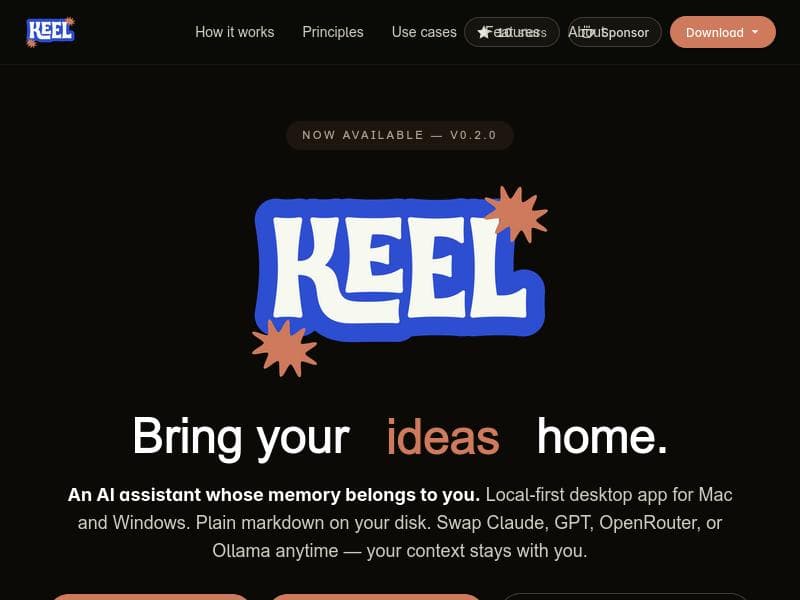
Keel is a local-first desktop app for macOS and Windows that captures what matters from your conversations into plain markdown files on your disk. Bring your own model - Claude, GPT, OpenRouter, or Ollama. Your context stays with you, not the vendor. Open source, MIT. https://keel-labs.github.io/
详细描述
Keel is a powerful local-first desktop application designed for macOS and Windows that revolutionizes how users capture, store, and interact with their conversational data. At its core, Keel enables users to save important insights, notes, and dialogue from AI-powered conversations directly onto their own devices as plain markdown files. This approach ensures that all context and memory remain private and under the user's control, rather than being stored on external vendor servers. By supporting multiple AI models such as Claude, GPT, OpenRouter, and Ollama, Keel offers flexibility and customization, allowing users to bring their preferred AI engine to the platform. The open-source nature of Keel, licensed under MIT, further empowers users and developers to inspect, modify, and contribute to the software, fostering transparency and community-driven innovation. Keel's standout features center around its local-first philosophy and seamless integration with various AI models. The app runs natively on both macOS and Windows, providing a smooth and responsive user experience without relying on cloud infrastructure. Data is stored as plain markdown files on the user's disk, making it easy to access, edit, and back up conversations using any standard text editor or version control system. This format also facilitates interoperability with other tools and workflows. Users can effortlessly switch between supported AI models, enabling experimentation with different language models and capabilities without being locked into a single vendor's ecosystem. Importantly, Keel does not collect telemetry data nor require users to create accounts, reinforcing its commitment to privacy and user autonomy. Keel is ideally suited for individuals and professionals who prioritize data privacy and want full ownership of their conversational context. Writers, researchers, developers, and knowledge workers can benefit from Keel's ability to capture and organize AI-assisted dialogues in a structured, accessible format. For example, a researcher can use Keel to document brainstorming sessions with an AI model, saving key points and follow-up questions locally for later reference. Similarly, developers experimenting with different AI APIs can use Keel to test models side-by-side while maintaining control over their data. The open-source aspect also makes Keel attractive to technical users who want to customize or extend the app's functionality. Keel is offered completely free of charge, with no subscription plans or premium tiers. This pricing model, combined with its open-source license, makes it an accessible option for anyone looking to integrate AI-assisted conversation capture into their workflow without financial barriers. Users can download and install the app directly from the official website or GitHub repository. Compared to cloud-based AI assistants and note-taking apps, Keel's local-first approach offers significant advantages in privacy, data ownership, and offline accessibility. While many alternatives require users to trust third-party servers with sensitive conversational data, Keel ensures that all information remains on the user's device. Additionally, the ability to bring your own AI model and switch between them is a unique feature that provides flexibility not commonly found in competing products. However, unlike fully cloud-integrated solutions, Keel may lack some advanced collaboration features or seamless cross-device syncing out of the box, which users should consider based on their needs. One limitation to note is that Keel requires users to have some familiarity with managing local files and AI models, which may present a learning curve for less technical users. Also, since it relies on external AI models, users need to obtain access to those models separately, which may involve additional costs or setup steps depending on the provider. Finally, while Keel excels at privacy and local control, it does not currently offer built-in cloud synchronization or mobile apps, which may be a drawback for users seeking a fully integrated multi-device experience. Overall, Keel is a robust, privacy-focused AI conversation capture tool that empowers users to maintain control over their data while leveraging multiple AI models. Its open-source nature and local-first design make it a compelling choice for privacy-conscious users and developers looking for a customizable, flexible AI assistant platform.
工具功能
- Local-first desktop app for Mac and Windows
- Stores data as plain markdown on your disk
- Supports swapping between multiple AI models including Claude, GPT, OpenRouter, and Ollama
- Keeps your context and memory private and local
- Open source under MIT license
- No telemetry and no account required
描述
Keel is a local-first desktop app that captures your AI conversations as plain markdown files stored securely on your device, supporting multiple AI models like Claude and GPT. Perfect for privacy-conscious users and developers, it offers full data ownership without requiring accounts or telemetry, all under an open-source MIT license.
Keel is a local-first desktop app for macOS and Windows that captures what matters from your conversations into plain markdown files on your disk. Bring your own model - Claude, GPT, OpenRouter, or Ollama. Your context stays with you, not the vendor. Open source, MIT. https://keel-labs.github.io/
详细描述
Keel is a powerful local-first desktop application designed for macOS and Windows that revolutionizes how users capture, store, and interact with their conversational data. At its core, Keel enables users to save important insights, notes, and dialogue from AI-powered conversations directly onto their own devices as plain markdown files. This approach ensures that all context and memory remain private and under the user's control, rather than being stored on external vendor servers. By supporting multiple AI models such as Claude, GPT, OpenRouter, and Ollama, Keel offers flexibility and customization, allowing users to bring their preferred AI engine to the platform. The open-source nature of Keel, licensed under MIT, further empowers users and developers to inspect, modify, and contribute to the software, fostering transparency and community-driven innovation. Keel's standout features center around its local-first philosophy and seamless integration with various AI models. The app runs natively on both macOS and Windows, providing a smooth and responsive user experience without relying on cloud infrastructure. Data is stored as plain markdown files on the user's disk, making it easy to access, edit, and back up conversations using any standard text editor or version control system. This format also facilitates interoperability with other tools and workflows. Users can effortlessly switch between supported AI models, enabling experimentation with different language models and capabilities without being locked into a single vendor's ecosystem. Importantly, Keel does not collect telemetry data nor require users to create accounts, reinforcing its commitment to privacy and user autonomy. Keel is ideally suited for individuals and professionals who prioritize data privacy and want full ownership of their conversational context. Writers, researchers, developers, and knowledge workers can benefit from Keel's ability to capture and organize AI-assisted dialogues in a structured, accessible format. For example, a researcher can use Keel to document brainstorming sessions with an AI model, saving key points and follow-up questions locally for later reference. Similarly, developers experimenting with different AI APIs can use Keel to test models side-by-side while maintaining control over their data. The open-source aspect also makes Keel attractive to technical users who want to customize or extend the app's functionality. Keel is offered completely free of charge, with no subscription plans or premium tiers. This pricing model, combined with its open-source license, makes it an accessible option for anyone looking to integrate AI-assisted conversation capture into their workflow without financial barriers. Users can download and install the app directly from the official website or GitHub repository. Compared to cloud-based AI assistants and note-taking apps, Keel's local-first approach offers significant advantages in privacy, data ownership, and offline accessibility. While many alternatives require users to trust third-party servers with sensitive conversational data, Keel ensures that all information remains on the user's device. Additionally, the ability to bring your own AI model and switch between them is a unique feature that provides flexibility not commonly found in competing products. However, unlike fully cloud-integrated solutions, Keel may lack some advanced collaboration features or seamless cross-device syncing out of the box, which users should consider based on their needs. One limitation to note is that Keel requires users to have some familiarity with managing local files and AI models, which may present a learning curve for less technical users. Also, since it relies on external AI models, users need to obtain access to those models separately, which may involve additional costs or setup steps depending on the provider. Finally, while Keel excels at privacy and local control, it does not currently offer built-in cloud synchronization or mobile apps, which may be a drawback for users seeking a fully integrated multi-device experience. Overall, Keel is a robust, privacy-focused AI conversation capture tool that empowers users to maintain control over their data while leveraging multiple AI models. Its open-source nature and local-first design make it a compelling choice for privacy-conscious users and developers looking for a customizable, flexible AI assistant platform.
常见问题
What is Keel?
Keel is a local-first desktop application for macOS and Windows that captures and stores AI conversation data as plain markdown files on your device, allowing you to bring your own AI model and keep your context private and local.
How much does Keel cost?
Keel is completely free to use with no subscription fees or paid plans.
Who is Keel best for?
Keel is ideal for privacy-conscious individuals, researchers, writers, developers, and knowledge workers who want full control over their AI conversation data and prefer a local-first, open-source solution.
What are the main features of Keel?
Key features include local-first operation on macOS and Windows, storing data as plain markdown files, support for multiple AI models (Claude, GPT, OpenRouter, Ollama), no telemetry or account requirements, and an open-source MIT license.
Does Keel offer a free trial?
Keel is fully free to use, so there is no need for a trial period.
What integrations does Keel support?
Keel supports integration with multiple AI models including Claude, GPT, OpenRouter, and Ollama, allowing users to bring their own preferred AI engine.
How does Keel work?
Keel runs as a desktop app that captures your AI conversations and saves them as markdown files locally on your computer. It connects to your chosen AI model for generating responses, ensuring all data and context remain on your device without being sent to external servers.
社交媒体
使用工具评价
暂无评价。成为第一个分享使用体验的人。
赞助工具











































推荐工具
及时了解最新 AI 工具
获取最新资讯,订阅我们的新闻通讯
已有 50,000+ 位读者阅读并信赖
加入最大的 AI 社区
我们的社区和团队随时为您提供帮助!
您的反馈将帮助 Alice AI 在未来版本中不断改进。









