Google Workspace CLI



这是您的 AI 工具吗?立即认领。
验证所有权、管理资料,并解锁增长功能。
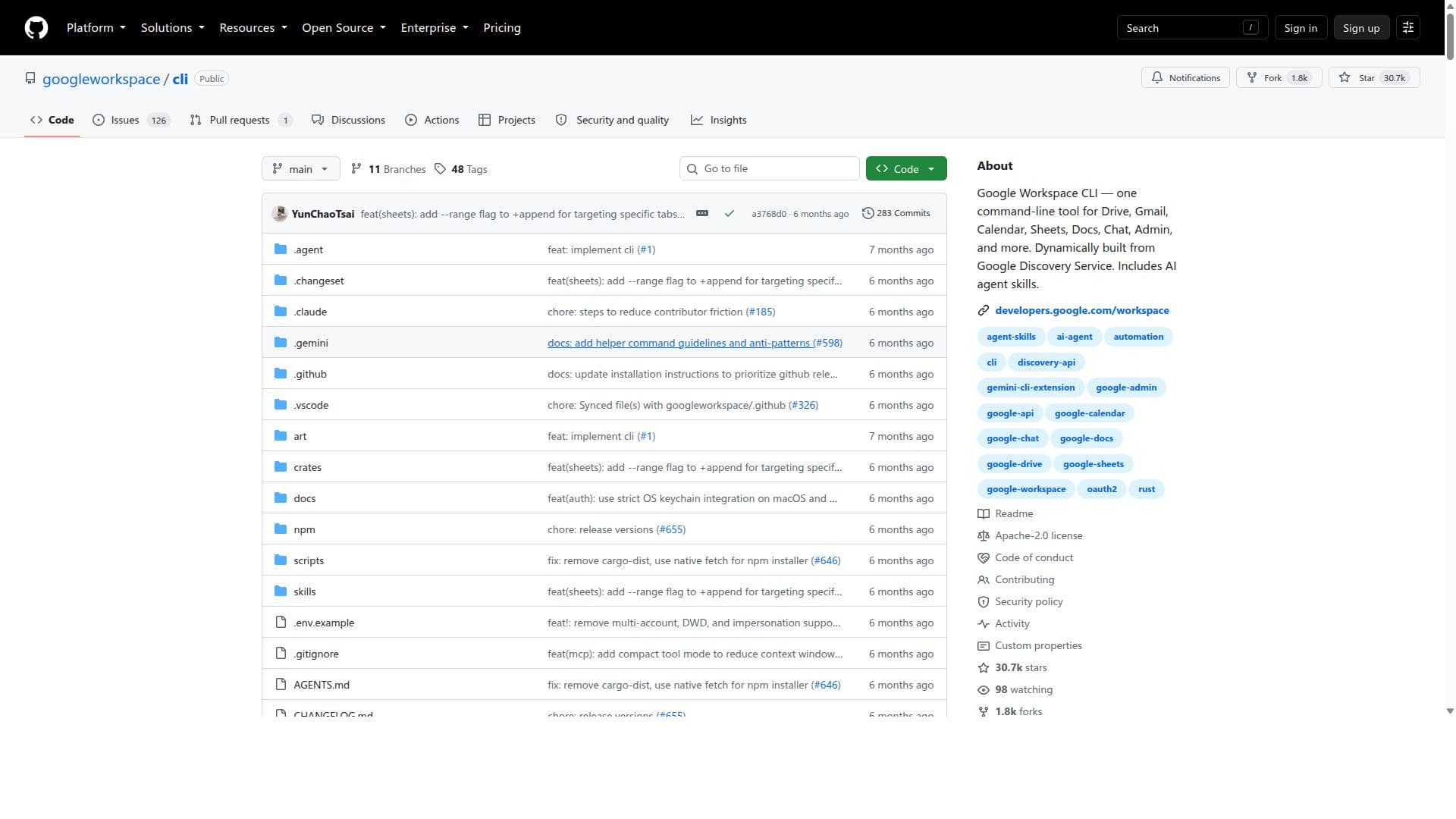
Google Workspace CLI is a dynamic command-line tool that integrates multiple Google Workspace services into a single interface, enhanced with AI-driven automation capabilities. Ideal for IT admins, developers, and power users, it simplifies managing and automating Google Workspace tasks with up-to-date API access and intelligent agent skills.

描述
Google Workspace CLI lets humans and AI agents control Drive, Gmail, Calendar, Sheets, Docs, and more from one CLI. Built from Google’s Discovery Service, it stays up to date automatically and includes 100+ agent skills to automate workflows without the MCP context tax.
详细描述
Google Workspace CLI is a powerful command-line interface tool designed to streamline and automate interactions with Google Workspace services. Its core purpose is to provide users, especially IT administrators, developers, and power users, with a unified command-line experience that integrates multiple Google Workspace APIs such as Drive, Gmail, Calendar, Sheets, Docs, Chat, and Admin. By leveraging the Google Discovery Service, the tool dynamically builds its commands and capabilities, ensuring it stays up to date with the latest Google Workspace API features. This dynamic construction allows users to interact with a wide range of Google Workspace resources without needing to switch between different tools or interfaces. One of the standout features of Google Workspace CLI is its comprehensive coverage of Google Workspace services in a single tool. Users can manage files on Drive, send and read emails in Gmail, schedule and manage events in Calendar, manipulate data in Sheets, edit Docs, communicate via Chat, and perform administrative tasks—all from the command line. The inclusion of AI agent skills further enhances productivity by enabling intelligent automation and task execution, reducing manual effort and accelerating workflows. For example, users can automate repetitive tasks such as bulk email sending, calendar event creation, or data extraction from Sheets, all through scripted commands. The tool is particularly well-suited for IT administrators who manage Google Workspace environments at scale, developers building integrations or automation scripts, and power users who prefer command-line tools for efficiency. Specific use cases include automating user and group management in the Admin console, batch processing of Drive files, scheduling and managing meetings programmatically, and integrating Google Workspace data into custom workflows or CI/CD pipelines. Its ability to unify multiple services into one CLI reduces context switching and simplifies complex automation scenarios. Regarding pricing, Google Workspace CLI is an open-source project hosted on GitHub, making it freely available to users. There are no direct costs associated with using the tool itself; however, users must have appropriate Google Workspace accounts and API access, which may be subject to Google’s own pricing and quota limits. Since it relies on Google APIs, any usage costs or limitations imposed by Google Workspace services apply. When compared to alternatives, Google Workspace CLI stands out for its dynamic generation of commands from the Google Discovery Service, ensuring comprehensive and up-to-date API coverage. Unlike other tools that may focus on a single service or require multiple separate utilities, this CLI consolidates functionality across the entire Google Workspace suite. Its AI agent skills also provide an edge by enabling smarter automation capabilities. However, users seeking a graphical user interface or less technical interaction may find it less approachable than web-based admin consoles or third-party apps with visual workflows. Notable limitations include the inherent complexity of command-line tools for users unfamiliar with terminal environments or scripting. While powerful, it requires some technical proficiency to install, configure, and effectively use. Additionally, as it depends on Google API quotas and permissions, users must ensure proper authentication and authorization setups. The tool’s open-source nature means community support and documentation quality may vary, and enterprise users might require additional support channels. Despite these considerations, Google Workspace CLI offers a robust, flexible, and extensible solution for managing and automating Google Workspace resources efficiently from the command line.
工具功能
- One command-line tool for Drive, Gmail, Calendar, Sheets, Docs, Chat, Admin, and more
- Dynamically built from Google Discovery Service
- Includes AI agent skills
- Supports automation of Google Workspace tasks
- Enables integration with multiple Google Workspace services
描述
Google Workspace CLI is a dynamic command-line tool that integrates multiple Google Workspace services into a single interface, enhanced with AI-driven automation capabilities. Ideal for IT admins, developers, and power users, it simplifies managing and automating Google Workspace tasks with up-to-date API access and intelligent agent skills.
Google Workspace CLI lets humans and AI agents control Drive, Gmail, Calendar, Sheets, Docs, and more from one CLI. Built from Google’s Discovery Service, it stays up to date automatically and includes 100+ agent skills to automate workflows without the MCP context tax.
详细描述
Google Workspace CLI is a powerful command-line interface tool designed to streamline and automate interactions with Google Workspace services. Its core purpose is to provide users, especially IT administrators, developers, and power users, with a unified command-line experience that integrates multiple Google Workspace APIs such as Drive, Gmail, Calendar, Sheets, Docs, Chat, and Admin. By leveraging the Google Discovery Service, the tool dynamically builds its commands and capabilities, ensuring it stays up to date with the latest Google Workspace API features. This dynamic construction allows users to interact with a wide range of Google Workspace resources without needing to switch between different tools or interfaces. One of the standout features of Google Workspace CLI is its comprehensive coverage of Google Workspace services in a single tool. Users can manage files on Drive, send and read emails in Gmail, schedule and manage events in Calendar, manipulate data in Sheets, edit Docs, communicate via Chat, and perform administrative tasks—all from the command line. The inclusion of AI agent skills further enhances productivity by enabling intelligent automation and task execution, reducing manual effort and accelerating workflows. For example, users can automate repetitive tasks such as bulk email sending, calendar event creation, or data extraction from Sheets, all through scripted commands. The tool is particularly well-suited for IT administrators who manage Google Workspace environments at scale, developers building integrations or automation scripts, and power users who prefer command-line tools for efficiency. Specific use cases include automating user and group management in the Admin console, batch processing of Drive files, scheduling and managing meetings programmatically, and integrating Google Workspace data into custom workflows or CI/CD pipelines. Its ability to unify multiple services into one CLI reduces context switching and simplifies complex automation scenarios. Regarding pricing, Google Workspace CLI is an open-source project hosted on GitHub, making it freely available to users. There are no direct costs associated with using the tool itself; however, users must have appropriate Google Workspace accounts and API access, which may be subject to Google’s own pricing and quota limits. Since it relies on Google APIs, any usage costs or limitations imposed by Google Workspace services apply. When compared to alternatives, Google Workspace CLI stands out for its dynamic generation of commands from the Google Discovery Service, ensuring comprehensive and up-to-date API coverage. Unlike other tools that may focus on a single service or require multiple separate utilities, this CLI consolidates functionality across the entire Google Workspace suite. Its AI agent skills also provide an edge by enabling smarter automation capabilities. However, users seeking a graphical user interface or less technical interaction may find it less approachable than web-based admin consoles or third-party apps with visual workflows. Notable limitations include the inherent complexity of command-line tools for users unfamiliar with terminal environments or scripting. While powerful, it requires some technical proficiency to install, configure, and effectively use. Additionally, as it depends on Google API quotas and permissions, users must ensure proper authentication and authorization setups. The tool’s open-source nature means community support and documentation quality may vary, and enterprise users might require additional support channels. Despite these considerations, Google Workspace CLI offers a robust, flexible, and extensible solution for managing and automating Google Workspace resources efficiently from the command line.
常见问题
What is Google Workspace CLI?
Google Workspace CLI is a command-line interface tool that allows users to interact with various Google Workspace services such as Drive, Gmail, Calendar, Sheets, Docs, Chat, and Admin through a unified CLI. It dynamically builds its commands from the Google Discovery Service and includes AI agent skills to help automate and streamline Google Workspace management tasks.
How much does Google Workspace CLI cost?
Google Workspace CLI is an open-source tool available for free on GitHub. There are no direct charges for using the CLI itself, but users must have Google Workspace accounts and comply with Google’s API usage policies, which may include quotas or costs depending on their Google Workspace subscription.
Who is Google Workspace CLI best for?
The tool is best suited for IT administrators managing Google Workspace environments, developers building integrations or automation scripts, and power users who prefer command-line tools to efficiently manage and automate tasks across multiple Google Workspace services.
What are the main features of Google Workspace CLI?
Key features include unified command-line access to Drive, Gmail, Calendar, Sheets, Docs, Chat, and Admin services; dynamic command generation from the Google Discovery Service; AI agent skills for enhanced automation; support for complex task automation; and integration capabilities across multiple Google Workspace APIs.
Does Google Workspace CLI offer a free trial?
Since Google Workspace CLI is an open-source tool, it is freely available to use without a trial period. Users can download and start using it immediately, subject to having appropriate Google Workspace accounts and API access.
What integrations does Google Workspace CLI support?
Google Workspace CLI supports integrations with a wide range of Google Workspace services including Drive, Gmail, Calendar, Sheets, Docs, Chat, and Admin. It leverages the Google Discovery Service to dynamically include additional Google APIs as they become available.
How does Google Workspace CLI work?
The CLI works by dynamically generating commands based on the Google Discovery Service, which provides metadata about Google Workspace APIs. Users execute commands in their terminal to interact with Google Workspace services, and AI agent skills help automate complex workflows. Authentication is handled via Google OAuth to securely access user or admin resources.
社交媒体
使用工具评价
暂无评价。成为第一个分享使用体验的人。




















































