

这是您的 AI 工具吗?立即认领。
验证所有权、管理资料,并解锁增长功能。
FluidDocs CLI empowers professionals to publish live, interactive documents like pitch decks and proposals directly from the terminal with a single command. Its unique ability to answer readers' questions from the document content and provide detailed engagement analytics makes it ideal for startups, consultants, and sales teams seeking deeper insights and streamlined workflows.

描述
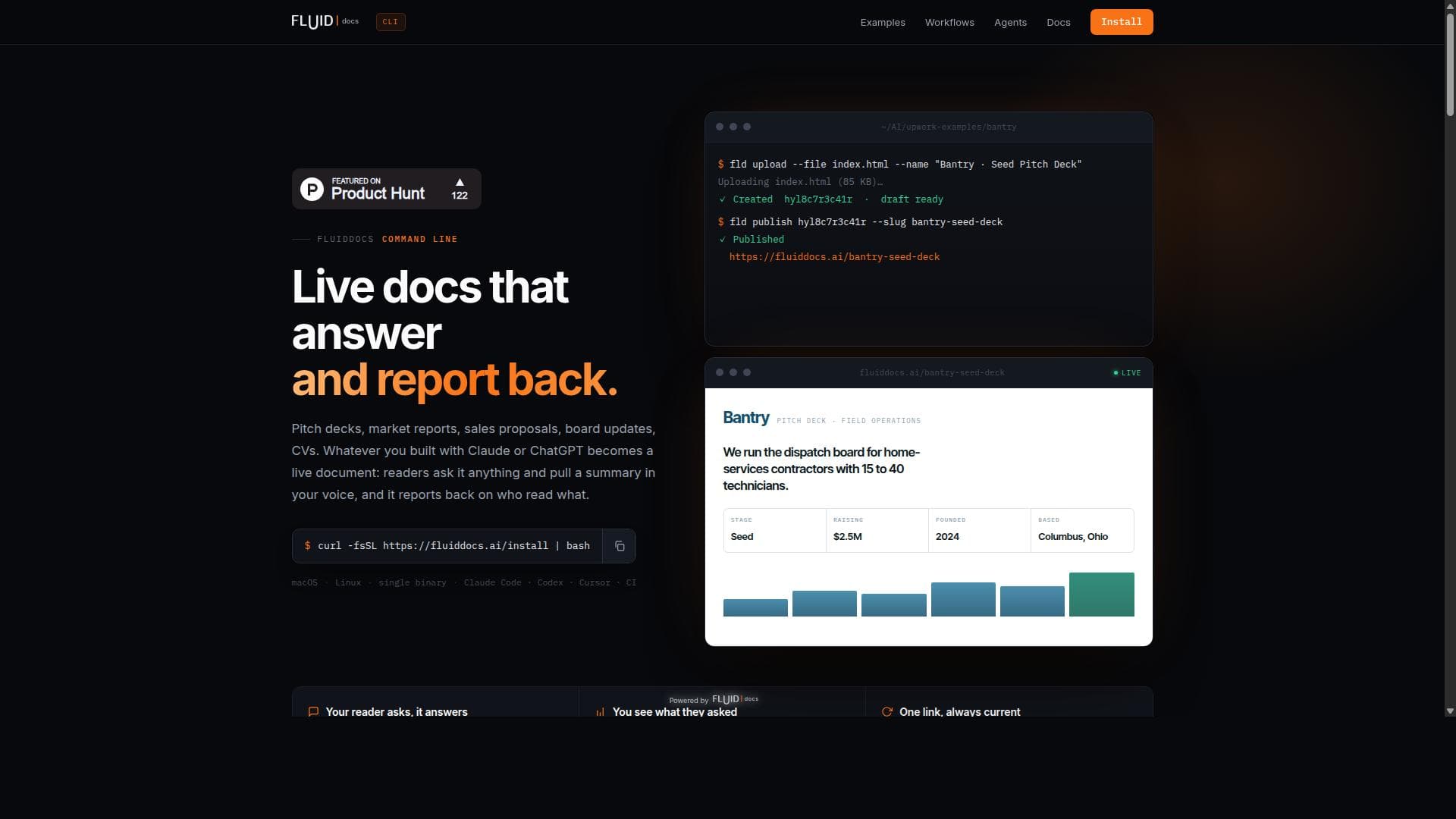
FluidDocs CLI turns your prompts into interactive documents that answer questions and report back. You see who opened it, how far they got, and what they asked. Pitch decks, proposals, reports, board updates. One line installs the CLI and one command publishes. Edit later by prompt, and the same link updates. Viewer-side AI-enabled Q&A and analytics come built in.
详细描述
FluidDocs CLI is a powerful command-line interface tool designed to revolutionize how professionals publish and share live, interactive documents directly from their terminal environment. Its core purpose is to streamline the creation and distribution of dynamic documents such as pitch decks, proposals, and market reports, enabling users to publish with a single command. Unlike traditional static documents, FluidDocs CLI transforms these files into interactive experiences that not only present information but also actively engage readers by answering their questions based on the document's own content. This capability significantly enhances communication clarity and reader engagement, making it an invaluable tool for professionals who rely on precise and responsive document sharing. One of the standout features of FluidDocs CLI is its seamless one-command publishing workflow. Users can effortlessly convert their terminal-based documents into live, web-accessible formats without leaving the command line, which accelerates the publishing process and reduces friction. The tool’s interactive document feature allows readers to query the content directly, receiving contextually relevant answers derived from the document itself. This interactivity ensures that readers can explore the material in depth without needing to contact the author for clarifications, thereby improving the overall user experience. Additionally, FluidDocs CLI provides detailed analytics by reporting back on who has read the document and what sections they engaged with. This insight is crucial for sales teams, marketers, and business developers who need to track stakeholder interest and tailor follow-ups accordingly. By understanding reader behavior, users can refine their documents and strategies for maximum impact. FluidDocs CLI is best suited for professionals and teams who frequently create and share complex documents that benefit from interactivity and detailed engagement tracking. This includes startup founders preparing pitch decks for investors, consultants drafting proposals for clients, market analysts compiling reports, and sales teams distributing product information. Its command-line interface appeals particularly to developers, technical professionals, and power users who prefer terminal-based workflows and seek to integrate document publishing into automated pipelines. Regarding pricing, FluidDocs CLI’s website does not explicitly detail pricing plans, suggesting that interested users should visit the official site or contact the team for the most current information. This approach often indicates flexible or usage-based pricing models tailored to individual or enterprise needs. Compared to traditional document publishing tools, FluidDocs CLI stands out by combining terminal-based convenience with advanced interactivity and reader analytics. While platforms like Google Slides or PDF sharing services offer static or minimally interactive documents, FluidDocs CLI’s ability to answer reader questions dynamically and report on engagement provides a unique value proposition. It bridges the gap between developer-centric workflows and business communication needs, which many alternatives do not address. However, potential users should consider that FluidDocs CLI requires familiarity with command-line operations, which might present a learning curve for non-technical users. Additionally, as a relatively specialized tool, it may lack integrations with some mainstream office suites or collaboration platforms, which could be a limitation for teams heavily reliant on those ecosystems. Prospective users should evaluate whether their workflow aligns with a CLI-based publishing approach and whether the interactive features meet their document sharing requirements. In summary, FluidDocs CLI offers a cutting-edge solution for publishing live, interactive documents from the terminal, enhancing reader engagement and providing actionable insights into document consumption. Its unique blend of interactivity, analytics, and developer-friendly workflow makes it an excellent choice for professionals seeking to modernize their document publishing process.
工具功能
- Publish pitch decks, proposals, or market reports from the terminal
- Documents answer reader's questions from their own contents
- Reports back on who read what
- One command publishing workflow
描述
FluidDocs CLI empowers professionals to publish live, interactive documents like pitch decks and proposals directly from the terminal with a single command. Its unique ability to answer readers' questions from the document content and provide detailed engagement analytics makes it ideal for startups, consultants, and sales teams seeking deeper insights and streamlined workflows.
FluidDocs CLI turns your prompts into interactive documents that answer questions and report back. You see who opened it, how far they got, and what they asked. Pitch decks, proposals, reports, board updates. One line installs the CLI and one command publishes. Edit later by prompt, and the same link updates. Viewer-side AI-enabled Q&A and analytics come built in.
详细描述
FluidDocs CLI is a powerful command-line interface tool designed to revolutionize how professionals publish and share live, interactive documents directly from their terminal environment. Its core purpose is to streamline the creation and distribution of dynamic documents such as pitch decks, proposals, and market reports, enabling users to publish with a single command. Unlike traditional static documents, FluidDocs CLI transforms these files into interactive experiences that not only present information but also actively engage readers by answering their questions based on the document's own content. This capability significantly enhances communication clarity and reader engagement, making it an invaluable tool for professionals who rely on precise and responsive document sharing. One of the standout features of FluidDocs CLI is its seamless one-command publishing workflow. Users can effortlessly convert their terminal-based documents into live, web-accessible formats without leaving the command line, which accelerates the publishing process and reduces friction. The tool’s interactive document feature allows readers to query the content directly, receiving contextually relevant answers derived from the document itself. This interactivity ensures that readers can explore the material in depth without needing to contact the author for clarifications, thereby improving the overall user experience. Additionally, FluidDocs CLI provides detailed analytics by reporting back on who has read the document and what sections they engaged with. This insight is crucial for sales teams, marketers, and business developers who need to track stakeholder interest and tailor follow-ups accordingly. By understanding reader behavior, users can refine their documents and strategies for maximum impact. FluidDocs CLI is best suited for professionals and teams who frequently create and share complex documents that benefit from interactivity and detailed engagement tracking. This includes startup founders preparing pitch decks for investors, consultants drafting proposals for clients, market analysts compiling reports, and sales teams distributing product information. Its command-line interface appeals particularly to developers, technical professionals, and power users who prefer terminal-based workflows and seek to integrate document publishing into automated pipelines. Regarding pricing, FluidDocs CLI’s website does not explicitly detail pricing plans, suggesting that interested users should visit the official site or contact the team for the most current information. This approach often indicates flexible or usage-based pricing models tailored to individual or enterprise needs. Compared to traditional document publishing tools, FluidDocs CLI stands out by combining terminal-based convenience with advanced interactivity and reader analytics. While platforms like Google Slides or PDF sharing services offer static or minimally interactive documents, FluidDocs CLI’s ability to answer reader questions dynamically and report on engagement provides a unique value proposition. It bridges the gap between developer-centric workflows and business communication needs, which many alternatives do not address. However, potential users should consider that FluidDocs CLI requires familiarity with command-line operations, which might present a learning curve for non-technical users. Additionally, as a relatively specialized tool, it may lack integrations with some mainstream office suites or collaboration platforms, which could be a limitation for teams heavily reliant on those ecosystems. Prospective users should evaluate whether their workflow aligns with a CLI-based publishing approach and whether the interactive features meet their document sharing requirements. In summary, FluidDocs CLI offers a cutting-edge solution for publishing live, interactive documents from the terminal, enhancing reader engagement and providing actionable insights into document consumption. Its unique blend of interactivity, analytics, and developer-friendly workflow makes it an excellent choice for professionals seeking to modernize their document publishing process.
常见问题
What is FluidDocs CLI?
FluidDocs CLI is a command-line interface tool that allows users to publish live, interactive documents such as pitch decks, proposals, and market reports directly from their terminal. These documents can answer readers' questions based on their own content and provide feedback on who has read what.
How much does FluidDocs CLI cost?
Pricing details for FluidDocs CLI are not explicitly provided on the website. Interested users should visit the official FluidDocs website or contact the team directly for the most up-to-date pricing and plan information.
Who is FluidDocs CLI best for?
FluidDocs CLI is best suited for professionals and teams who frequently create and share complex documents, including startup founders, consultants, market analysts, and sales teams. It particularly appeals to developers and technical users who prefer terminal-based workflows.
What are the main features of FluidDocs CLI?
Key features include one-command publishing of pitch decks, proposals, and market reports from the terminal; interactive documents that answer reader questions based on the document content; and detailed analytics reporting on who read the document and what sections they engaged with.
Does FluidDocs CLI offer a free trial?
The website does not specify whether a free trial is available. Prospective users should check the FluidDocs website or contact their support team to inquire about trial options or demos.
What integrations does FluidDocs CLI support?
Specific integrations are not detailed on the FluidDocs CLI website. Given its command-line nature, it is likely designed to integrate smoothly into developer workflows and automation pipelines, but users should verify compatibility with their existing tools.
How does FluidDocs CLI work?
FluidDocs CLI works by allowing users to publish documents directly from their terminal using a single command. Once published, the documents become interactive, enabling readers to ask questions that are answered based on the document's content. The tool also tracks reader engagement and reports back on who accessed the document and what they viewed.
社交媒体
使用工具评价
暂无评价。成为第一个分享使用体验的人。




















































