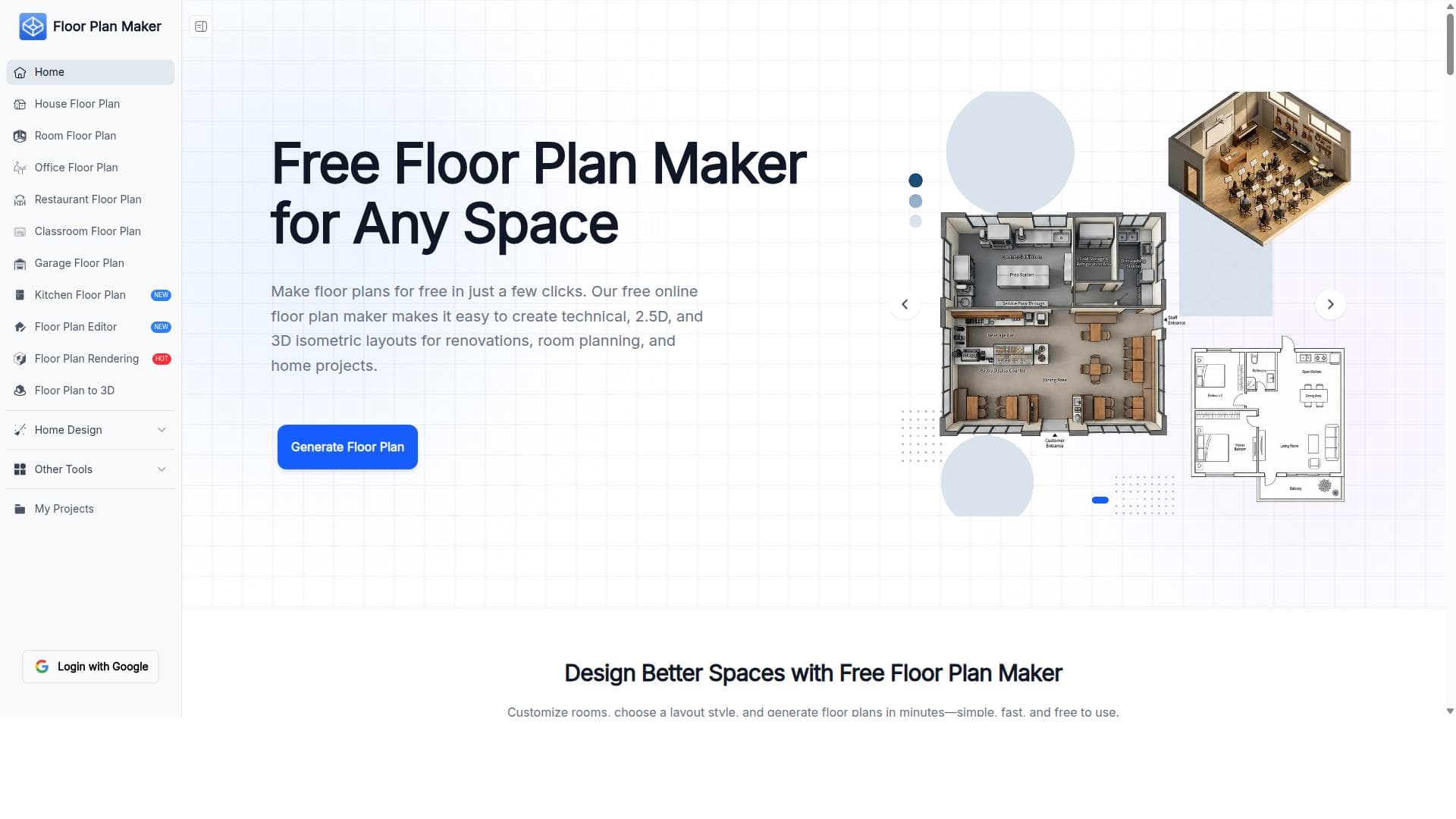


Floor Plan Maker is a versatile online tool that enables users to create detailed 2D, 2.5D, and 3D isometric floor plans effortlessly, perfect for home design, renovations, and presentations. Its user-friendly interface and multi-dimensional layout options make it ideal for homeowners, interior designers, and real estate professionals seeking quick, visually engaging spatial designs without complex software.

描述
Floor Plan Maker helps you create technical, 2.5D, and 3D isometric layouts for home design, renovations, room planning, and presentations. It is an online tool that allows users to design floor plans easily and efficiently with various layout options.
详细描述
Floor Plan Maker is an intuitive online design tool that empowers users to create detailed and visually engaging floor plans in 2D, 2.5D, and 3D isometric views. Its core purpose is to simplify the process of home design, renovations, room planning, and professional presentations by providing a versatile platform that caters to both technical precision and aesthetic visualization. By offering multiple layout perspectives, Floor Plan Maker allows users to conceptualize spaces clearly and communicate design ideas effectively, whether for personal projects or client presentations. The tool’s key features include the ability to create accurate 2D floor plans that serve as the foundation for spatial layouts, enabling precise placement of walls, doors, windows, and fixtures. Beyond traditional 2D views, Floor Plan Maker supports 2.5D layouts, which add depth and perspective to the floor plans, making it easier to visualize room heights and furniture arrangements. Its standout feature is the 3D isometric layout capability, which presents a three-dimensional, angled view of the space, offering a comprehensive understanding of spatial relationships and design flow. This multi-dimensional approach is particularly useful for renovations and remodeling projects where visualizing changes in context is critical. Floor Plan Maker is designed with versatility in mind, making it suitable for homeowners planning renovations, interior designers crafting room layouts, architects needing quick conceptual drafts, and real estate professionals preparing presentation-ready visuals. Its user-friendly interface and online accessibility mean that users do not require advanced CAD skills, making it accessible to a broad audience. Specific use cases include designing new home layouts, planning furniture placement, visualizing renovation impacts, and creating detailed presentations for clients or stakeholders. Regarding pricing, Floor Plan Maker is available as a free online tool, allowing users to access its core functionalities without cost. This free access makes it an attractive option for individuals and small businesses looking for budget-friendly design solutions. While the website does not explicitly detail premium plans or subscriptions, the free offering provides significant value with its comprehensive feature set, making it a competitive choice in the floor planning software market. When compared to alternatives such as SketchUp, AutoCAD, or specialized interior design software, Floor Plan Maker stands out due to its simplicity and focus on quick, visually rich layouts without the steep learning curve associated with professional CAD tools. Unlike some competitors that require software installation or expensive licenses, Floor Plan Maker’s browser-based platform ensures ease of access and immediate usability. However, it may lack some advanced features like detailed material specifications, structural engineering tools, or extensive furniture libraries found in more complex software. Notable limitations include the potential for reduced functionality in offline scenarios since it is an online tool, and the absence of explicit integration options with other design or project management software. Additionally, while it excels at visual layouts, users requiring highly technical architectural drawings or BIM (Building Information Modeling) capabilities might find it less suitable. Despite these considerations, Floor Plan Maker remains a powerful and accessible tool for a wide range of users seeking to create clear, professional-quality floor plans and layouts quickly and efficiently.
工具功能
- Create 2D floor plans
- Create 2.5D layouts
- Create 3D isometric layouts
- Suitable for home design and renovations
- Room planning capabilities
- Presentation-ready layouts
描述
Floor Plan Maker is a versatile online tool that enables users to create detailed 2D, 2.5D, and 3D isometric floor plans effortlessly, perfect for home design, renovations, and presentations. Its user-friendly interface and multi-dimensional layout options make it ideal for homeowners, interior designers, and real estate professionals seeking quick, visually engaging spatial designs without complex software.
Floor Plan Maker helps you create technical, 2.5D, and 3D isometric layouts for home design, renovations, room planning, and presentations. It is an online tool that allows users to design floor plans easily and efficiently with various layout options.
详细描述
Floor Plan Maker is an intuitive online design tool that empowers users to create detailed and visually engaging floor plans in 2D, 2.5D, and 3D isometric views. Its core purpose is to simplify the process of home design, renovations, room planning, and professional presentations by providing a versatile platform that caters to both technical precision and aesthetic visualization. By offering multiple layout perspectives, Floor Plan Maker allows users to conceptualize spaces clearly and communicate design ideas effectively, whether for personal projects or client presentations. The tool’s key features include the ability to create accurate 2D floor plans that serve as the foundation for spatial layouts, enabling precise placement of walls, doors, windows, and fixtures. Beyond traditional 2D views, Floor Plan Maker supports 2.5D layouts, which add depth and perspective to the floor plans, making it easier to visualize room heights and furniture arrangements. Its standout feature is the 3D isometric layout capability, which presents a three-dimensional, angled view of the space, offering a comprehensive understanding of spatial relationships and design flow. This multi-dimensional approach is particularly useful for renovations and remodeling projects where visualizing changes in context is critical. Floor Plan Maker is designed with versatility in mind, making it suitable for homeowners planning renovations, interior designers crafting room layouts, architects needing quick conceptual drafts, and real estate professionals preparing presentation-ready visuals. Its user-friendly interface and online accessibility mean that users do not require advanced CAD skills, making it accessible to a broad audience. Specific use cases include designing new home layouts, planning furniture placement, visualizing renovation impacts, and creating detailed presentations for clients or stakeholders. Regarding pricing, Floor Plan Maker is available as a free online tool, allowing users to access its core functionalities without cost. This free access makes it an attractive option for individuals and small businesses looking for budget-friendly design solutions. While the website does not explicitly detail premium plans or subscriptions, the free offering provides significant value with its comprehensive feature set, making it a competitive choice in the floor planning software market. When compared to alternatives such as SketchUp, AutoCAD, or specialized interior design software, Floor Plan Maker stands out due to its simplicity and focus on quick, visually rich layouts without the steep learning curve associated with professional CAD tools. Unlike some competitors that require software installation or expensive licenses, Floor Plan Maker’s browser-based platform ensures ease of access and immediate usability. However, it may lack some advanced features like detailed material specifications, structural engineering tools, or extensive furniture libraries found in more complex software. Notable limitations include the potential for reduced functionality in offline scenarios since it is an online tool, and the absence of explicit integration options with other design or project management software. Additionally, while it excels at visual layouts, users requiring highly technical architectural drawings or BIM (Building Information Modeling) capabilities might find it less suitable. Despite these considerations, Floor Plan Maker remains a powerful and accessible tool for a wide range of users seeking to create clear, professional-quality floor plans and layouts quickly and efficiently.
常见问题
What is Floor Plan Maker?
Floor Plan Maker is an online design tool that helps users create technical 2D, 2.5D, and 3D isometric floor plans and layouts for home design, renovations, room planning, and presentations.
How much does Floor Plan Maker cost?
Floor Plan Maker is available for free, providing access to its core features without any cost.
Who is Floor Plan Maker best for?
It is best suited for homeowners, interior designers, architects, and real estate professionals who need an easy-to-use tool for creating detailed and presentation-ready floor plans.
What are the main features of Floor Plan Maker?
Key features include creating 2D floor plans, 2.5D layouts with depth, 3D isometric views, room planning tools, and the ability to generate presentation-ready layouts.
Does Floor Plan Maker offer a free trial?
Floor Plan Maker is free to use online, so no separate free trial is necessary.
What integrations does Floor Plan Maker support?
Currently, Floor Plan Maker operates as a standalone online tool and does not explicitly list integrations with other software.
How does Floor Plan Maker work?
Users access Floor Plan Maker through their web browser to design floor plans by placing walls, doors, windows, and furniture in 2D, then enhance their layouts with 2.5D and 3D isometric views for better visualization.
社交媒体
使用工具评价
暂无评价。成为第一个分享使用体验的人。




















































