🚀 Zaprep: Your Socials on Steroids. 免费开始 — 每月自动发送 1,000 条私信,将互动转化为潜在客户。 ,每月 1,000 条自动私信。

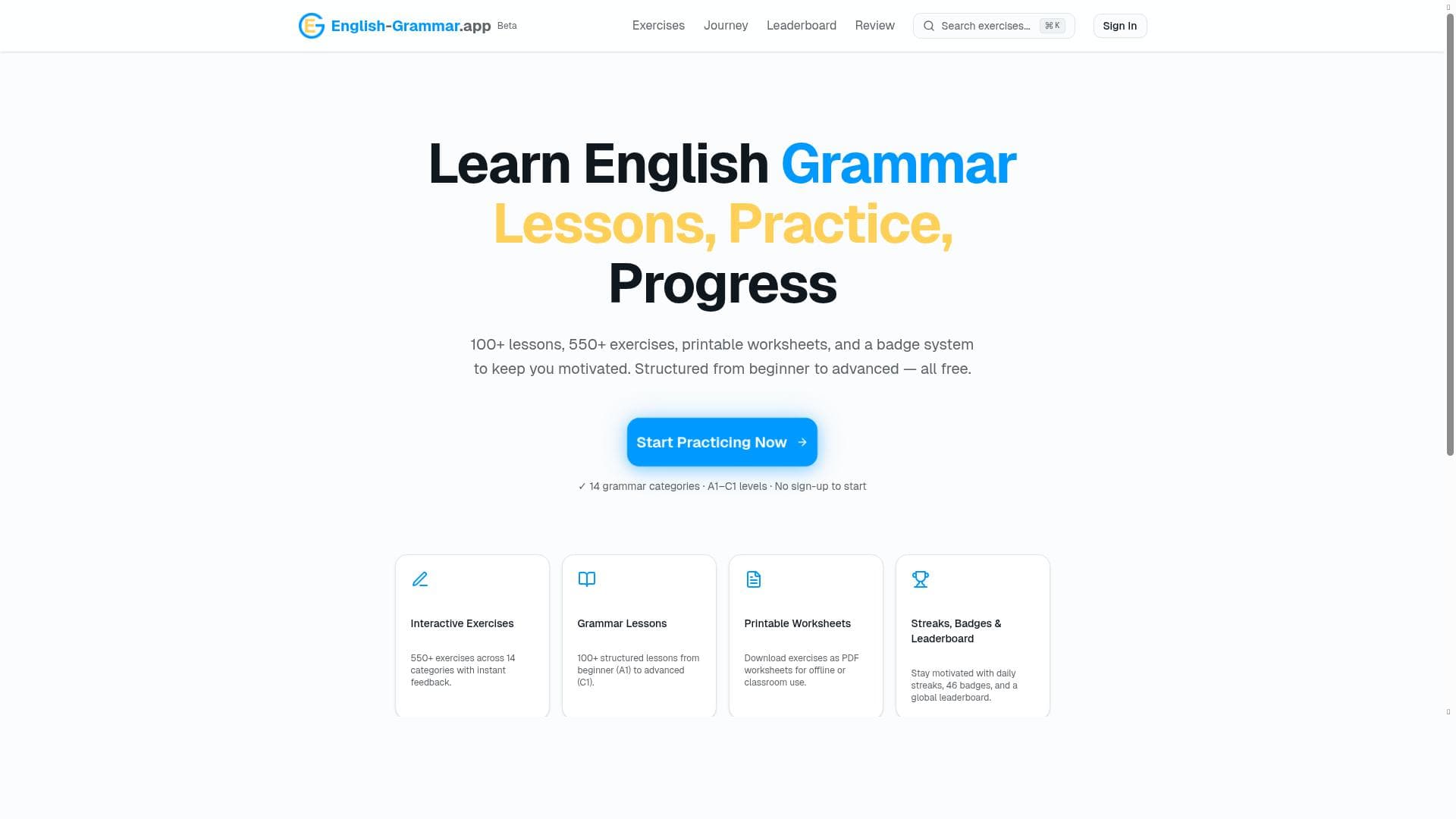


English Grammar App offers a free, interactive way to master English grammar from beginner to advanced levels, featuring over 100 lessons and 550 exercises across 15 categories. Its keyboard-first design with instant audio feedback and gamified progress tracking makes it ideal for learners seeking engaging, structured grammar practice without any cost.

描述
Master English grammar with free interactive exercises. 15 categories: tenses, conditionals, modal verbs, passive voice, reported speech & more. From A1 beginner to C1 advanced. Two practice modes: single-question for focused learning, or worksheet for intensive drilling. Keyboard-first design with instant audio feedback.
详细描述
English Grammar App is an innovative, free online platform designed to help learners master English grammar through interactive exercises and structured lessons. Its core purpose is to provide comprehensive grammar education that spans from beginner (A1) to advanced (C1) proficiency levels, making it suitable for a wide range of users including students, educators, and self-learners. The app covers 15 essential grammar categories such as tenses, conditionals, modal verbs, passive voice, and reported speech, ensuring a thorough grasp of English grammar fundamentals and complexities. By combining a keyboard-first design with instant audio feedback, the tool enhances user engagement and facilitates effective learning by allowing learners to practice typing and listening skills simultaneously. One of the standout features of English Grammar App is its extensive library of over 100 free lessons paired with more than 550 interactive exercises. These exercises are designed to be engaging and adaptive, allowing users to practice grammar concepts in two distinct modes: single-question mode for focused, bite-sized learning sessions, and worksheet mode for more intensive drilling and reinforcement. This dual-mode approach caters to different learning preferences and goals, whether a user wants to quickly review a specific grammar point or complete a comprehensive practice set. Additionally, the app offers printable worksheets, enabling offline practice and convenient study sessions away from the screen. To motivate consistent progress, English Grammar App incorporates a progress tracking system with streaks, a badge system rewarding achievements, and a leaderboard that fosters a sense of community and friendly competition among users. The lessons themselves are carefully structured to guide learners progressively from basic to advanced grammar topics, ensuring a logical learning path that builds confidence and competence over time. English Grammar App is best suited for English language learners at all stages, from absolute beginners seeking foundational knowledge to advanced users aiming to polish their grammar skills. It is also highly beneficial for teachers looking for supplementary materials to assign as homework or classroom exercises. The app’s keyboard-first design and instant audio feedback make it particularly useful for learners who want to improve both their written and spoken English simultaneously. Specific use cases include self-study, classroom support, exam preparation, and ongoing language maintenance. The app is completely free to use, with no hidden costs or subscription fees, making it accessible to anyone with internet access. This pricing model sets it apart from many paid grammar learning platforms, providing high-quality resources without financial barriers. Compared to alternatives, English Grammar App offers a uniquely interactive and user-friendly experience with its combination of keyboard input, audio feedback, and gamification elements like badges and leaderboards. While some other tools may focus solely on passive learning or paid content, this app emphasizes active engagement and community motivation. However, some limitations to consider include the absence of advanced AI-driven personalized tutoring or real-time conversational practice, which might be found in more sophisticated language learning platforms. Additionally, while the app covers a wide range of grammar topics, it may not include extensive vocabulary or writing style lessons. Users seeking a fully integrated language learning solution might need to supplement this app with other resources. Nonetheless, for focused grammar mastery through interactive exercises and structured lessons, English Grammar App remains a highly effective and accessible tool.
工具功能
- 100+ free lessons
- 550+ interactive exercises
- Printable worksheets
- Progress tracking with streaks
- Badge system
- Leaderboard
- Structured lessons from beginner to advanced levels
描述
English Grammar App offers a free, interactive way to master English grammar from beginner to advanced levels, featuring over 100 lessons and 550 exercises across 15 categories. Its keyboard-first design with instant audio feedback and gamified progress tracking makes it ideal for learners seeking engaging, structured grammar practice without any cost.
Master English grammar with free interactive exercises. 15 categories: tenses, conditionals, modal verbs, passive voice, reported speech & more. From A1 beginner to C1 advanced. Two practice modes: single-question for focused learning, or worksheet for intensive drilling. Keyboard-first design with instant audio feedback.
详细描述
English Grammar App is an innovative, free online platform designed to help learners master English grammar through interactive exercises and structured lessons. Its core purpose is to provide comprehensive grammar education that spans from beginner (A1) to advanced (C1) proficiency levels, making it suitable for a wide range of users including students, educators, and self-learners. The app covers 15 essential grammar categories such as tenses, conditionals, modal verbs, passive voice, and reported speech, ensuring a thorough grasp of English grammar fundamentals and complexities. By combining a keyboard-first design with instant audio feedback, the tool enhances user engagement and facilitates effective learning by allowing learners to practice typing and listening skills simultaneously. One of the standout features of English Grammar App is its extensive library of over 100 free lessons paired with more than 550 interactive exercises. These exercises are designed to be engaging and adaptive, allowing users to practice grammar concepts in two distinct modes: single-question mode for focused, bite-sized learning sessions, and worksheet mode for more intensive drilling and reinforcement. This dual-mode approach caters to different learning preferences and goals, whether a user wants to quickly review a specific grammar point or complete a comprehensive practice set. Additionally, the app offers printable worksheets, enabling offline practice and convenient study sessions away from the screen. To motivate consistent progress, English Grammar App incorporates a progress tracking system with streaks, a badge system rewarding achievements, and a leaderboard that fosters a sense of community and friendly competition among users. The lessons themselves are carefully structured to guide learners progressively from basic to advanced grammar topics, ensuring a logical learning path that builds confidence and competence over time. English Grammar App is best suited for English language learners at all stages, from absolute beginners seeking foundational knowledge to advanced users aiming to polish their grammar skills. It is also highly beneficial for teachers looking for supplementary materials to assign as homework or classroom exercises. The app’s keyboard-first design and instant audio feedback make it particularly useful for learners who want to improve both their written and spoken English simultaneously. Specific use cases include self-study, classroom support, exam preparation, and ongoing language maintenance. The app is completely free to use, with no hidden costs or subscription fees, making it accessible to anyone with internet access. This pricing model sets it apart from many paid grammar learning platforms, providing high-quality resources without financial barriers. Compared to alternatives, English Grammar App offers a uniquely interactive and user-friendly experience with its combination of keyboard input, audio feedback, and gamification elements like badges and leaderboards. While some other tools may focus solely on passive learning or paid content, this app emphasizes active engagement and community motivation. However, some limitations to consider include the absence of advanced AI-driven personalized tutoring or real-time conversational practice, which might be found in more sophisticated language learning platforms. Additionally, while the app covers a wide range of grammar topics, it may not include extensive vocabulary or writing style lessons. Users seeking a fully integrated language learning solution might need to supplement this app with other resources. Nonetheless, for focused grammar mastery through interactive exercises and structured lessons, English Grammar App remains a highly effective and accessible tool.
常见问题
What is English Grammar App?
English Grammar App is a free online platform designed to help users master English grammar through interactive exercises and structured lessons covering 15 grammar categories from beginner to advanced levels.
How much does English Grammar App cost?
English Grammar App is completely free to use, with no subscription fees or hidden charges.
Who is English Grammar App best for?
It is best suited for English learners at all proficiency levels, teachers seeking supplementary materials, and anyone wanting to improve their grammar skills through interactive practice.
What are the main features of English Grammar App?
Key features include 100+ free lessons, 550+ interactive exercises, printable worksheets, progress tracking with streaks, a badge system, leaderboard, and structured lessons from A1 to C1 levels.
Does English Grammar App offer a free trial?
Since the app is entirely free, there is no need for a trial period; all features are accessible without payment.
What integrations does English Grammar App support?
English Grammar App primarily functions as a standalone web-based tool and does not currently offer integrations with other platforms or software.
How does English Grammar App work?
Users select grammar topics and practice through interactive exercises in either single-question mode for focused learning or worksheet mode for intensive practice, with instant audio feedback and progress tracking to enhance learning.
社交媒体
使用工具评价
暂无评价。成为第一个分享使用体验的人。
赞助工具











































推荐工具
及时了解最新 AI 工具
获取最新资讯,订阅我们的新闻通讯
已有 50,000+ 位读者阅读并信赖
加入最大的 AI 社区
我们的社区和团队随时为您提供帮助!
您的反馈将帮助 Alice AI 在未来版本中不断改进。









