

这是您的 AI 工具吗?立即认领。
验证所有权、管理资料,并解锁增长功能。
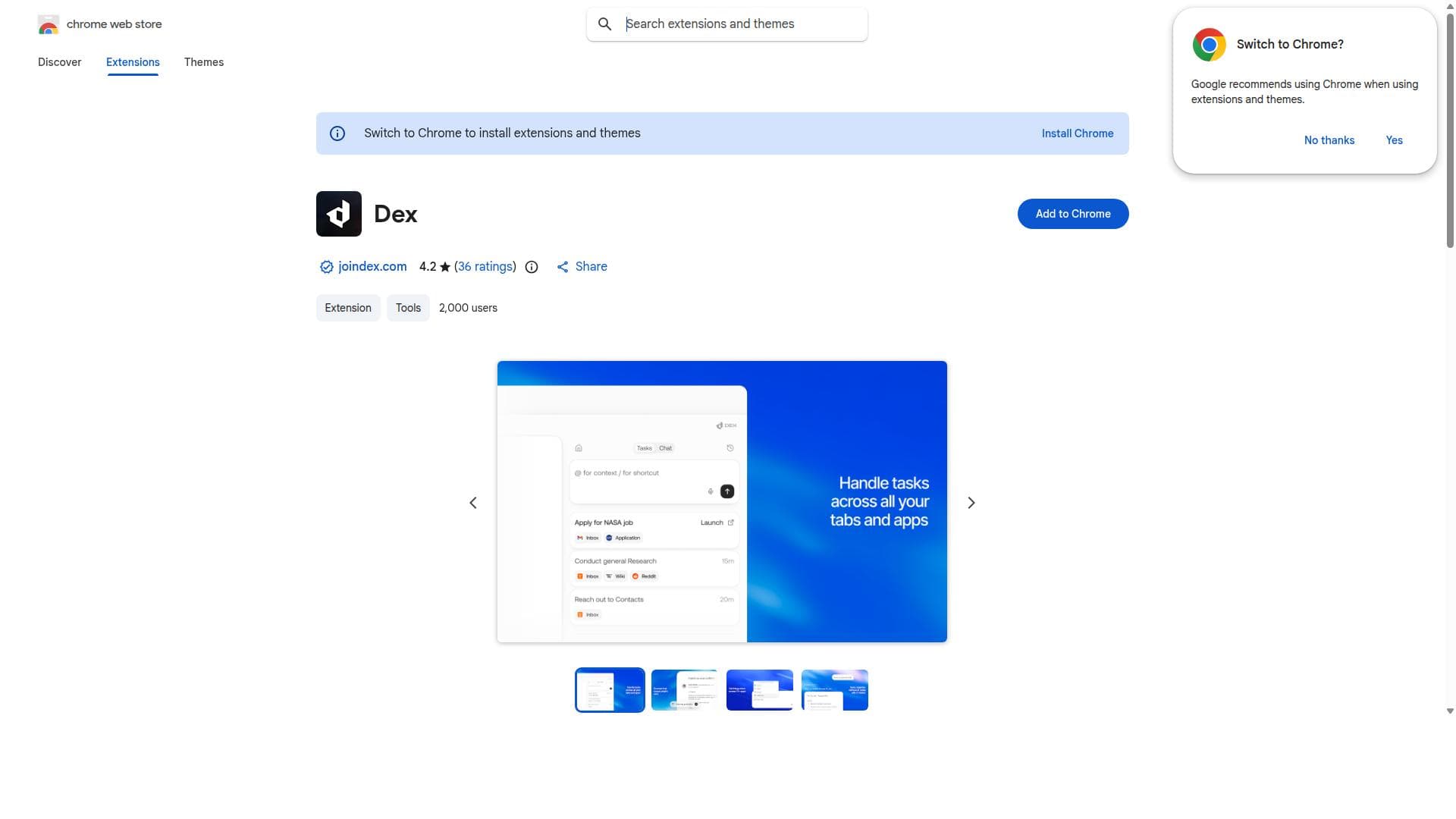
Dex is an AI-powered browser copilot that intelligently assists users by streamlining tasks and enhancing productivity directly within the browsing environment. Ideal for professionals, students, and everyday users, Dex offers contextual support that transforms how you interact with the web, making online workflows faster and smarter.

描述
Browser extension that proactively organizes tabs, shortcuts workflows, and handles tasks for you. Your digital mind in Chrome. Turn your browser into an AI command center.
详细描述
Dex is an innovative AI copilot designed to seamlessly integrate into your web browsing experience, providing intelligent assistance that enhances productivity and streamlines everyday online tasks. Its core purpose is to act as a smart companion within your browser, offering contextual support and automating routine activities to save time and reduce cognitive load. By embedding AI directly into the browsing environment, Dex transforms how users interact with the web, making information retrieval, task management, and decision-making more efficient and intuitive. At the heart of Dex’s capabilities is its AI-powered assistance that understands the context of your browsing activity. Whether you are researching, shopping, managing emails, or navigating complex workflows, Dex offers relevant suggestions, automates repetitive steps, and helps organize information dynamically. This intelligent copilot can parse webpage content to provide summaries, highlight key points, and even generate actionable insights based on what you are viewing. Its productivity-enhancing features include task automation such as filling forms, scheduling reminders, and managing tabs or bookmarks more effectively. By reducing manual effort, Dex allows users to focus on higher-level cognitive tasks, improving overall workflow efficiency. Dex is particularly well-suited for professionals, students, researchers, and anyone who spends significant time online performing complex or repetitive tasks. For knowledge workers, it can act as a research assistant that quickly synthesizes information from multiple sources. For e-commerce users, it can streamline price comparisons and product research. Students benefit from its ability to summarize lengthy articles and organize study materials. Additionally, casual users who want a smarter browsing experience that anticipates their needs and reduces friction will find Dex invaluable. Its contextual awareness makes it adaptable to a wide range of use cases, from managing emails and social media to handling project management tools within the browser. Regarding pricing, Dex is available as a browser extension through the Chrome Web Store. While specific pricing details are not explicitly stated on the listing, many AI-powered browser copilots offer a freemium model with basic features available for free and premium plans unlocking advanced capabilities such as enhanced AI assistance, priority support, and customization options. Users interested in Dex should check the official Chrome Web Store page or the developer’s website for the most current pricing and subscription plans. When compared to alternatives, Dex stands out by embedding AI assistance directly into the browsing experience rather than requiring users to switch between apps or platforms. Unlike standalone AI tools that operate outside the browser, Dex’s integration allows for real-time contextual help that adapts to the webpage content and user behavior. This makes it more intuitive and less disruptive. However, some competing tools may offer deeper integrations with specific productivity suites or enterprise platforms, so users should consider their specific workflow needs. Dex’s focus on streamlining browsing tasks and enhancing productivity through AI copilot functionality positions it as a versatile and user-friendly option. Notable limitations include the reliance on browser compatibility, as Dex is currently available primarily for Chrome users. Users of other browsers may not have access or may experience limited functionality. Additionally, as with any AI assistant, the quality of assistance depends on the AI model’s training and the complexity of the tasks. Users should be mindful of privacy considerations, as AI copilots often require access to browsing data to provide contextual help. It is important to review the privacy policy and permissions before installation. Lastly, while Dex automates many tasks, it may not replace specialized software for highly complex workflows but rather complements existing tools by enhancing browser-based activities. In summary, Dex is a powerful AI copilot that enhances the web browsing experience by providing intelligent, context-aware assistance designed to boost productivity and simplify online tasks. Its seamless integration, task automation, and contextual support make it an excellent tool for a wide range of users looking to maximize efficiency while navigating the internet.
工具功能
- AI copilot for your browser
- Provides intelligent assistance during browsing
- Enhances productivity by streamlining tasks
描述
Dex is an AI-powered browser copilot that intelligently assists users by streamlining tasks and enhancing productivity directly within the browsing environment. Ideal for professionals, students, and everyday users, Dex offers contextual support that transforms how you interact with the web, making online workflows faster and smarter.
Browser extension that proactively organizes tabs, shortcuts workflows, and handles tasks for you. Your digital mind in Chrome. Turn your browser into an AI command center.
详细描述
Dex is an innovative AI copilot designed to seamlessly integrate into your web browsing experience, providing intelligent assistance that enhances productivity and streamlines everyday online tasks. Its core purpose is to act as a smart companion within your browser, offering contextual support and automating routine activities to save time and reduce cognitive load. By embedding AI directly into the browsing environment, Dex transforms how users interact with the web, making information retrieval, task management, and decision-making more efficient and intuitive. At the heart of Dex’s capabilities is its AI-powered assistance that understands the context of your browsing activity. Whether you are researching, shopping, managing emails, or navigating complex workflows, Dex offers relevant suggestions, automates repetitive steps, and helps organize information dynamically. This intelligent copilot can parse webpage content to provide summaries, highlight key points, and even generate actionable insights based on what you are viewing. Its productivity-enhancing features include task automation such as filling forms, scheduling reminders, and managing tabs or bookmarks more effectively. By reducing manual effort, Dex allows users to focus on higher-level cognitive tasks, improving overall workflow efficiency. Dex is particularly well-suited for professionals, students, researchers, and anyone who spends significant time online performing complex or repetitive tasks. For knowledge workers, it can act as a research assistant that quickly synthesizes information from multiple sources. For e-commerce users, it can streamline price comparisons and product research. Students benefit from its ability to summarize lengthy articles and organize study materials. Additionally, casual users who want a smarter browsing experience that anticipates their needs and reduces friction will find Dex invaluable. Its contextual awareness makes it adaptable to a wide range of use cases, from managing emails and social media to handling project management tools within the browser. Regarding pricing, Dex is available as a browser extension through the Chrome Web Store. While specific pricing details are not explicitly stated on the listing, many AI-powered browser copilots offer a freemium model with basic features available for free and premium plans unlocking advanced capabilities such as enhanced AI assistance, priority support, and customization options. Users interested in Dex should check the official Chrome Web Store page or the developer’s website for the most current pricing and subscription plans. When compared to alternatives, Dex stands out by embedding AI assistance directly into the browsing experience rather than requiring users to switch between apps or platforms. Unlike standalone AI tools that operate outside the browser, Dex’s integration allows for real-time contextual help that adapts to the webpage content and user behavior. This makes it more intuitive and less disruptive. However, some competing tools may offer deeper integrations with specific productivity suites or enterprise platforms, so users should consider their specific workflow needs. Dex’s focus on streamlining browsing tasks and enhancing productivity through AI copilot functionality positions it as a versatile and user-friendly option. Notable limitations include the reliance on browser compatibility, as Dex is currently available primarily for Chrome users. Users of other browsers may not have access or may experience limited functionality. Additionally, as with any AI assistant, the quality of assistance depends on the AI model’s training and the complexity of the tasks. Users should be mindful of privacy considerations, as AI copilots often require access to browsing data to provide contextual help. It is important to review the privacy policy and permissions before installation. Lastly, while Dex automates many tasks, it may not replace specialized software for highly complex workflows but rather complements existing tools by enhancing browser-based activities. In summary, Dex is a powerful AI copilot that enhances the web browsing experience by providing intelligent, context-aware assistance designed to boost productivity and simplify online tasks. Its seamless integration, task automation, and contextual support make it an excellent tool for a wide range of users looking to maximize efficiency while navigating the internet.
常见问题
What is Dex?
Dex is an AI copilot browser extension that provides intelligent assistance to enhance your browsing experience by streamlining tasks, offering contextual support, and improving productivity directly within your web browser.
How much does Dex cost?
Pricing details for Dex are not explicitly listed on the Chrome Web Store page. It is common for such AI tools to offer a freemium model with basic features for free and premium plans for advanced capabilities. Users should check the official website or store listing for the latest pricing information.
Who is Dex best for?
Dex is best suited for professionals, students, researchers, and anyone who spends significant time browsing the web and performing repetitive or complex online tasks. It benefits users looking to increase productivity and streamline their browsing workflows.
What are the main features of Dex?
Key features include AI-powered contextual assistance during browsing, task automation such as form filling and reminders, content summarization, intelligent suggestions based on webpage content, and tools to organize tabs and bookmarks more efficiently.
Does Dex offer a free trial?
The Chrome Web Store listing does not specify if Dex offers a free trial. Many browser AI extensions provide free basic versions with optional paid upgrades. Users should verify on the official site or extension page for trial availability.
What integrations does Dex support?
Dex primarily integrates directly within the Chrome browser environment to provide AI assistance. Specific integrations with third-party apps or platforms are not detailed, focusing instead on enhancing the native browsing experience.
How does Dex work?
Dex works by embedding AI technology into your browser to analyze the context of the webpages you visit and your browsing behavior. It then provides real-time intelligent assistance, automates routine tasks, and offers productivity tools to help you navigate and manage online activities more efficiently.
社交媒体
使用工具评价
暂无评价。成为第一个分享使用体验的人。




















































