🚀 Zaprep: Your Socials on Steroids. 免费开始 — 每月自动发送 1,000 条私信,将互动转化为潜在客户。 ,每月 1,000 条自动私信。
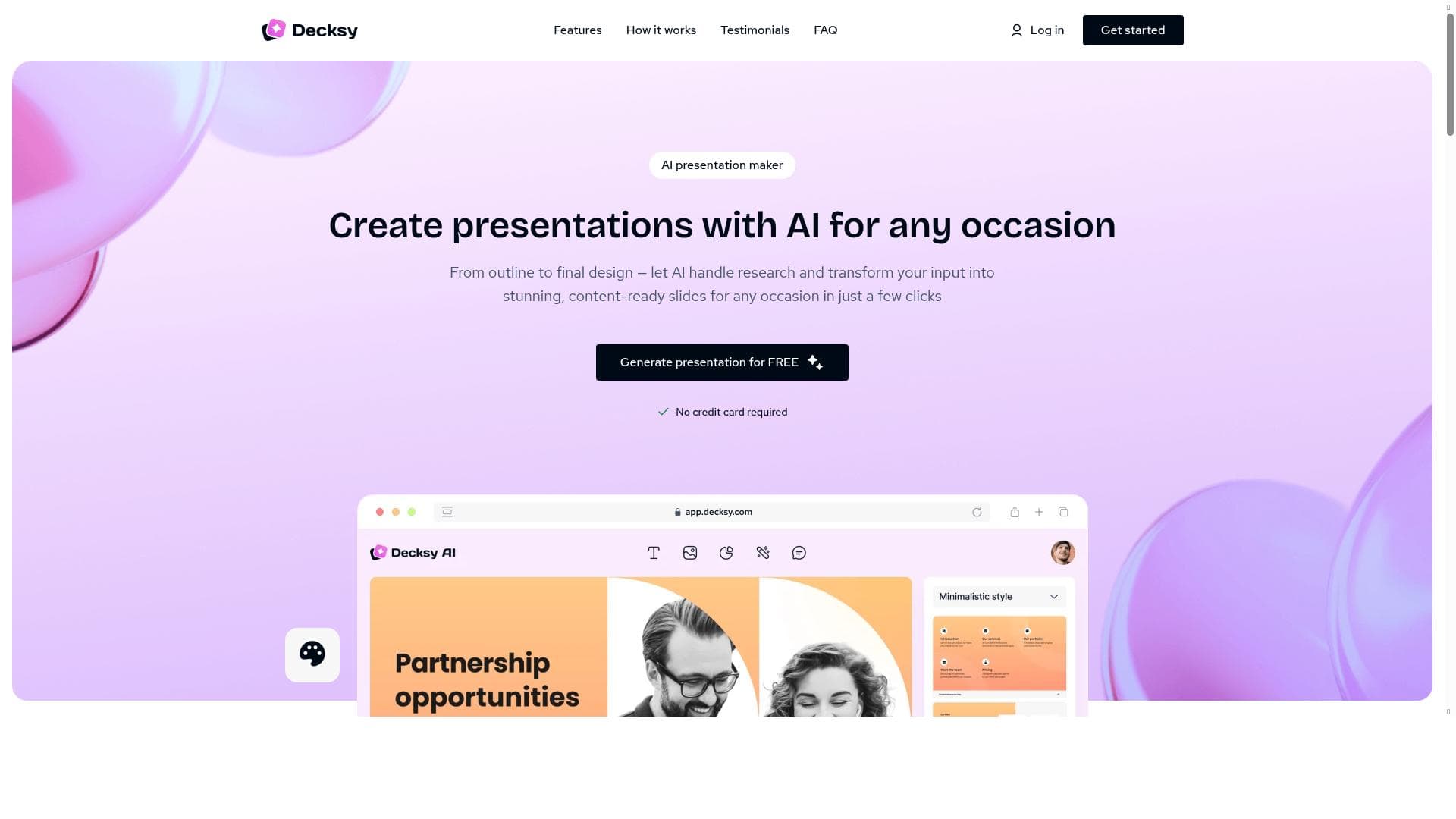


Decksy AI revolutionizes slide creation by transforming ideas and documents into clear, structured presentations with AI-driven guidance, eliminating the need for manual design. Ideal for students, educators, and professionals, it streamlines communication by focusing on clarity and visual balance, making complex information easy to understand.

描述
Decksy AI works as a learning assistant that helps users turn ideas, notes, or files into clear presentation slides without spending time on layout or formatting. The tool focuses on structure, clarity, and visual balance, which makes it useful not only for business tasks but also for learning and explaining topics. You can start with a simple topic, a short text, or an uploaded document. The system analyzes the input, builds a logical slide flow, and applies a matching template. This approach helps users understand how information should be organized, especially when preparing educational materials, reports, or study presentations. From concept to slides with guidance Instead of forcing users to design each slide, Decksy guides the process. It decides where headings, bullet points, and visuals belong. This allows students, educators, and professionals to focus on meaning rather than design rules. The result feels structured and easy to follow. Flexible input, consistent output Create a presentation from a topic and slide count Generate slides from text or outlines Upload documents and convert them into presentations Export files in PowerPoint format Each option supports learning by showing how raw information can be transformed into a clear visual explanation. Templates that support understanding The platform offers a wide set of ready-made templates. These designs keep slides readable and consistent, which is important for teaching, training, and internal knowledge sharing. No design skills are required to make changes. Secure and accessible All uploaded data is protected with encryption. The interface is simple, which helps new users work confidently from the first session. Decksy fits students, educators, teams, and startups that need presentations for learning, planning, or communication. It removes friction from slide creation and supports clearer thinking through better structure.
详细描述
Decksy AI is an innovative learning assistant designed to streamline the creation of presentation slides by transforming ideas, notes, or uploaded files into well-structured, visually balanced presentations without requiring users to spend time on layout or formatting. Its core purpose is to simplify the slide creation process by focusing on the logical organization of content, clarity, and visual harmony, making it an invaluable tool not only for business professionals but also for students, educators, and anyone involved in learning or explaining complex topics. Users can begin with a simple topic, a brief text excerpt, or an entire document upload. Decksy AI then intelligently analyzes the input, constructs a coherent slide flow, and applies an appropriate template that enhances comprehension and engagement. This approach helps users grasp how information should be logically organized, particularly when preparing educational materials, reports, or study presentations, thereby supporting clearer thinking and communication. Key features of Decksy AI include its AI-powered content creation tools that automatically decide the placement of headings, bullet points, and visuals, relieving users from the burden of manual design decisions. This guided process ensures that presentations are structured and easy to follow, allowing users to concentrate on the meaning and substance of their content rather than design rules. The tool offers flexible input options: users can create presentations from a simple topic and specify the desired number of slides, generate slides from text or outlines, or upload documents that are converted into presentation decks. Exporting is seamless, with support for PowerPoint format, enabling easy sharing and further customization if needed. Decksy AI also provides a wide array of ready-made templates designed to maintain readability and consistency, which is particularly important for teaching, training, and internal knowledge sharing. These templates require no design skills to modify, making the platform accessible to users of all experience levels. Security is a priority, with all uploaded data protected through encryption, and the user interface is intentionally simple to help new users get started confidently from their very first session. Decksy AI is best suited for students, educators, teams, startups, and professionals who need to create presentations for learning, planning, or communication purposes. For students and educators, it offers a way to turn complex topics into digestible slides that aid study and teaching. For business teams and startups, Decksy AI accelerates the preparation of reports, pitches, and internal communications by removing the friction of slide design and promoting clearer message delivery. Its ability to transform raw information into clear visual explanations makes it a versatile tool across various domains. Regarding pricing, Decksy AI operates on a freemium model, allowing users to access basic features for free while offering premium capabilities through paid plans. This approach enables users to try the platform without commitment and upgrade as their needs grow. While specific pricing tiers and features included in paid plans are not detailed here, the freemium model typically supports scalability for individual users and organizations alike. Compared to alternatives, Decksy AI stands out by focusing heavily on the learning and explanatory aspects of presentations rather than just design aesthetics. Many presentation tools require users to manually arrange content and design slides, which can be time-consuming and challenging for non-designers. Decksy AI’s AI-driven guidance and template application reduce this complexity, making it particularly useful for educational and business contexts where clarity and structure are paramount. However, unlike some highly specialized marketing automation or data visualization platforms, Decksy AI’s strength lies in content organization and slide creation rather than advanced analytics or marketing workflows. Notable limitations include the current emphasis on slide creation and formatting rather than deep customization or integration with extensive third-party tools beyond business platforms. Users seeking highly customized design options or advanced marketing automation might find Decksy AI less comprehensive in those areas. Additionally, while the freemium model offers accessibility, some advanced features may require paid subscriptions, which could be a consideration for budget-conscious users. Overall, Decksy AI excels as a productivity enhancer for presentation creation, especially for those prioritizing clarity, structure, and ease of use over complex design or marketing features.
工具功能
- AI-powered content creation tools
- Marketing automation capabilities
- Integration with various business platforms
- Advanced data analysis and insights
- User-friendly interface for productivity enhancement
描述
Decksy AI revolutionizes slide creation by transforming ideas and documents into clear, structured presentations with AI-driven guidance, eliminating the need for manual design. Ideal for students, educators, and professionals, it streamlines communication by focusing on clarity and visual balance, making complex information easy to understand.
Decksy AI works as a learning assistant that helps users turn ideas, notes, or files into clear presentation slides without spending time on layout or formatting. The tool focuses on structure, clarity, and visual balance, which makes it useful not only for business tasks but also for learning and explaining topics. You can start with a simple topic, a short text, or an uploaded document. The system analyzes the input, builds a logical slide flow, and applies a matching template. This approach helps users understand how information should be organized, especially when preparing educational materials, reports, or study presentations. From concept to slides with guidance Instead of forcing users to design each slide, Decksy guides the process. It decides where headings, bullet points, and visuals belong. This allows students, educators, and professionals to focus on meaning rather than design rules. The result feels structured and easy to follow. Flexible input, consistent output Create a presentation from a topic and slide count Generate slides from text or outlines Upload documents and convert them into presentations Export files in PowerPoint format Each option supports learning by showing how raw information can be transformed into a clear visual explanation. Templates that support understanding The platform offers a wide set of ready-made templates. These designs keep slides readable and consistent, which is important for teaching, training, and internal knowledge sharing. No design skills are required to make changes. Secure and accessible All uploaded data is protected with encryption. The interface is simple, which helps new users work confidently from the first session. Decksy fits students, educators, teams, and startups that need presentations for learning, planning, or communication. It removes friction from slide creation and supports clearer thinking through better structure.
详细描述
Decksy AI is an innovative learning assistant designed to streamline the creation of presentation slides by transforming ideas, notes, or uploaded files into well-structured, visually balanced presentations without requiring users to spend time on layout or formatting. Its core purpose is to simplify the slide creation process by focusing on the logical organization of content, clarity, and visual harmony, making it an invaluable tool not only for business professionals but also for students, educators, and anyone involved in learning or explaining complex topics. Users can begin with a simple topic, a brief text excerpt, or an entire document upload. Decksy AI then intelligently analyzes the input, constructs a coherent slide flow, and applies an appropriate template that enhances comprehension and engagement. This approach helps users grasp how information should be logically organized, particularly when preparing educational materials, reports, or study presentations, thereby supporting clearer thinking and communication. Key features of Decksy AI include its AI-powered content creation tools that automatically decide the placement of headings, bullet points, and visuals, relieving users from the burden of manual design decisions. This guided process ensures that presentations are structured and easy to follow, allowing users to concentrate on the meaning and substance of their content rather than design rules. The tool offers flexible input options: users can create presentations from a simple topic and specify the desired number of slides, generate slides from text or outlines, or upload documents that are converted into presentation decks. Exporting is seamless, with support for PowerPoint format, enabling easy sharing and further customization if needed. Decksy AI also provides a wide array of ready-made templates designed to maintain readability and consistency, which is particularly important for teaching, training, and internal knowledge sharing. These templates require no design skills to modify, making the platform accessible to users of all experience levels. Security is a priority, with all uploaded data protected through encryption, and the user interface is intentionally simple to help new users get started confidently from their very first session. Decksy AI is best suited for students, educators, teams, startups, and professionals who need to create presentations for learning, planning, or communication purposes. For students and educators, it offers a way to turn complex topics into digestible slides that aid study and teaching. For business teams and startups, Decksy AI accelerates the preparation of reports, pitches, and internal communications by removing the friction of slide design and promoting clearer message delivery. Its ability to transform raw information into clear visual explanations makes it a versatile tool across various domains. Regarding pricing, Decksy AI operates on a freemium model, allowing users to access basic features for free while offering premium capabilities through paid plans. This approach enables users to try the platform without commitment and upgrade as their needs grow. While specific pricing tiers and features included in paid plans are not detailed here, the freemium model typically supports scalability for individual users and organizations alike. Compared to alternatives, Decksy AI stands out by focusing heavily on the learning and explanatory aspects of presentations rather than just design aesthetics. Many presentation tools require users to manually arrange content and design slides, which can be time-consuming and challenging for non-designers. Decksy AI’s AI-driven guidance and template application reduce this complexity, making it particularly useful for educational and business contexts where clarity and structure are paramount. However, unlike some highly specialized marketing automation or data visualization platforms, Decksy AI’s strength lies in content organization and slide creation rather than advanced analytics or marketing workflows. Notable limitations include the current emphasis on slide creation and formatting rather than deep customization or integration with extensive third-party tools beyond business platforms. Users seeking highly customized design options or advanced marketing automation might find Decksy AI less comprehensive in those areas. Additionally, while the freemium model offers accessibility, some advanced features may require paid subscriptions, which could be a consideration for budget-conscious users. Overall, Decksy AI excels as a productivity enhancer for presentation creation, especially for those prioritizing clarity, structure, and ease of use over complex design or marketing features.
常见问题
What is Decksy AI?
Decksy AI is an AI-powered learning assistant that helps users convert ideas, notes, or documents into well-structured presentation slides without the need for manual layout or formatting, focusing on clarity and visual balance.
How much does Decksy AI cost?
Decksy AI offers a freemium pricing model, allowing users to access basic features for free, with premium features available through paid subscription plans.
Who is Decksy AI best for?
Decksy AI is ideal for students, educators, business teams, startups, and professionals who need to create clear, structured presentations for learning, teaching, planning, or communication.
What are the main features of Decksy AI?
Key features include AI-powered content creation, flexible input options (topic, text, or document upload), automatic slide flow and template application, export to PowerPoint, a wide range of ready-made templates, and secure data encryption.
Does Decksy AI offer a free trial?
Yes, Decksy AI operates on a freemium model, allowing users to try the platform for free with access to basic features before opting for paid plans.
What integrations does Decksy AI support?
Decksy AI integrates with various business platforms to enhance workflow, although specific integrations are not detailed, it supports marketing automation and productivity enhancement.
How does Decksy AI work?
Users input a topic, text, or upload documents, and Decksy AI analyzes the content to build a logical slide flow, automatically placing headings, bullet points, and visuals, then applies a matching template to create a clear, balanced presentation.
社交媒体
使用工具评价
暂无评价。成为第一个分享使用体验的人。
赞助工具











































推荐工具
及时了解最新 AI 工具
获取最新资讯,订阅我们的新闻通讯
已有 50,000+ 位读者阅读并信赖
加入最大的 AI 社区
我们的社区和团队随时为您提供帮助!
您的反馈将帮助 Alice AI 在未来版本中不断改进。









