🚀 Zaprep: Your Socials on Steroids. 免费开始 — 每月自动发送 1,000 条私信,将互动转化为潜在客户。 ,每月 1,000 条自动私信。


这是您的 AI 工具吗?立即认领。
验证所有权、管理资料,并解锁增长功能。
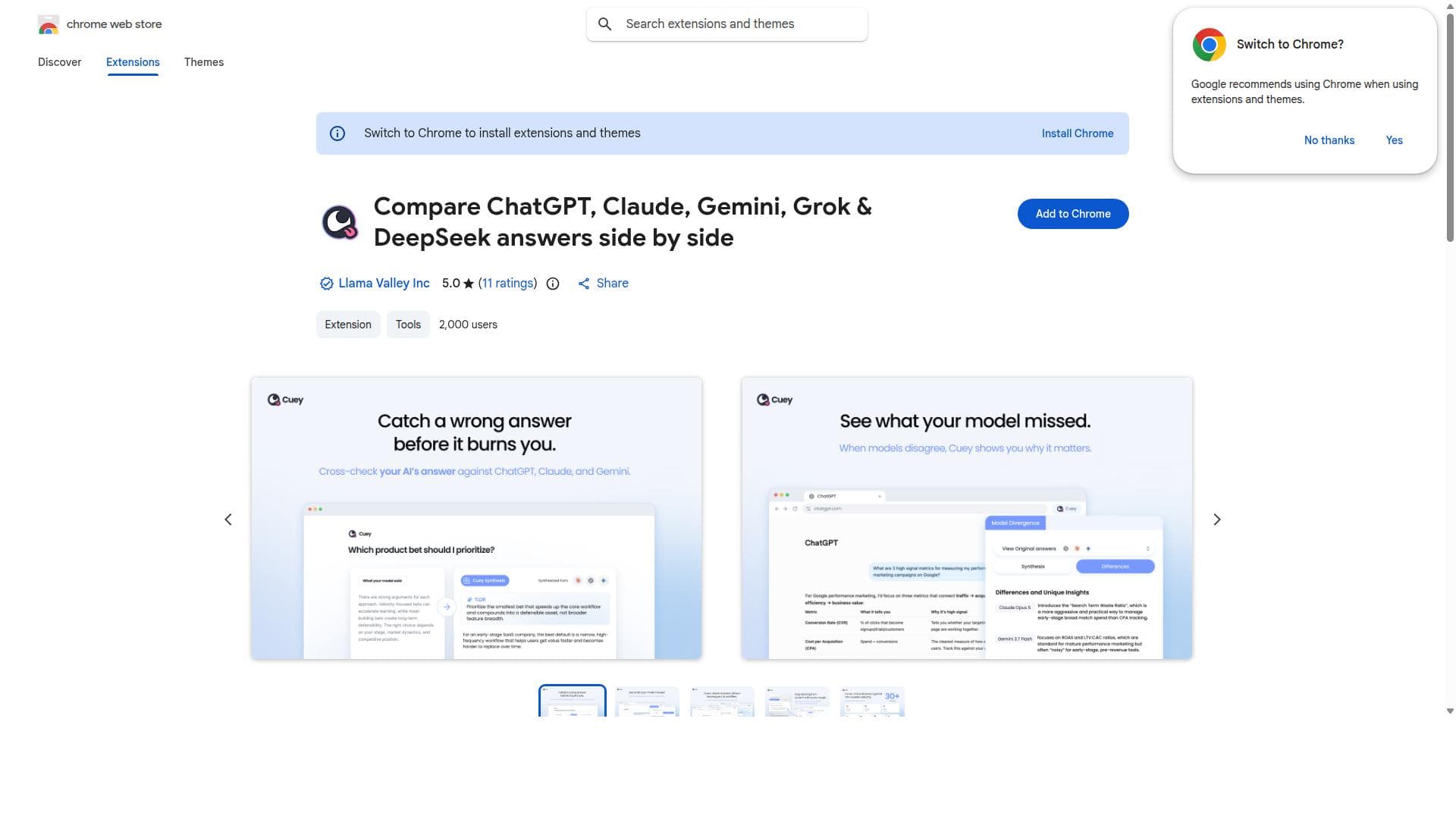
This free Chrome extension lets users compare answers from over 30 AI models side by side, helping catch confidently wrong responses before they cause issues. Ideal for professionals and enthusiasts alike, it offers a quick, no-account-needed way to verify AI outputs and improve decision-making.

描述
AI gives you wrong answers in the same confident tone as right ones. You don't know which is which until it's too late. Cuey gets you an effortless second opinion. It sends your prompt to ChatGPT, Claude, Gemini, or 30+ other models, and shows when they disagree. No juggling tabs, no repeating yourself, no stack of subscriptions. And your memory travels with you, so every model knows your context. One prompt, one place, multiple perspectives. On work that matters, one opinion is never enough.
详细描述
Compare ChatGPT, Claude, Gemini, Grok & DeepSeek answers side by side is a powerful Chrome extension designed to streamline the process of evaluating AI-generated responses from multiple language models simultaneously. Its core purpose is to provide users with a transparent and efficient way to cross-verify answers from over 30 different AI models, including popular ones like ChatGPT, Claude, Gemini, Grok, and DeepSeek. By displaying these answers side by side, the tool enables users to quickly identify discrepancies, spot confident-sounding but incorrect responses, and make more informed decisions based on a broader spectrum of AI-generated insights. The extension’s key features center around its comprehensive comparison capabilities. Users can input a query and instantly see how each AI model responds, facilitating a direct comparison without the need to individually query each service. This side-by-side layout is particularly useful for detecting confident yet inaccurate answers, a common challenge when relying on AI-generated content. The tool’s design emphasizes ease of use: it requires no user account, is completely free, and integrates seamlessly into the Chrome browser, making it accessible for anyone needing quick AI answer verification. Additionally, supporting over 30 models means users have access to a diverse range of AI perspectives, which can improve the reliability of the information they receive. This extension is ideal for professionals, researchers, content creators, educators, and developers who frequently use AI tools for information gathering, content generation, or decision-making. For example, writers can verify facts across multiple AI sources before publishing, educators can compare explanations to ensure accuracy, and developers can test AI outputs for consistency and correctness. It also benefits users who want to explore the differences in AI model behavior or those who simply want to avoid the pitfalls of blindly trusting a single AI answer. Regarding pricing, the extension is completely free to use with no subscription or payment required. Users can install it directly from the Chrome Web Store and start leveraging its capabilities immediately without any account creation or onboarding process. This no-cost, no-barrier approach encourages widespread adoption and makes it a practical tool for casual and professional users alike. Compared to alternatives, this tool stands out by offering a broad comparison across more than 30 AI models in a single interface. While some platforms provide access to individual AI models or limited comparisons, this extension’s extensive model coverage and side-by-side display provide a unique advantage for thorough answer verification. Its free availability and lack of account requirements further differentiate it from paid or more complex AI comparison services. However, users should note some limitations. As a Chrome extension, it requires the Chrome browser, which may not suit users on other platforms or browsers. The reliance on external AI models means that response times and availability depend on those services. Additionally, while it helps detect confident wrong answers, it does not guarantee absolute accuracy, so users should still apply critical judgment. Finally, the interface is optimized for comparison rather than deep AI interaction, so it may not replace dedicated AI platforms for complex tasks. In summary, Compare ChatGPT, Claude, Gemini, Grok & DeepSeek answers side by side is an invaluable tool for anyone seeking to validate and compare AI-generated content efficiently. Its extensive model support, user-friendly design, and free access make it a standout choice for enhancing trust and accuracy in AI-assisted workflows.
工具功能
- Compare AI answers from 30+ models side by side
- Detect confident-sounding wrong answers
- No account required for use
- Free to use Chrome extension
描述
This free Chrome extension lets users compare answers from over 30 AI models side by side, helping catch confidently wrong responses before they cause issues. Ideal for professionals and enthusiasts alike, it offers a quick, no-account-needed way to verify AI outputs and improve decision-making.
AI gives you wrong answers in the same confident tone as right ones. You don't know which is which until it's too late. Cuey gets you an effortless second opinion. It sends your prompt to ChatGPT, Claude, Gemini, or 30+ other models, and shows when they disagree. No juggling tabs, no repeating yourself, no stack of subscriptions. And your memory travels with you, so every model knows your context. One prompt, one place, multiple perspectives. On work that matters, one opinion is never enough.
详细描述
Compare ChatGPT, Claude, Gemini, Grok & DeepSeek answers side by side is a powerful Chrome extension designed to streamline the process of evaluating AI-generated responses from multiple language models simultaneously. Its core purpose is to provide users with a transparent and efficient way to cross-verify answers from over 30 different AI models, including popular ones like ChatGPT, Claude, Gemini, Grok, and DeepSeek. By displaying these answers side by side, the tool enables users to quickly identify discrepancies, spot confident-sounding but incorrect responses, and make more informed decisions based on a broader spectrum of AI-generated insights. The extension’s key features center around its comprehensive comparison capabilities. Users can input a query and instantly see how each AI model responds, facilitating a direct comparison without the need to individually query each service. This side-by-side layout is particularly useful for detecting confident yet inaccurate answers, a common challenge when relying on AI-generated content. The tool’s design emphasizes ease of use: it requires no user account, is completely free, and integrates seamlessly into the Chrome browser, making it accessible for anyone needing quick AI answer verification. Additionally, supporting over 30 models means users have access to a diverse range of AI perspectives, which can improve the reliability of the information they receive. This extension is ideal for professionals, researchers, content creators, educators, and developers who frequently use AI tools for information gathering, content generation, or decision-making. For example, writers can verify facts across multiple AI sources before publishing, educators can compare explanations to ensure accuracy, and developers can test AI outputs for consistency and correctness. It also benefits users who want to explore the differences in AI model behavior or those who simply want to avoid the pitfalls of blindly trusting a single AI answer. Regarding pricing, the extension is completely free to use with no subscription or payment required. Users can install it directly from the Chrome Web Store and start leveraging its capabilities immediately without any account creation or onboarding process. This no-cost, no-barrier approach encourages widespread adoption and makes it a practical tool for casual and professional users alike. Compared to alternatives, this tool stands out by offering a broad comparison across more than 30 AI models in a single interface. While some platforms provide access to individual AI models or limited comparisons, this extension’s extensive model coverage and side-by-side display provide a unique advantage for thorough answer verification. Its free availability and lack of account requirements further differentiate it from paid or more complex AI comparison services. However, users should note some limitations. As a Chrome extension, it requires the Chrome browser, which may not suit users on other platforms or browsers. The reliance on external AI models means that response times and availability depend on those services. Additionally, while it helps detect confident wrong answers, it does not guarantee absolute accuracy, so users should still apply critical judgment. Finally, the interface is optimized for comparison rather than deep AI interaction, so it may not replace dedicated AI platforms for complex tasks. In summary, Compare ChatGPT, Claude, Gemini, Grok & DeepSeek answers side by side is an invaluable tool for anyone seeking to validate and compare AI-generated content efficiently. Its extensive model support, user-friendly design, and free access make it a standout choice for enhancing trust and accuracy in AI-assisted workflows.
常见问题
What is Compare ChatGPT, Claude, Gemini, Grok & DeepSeek answers side by side?
It is a Chrome extension that allows users to compare AI-generated answers from more than 30 different language models simultaneously, enabling easy verification and detection of incorrect or misleading AI responses.
How much does Compare ChatGPT, Claude, Gemini, Grok & DeepSeek answers side by side cost?
The extension is completely free to use with no subscription fees or hidden costs.
Who is Compare ChatGPT, Claude, Gemini, Grok & DeepSeek answers side by side best for?
It is best suited for professionals, researchers, educators, content creators, and developers who rely on AI-generated content and want to verify answers across multiple AI models quickly and reliably.
What are the main features of Compare ChatGPT, Claude, Gemini, Grok & DeepSeek answers side by side?
Key features include side-by-side comparison of answers from 30+ AI models, detection of confident-sounding wrong answers, no account required, and seamless integration as a free Chrome extension.
Does Compare ChatGPT, Claude, Gemini, Grok & DeepSeek answers side by side offer a free trial?
Yes, the tool is free to use with no trial needed since it does not require any payment or subscription.
What integrations does Compare ChatGPT, Claude, Gemini, Grok & DeepSeek answers side by side support?
The extension integrates directly into the Chrome browser and supports querying over 30 AI language models, providing a unified interface to compare their answers side by side.
How does Compare ChatGPT, Claude, Gemini, Grok & DeepSeek answers side by side work?
Users input a query into the extension, which then fetches responses from multiple AI models and displays them side by side within the Chrome browser, allowing users to easily compare and evaluate the answers.
社交媒体
使用工具评价
暂无评价。成为第一个分享使用体验的人。
赞助工具











































推荐工具
及时了解最新 AI 工具
获取最新资讯,订阅我们的新闻通讯
已有 50,000+ 位读者阅读并信赖
加入最大的 AI 社区
我们的社区和团队随时为您提供帮助!
您的反馈将帮助 Alice AI 在未来版本中不断改进。









