

这是您的 AI 工具吗?立即认领。
验证所有权、管理资料,并解锁增长功能。
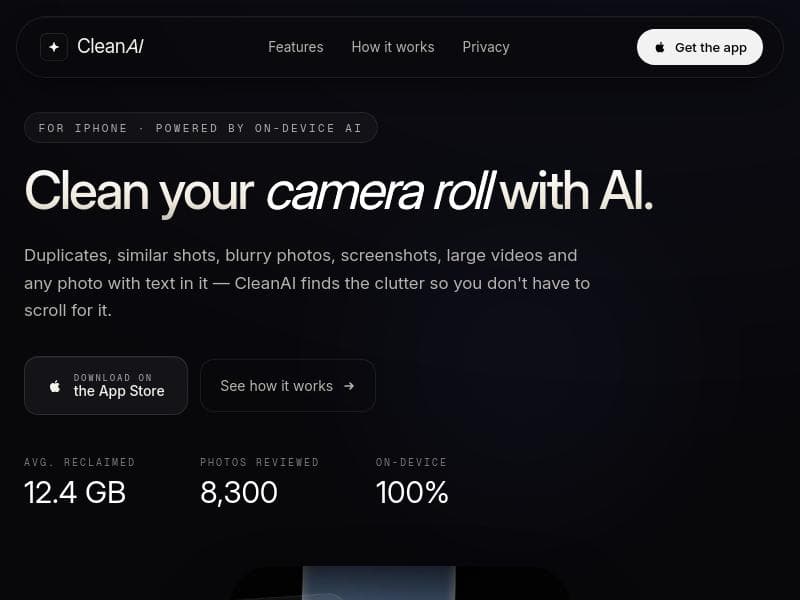
CleanAI is an AI-driven iPhone app that smartly scans your camera roll to identify duplicates, blurry photos, screenshots, text images, and large videos, helping you reclaim storage effortlessly. Perfect for iPhone users overwhelmed by photo clutter, it ensures privacy with 100% on-device processing using Apple’s latest AI frameworks.

描述
CleanAI helps you effortlessly organize your iPhone photo library. Find duplicate photos and videos, similar shots, blurry images, screenshots, text images, and large videos with advanced AI, then clean up your gallery in seconds.
详细描述
CleanAI is a sophisticated AI-powered iPhone application designed to intelligently manage and declutter your camera roll. Its core purpose is to help users effortlessly free up valuable storage space on their iPhones by automatically identifying and grouping unwanted or redundant media files. Instead of manually scrolling through thousands of photos and videos, CleanAI leverages advanced on-device machine learning to scan your entire photo library and highlight duplicates, similar shots, blurry images, screenshots, photos containing text, and large video files. This targeted cleanup approach ensures that users retain their most meaningful memories while removing clutter that consumes storage unnecessarily. The app’s key features are built around its intelligent scanning capabilities. It finds exact duplicate photos and groups similar shots, allowing users to select the best version and delete the rest. It detects blurry photos that are often accidental or low quality, helping improve the overall quality of your photo library. Screenshots, which can accumulate quickly and take up space without much value, are also identified for easy removal. Additionally, CleanAI spots photos containing text, which some users may want to archive differently or delete if no longer needed. Large videos, which often consume the most storage, are highlighted so users can decide whether to keep or delete them. Importantly, all processing is done 100% on-device using Apple’s iOS Photos framework, Core ML, and Vision technologies, ensuring user privacy and data security without uploading sensitive content to the cloud. CleanAI is best suited for iPhone users who struggle with managing large photo libraries, especially those who frequently take multiple shots of the same scene or accumulate many screenshots and videos. It is ideal for anyone looking to optimize their device storage without spending hours manually sorting through their camera roll. Photographers, social media enthusiasts, and everyday users alike can benefit from CleanAI’s automated cleanup to maintain a streamlined and organized photo collection. The app is engineered specifically for iPhones running iOS 17 or later, leveraging the latest Apple technologies for optimal performance. Regarding pricing, CleanAI is available for download on the App Store. While the exact pricing details or subscription plans are not explicitly stated in the provided content, apps of this nature typically offer a free basic version with optional premium features or a one-time purchase. Users interested in CleanAI should check the App Store listing for the most current pricing and any trial offers. Compared to other photo cleanup tools, CleanAI stands out due to its exclusive focus on privacy and on-device AI processing. Many competing apps require cloud access or upload photos to external servers, raising privacy concerns. CleanAI’s use of Apple’s native frameworks ensures that all analysis happens locally on the device, providing peace of mind for privacy-conscious users. Additionally, its comprehensive detection of various clutter types—duplicates, similars, blurry shots, screenshots, text photos, and large videos—makes it a versatile all-in-one solution rather than a tool focused on just one aspect of photo cleanup. However, there are some considerations to keep in mind. CleanAI is currently designed exclusively for iPhone users with iOS 17 or newer, so it is not available for Android or older iOS devices. Users with extremely large photo libraries may experience longer scan times depending on their device’s processing power. Also, while AI can significantly reduce manual effort, users should still review suggested deletions carefully to avoid accidentally removing important photos. Finally, the lack of explicit pricing information means potential users should verify costs before committing. In summary, CleanAI offers a powerful, privacy-first solution for iPhone users to intelligently declutter their photo libraries. Its advanced AI capabilities, combined with seamless integration into iOS, make it a standout choice for anyone seeking to reclaim storage space and maintain a cleaner, more organized camera roll without tedious manual effort.
工具功能
- Finds duplicates and similar shots
- Detects blurry photos and screenshots
- Identifies photos containing text
- Locates large videos to free up space
- 100% on-device processing for privacy
- Powered by iOS Photos framework, Core ML, and Vision
- Engineered for iPhone with iOS 17+
描述
CleanAI is an AI-driven iPhone app that smartly scans your camera roll to identify duplicates, blurry photos, screenshots, text images, and large videos, helping you reclaim storage effortlessly. Perfect for iPhone users overwhelmed by photo clutter, it ensures privacy with 100% on-device processing using Apple’s latest AI frameworks.
CleanAI helps you effortlessly organize your iPhone photo library. Find duplicate photos and videos, similar shots, blurry images, screenshots, text images, and large videos with advanced AI, then clean up your gallery in seconds.
详细描述
CleanAI is a sophisticated AI-powered iPhone application designed to intelligently manage and declutter your camera roll. Its core purpose is to help users effortlessly free up valuable storage space on their iPhones by automatically identifying and grouping unwanted or redundant media files. Instead of manually scrolling through thousands of photos and videos, CleanAI leverages advanced on-device machine learning to scan your entire photo library and highlight duplicates, similar shots, blurry images, screenshots, photos containing text, and large video files. This targeted cleanup approach ensures that users retain their most meaningful memories while removing clutter that consumes storage unnecessarily. The app’s key features are built around its intelligent scanning capabilities. It finds exact duplicate photos and groups similar shots, allowing users to select the best version and delete the rest. It detects blurry photos that are often accidental or low quality, helping improve the overall quality of your photo library. Screenshots, which can accumulate quickly and take up space without much value, are also identified for easy removal. Additionally, CleanAI spots photos containing text, which some users may want to archive differently or delete if no longer needed. Large videos, which often consume the most storage, are highlighted so users can decide whether to keep or delete them. Importantly, all processing is done 100% on-device using Apple’s iOS Photos framework, Core ML, and Vision technologies, ensuring user privacy and data security without uploading sensitive content to the cloud. CleanAI is best suited for iPhone users who struggle with managing large photo libraries, especially those who frequently take multiple shots of the same scene or accumulate many screenshots and videos. It is ideal for anyone looking to optimize their device storage without spending hours manually sorting through their camera roll. Photographers, social media enthusiasts, and everyday users alike can benefit from CleanAI’s automated cleanup to maintain a streamlined and organized photo collection. The app is engineered specifically for iPhones running iOS 17 or later, leveraging the latest Apple technologies for optimal performance. Regarding pricing, CleanAI is available for download on the App Store. While the exact pricing details or subscription plans are not explicitly stated in the provided content, apps of this nature typically offer a free basic version with optional premium features or a one-time purchase. Users interested in CleanAI should check the App Store listing for the most current pricing and any trial offers. Compared to other photo cleanup tools, CleanAI stands out due to its exclusive focus on privacy and on-device AI processing. Many competing apps require cloud access or upload photos to external servers, raising privacy concerns. CleanAI’s use of Apple’s native frameworks ensures that all analysis happens locally on the device, providing peace of mind for privacy-conscious users. Additionally, its comprehensive detection of various clutter types—duplicates, similars, blurry shots, screenshots, text photos, and large videos—makes it a versatile all-in-one solution rather than a tool focused on just one aspect of photo cleanup. However, there are some considerations to keep in mind. CleanAI is currently designed exclusively for iPhone users with iOS 17 or newer, so it is not available for Android or older iOS devices. Users with extremely large photo libraries may experience longer scan times depending on their device’s processing power. Also, while AI can significantly reduce manual effort, users should still review suggested deletions carefully to avoid accidentally removing important photos. Finally, the lack of explicit pricing information means potential users should verify costs before committing. In summary, CleanAI offers a powerful, privacy-first solution for iPhone users to intelligently declutter their photo libraries. Its advanced AI capabilities, combined with seamless integration into iOS, make it a standout choice for anyone seeking to reclaim storage space and maintain a cleaner, more organized camera roll without tedious manual effort.
常见问题
What is CleanAI?
CleanAI is an AI-powered iPhone app that intelligently scans your camera roll to find and group duplicates, similar shots, blurry photos, screenshots, photos containing text, and large videos, enabling you to free up storage space without manual scrolling.
How much does CleanAI cost?
Pricing details for CleanAI are not explicitly provided in the available information. It is recommended to visit the App Store listing for the most up-to-date pricing, which may include a free version, in-app purchases, or subscription plans.
Who is CleanAI best for?
CleanAI is ideal for iPhone users with large photo libraries who want to efficiently manage and declutter their camera roll. It suits photographers, social media users, and anyone looking to reclaim storage space without tedious manual sorting.
What are the main features of CleanAI?
CleanAI’s main features include detecting duplicate and similar photos, identifying blurry images, finding screenshots, locating photos containing text, highlighting large video files, and performing all analysis 100% on-device to protect user privacy.
Does CleanAI offer a free trial?
There is no specific information about a free trial in the provided content. Users should check the CleanAI App Store page to see if a free trial or free tier is available.
What integrations does CleanAI support?
CleanAI integrates deeply with Apple’s iOS Photos framework and utilizes Core ML and Vision technologies for on-device AI processing. It is designed exclusively for iPhones running iOS 17 or later.
How does CleanAI work?
CleanAI works by scanning your iPhone’s photo library using advanced on-device AI models to detect duplicates, similar shots, blurry photos, screenshots, photos with text, and large videos. It then groups these files to help you quickly review and delete unwanted items, freeing up storage space.
社交媒体
使用工具评价
暂无评价。成为第一个分享使用体验的人。






















































