Claude Code Rendering


这是您的 AI 工具吗?立即认领。
验证所有权、管理资料,并解锁增长功能。
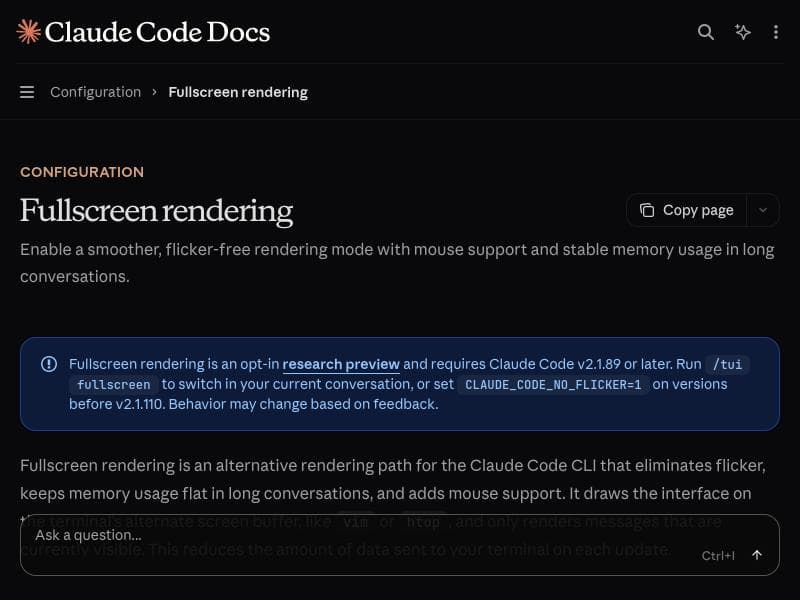
Claude Code Rendering revolutionizes terminal-based AI coding by delivering flicker-free, smooth rendering with mouse support and stable memory usage, optimized for long developer sessions. Perfect for programmers using VS Code, tmux, or iTerm2, it ensures a seamless and efficient coding experience with Claude Code, all at no cost.

描述
Claude Code's new opt-in renderer virtualises the viewport, eliminates flicker, adds mouse events, and keeps memory flat in long sessions. For developers running Claude Code in VS Code, tmux, or iTerm2.
详细描述
Claude Code Rendering is an advanced rendering engine designed specifically to enhance the developer experience when using Claude Code within terminal environments such as VS Code, tmux, and iTerm2. Its core purpose is to provide a seamless, flicker-free, and efficient viewport virtualization that significantly improves the visual stability and interactivity of code rendering sessions. By virtualizing the viewport, Claude Code Rendering ensures that only the visible portion of the content is actively rendered, which optimizes performance and maintains a consistent memory footprint even during extended coding sessions. This approach is particularly valuable for developers who engage in long conversations or complex coding tasks that require sustained interaction with the AI assistant without performance degradation or visual distractions. One of the standout features of Claude Code Rendering is its smoother rendering mode, which eliminates the flicker commonly experienced in terminal-based rendering engines. Flickering can be disruptive and reduce productivity, especially when developers rely on real-time feedback from AI tools. By providing a flicker-free display, Claude Code Rendering enhances readability and reduces eye strain. Additionally, the renderer adds mouse support, enabling users to interact with the interface more intuitively through clicks and selections, which is a significant improvement over traditional keyboard-only terminal interactions. Another critical capability is its stable memory usage; the renderer is engineered to keep memory consumption flat during long sessions, preventing slowdowns or crashes that can occur with other rendering solutions. Claude Code Rendering is best suited for developers and programmers who use Claude Code within terminal multiplexers or integrated development environments that support terminal emulation, such as VS Code, tmux, and iTerm2. It is ideal for those who require a reliable and responsive AI assistant for coding, debugging, or code review tasks over extended periods. Use cases include live coding sessions, pair programming with AI, interactive debugging, and any scenario where maintaining a smooth and stable interface is crucial. The renderer’s ability to handle long conversations without memory bloat makes it particularly valuable for users who engage in complex, multi-step coding workflows. Regarding pricing, Claude Code Rendering is offered completely free of charge. This makes it an accessible tool for individual developers, small teams, and even larger organizations looking to integrate AI-assisted coding without additional costs. The free availability encourages widespread adoption and experimentation without financial barriers. When compared to alternative rendering engines or terminal-based AI assistants, Claude Code Rendering stands out due to its combination of viewport virtualization, flicker elimination, mouse event support, and memory stability. Many other tools either lack smooth rendering or suffer from memory leaks during prolonged use. Claude Code Rendering’s design specifically addresses these pain points, offering a more polished and reliable experience. However, unlike some graphical AI coding assistants that run in full GUI environments, Claude Code Rendering is optimized for terminal-based workflows, which may be a limitation for users seeking a fully graphical interface. Notable considerations include the fact that Claude Code Rendering is currently an opt-in feature, meaning users need to enable it explicitly within their Claude Code setup. Additionally, while it supports popular terminal environments, users operating outside of VS Code, tmux, or iTerm2 may not benefit fully from its capabilities. The renderer’s focus on terminal environments means it is not designed for web-based or standalone GUI applications. Finally, as a specialized tool, it may require some initial configuration or familiarity with terminal multiplexers to maximize its benefits. Overall, Claude Code Rendering offers a robust, efficient, and user-friendly rendering solution tailored to developers who demand high performance and stability from their AI coding assistants in terminal environments.
工具功能
- Smoother rendering mode
- Flicker-free display
- Mouse support
- Stable memory usage
- Optimized for long conversations
描述
Claude Code Rendering revolutionizes terminal-based AI coding by delivering flicker-free, smooth rendering with mouse support and stable memory usage, optimized for long developer sessions. Perfect for programmers using VS Code, tmux, or iTerm2, it ensures a seamless and efficient coding experience with Claude Code, all at no cost.
Claude Code's new opt-in renderer virtualises the viewport, eliminates flicker, adds mouse events, and keeps memory flat in long sessions. For developers running Claude Code in VS Code, tmux, or iTerm2.
详细描述
Claude Code Rendering is an advanced rendering engine designed specifically to enhance the developer experience when using Claude Code within terminal environments such as VS Code, tmux, and iTerm2. Its core purpose is to provide a seamless, flicker-free, and efficient viewport virtualization that significantly improves the visual stability and interactivity of code rendering sessions. By virtualizing the viewport, Claude Code Rendering ensures that only the visible portion of the content is actively rendered, which optimizes performance and maintains a consistent memory footprint even during extended coding sessions. This approach is particularly valuable for developers who engage in long conversations or complex coding tasks that require sustained interaction with the AI assistant without performance degradation or visual distractions. One of the standout features of Claude Code Rendering is its smoother rendering mode, which eliminates the flicker commonly experienced in terminal-based rendering engines. Flickering can be disruptive and reduce productivity, especially when developers rely on real-time feedback from AI tools. By providing a flicker-free display, Claude Code Rendering enhances readability and reduces eye strain. Additionally, the renderer adds mouse support, enabling users to interact with the interface more intuitively through clicks and selections, which is a significant improvement over traditional keyboard-only terminal interactions. Another critical capability is its stable memory usage; the renderer is engineered to keep memory consumption flat during long sessions, preventing slowdowns or crashes that can occur with other rendering solutions. Claude Code Rendering is best suited for developers and programmers who use Claude Code within terminal multiplexers or integrated development environments that support terminal emulation, such as VS Code, tmux, and iTerm2. It is ideal for those who require a reliable and responsive AI assistant for coding, debugging, or code review tasks over extended periods. Use cases include live coding sessions, pair programming with AI, interactive debugging, and any scenario where maintaining a smooth and stable interface is crucial. The renderer’s ability to handle long conversations without memory bloat makes it particularly valuable for users who engage in complex, multi-step coding workflows. Regarding pricing, Claude Code Rendering is offered completely free of charge. This makes it an accessible tool for individual developers, small teams, and even larger organizations looking to integrate AI-assisted coding without additional costs. The free availability encourages widespread adoption and experimentation without financial barriers. When compared to alternative rendering engines or terminal-based AI assistants, Claude Code Rendering stands out due to its combination of viewport virtualization, flicker elimination, mouse event support, and memory stability. Many other tools either lack smooth rendering or suffer from memory leaks during prolonged use. Claude Code Rendering’s design specifically addresses these pain points, offering a more polished and reliable experience. However, unlike some graphical AI coding assistants that run in full GUI environments, Claude Code Rendering is optimized for terminal-based workflows, which may be a limitation for users seeking a fully graphical interface. Notable considerations include the fact that Claude Code Rendering is currently an opt-in feature, meaning users need to enable it explicitly within their Claude Code setup. Additionally, while it supports popular terminal environments, users operating outside of VS Code, tmux, or iTerm2 may not benefit fully from its capabilities. The renderer’s focus on terminal environments means it is not designed for web-based or standalone GUI applications. Finally, as a specialized tool, it may require some initial configuration or familiarity with terminal multiplexers to maximize its benefits. Overall, Claude Code Rendering offers a robust, efficient, and user-friendly rendering solution tailored to developers who demand high performance and stability from their AI coding assistants in terminal environments.
常见问题
What is Claude Code Rendering?
Claude Code Rendering is an advanced rendering engine that virtualizes the viewport to provide flicker-free, smooth display and mouse event support within terminal environments like VS Code, tmux, and iTerm2, enhancing the developer experience when using Claude Code.
How much does Claude Code Rendering cost?
Claude Code Rendering is completely free to use, with no subscription or payment required.
Who is Claude Code Rendering best for?
It is best suited for developers and programmers who use Claude Code within terminal multiplexers or terminal-based IDEs such as VS Code, tmux, and iTerm2, especially those who engage in long coding sessions or complex AI-assisted workflows.
What are the main features of Claude Code Rendering?
Key features include smoother rendering mode, flicker-free display, mouse support for interactive use, stable memory usage during long sessions, and optimization for extended conversations with the AI assistant.
Does Claude Code Rendering offer a free trial?
Yes, Claude Code Rendering is free to use with no trial period needed since it is offered at no cost.
What integrations does Claude Code Rendering support?
It supports integration with terminal environments such as VS Code, tmux, and iTerm2, enabling enhanced rendering within these platforms.
How does Claude Code Rendering work?
It works by virtualizing the viewport to render only visible content, eliminating flicker, adding mouse event handling, and managing memory efficiently to maintain performance and stability during long coding sessions.
社交媒体
使用工具评价
暂无评价。成为第一个分享使用体验的人。




















































