🚀 Zaprep: Your Socials on Steroids. 免费开始 — 每月自动发送 1,000 条私信,将互动转化为潜在客户。 ,每月 1,000 条自动私信。
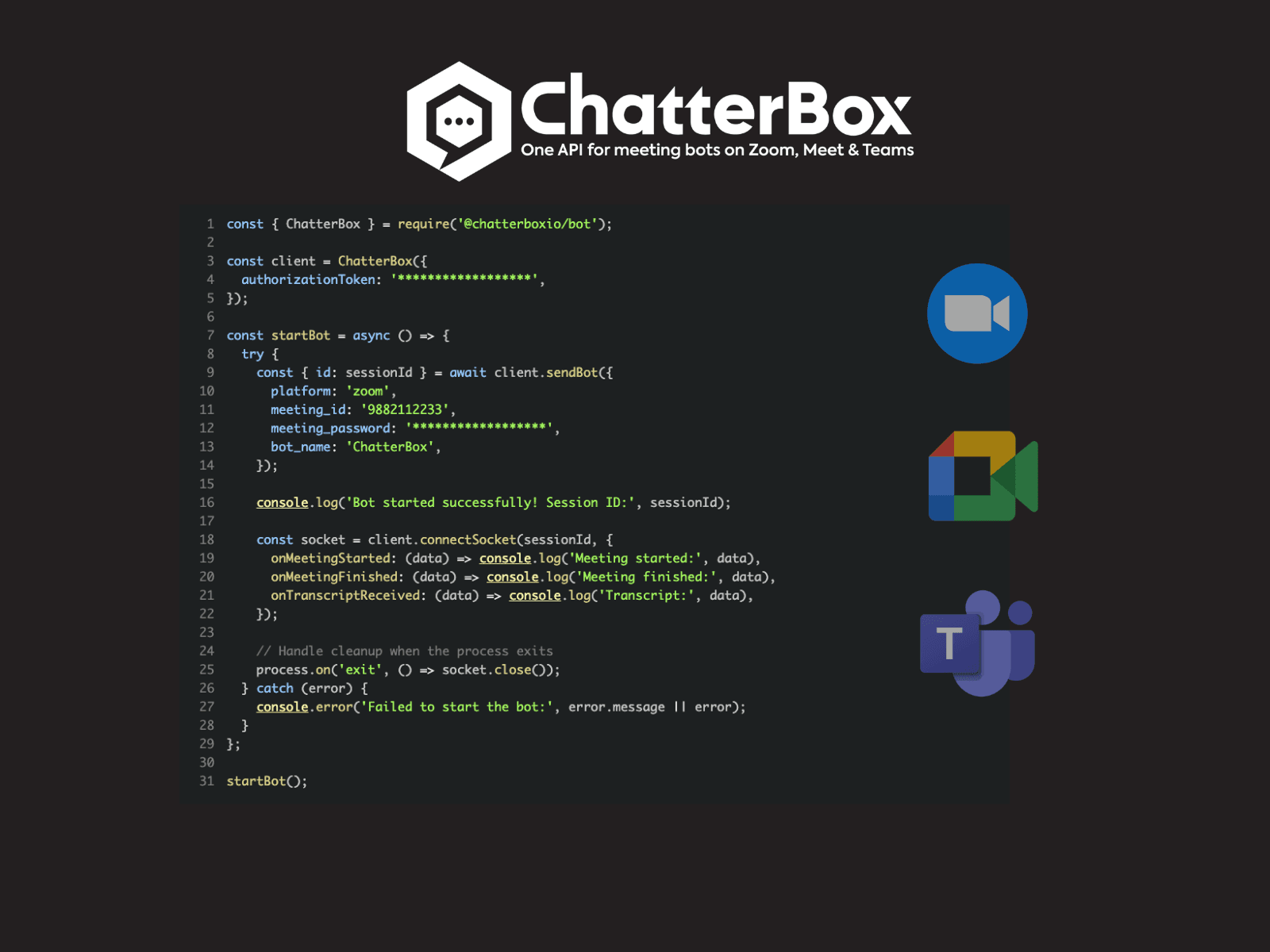


ChatterBox offers a unified API that enables developers to build intelligent meeting bots across Zoom, Google Meet, and Microsoft Teams, automating tasks and enhancing collaboration with AI-driven features. Ideal for developers and enterprises aiming to boost meeting productivity, it simplifies integration by consolidating multiple conferencing platforms into one seamless interface.

描述
ChatterBox is an all-in-one API to integrate your software with Zoom, Teams, and Google Meet—capturing real-time meeting data, including transcripts, participants, audio streams, and more.
详细描述
ChatterBox is a powerful AI-driven platform designed to streamline and enhance the experience of virtual meetings by providing a unified API for integrating intelligent meeting bots across the most popular video conferencing platforms, including Zoom, Google Meet, and Microsoft Teams. Its core purpose is to empower developers and organizations to create smart meeting assistants that automate routine tasks, facilitate collaboration, and boost overall meeting productivity. By consolidating multiple conferencing APIs into a single interface, ChatterBox simplifies the development process and enables seamless deployment of meeting bots that can operate across diverse environments without the need for platform-specific adjustments. One of the standout features of ChatterBox is its single API that supports meeting bots on Zoom, Google Meet, and Microsoft Teams, which are among the most widely used video conferencing tools globally. This integration capability allows developers to build once and deploy everywhere, saving significant time and resources. The platform automates a variety of meeting-related tasks such as note-taking, transcription, action item tracking, and follow-up reminders, reducing the administrative burden on participants and allowing them to focus on the discussion. Additionally, ChatterBox enhances collaboration by enabling bots to facilitate real-time interactions, provide contextual information, and assist with agenda management during meetings. ChatterBox’s AI-driven capabilities are designed to improve meeting productivity by delivering intelligent insights and automating repetitive workflows. For example, it can automatically generate meeting summaries, highlight key discussion points, and suggest next steps, helping teams stay aligned and accountable. The platform’s flexibility makes it suitable for a wide range of users, from software developers looking to embed meeting intelligence into their applications, to enterprises seeking to optimize their internal communication and collaboration processes. Specific use cases include sales teams automating follow-ups, project managers tracking action items, and HR departments conducting structured interviews with automated note-taking. While ChatterBox’s pricing details are not explicitly provided in the available information, platforms of this nature typically offer tiered plans based on usage volume, number of integrations, and access to advanced AI features. Potential customers should contact ChatterBox directly or visit their official website for the most accurate and up-to-date pricing information. Given its focus on developer integration, it is likely that ChatterBox offers a developer-friendly plan or trial to encourage adoption and experimentation. Compared to alternatives, ChatterBox’s key differentiator is its unified API approach that spans multiple leading video conferencing platforms. Many competing tools focus on a single platform, which can limit flexibility and increase integration complexity for organizations using multiple conferencing services. By contrast, ChatterBox reduces fragmentation and offers a consistent developer experience. However, users should consider the maturity of AI features, platform support depth, and customer support quality when evaluating ChatterBox alongside competitors. Notable limitations to consider include the dependency on the APIs and policies of the underlying video conferencing platforms, which may affect feature availability or bot behavior. Additionally, as an AI-powered tool, the accuracy of automated transcription, summarization, and task automation may vary depending on meeting context, audio quality, and language nuances. Organizations should also assess data privacy and security compliance, especially when integrating bots that process sensitive meeting content. Overall, ChatterBox presents a compelling solution for those seeking to leverage AI to transform virtual meetings into more productive and collaborative experiences across multiple platforms.
工具功能
- One API for meeting bots on Zoom, Meet & Teams
- Integration with multiple video conferencing platforms
- Automates meeting-related tasks
- Enhances collaboration during meetings
- Improves meeting productivity with AI
描述
ChatterBox offers a unified API that enables developers to build intelligent meeting bots across Zoom, Google Meet, and Microsoft Teams, automating tasks and enhancing collaboration with AI-driven features. Ideal for developers and enterprises aiming to boost meeting productivity, it simplifies integration by consolidating multiple conferencing platforms into one seamless interface.
ChatterBox is an all-in-one API to integrate your software with Zoom, Teams, and Google Meet—capturing real-time meeting data, including transcripts, participants, audio streams, and more.
详细描述
ChatterBox is a powerful AI-driven platform designed to streamline and enhance the experience of virtual meetings by providing a unified API for integrating intelligent meeting bots across the most popular video conferencing platforms, including Zoom, Google Meet, and Microsoft Teams. Its core purpose is to empower developers and organizations to create smart meeting assistants that automate routine tasks, facilitate collaboration, and boost overall meeting productivity. By consolidating multiple conferencing APIs into a single interface, ChatterBox simplifies the development process and enables seamless deployment of meeting bots that can operate across diverse environments without the need for platform-specific adjustments. One of the standout features of ChatterBox is its single API that supports meeting bots on Zoom, Google Meet, and Microsoft Teams, which are among the most widely used video conferencing tools globally. This integration capability allows developers to build once and deploy everywhere, saving significant time and resources. The platform automates a variety of meeting-related tasks such as note-taking, transcription, action item tracking, and follow-up reminders, reducing the administrative burden on participants and allowing them to focus on the discussion. Additionally, ChatterBox enhances collaboration by enabling bots to facilitate real-time interactions, provide contextual information, and assist with agenda management during meetings. ChatterBox’s AI-driven capabilities are designed to improve meeting productivity by delivering intelligent insights and automating repetitive workflows. For example, it can automatically generate meeting summaries, highlight key discussion points, and suggest next steps, helping teams stay aligned and accountable. The platform’s flexibility makes it suitable for a wide range of users, from software developers looking to embed meeting intelligence into their applications, to enterprises seeking to optimize their internal communication and collaboration processes. Specific use cases include sales teams automating follow-ups, project managers tracking action items, and HR departments conducting structured interviews with automated note-taking. While ChatterBox’s pricing details are not explicitly provided in the available information, platforms of this nature typically offer tiered plans based on usage volume, number of integrations, and access to advanced AI features. Potential customers should contact ChatterBox directly or visit their official website for the most accurate and up-to-date pricing information. Given its focus on developer integration, it is likely that ChatterBox offers a developer-friendly plan or trial to encourage adoption and experimentation. Compared to alternatives, ChatterBox’s key differentiator is its unified API approach that spans multiple leading video conferencing platforms. Many competing tools focus on a single platform, which can limit flexibility and increase integration complexity for organizations using multiple conferencing services. By contrast, ChatterBox reduces fragmentation and offers a consistent developer experience. However, users should consider the maturity of AI features, platform support depth, and customer support quality when evaluating ChatterBox alongside competitors. Notable limitations to consider include the dependency on the APIs and policies of the underlying video conferencing platforms, which may affect feature availability or bot behavior. Additionally, as an AI-powered tool, the accuracy of automated transcription, summarization, and task automation may vary depending on meeting context, audio quality, and language nuances. Organizations should also assess data privacy and security compliance, especially when integrating bots that process sensitive meeting content. Overall, ChatterBox presents a compelling solution for those seeking to leverage AI to transform virtual meetings into more productive and collaborative experiences across multiple platforms.
常见问题
What is ChatterBox?
ChatterBox is an AI-powered platform that provides a unified API for integrating intelligent meeting bots across popular video conferencing platforms like Zoom, Google Meet, and Microsoft Teams, helping automate tasks and improve meeting productivity.
How much does ChatterBox cost?
Pricing details for ChatterBox are not publicly disclosed. Interested users should contact ChatterBox directly or visit their website for the most current information on plans and pricing.
Who is ChatterBox best for?
ChatterBox is best suited for developers building meeting bots, enterprises looking to enhance virtual meeting productivity, and teams that use multiple video conferencing platforms and want a unified solution to automate meeting-related tasks.
What are the main features of ChatterBox?
Key features include a single API for meeting bots on Zoom, Google Meet, and Microsoft Teams, automation of meeting tasks like note-taking and follow-ups, enhanced collaboration tools during meetings, and AI-driven productivity improvements such as transcription and meeting summaries.
Does ChatterBox offer a free trial?
Information about a free trial is not specified. Prospective users should check ChatterBox’s official channels or contact their support team to inquire about trial availability.
What integrations does ChatterBox support?
ChatterBox supports integration with major video conferencing platforms including Zoom, Google Meet, and Microsoft Teams through its unified API.
How does ChatterBox work?
ChatterBox works by providing developers with a single API that interfaces with multiple video conferencing platforms, allowing them to create AI-powered meeting bots that automate tasks, facilitate collaboration, and enhance productivity during virtual meetings.
社交媒体
使用工具评价
暂无评价。成为第一个分享使用体验的人。
赞助工具











































推荐工具
及时了解最新 AI 工具
获取最新资讯,订阅我们的新闻通讯
已有 50,000+ 位读者阅读并信赖
加入最大的 AI 社区
我们的社区和团队随时为您提供帮助!
您的反馈将帮助 Alice AI 在未来版本中不断改进。









