

这是您的 AI 工具吗?立即认领。
验证所有权、管理资料,并解锁增长功能。
ChatGPT Minimap is a free Chrome extension that revolutionizes how users navigate lengthy ChatGPT conversations by providing a handy minimap pinned to the side of the page. Ideal for professionals and heavy users, it offers quick access and an overview of chat history, streamlining the user experience without interrupting workflow.

描述
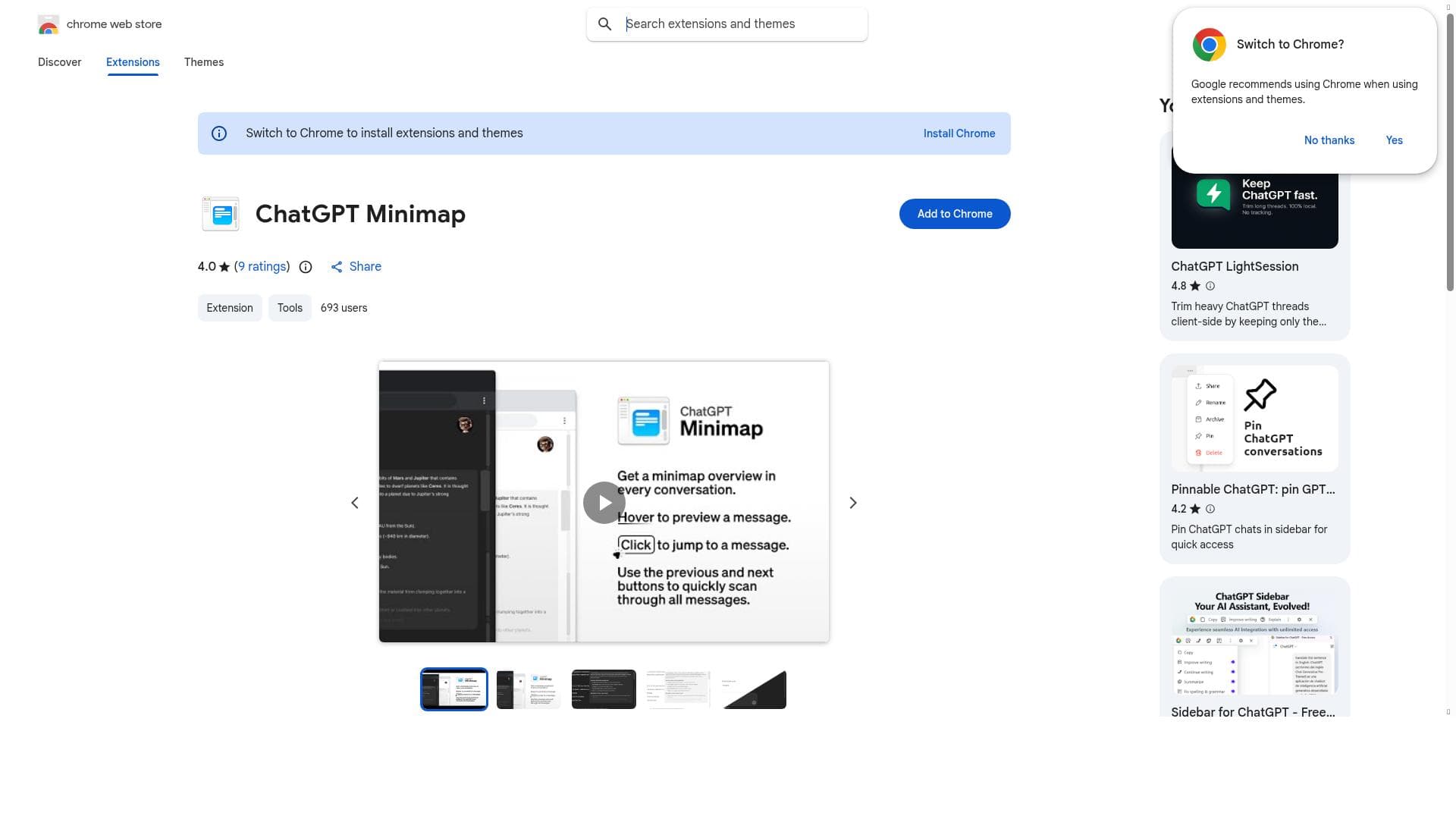
Easily navigate through your ChatGPT conversations with a minimap pinned to the side of the page. - Hover to preview a message. - Click to jump to a message. - Use the previous and next buttons to quickly scan through all messages.
详细描述
ChatGPT Minimap is a specialized Chrome extension designed to enhance the user experience when interacting with ChatGPT by providing a convenient minimap interface pinned to the side of the ChatGPT page. Its core purpose is to simplify navigation through extensive chat histories, which can often become cumbersome to scroll through manually. By offering a visual overview of the conversation, users can quickly locate specific parts of their dialogue, making it easier to revisit important information or continue complex discussions without losing context. The extension’s key feature is the minimap itself, which remains persistently visible alongside the ChatGPT interface. This minimap acts like a condensed version of the entire conversation, allowing users to scroll through and jump directly to any section with a single click. This capability significantly improves efficiency, especially for users who engage in long or multi-threaded conversations. The minimap is designed to be unobtrusive yet easily accessible, ensuring that it does not interfere with the primary chat interface while still providing immediate navigation assistance. ChatGPT Minimap is particularly beneficial for professionals, researchers, educators, and avid ChatGPT users who rely on the AI for complex problem-solving, brainstorming, or detailed information retrieval. For example, a researcher conducting a lengthy Q&A session with ChatGPT can use the minimap to quickly jump back to earlier responses without losing time scrolling. Similarly, educators using ChatGPT for lesson planning or content creation can efficiently manage their conversation flow. The tool is also helpful for developers and writers who use ChatGPT for iterative content generation, enabling them to track and access previous iterations easily. Regarding pricing, ChatGPT Minimap is available as a free Chrome extension, making it accessible to a broad audience without any upfront cost. There are no reported premium tiers or subscription plans, which means users can benefit from its full functionality immediately upon installation. This free availability lowers the barrier to entry and encourages widespread adoption among casual and professional users alike. When compared to alternatives, ChatGPT Minimap stands out due to its seamless integration directly within the ChatGPT web interface and its minimalist design focused solely on navigation enhancement. While some third-party tools offer conversation management features, they often require exporting chat logs or using separate applications. ChatGPT Minimap’s in-browser approach provides instant, context-aware navigation without disrupting the user’s workflow. However, unlike some comprehensive chat management platforms, it does not offer features such as tagging, search, or conversation analytics, focusing purely on navigation. One notable limitation of ChatGPT Minimap is its dependency on the Chrome browser, which restricts its use to users within the Chrome ecosystem. Additionally, since it is an extension that overlays on the ChatGPT web interface, any significant changes to ChatGPT’s UI by OpenAI could potentially affect the minimap’s functionality until updates are released. Users should also be aware that the tool is designed primarily for navigation and does not enhance the AI’s capabilities or provide additional content generation features. In summary, ChatGPT Minimap is a practical and user-friendly extension that addresses a common pain point for heavy ChatGPT users: navigating long conversations. Its free availability, ease of use, and focused functionality make it an excellent choice for anyone looking to improve their ChatGPT interaction efficiency without adding complexity. While it lacks some advanced chat management features, its core value lies in providing a quick, visual way to access and manage chat history directly within the ChatGPT interface.
工具功能
- Minimap pinned to the side of the ChatGPT page
- Easy navigation through ChatGPT conversations
- Improves user experience with quick access to chat history
描述
ChatGPT Minimap is a free Chrome extension that revolutionizes how users navigate lengthy ChatGPT conversations by providing a handy minimap pinned to the side of the page. Ideal for professionals and heavy users, it offers quick access and an overview of chat history, streamlining the user experience without interrupting workflow.
Easily navigate through your ChatGPT conversations with a minimap pinned to the side of the page. - Hover to preview a message. - Click to jump to a message. - Use the previous and next buttons to quickly scan through all messages.
详细描述
ChatGPT Minimap is a specialized Chrome extension designed to enhance the user experience when interacting with ChatGPT by providing a convenient minimap interface pinned to the side of the ChatGPT page. Its core purpose is to simplify navigation through extensive chat histories, which can often become cumbersome to scroll through manually. By offering a visual overview of the conversation, users can quickly locate specific parts of their dialogue, making it easier to revisit important information or continue complex discussions without losing context. The extension’s key feature is the minimap itself, which remains persistently visible alongside the ChatGPT interface. This minimap acts like a condensed version of the entire conversation, allowing users to scroll through and jump directly to any section with a single click. This capability significantly improves efficiency, especially for users who engage in long or multi-threaded conversations. The minimap is designed to be unobtrusive yet easily accessible, ensuring that it does not interfere with the primary chat interface while still providing immediate navigation assistance. ChatGPT Minimap is particularly beneficial for professionals, researchers, educators, and avid ChatGPT users who rely on the AI for complex problem-solving, brainstorming, or detailed information retrieval. For example, a researcher conducting a lengthy Q&A session with ChatGPT can use the minimap to quickly jump back to earlier responses without losing time scrolling. Similarly, educators using ChatGPT for lesson planning or content creation can efficiently manage their conversation flow. The tool is also helpful for developers and writers who use ChatGPT for iterative content generation, enabling them to track and access previous iterations easily. Regarding pricing, ChatGPT Minimap is available as a free Chrome extension, making it accessible to a broad audience without any upfront cost. There are no reported premium tiers or subscription plans, which means users can benefit from its full functionality immediately upon installation. This free availability lowers the barrier to entry and encourages widespread adoption among casual and professional users alike. When compared to alternatives, ChatGPT Minimap stands out due to its seamless integration directly within the ChatGPT web interface and its minimalist design focused solely on navigation enhancement. While some third-party tools offer conversation management features, they often require exporting chat logs or using separate applications. ChatGPT Minimap’s in-browser approach provides instant, context-aware navigation without disrupting the user’s workflow. However, unlike some comprehensive chat management platforms, it does not offer features such as tagging, search, or conversation analytics, focusing purely on navigation. One notable limitation of ChatGPT Minimap is its dependency on the Chrome browser, which restricts its use to users within the Chrome ecosystem. Additionally, since it is an extension that overlays on the ChatGPT web interface, any significant changes to ChatGPT’s UI by OpenAI could potentially affect the minimap’s functionality until updates are released. Users should also be aware that the tool is designed primarily for navigation and does not enhance the AI’s capabilities or provide additional content generation features. In summary, ChatGPT Minimap is a practical and user-friendly extension that addresses a common pain point for heavy ChatGPT users: navigating long conversations. Its free availability, ease of use, and focused functionality make it an excellent choice for anyone looking to improve their ChatGPT interaction efficiency without adding complexity. While it lacks some advanced chat management features, its core value lies in providing a quick, visual way to access and manage chat history directly within the ChatGPT interface.
常见问题
What is ChatGPT Minimap?
ChatGPT Minimap is a Chrome extension that adds a minimap navigation panel to the ChatGPT interface, allowing users to easily scroll through and jump to different parts of their conversation history.
How much does ChatGPT Minimap cost?
ChatGPT Minimap is available for free on the Chrome Web Store with no subscription or premium plans.
Who is ChatGPT Minimap best for?
It is best suited for professionals, researchers, educators, developers, and any heavy ChatGPT users who engage in lengthy conversations and need efficient navigation through chat history.
What are the main features of ChatGPT Minimap?
The main features include a minimap pinned to the side of the ChatGPT page for quick navigation, easy scrolling through conversations, and improved user experience by providing an overview of lengthy chat histories.
Does ChatGPT Minimap offer a free trial?
Yes, the extension is completely free to use with no trial or paid tiers.
What integrations does ChatGPT Minimap support?
ChatGPT Minimap integrates directly with the ChatGPT web interface as a Chrome extension and does not require or support additional third-party integrations.
How does ChatGPT Minimap work?
Once installed, the extension adds a minimap panel to the side of the ChatGPT page that visually represents the entire conversation, allowing users to click on any section to quickly navigate to that part of the chat.
社交媒体
使用工具评价
暂无评价。成为第一个分享使用体验的人。




















































