ChatGPT for Google Sheets


这是您的 AI 工具吗?立即认领。
验证所有权、管理资料,并解锁增长功能。
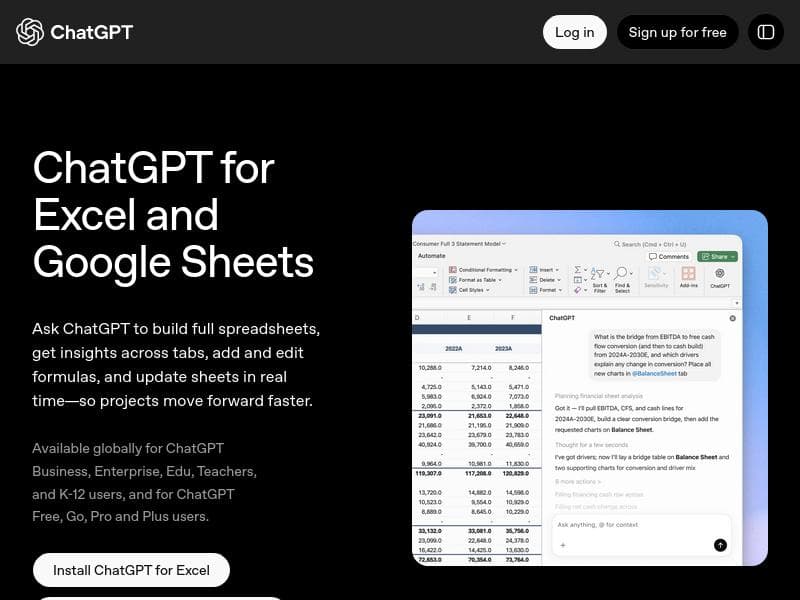
ChatGPT for Google Sheets is a powerful AI sidebar that transforms spreadsheet management by enabling natural language formula writing, data cleanup, and multi-tab analysis directly within Google Sheets and Excel. Ideal for analysts and operations teams, it streamlines complex spreadsheet tasks without requiring advanced technical skills.

描述
A sidebar AI for Excel and Google Sheets that handles formula writing, data cleanup, and model building through natural language. For analysts and operations teams who live in spreadsheets.
详细描述
ChatGPT for Google Sheets is an innovative AI-powered sidebar extension designed to seamlessly integrate with both Google Sheets and Microsoft Excel, transforming how users interact with their spreadsheets. Its core purpose is to empower analysts, operations teams, and spreadsheet enthusiasts by automating complex tasks such as formula writing, data cleanup, and model building through intuitive natural language commands. This tool eliminates the need for advanced coding or formula expertise, enabling users to generate and manipulate spreadsheet data simply by describing their needs in everyday language. It acts as a smart assistant embedded directly within the spreadsheet environment, streamlining workflows and enhancing productivity. One of the standout features of ChatGPT for Google Sheets is its ability to build entire spreadsheets using ChatGPT’s natural language processing capabilities. Users can instruct the AI to create formulas, generate data summaries, or even construct complex models without manually inputting formulas or scripts. Additionally, the tool supports multi-tab data analysis, allowing users to query and synthesize information across different sheets within a workbook. This cross-tab functionality is particularly useful for comprehensive data reviews and consolidations. Before finalizing outputs, users can review and validate the AI-generated results, ensuring accuracy and relevance prior to sharing or further processing. The extension is designed for seamless integration, working natively with both Google Sheets and Excel, which makes it versatile for organizations using either platform. ChatGPT for Google Sheets is best suited for business analysts, data professionals, operations teams, and anyone who relies heavily on spreadsheets for data management and decision-making. It caters especially well to users who may not have deep technical expertise in spreadsheet formulas or programming but require advanced data manipulation capabilities. Use cases include automating repetitive data cleanup tasks, generating complex financial or operational models, conducting cross-sheet data analysis, and accelerating report generation. By leveraging natural language, it reduces the learning curve and allows teams to focus on insights rather than technical execution. The tool follows a freemium pricing model, making it accessible to a wide range of users. While basic features are available for free, enhanced capabilities and integrations are unlocked for Plus, Pro, Business, and Enterprise subscribers. This tiered approach allows individual users and small teams to benefit from core functionalities at no cost, while larger organizations can access advanced features and dedicated support through paid plans. Pricing details are available on the official website, and the subscription levels cater to varying organizational needs and scales. Compared to alternative spreadsheet AI tools, ChatGPT for Google Sheets stands out due to its direct integration with both Google Sheets and Excel, its natural language interface, and its multi-tab analytical capabilities. While other tools may offer formula suggestions or automation, few combine these features with the flexibility of ChatGPT’s conversational AI within the spreadsheet sidebar. This makes it a unique solution for users seeking a powerful yet user-friendly AI assistant embedded in their existing spreadsheet workflows. However, users should consider that the tool’s effectiveness depends on the clarity of natural language inputs and the complexity of the tasks. While it excels at many formula and data manipulation scenarios, extremely specialized or highly customized spreadsheet functions may still require manual intervention. Additionally, as with any AI-driven tool, users should review AI-generated outputs carefully to ensure accuracy and compliance with organizational standards. Finally, the full feature set is gated behind paid subscriptions, which may be a consideration for budget-conscious users. In summary, ChatGPT for Google Sheets offers a compelling AI assistant that revolutionizes spreadsheet usage by combining natural language processing with powerful data analysis and formula generation capabilities. Its integration with popular spreadsheet platforms and focus on usability make it an invaluable tool for professionals who want to enhance productivity and reduce manual spreadsheet work.
工具功能
- Build spreadsheets using ChatGPT
- Analyze data across multiple tabs
- Review results before sharing
- Integration with Excel and Google Sheets
- Available for Plus, Pro, Business, and Enterprise users
描述
ChatGPT for Google Sheets is a powerful AI sidebar that transforms spreadsheet management by enabling natural language formula writing, data cleanup, and multi-tab analysis directly within Google Sheets and Excel. Ideal for analysts and operations teams, it streamlines complex spreadsheet tasks without requiring advanced technical skills.
A sidebar AI for Excel and Google Sheets that handles formula writing, data cleanup, and model building through natural language. For analysts and operations teams who live in spreadsheets.
详细描述
ChatGPT for Google Sheets is an innovative AI-powered sidebar extension designed to seamlessly integrate with both Google Sheets and Microsoft Excel, transforming how users interact with their spreadsheets. Its core purpose is to empower analysts, operations teams, and spreadsheet enthusiasts by automating complex tasks such as formula writing, data cleanup, and model building through intuitive natural language commands. This tool eliminates the need for advanced coding or formula expertise, enabling users to generate and manipulate spreadsheet data simply by describing their needs in everyday language. It acts as a smart assistant embedded directly within the spreadsheet environment, streamlining workflows and enhancing productivity. One of the standout features of ChatGPT for Google Sheets is its ability to build entire spreadsheets using ChatGPT’s natural language processing capabilities. Users can instruct the AI to create formulas, generate data summaries, or even construct complex models without manually inputting formulas or scripts. Additionally, the tool supports multi-tab data analysis, allowing users to query and synthesize information across different sheets within a workbook. This cross-tab functionality is particularly useful for comprehensive data reviews and consolidations. Before finalizing outputs, users can review and validate the AI-generated results, ensuring accuracy and relevance prior to sharing or further processing. The extension is designed for seamless integration, working natively with both Google Sheets and Excel, which makes it versatile for organizations using either platform. ChatGPT for Google Sheets is best suited for business analysts, data professionals, operations teams, and anyone who relies heavily on spreadsheets for data management and decision-making. It caters especially well to users who may not have deep technical expertise in spreadsheet formulas or programming but require advanced data manipulation capabilities. Use cases include automating repetitive data cleanup tasks, generating complex financial or operational models, conducting cross-sheet data analysis, and accelerating report generation. By leveraging natural language, it reduces the learning curve and allows teams to focus on insights rather than technical execution. The tool follows a freemium pricing model, making it accessible to a wide range of users. While basic features are available for free, enhanced capabilities and integrations are unlocked for Plus, Pro, Business, and Enterprise subscribers. This tiered approach allows individual users and small teams to benefit from core functionalities at no cost, while larger organizations can access advanced features and dedicated support through paid plans. Pricing details are available on the official website, and the subscription levels cater to varying organizational needs and scales. Compared to alternative spreadsheet AI tools, ChatGPT for Google Sheets stands out due to its direct integration with both Google Sheets and Excel, its natural language interface, and its multi-tab analytical capabilities. While other tools may offer formula suggestions or automation, few combine these features with the flexibility of ChatGPT’s conversational AI within the spreadsheet sidebar. This makes it a unique solution for users seeking a powerful yet user-friendly AI assistant embedded in their existing spreadsheet workflows. However, users should consider that the tool’s effectiveness depends on the clarity of natural language inputs and the complexity of the tasks. While it excels at many formula and data manipulation scenarios, extremely specialized or highly customized spreadsheet functions may still require manual intervention. Additionally, as with any AI-driven tool, users should review AI-generated outputs carefully to ensure accuracy and compliance with organizational standards. Finally, the full feature set is gated behind paid subscriptions, which may be a consideration for budget-conscious users. In summary, ChatGPT for Google Sheets offers a compelling AI assistant that revolutionizes spreadsheet usage by combining natural language processing with powerful data analysis and formula generation capabilities. Its integration with popular spreadsheet platforms and focus on usability make it an invaluable tool for professionals who want to enhance productivity and reduce manual spreadsheet work.
常见问题
What is ChatGPT for Google Sheets?
ChatGPT for Google Sheets is an AI-powered sidebar extension that integrates with Google Sheets and Excel to assist users in writing formulas, cleaning data, and building models using natural language commands.
How much does ChatGPT for Google Sheets cost?
The tool offers a freemium pricing model with basic features available for free, while advanced capabilities and integrations are accessible through Plus, Pro, Business, and Enterprise subscription plans.
Who is ChatGPT for Google Sheets best for?
It is best suited for business analysts, operations teams, and spreadsheet users who want to automate formula writing, data analysis, and model building without needing deep technical expertise.
What are the main features of ChatGPT for Google Sheets?
Key features include building spreadsheets using natural language, analyzing data across multiple tabs, reviewing AI-generated results before sharing, and seamless integration with both Google Sheets and Excel.
Does ChatGPT for Google Sheets offer a free trial?
Yes, the tool provides a freemium version that allows users to access basic features for free, enabling them to try the AI assistant before opting for paid plans.
What integrations does ChatGPT for Google Sheets support?
It integrates directly with Google Sheets and Microsoft Excel, allowing users to leverage AI assistance within these popular spreadsheet platforms.
How does ChatGPT for Google Sheets work?
Users interact with the AI through a sidebar within their spreadsheet application, inputting natural language commands to generate formulas, clean data, or build models, with the AI processing these requests and returning results in real-time.
社交媒体
使用工具评价
暂无评价。成为第一个分享使用体验的人。




















































