
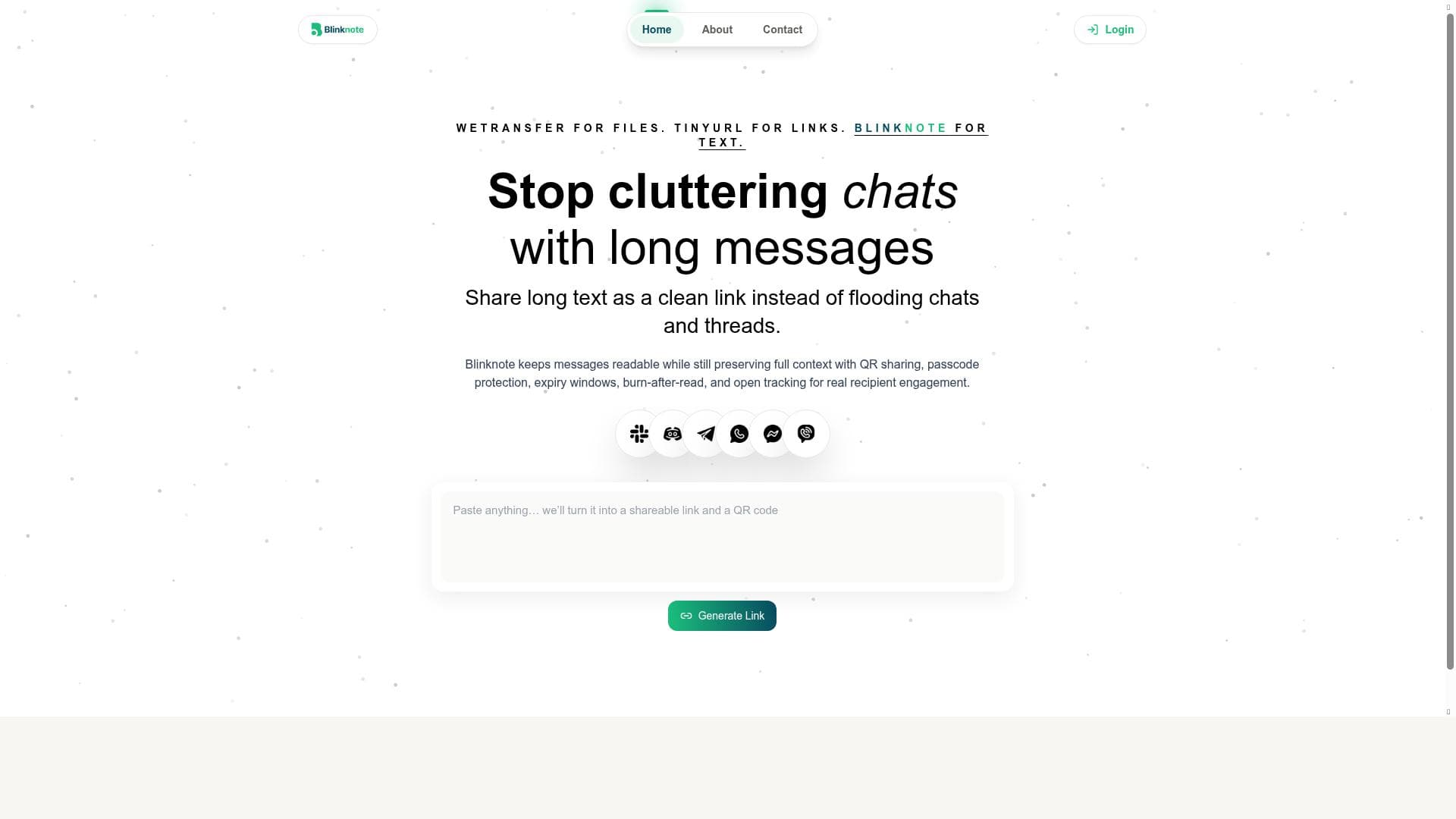


Blinknote transforms lengthy messages into clean, secure shareable links with QR code support, passcode protection, and tracking features. Ideal for teams and professionals who want to share detailed information across platforms like Slack and WhatsApp without cluttering chats, Blinknote ensures conversations stay readable while preserving full context.

描述
Blinknote is a text-sharing tool that transforms long messages into a single clean link with QR code support. It offers optional passcode protection, expiry windows, burn-after-read control, and open tracking to ensure secure and efficient sharing. This tool helps teams share full context in platforms like Slack, WhatsApp, Telegram, Discord, and email without cluttering chats, keeping conversations readable while preserving the complete message context.
详细描述
Blinknote is an innovative text-sharing tool designed to streamline communication by converting lengthy messages into a single, clean, and easily shareable link. Its core purpose is to help users share detailed information without cluttering chat platforms or email threads, thereby maintaining readability while preserving the full context of the original message. This makes Blinknote particularly valuable for teams and professionals who frequently exchange complex or verbose information across multiple communication channels. By transforming long texts into concise links, Blinknote enhances clarity and efficiency in digital conversations. One of Blinknote’s standout features is its ability to generate a shareable link from any long text input, which recipients can access without scrolling through bulky messages. The tool also supports QR code generation, allowing users to share content quickly and conveniently in physical or digital environments. Security is a strong focus for Blinknote, offering optional passcode protection to restrict access to sensitive information. Users can set expiry windows for links, ensuring that shared content is only accessible for a limited time, which is ideal for time-sensitive communications. Additionally, the burn-after-read feature allows messages to self-destruct after being viewed once, adding an extra layer of confidentiality. Another key capability is open tracking, which provides senders with insights into recipient engagement by notifying them when a link has been accessed. This feature is particularly useful for teams and businesses that need to confirm message delivery and reading without intrusive follow-ups. Blinknote supports seamless sharing across popular platforms such as Slack, WhatsApp, Telegram, Discord, and email, making it versatile and easy to integrate into existing workflows. Blinknote is best suited for professionals, remote teams, customer support agents, educators, and anyone who needs to share detailed information efficiently without overwhelming their communication channels. For example, customer support teams can use Blinknote to send detailed troubleshooting steps without clogging chat windows, while educators can share lecture notes or instructions in a compact format. Remote teams benefit from the ability to maintain context-rich conversations without sacrificing chat clarity, and marketers can track engagement with shared content. Regarding pricing, Blinknote offers a freemium model, allowing users to access core functionalities at no cost, which is ideal for individuals and small teams. Premium plans likely provide enhanced features such as extended expiry options, advanced security controls, and detailed analytics, catering to larger organizations or those with more demanding security and tracking needs. Compared to alternatives, Blinknote stands out by combining multiple advanced sharing controls—such as burn-after-read, passcode protection, and open tracking—within a single, user-friendly interface. While other tools may offer link sharing or QR code generation, Blinknote’s comprehensive approach to secure, time-limited, and trackable text sharing makes it a unique solution. However, users should consider that Blinknote focuses specifically on text sharing and may not support multimedia content or extensive collaboration features found in some broader communication platforms. In terms of limitations, Blinknote’s reliance on link-based sharing means recipients need internet access to view content, which might not be suitable in all scenarios. Additionally, while the freemium plan offers valuable features, advanced security and tracking options may require a paid subscription. Users should also be mindful of privacy considerations when sharing sensitive information, ensuring that passcodes and expiry settings are properly configured. Overall, Blinknote is a powerful tool for anyone looking to improve the clarity, security, and efficiency of their text-based communications across multiple platforms, making it an excellent choice for modern digital workflows.
工具功能
- Turns long text into one clean shareable link
- QR code sharing
- Optional passcode protection
- Expiry windows for links
- Burn-after-read control
- Open tracking for recipient engagement
- Supports sharing in Slack, WhatsApp, Telegram, Discord, and email
描述
Blinknote transforms lengthy messages into clean, secure shareable links with QR code support, passcode protection, and tracking features. Ideal for teams and professionals who want to share detailed information across platforms like Slack and WhatsApp without cluttering chats, Blinknote ensures conversations stay readable while preserving full context.
Blinknote is a text-sharing tool that transforms long messages into a single clean link with QR code support. It offers optional passcode protection, expiry windows, burn-after-read control, and open tracking to ensure secure and efficient sharing. This tool helps teams share full context in platforms like Slack, WhatsApp, Telegram, Discord, and email without cluttering chats, keeping conversations readable while preserving the complete message context.
详细描述
Blinknote is an innovative text-sharing tool designed to streamline communication by converting lengthy messages into a single, clean, and easily shareable link. Its core purpose is to help users share detailed information without cluttering chat platforms or email threads, thereby maintaining readability while preserving the full context of the original message. This makes Blinknote particularly valuable for teams and professionals who frequently exchange complex or verbose information across multiple communication channels. By transforming long texts into concise links, Blinknote enhances clarity and efficiency in digital conversations. One of Blinknote’s standout features is its ability to generate a shareable link from any long text input, which recipients can access without scrolling through bulky messages. The tool also supports QR code generation, allowing users to share content quickly and conveniently in physical or digital environments. Security is a strong focus for Blinknote, offering optional passcode protection to restrict access to sensitive information. Users can set expiry windows for links, ensuring that shared content is only accessible for a limited time, which is ideal for time-sensitive communications. Additionally, the burn-after-read feature allows messages to self-destruct after being viewed once, adding an extra layer of confidentiality. Another key capability is open tracking, which provides senders with insights into recipient engagement by notifying them when a link has been accessed. This feature is particularly useful for teams and businesses that need to confirm message delivery and reading without intrusive follow-ups. Blinknote supports seamless sharing across popular platforms such as Slack, WhatsApp, Telegram, Discord, and email, making it versatile and easy to integrate into existing workflows. Blinknote is best suited for professionals, remote teams, customer support agents, educators, and anyone who needs to share detailed information efficiently without overwhelming their communication channels. For example, customer support teams can use Blinknote to send detailed troubleshooting steps without clogging chat windows, while educators can share lecture notes or instructions in a compact format. Remote teams benefit from the ability to maintain context-rich conversations without sacrificing chat clarity, and marketers can track engagement with shared content. Regarding pricing, Blinknote offers a freemium model, allowing users to access core functionalities at no cost, which is ideal for individuals and small teams. Premium plans likely provide enhanced features such as extended expiry options, advanced security controls, and detailed analytics, catering to larger organizations or those with more demanding security and tracking needs. Compared to alternatives, Blinknote stands out by combining multiple advanced sharing controls—such as burn-after-read, passcode protection, and open tracking—within a single, user-friendly interface. While other tools may offer link sharing or QR code generation, Blinknote’s comprehensive approach to secure, time-limited, and trackable text sharing makes it a unique solution. However, users should consider that Blinknote focuses specifically on text sharing and may not support multimedia content or extensive collaboration features found in some broader communication platforms. In terms of limitations, Blinknote’s reliance on link-based sharing means recipients need internet access to view content, which might not be suitable in all scenarios. Additionally, while the freemium plan offers valuable features, advanced security and tracking options may require a paid subscription. Users should also be mindful of privacy considerations when sharing sensitive information, ensuring that passcodes and expiry settings are properly configured. Overall, Blinknote is a powerful tool for anyone looking to improve the clarity, security, and efficiency of their text-based communications across multiple platforms, making it an excellent choice for modern digital workflows.
常见问题
What is Blinknote?
Blinknote is a text-sharing tool that converts long messages into a single clean link with QR code support, enabling secure and efficient sharing across various communication platforms.
How much does Blinknote cost?
Blinknote offers a freemium pricing model, providing core features for free with optional premium plans that unlock advanced security, expiry controls, and analytics.
Who is Blinknote best for?
Blinknote is ideal for professionals, remote teams, educators, customer support agents, and anyone needing to share detailed text efficiently without cluttering chats.
What are the main features of Blinknote?
Key features include turning long text into a shareable link, QR code sharing, optional passcode protection, expiry windows, burn-after-read control, open tracking, and support for Slack, WhatsApp, Telegram, Discord, and email.
Does Blinknote offer a free trial?
Yes, Blinknote’s freemium plan allows users to access essential features for free, enabling them to try the tool before opting for any premium upgrades.
What integrations does Blinknote support?
Blinknote supports sharing links seamlessly on platforms like Slack, WhatsApp, Telegram, Discord, and via email, facilitating easy integration into existing communication workflows.
How does Blinknote work?
Users input long text into Blinknote, which then generates a clean shareable link and QR code. They can add security options like passcodes, set expiry times, enable burn-after-read, and track when recipients open the link.
评价
暂无评价。成为第一个分享使用体验的人。




















































