.png%3Falt%3Dmedia%26token%3D799d45c0-6878-4bd9-9fd6-2762af49e25f&w=64&q=75)
Bank PDF Converter
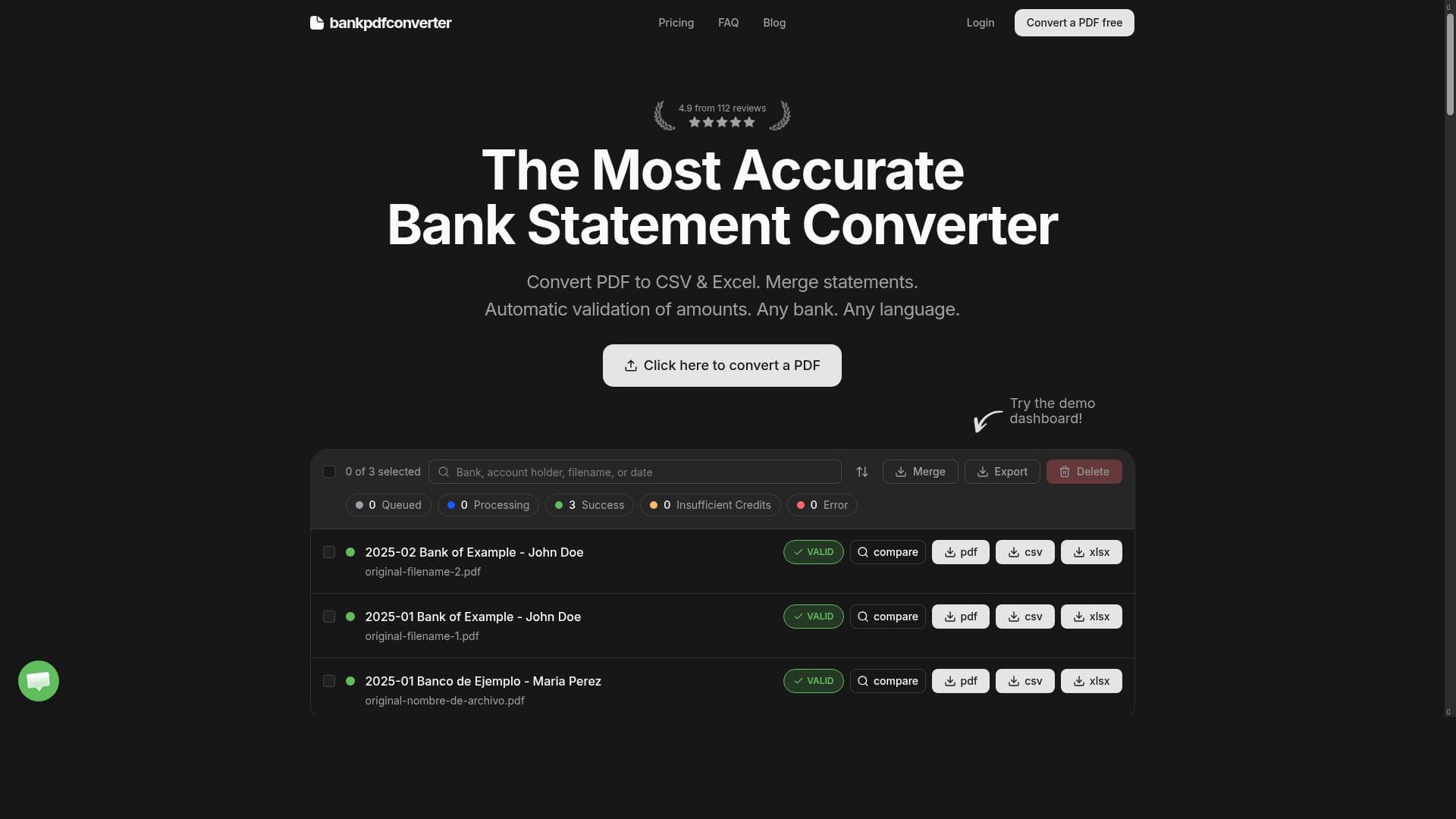


Bank PDF Converter is a highly accurate and versatile tool that transforms bank statements from PDF into Excel and CSV formats effortlessly. Designed for accountants, bookkeepers, attorneys, and business owners, it eliminates manual data entry and supports any bank or language, making financial data processing faster and more reliable.

描述
Bank PDF Converter is the best way to convert bank statements from PDF to Excel (XLSX) and CSV formats. Built for accountants, bookkeepers, attorneys, and business owners who need reliable transaction data without time-consuming manual entry or delays waiting for clients to resend statements in a format you can use. Never let a statement slow you down again!
详细描述
Bank PDF Converter is a specialized tool designed to streamline the process of converting bank statements from PDF files into more usable formats such as Excel (XLSX) and CSV. Its core purpose is to eliminate the tedious and error-prone manual entry of transaction data, which is a common bottleneck for professionals handling financial documents. By automating the extraction and conversion of bank statement data, the tool saves significant time and reduces the risk of inaccuracies, enabling users to focus on analysis and decision-making rather than data preparation. One of the standout features of Bank PDF Converter is its exceptional accuracy in converting bank statements. It uses advanced parsing algorithms to ensure that transaction details, including dates, descriptions, and amounts, are captured correctly. The tool also validates amounts to prevent errors that could arise from misread figures. Users can upload multiple PDF statements simultaneously through the bulk upload feature, which is particularly useful for accountants and bookkeepers managing numerous client accounts. Additionally, the merge download option allows users to combine multiple converted files into a single consolidated document, simplifying record keeping and reporting. Bank PDF Converter supports statements from any bank and works with documents in any language, making it a versatile solution for global users. This broad compatibility ensures that professionals dealing with diverse clients or international accounts can rely on the tool without worrying about format or language restrictions. The tool is ideally suited for accountants, bookkeepers, attorneys, and business owners who require reliable and timely access to transaction data. For accountants and bookkeepers, it reduces the manual workload and accelerates the reconciliation and reporting processes. Attorneys handling financial evidence benefit from quick and accurate data extraction, while business owners can maintain up-to-date financial records without waiting for formatted statements from banks or clients. Bank PDF Converter offers a freemium pricing model, allowing users to access basic features for free with options to upgrade for enhanced capabilities. This approach makes it accessible to small businesses and individual professionals who want to test the tool before committing financially. Paid plans typically include higher limits on bulk uploads, priority support, and additional features like merged downloads. Compared to alternatives, Bank PDF Converter stands out due to its high accuracy, multi-language support, and ability to handle any bank's statement format. Many competitors struggle with inconsistent formatting or require manual adjustments post-conversion, but Bank PDF Converter minimizes these issues through robust validation and parsing technology. Its user-friendly interface and bulk processing capabilities also provide a significant productivity boost over manual methods or less specialized tools. However, users should consider that while the tool supports a wide range of banks and languages, extremely unusual or highly customized statement formats may occasionally require manual review. Additionally, as a freemium service, some advanced features may be locked behind paid tiers, which could be a limitation for users with very high-volume needs or complex workflows. Overall, Bank PDF Converter offers a powerful, reliable, and efficient solution for converting bank statements, making it an indispensable tool for financial professionals seeking to eliminate delays and errors in transaction data processing.
工具功能
- Most accurate bank statement converter
- Validated amounts
- Bulk upload
- Merge download
- Works with any bank
- Supports any language
描述
Bank PDF Converter is a highly accurate and versatile tool that transforms bank statements from PDF into Excel and CSV formats effortlessly. Designed for accountants, bookkeepers, attorneys, and business owners, it eliminates manual data entry and supports any bank or language, making financial data processing faster and more reliable.
Bank PDF Converter is the best way to convert bank statements from PDF to Excel (XLSX) and CSV formats. Built for accountants, bookkeepers, attorneys, and business owners who need reliable transaction data without time-consuming manual entry or delays waiting for clients to resend statements in a format you can use. Never let a statement slow you down again!
详细描述
Bank PDF Converter is a specialized tool designed to streamline the process of converting bank statements from PDF files into more usable formats such as Excel (XLSX) and CSV. Its core purpose is to eliminate the tedious and error-prone manual entry of transaction data, which is a common bottleneck for professionals handling financial documents. By automating the extraction and conversion of bank statement data, the tool saves significant time and reduces the risk of inaccuracies, enabling users to focus on analysis and decision-making rather than data preparation. One of the standout features of Bank PDF Converter is its exceptional accuracy in converting bank statements. It uses advanced parsing algorithms to ensure that transaction details, including dates, descriptions, and amounts, are captured correctly. The tool also validates amounts to prevent errors that could arise from misread figures. Users can upload multiple PDF statements simultaneously through the bulk upload feature, which is particularly useful for accountants and bookkeepers managing numerous client accounts. Additionally, the merge download option allows users to combine multiple converted files into a single consolidated document, simplifying record keeping and reporting. Bank PDF Converter supports statements from any bank and works with documents in any language, making it a versatile solution for global users. This broad compatibility ensures that professionals dealing with diverse clients or international accounts can rely on the tool without worrying about format or language restrictions. The tool is ideally suited for accountants, bookkeepers, attorneys, and business owners who require reliable and timely access to transaction data. For accountants and bookkeepers, it reduces the manual workload and accelerates the reconciliation and reporting processes. Attorneys handling financial evidence benefit from quick and accurate data extraction, while business owners can maintain up-to-date financial records without waiting for formatted statements from banks or clients. Bank PDF Converter offers a freemium pricing model, allowing users to access basic features for free with options to upgrade for enhanced capabilities. This approach makes it accessible to small businesses and individual professionals who want to test the tool before committing financially. Paid plans typically include higher limits on bulk uploads, priority support, and additional features like merged downloads. Compared to alternatives, Bank PDF Converter stands out due to its high accuracy, multi-language support, and ability to handle any bank's statement format. Many competitors struggle with inconsistent formatting or require manual adjustments post-conversion, but Bank PDF Converter minimizes these issues through robust validation and parsing technology. Its user-friendly interface and bulk processing capabilities also provide a significant productivity boost over manual methods or less specialized tools. However, users should consider that while the tool supports a wide range of banks and languages, extremely unusual or highly customized statement formats may occasionally require manual review. Additionally, as a freemium service, some advanced features may be locked behind paid tiers, which could be a limitation for users with very high-volume needs or complex workflows. Overall, Bank PDF Converter offers a powerful, reliable, and efficient solution for converting bank statements, making it an indispensable tool for financial professionals seeking to eliminate delays and errors in transaction data processing.
常见问题
What is Bank PDF Converter?
Bank PDF Converter is a software tool that converts bank statements from PDF format into Excel (XLSX) and CSV files, enabling users to extract transaction data quickly and accurately without manual entry.
How much does Bank PDF Converter cost?
Bank PDF Converter offers a freemium pricing model, allowing free access to basic features with options to upgrade for additional capabilities such as higher upload limits and merged downloads.
Who is Bank PDF Converter best for?
It is best suited for accountants, bookkeepers, attorneys, and business owners who need reliable and efficient conversion of bank statements for financial analysis, reporting, and record keeping.
What are the main features of Bank PDF Converter?
Key features include the most accurate bank statement conversion, validated transaction amounts, bulk upload for multiple files, merge download to combine converted data, compatibility with any bank, and support for any language.
Does Bank PDF Converter offer a free trial?
Yes, the tool operates on a freemium basis, allowing users to try basic features for free before deciding to upgrade to paid plans.
What integrations does Bank PDF Converter support?
Bank PDF Converter primarily functions as a standalone converter tool and does not list specific third-party integrations, but it outputs standard Excel and CSV files that can be used with most accounting and financial software.
How does Bank PDF Converter work?
Users upload PDF bank statements to the platform, which then uses advanced parsing algorithms to extract and validate transaction data, converting it into Excel or CSV formats for easy download and use.
评价
暂无评价。成为第一个分享使用体验的人。




















































