🚀 Zaprep: Your Socials on Steroids. 免费开始 — 每月自动发送 1,000 条私信,将互动转化为潜在客户。 ,每月 1,000 条自动私信。
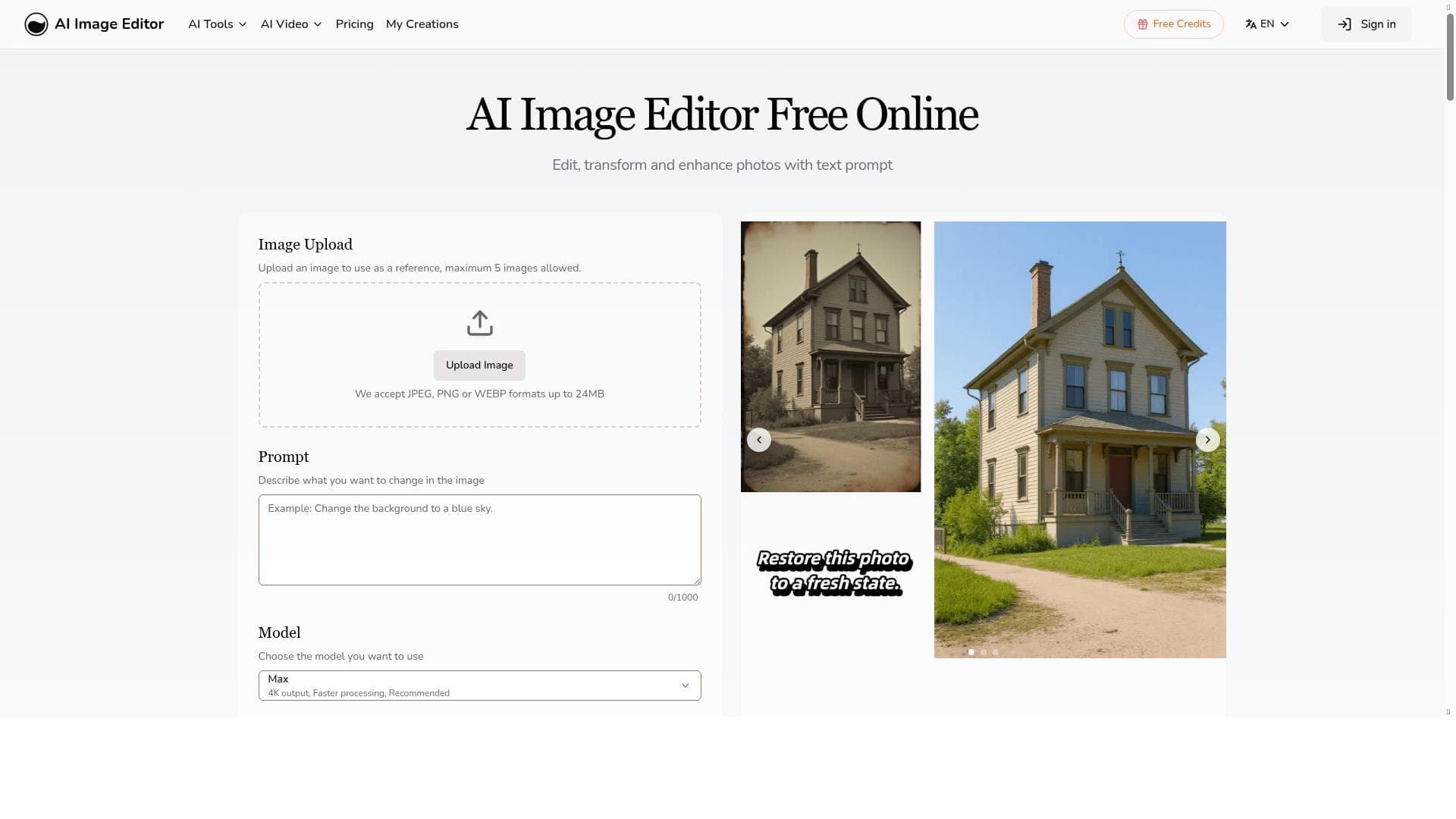


AI Image Editor harnesses advanced Image to Image AI technology to enable effortless photo editing through simple text prompts, requiring no design skills. Ideal for content creators and marketers, it delivers fast, professional-quality results on an easy-to-use online platform with a flexible freemium pricing model.

描述
Advanced AI image editing tool with Image to Image AI. Edit photos with simple text prompts—no design skills needed. Get fast, professional results for free.
详细描述
AI Image Editor is an advanced online image editing tool that leverages cutting-edge Image to Image AI technology to transform and enhance photos with ease. Designed to simplify the image editing process, it enables users to modify images using simple text prompts without requiring any prior design skills or technical expertise. This tool is ideal for anyone looking to achieve professional-grade photo edits quickly and efficiently, whether for personal projects, marketing materials, or creative content creation. Its core purpose is to democratize image editing by making powerful AI-driven enhancements accessible to all users through a user-friendly online platform. At the heart of AI Image Editor is its Image to Image AI generation capability, which allows users to upload an existing photo and instruct the AI to modify it based on descriptive text inputs. This feature can be used to change backgrounds, adjust styles, add or remove objects, and apply artistic effects, all while maintaining the original image’s quality and context. The platform operates entirely online, eliminating the need for software downloads or installations, and features an intuitive interface that guides users through the editing process step-by-step. This combination of advanced AI technology and ease of use makes it possible to achieve fast, professional results with minimal effort. AI Image Editor is particularly well-suited for content creators, marketers, social media managers, photographers, and small business owners who need to produce visually compelling images without investing in expensive design software or hiring professional editors. For example, social media influencers can quickly generate eye-catching posts, marketers can create customized promotional images, and photographers can experiment with creative edits to enhance their portfolios. The tool’s accessibility and speed also make it a valuable resource for educators and students working on visual projects. The pricing model for AI Image Editor follows a freemium approach, offering a robust free tier that provides access to essential editing features and allows users to experience the platform’s capabilities without upfront costs. For users requiring more advanced options, higher resolution outputs, or increased usage limits, premium subscription plans are available at competitive rates. This flexible pricing structure ensures that both casual users and professionals can find a plan that fits their needs and budget. Compared to traditional image editing software like Adobe Photoshop or GIMP, AI Image Editor stands out by automating complex editing tasks through AI, significantly reducing the learning curve and time investment. Unlike many AI tools that require technical knowledge or command-line interaction, AI Image Editor’s web-based interface is designed for simplicity and accessibility. While some competitors offer similar AI-powered features, few combine the ease of use, online accessibility, and free entry-level access as effectively. However, users should be aware of certain limitations. As with any AI-driven tool, the quality of results can depend on the clarity and specificity of the text prompts provided. Complex or highly detailed edits may require multiple attempts or manual refinement. Additionally, while the free plan is generous, high-volume users or those needing commercial-grade outputs might find the premium plans necessary. Lastly, since the platform operates online, a stable internet connection is essential for smooth performance. In summary, AI Image Editor is a powerful, accessible, and versatile AI image editing tool that empowers users to create professional-quality photo edits effortlessly. Its innovative Image to Image AI technology, combined with a user-friendly online platform and flexible pricing, makes it an excellent choice for a wide range of users seeking fast and effective image editing solutions.
工具功能
- Image to image AI generation
- Online platform
- User-friendly interface
描述
AI Image Editor harnesses advanced Image to Image AI technology to enable effortless photo editing through simple text prompts, requiring no design skills. Ideal for content creators and marketers, it delivers fast, professional-quality results on an easy-to-use online platform with a flexible freemium pricing model.
Advanced AI image editing tool with Image to Image AI. Edit photos with simple text prompts—no design skills needed. Get fast, professional results for free.
详细描述
AI Image Editor is an advanced online image editing tool that leverages cutting-edge Image to Image AI technology to transform and enhance photos with ease. Designed to simplify the image editing process, it enables users to modify images using simple text prompts without requiring any prior design skills or technical expertise. This tool is ideal for anyone looking to achieve professional-grade photo edits quickly and efficiently, whether for personal projects, marketing materials, or creative content creation. Its core purpose is to democratize image editing by making powerful AI-driven enhancements accessible to all users through a user-friendly online platform. At the heart of AI Image Editor is its Image to Image AI generation capability, which allows users to upload an existing photo and instruct the AI to modify it based on descriptive text inputs. This feature can be used to change backgrounds, adjust styles, add or remove objects, and apply artistic effects, all while maintaining the original image’s quality and context. The platform operates entirely online, eliminating the need for software downloads or installations, and features an intuitive interface that guides users through the editing process step-by-step. This combination of advanced AI technology and ease of use makes it possible to achieve fast, professional results with minimal effort. AI Image Editor is particularly well-suited for content creators, marketers, social media managers, photographers, and small business owners who need to produce visually compelling images without investing in expensive design software or hiring professional editors. For example, social media influencers can quickly generate eye-catching posts, marketers can create customized promotional images, and photographers can experiment with creative edits to enhance their portfolios. The tool’s accessibility and speed also make it a valuable resource for educators and students working on visual projects. The pricing model for AI Image Editor follows a freemium approach, offering a robust free tier that provides access to essential editing features and allows users to experience the platform’s capabilities without upfront costs. For users requiring more advanced options, higher resolution outputs, or increased usage limits, premium subscription plans are available at competitive rates. This flexible pricing structure ensures that both casual users and professionals can find a plan that fits their needs and budget. Compared to traditional image editing software like Adobe Photoshop or GIMP, AI Image Editor stands out by automating complex editing tasks through AI, significantly reducing the learning curve and time investment. Unlike many AI tools that require technical knowledge or command-line interaction, AI Image Editor’s web-based interface is designed for simplicity and accessibility. While some competitors offer similar AI-powered features, few combine the ease of use, online accessibility, and free entry-level access as effectively. However, users should be aware of certain limitations. As with any AI-driven tool, the quality of results can depend on the clarity and specificity of the text prompts provided. Complex or highly detailed edits may require multiple attempts or manual refinement. Additionally, while the free plan is generous, high-volume users or those needing commercial-grade outputs might find the premium plans necessary. Lastly, since the platform operates online, a stable internet connection is essential for smooth performance. In summary, AI Image Editor is a powerful, accessible, and versatile AI image editing tool that empowers users to create professional-quality photo edits effortlessly. Its innovative Image to Image AI technology, combined with a user-friendly online platform and flexible pricing, makes it an excellent choice for a wide range of users seeking fast and effective image editing solutions.
常见问题
What is AI Image Editor?
AI Image Editor is an online image editing tool that uses advanced Image to Image AI technology to allow users to edit and enhance photos by simply describing the desired changes in text prompts, without needing any design expertise.
How much does AI Image Editor cost?
AI Image Editor offers a freemium pricing model with a free tier that includes essential editing features. Premium subscription plans with additional capabilities, higher resolution outputs, and increased usage limits are available for users with more advanced needs.
Who is AI Image Editor best for?
It is best suited for content creators, social media managers, marketers, photographers, small business owners, educators, and anyone seeking quick, professional-quality image edits without complex software or design skills.
What are the main features of AI Image Editor?
The main features include Image to Image AI generation that edits photos based on text prompts, a fully online platform requiring no downloads, and a user-friendly interface designed for ease of use by all skill levels.
Does AI Image Editor offer a free trial?
Yes, AI Image Editor provides a free tier that allows users to access core features and try the platform without any cost, effectively serving as a free trial with ongoing access to basic functionality.
What integrations does AI Image Editor support?
AI Image Editor primarily functions as a standalone online platform and does not currently advertise direct integrations with other software or services.
How does AI Image Editor work?
Users upload an image and provide simple text prompts describing the desired edits. The AI processes these inputs using Image to Image generation technology to modify the photo accordingly, delivering enhanced images quickly through an intuitive web interface.
评价
暂无评价。成为第一个分享使用体验的人。
赞助工具











































推荐工具
及时了解最新 AI 工具
获取最新资讯,订阅我们的新闻通讯
已有 50,000+ 位读者阅读并信赖
加入最大的 AI 社区
我们的社区和团队随时为您提供帮助!
您的反馈将帮助 Alice AI 在未来版本中不断改进。









