Featured in:Best AI Writing Tools
Get featured →🚀 Zaprep: Your Socials on Steroids. Start free — automate 1,000 DMs/month & turn engagement into leads. with 1,000 automated DMs/month.


Is this your AI tool? Claim it today.
Verify ownership, manage your profile, and unlock growth features.
✦
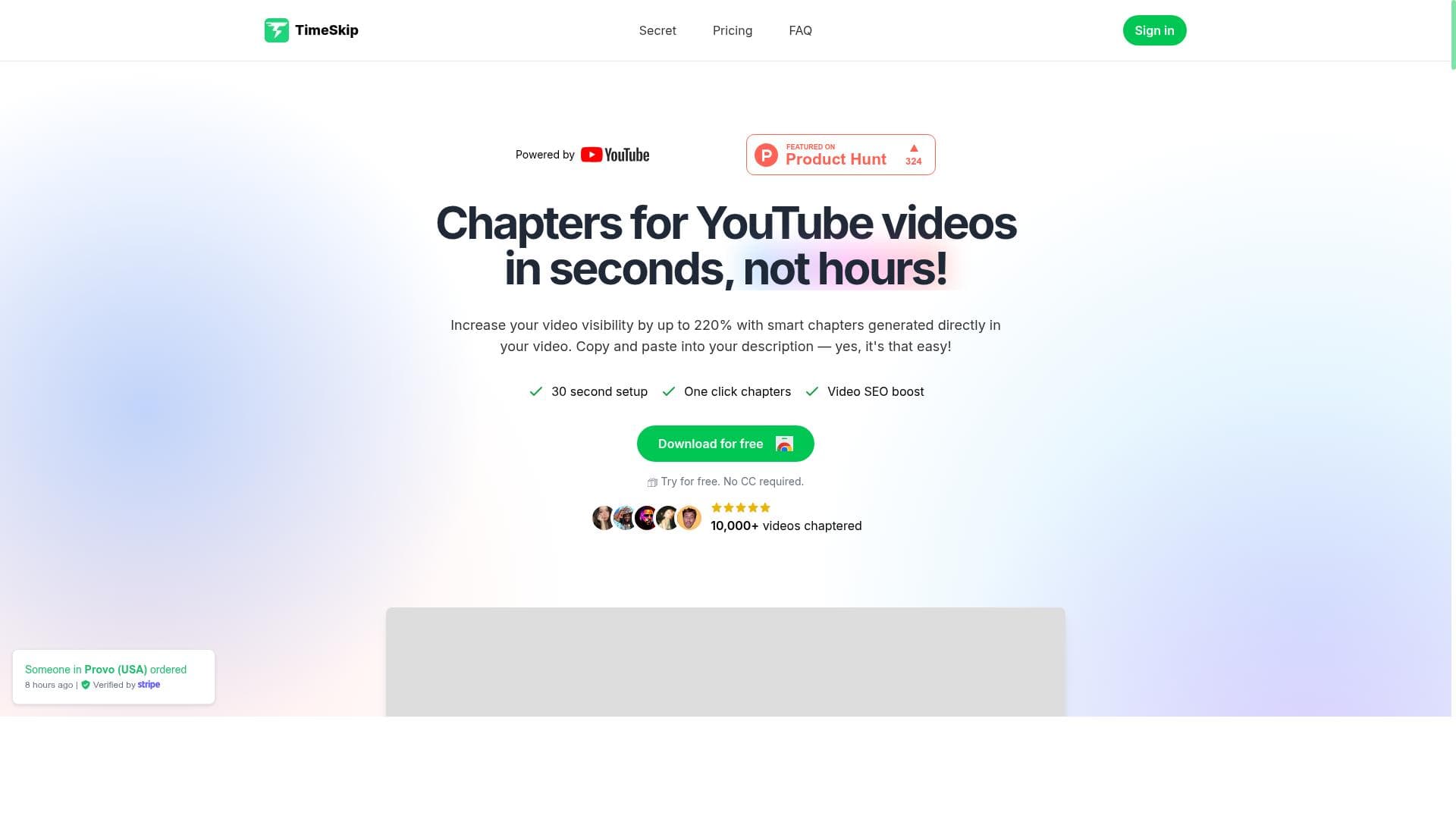
TimeSkip is a Chrome extension that instantly generates SEO-optimized chapters and timestamps for YouTube videos with a single click, making it a game-changer for podcasters, educators, and content creators. By enhancing video navigation and boosting searchability, it saves time and increases viewer engagement effortlessly.

Description
TimeSkip is a Chrome extension that generates timestamps/ chapters for YouTube videos, directly in the player in one click. It is the ultimate time saver for podcasts and educational videos. Bonus: The chapters are optimized for SEO!
Detailed Description
TimeSkip is an innovative Chrome extension designed to streamline the way users interact with YouTube videos by automatically generating timestamps and chapters directly within the video player with just one click. Its core purpose is to save time and enhance the viewing experience, particularly for content-heavy videos such as podcasts, educational tutorials, webinars, and long-form presentations. By breaking down lengthy videos into clearly defined sections, TimeSkip enables viewers to easily navigate to specific parts of the content without manually searching through the timeline. This not only improves user engagement but also makes content more accessible and easier to digest. One of the standout features of TimeSkip is its ability to create SEO-optimized chapters and timestamps instantly. Unlike manual chapter creation, which can be tedious and time-consuming, TimeSkip uses intelligent algorithms to identify key segments within a video and label them appropriately. These chapters are embedded directly into the YouTube player interface, allowing seamless navigation. The SEO optimization aspect means that these chapters are structured in a way that enhances the video’s discoverability on search engines, driving more organic traffic and increasing viewer retention. This is particularly beneficial for content creators looking to boost their channel’s visibility and engagement metrics. TimeSkip’s capabilities extend beyond simple timestamp generation. It is tailored to meet the needs of podcasters who want to highlight different discussion topics, educators who need to segment lessons for easier review, and webinar hosts who want to provide quick access to various sections of their presentations. The tool’s intuitive one-click functionality ensures that even users with minimal technical expertise can generate professional-quality chapters effortlessly. By improving content structure, TimeSkip helps creators deliver a more polished and user-friendly viewing experience. Regarding pricing, TimeSkip operates on a freemium model, allowing users to access basic features for free while offering premium options for advanced functionalities. This approach makes it accessible to a wide range of users, from casual viewers and small content creators to professionals who require more robust chaptering capabilities. The free tier provides essential timestamp generation, while paid plans may include enhanced SEO optimization, bulk processing, or integration with other content management tools, although specific premium features and pricing details are best confirmed on their official website. When compared to alternatives, TimeSkip stands out due to its seamless integration with the YouTube player and its focus on SEO-optimized chapters. Many other tools require manual input or external editing, which can disrupt the user experience. TimeSkip’s one-click solution is faster and more convenient, making it ideal for creators who want to maintain workflow efficiency. However, some competing tools may offer broader platform support beyond YouTube or additional video editing features, so users should evaluate based on their specific needs. Notable limitations of TimeSkip include its current restriction to the Chrome browser and YouTube platform, which means it may not support videos hosted on other sites or browsers. Additionally, while the automated chapter generation is highly accurate, it may occasionally require manual adjustments for perfect labeling, especially for videos with complex or nuanced content. Users should also consider that SEO benefits depend on the quality of the generated chapters and the overall video metadata. In summary, TimeSkip is a powerful and user-friendly Chrome extension that revolutionizes how viewers and creators interact with YouTube videos by providing instant, SEO-optimized chapters and timestamps. Its ease of use, focus on enhancing searchability, and suitability for podcasts, educational content, and webinars make it an essential tool for anyone looking to improve video navigation and engagement. With a freemium pricing model and a clear value proposition, TimeSkip is well-positioned to become a go-to solution for efficient video content management.
Tool Features
- Instantly create SEO-optimized chapters and timestamps for YouTube videos
- Boost searchability and engagement
- Perfect for podcasts, webinars, and tutorials
Description
✦
TimeSkip is a Chrome extension that instantly generates SEO-optimized chapters and timestamps for YouTube videos with a single click, making it a game-changer for podcasters, educators, and content creators. By enhancing video navigation and boosting searchability, it saves time and increases viewer engagement effortlessly.
TimeSkip is a Chrome extension that generates timestamps/ chapters for YouTube videos, directly in the player in one click. It is the ultimate time saver for podcasts and educational videos. Bonus: The chapters are optimized for SEO!
Detailed Description
TimeSkip is an innovative Chrome extension designed to streamline the way users interact with YouTube videos by automatically generating timestamps and chapters directly within the video player with just one click. Its core purpose is to save time and enhance the viewing experience, particularly for content-heavy videos such as podcasts, educational tutorials, webinars, and long-form presentations. By breaking down lengthy videos into clearly defined sections, TimeSkip enables viewers to easily navigate to specific parts of the content without manually searching through the timeline. This not only improves user engagement but also makes content more accessible and easier to digest. One of the standout features of TimeSkip is its ability to create SEO-optimized chapters and timestamps instantly. Unlike manual chapter creation, which can be tedious and time-consuming, TimeSkip uses intelligent algorithms to identify key segments within a video and label them appropriately. These chapters are embedded directly into the YouTube player interface, allowing seamless navigation. The SEO optimization aspect means that these chapters are structured in a way that enhances the video’s discoverability on search engines, driving more organic traffic and increasing viewer retention. This is particularly beneficial for content creators looking to boost their channel’s visibility and engagement metrics. TimeSkip’s capabilities extend beyond simple timestamp generation. It is tailored to meet the needs of podcasters who want to highlight different discussion topics, educators who need to segment lessons for easier review, and webinar hosts who want to provide quick access to various sections of their presentations. The tool’s intuitive one-click functionality ensures that even users with minimal technical expertise can generate professional-quality chapters effortlessly. By improving content structure, TimeSkip helps creators deliver a more polished and user-friendly viewing experience. Regarding pricing, TimeSkip operates on a freemium model, allowing users to access basic features for free while offering premium options for advanced functionalities. This approach makes it accessible to a wide range of users, from casual viewers and small content creators to professionals who require more robust chaptering capabilities. The free tier provides essential timestamp generation, while paid plans may include enhanced SEO optimization, bulk processing, or integration with other content management tools, although specific premium features and pricing details are best confirmed on their official website. When compared to alternatives, TimeSkip stands out due to its seamless integration with the YouTube player and its focus on SEO-optimized chapters. Many other tools require manual input or external editing, which can disrupt the user experience. TimeSkip’s one-click solution is faster and more convenient, making it ideal for creators who want to maintain workflow efficiency. However, some competing tools may offer broader platform support beyond YouTube or additional video editing features, so users should evaluate based on their specific needs. Notable limitations of TimeSkip include its current restriction to the Chrome browser and YouTube platform, which means it may not support videos hosted on other sites or browsers. Additionally, while the automated chapter generation is highly accurate, it may occasionally require manual adjustments for perfect labeling, especially for videos with complex or nuanced content. Users should also consider that SEO benefits depend on the quality of the generated chapters and the overall video metadata. In summary, TimeSkip is a powerful and user-friendly Chrome extension that revolutionizes how viewers and creators interact with YouTube videos by providing instant, SEO-optimized chapters and timestamps. Its ease of use, focus on enhancing searchability, and suitability for podcasts, educational content, and webinars make it an essential tool for anyone looking to improve video navigation and engagement. With a freemium pricing model and a clear value proposition, TimeSkip is well-positioned to become a go-to solution for efficient video content management.
Frequently Asked Questions
What is TimeSkip?
TimeSkip is a Chrome extension that automatically generates timestamps and chapters for YouTube videos directly within the video player, allowing users to navigate content easily and efficiently.
How much does TimeSkip cost?
TimeSkip offers a freemium pricing model with basic features available for free and premium plans that provide advanced functionalities. Specific pricing details can be found on their official website.
Who is TimeSkip best for?
TimeSkip is ideal for podcasters, educators, webinar hosts, and content creators who want to improve video navigation, enhance viewer engagement, and boost SEO for their YouTube videos.
What are the main features of TimeSkip?
The main features include instant creation of SEO-optimized chapters and timestamps, seamless integration with the YouTube player, and support for various content types like podcasts, tutorials, and webinars.
Does TimeSkip offer a free trial?
Yes, TimeSkip provides a free tier that allows users to access essential timestamp and chapter generation features without cost.
What integrations does TimeSkip support?
Currently, TimeSkip integrates directly with YouTube through the Chrome browser, embedding chapters and timestamps within the YouTube video player.
How does TimeSkip work?
TimeSkip uses intelligent algorithms to analyze YouTube videos and automatically generate SEO-optimized chapters and timestamps, which are then displayed within the video player for easy navigation.
Socials
Use ToolReviews
0 reviews
No reviews yet. Be the first to share your experience.
Sponsored Tools













































Recommended Tools
Stay updated on latest Ai tools
Get the latest insights, Join our newsletter
Read and trusted by 50,000+ readers
Join the biggest AI Community
Our community and staff are here to help!
Your feedback will help Alice AI improve in future versions.








Submit your Tool


PoweredByAI.app is an AI Tools Directory helping individuals, businesses, and creators discover the best AI tools for writing, coding, design, productivity, and more.
© 2026 , Product of011BQ. All rights reserved.