BlogBest Free AI Interview Assistant: Trial Minutes, Session Counts and What's Actually Free
Best Free AI Interview Assistant: Trial Minutes, Session Counts and What's Actually Free
 Shashank Jain
6 Nov 2026
9 mnt baca
Most “free” AI interview assistants fizzle long before your call ends. Live plans drop after a few uninterrupted minutes or disappear when the trial call closes, while endless mock-practice apps never join the real meeting. In this guide, we judge each tool by the single measure that counts: how long it stays awake while the recruiter keeps talking, and we leave note-taking bots and generic chat assistants off the list. The allowances below come from each vendor’s own pricing or help pages, so c
Best Free AI Interview Assistant: Trial Minutes, Session Counts and What's Actually Free
Most “free” AI interview assistants fizzle long before your call ends. Live plans drop after a few uninterrupted minutes or disappear when the trial call closes, while endless mock-practice apps never join the real meeting. In this guide, we judge each tool by the single measure that counts: how long it stays awake while the recruiter keeps talking, and we leave note-taking bots and generic chat assistants off the list. The allowances below come from each vendor’s own pricing or help pages, so check them again before you rely on one.
Quick answer: the best free option depends on what you need
Most $0 plans shine in one narrow lane, so choose by scenario, then confirm the clock covers your longest call.
- Daily live tester: LockedIn AI. The free plan runs unlimited 5-minute sessions, up to 60 minutes a day, with a short pause between sessions. Solid for a morning drill, not a 45-minute panel.
- Weekly hybrid: Interview Pilot. The free plan gives 3 sessions and 10 copilot uses a week, no payment required. Treat them as quick lifelines for short calls.
- Unlimited rehearsal: Huru. Practice as many mock interviews as you like; the meter never starts because the tool never joins your real meeting.
- Monthly hosted slice: Verve AI. Three separate 15-minute live calls refresh each month, giving you 45 hosted minutes; just not in one stretch.
- Local or BYOK freedom: Natively. Free with your own API keys or a local model, so the only limit is your hardware or API bill.
- Paid benchmark, not a free pick. If you need a single assistant that will stay awake for a full 60-minute interview, the interviewcopilot.ai assistant charges $49 a month (or $149 a year) and imposes no minute cap once you subscribe.
Bottom line: every free tier here is a tasting spoon. If your calendar shows a one-hour interview, you’ll need to chain short sessions, pay for a plan, or fire up a local model.
What “free” really means in this market
Vendors stretch the word free in several ways. Use this shared glossary before we grade anyone.
- Permanent free plan. Minutes or sessions refresh forever with no payment.
- Recurring allowance. Credits reset on a set schedule (daily, weekly, or monthly).
- One-time trial. Use it once, then upgrade or move on.
- Lifetime cap. A finite pool of credits that never refills.
- Free software or BYOK. The app costs nothing, but you supply a model key or local compute and cover those costs yourself.
- Free account or download. Signing up is free, yet real-time help sits behind a paywall.
Everything else, such as money-back guarantees, “start free” pages that need a card, or a free résumé builder attached to a paid copilot, falls outside these lines.
Best free AI interview assistants, ranked by usable access
Below you’ll find six standout options. Each mini-review opens with the continuous cap because surviving the whole interview matters more than the grand total of “free” minutes.
LockedIn AI: best for a quick daily test
LockedIn AI’s free plan gives you unlimited 5-minute live sessions, up to 60 free minutes a day, with a 1-minute pause before the next session starts. Stealth mode, which hides the app during screen sharing, needs a paid plan. Use it for a quick morning drill. A 45-minute panel will outrun a 5-minute session many times over, so treat this tier as a taste test, not the main course. Source: LockedIn AI help center.
Interview Pilot: best for a weekly practice rhythm
Interview Pilot’s free plan gives you 3 sessions and 10 copilot uses each week on its normal models, with no payment required. Plan your questions in advance and spread the allowance across the week’s calls. Source: interviewpilot.app pricing page.
Huru: unlimited mock practice, zero live minutes
Huru lets you record and grade as many behavioural or technical answers as you like because the app never joins your meeting. Use your webcam to spot filler words and body-language tics, then rely on muscle memory during the real call; Huru cannot feed you answers mid-interview. Source: huru.ai.
Verve AI: three 15-minute calls each month
Verve’s free tier includes three separate 15-minute live copilot sessions each month plus five mock interviews. That is enough to sample a recruiter screen, a technical round, and a salary chat, as long as each stays under the 15-minute cap. A 45-minute panel will outlast any single free session. Source: vervecopilot.com pricing page.
Beak: 15 free minutes a month
Beak Free gives you 15 live minutes a month. Install the desktop client, attach your résumé, and the overlay surfaces prompts when your meeting begins. Available on Windows and macOS. The short window will not cover a full recruiter call, but it is enough to judge latency, UI, and stealth claims before you decide whether to pay. Source: meetbeak.com pricing page.
Natively: unlimited minutes if you supply the model
Natively is free when you bring your own API keys or run a local model through Ollama, with no card required; the practical limit is whatever your hardware or chosen API can handle. Point the app to an open-source model or your own key and you get continuous, on-device suggestions that help in privacy-sensitive or low-bandwidth situations.
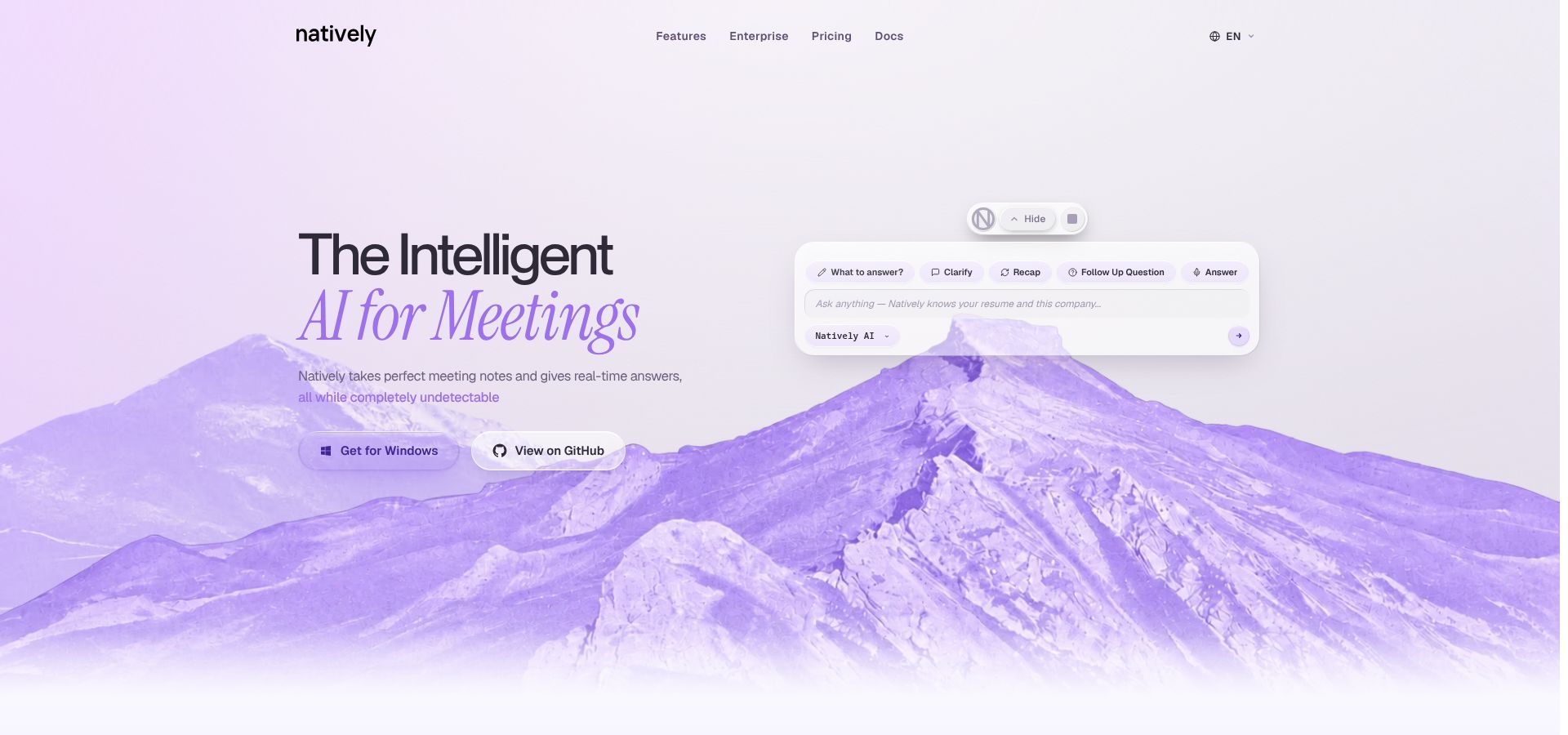
Trade-off: local models need a capable machine, and commercial APIs still bill per token. For candidates who enjoy tinkering, Natively is the only tool in this roundup that offers truly uncapped live assistance without a recurring software fee; just watch your token spend if you BYOK. Source: heynatively.com pricing page.
One-shot trials and “free” offers with strings attached
Several other assistants promise a free start but refresh nothing after the first call or the first block of minutes. Allowances like these change often, so check the vendor’s own pricing page before you count on one.
Use these micro-trials only to confirm latency, overlay placement, or stealth claims, then decide whether to pay. Once the clock hits zero you move into paid territory, so schedule your test when a friend can fire practice questions in real time.
Trial minutes versus session counts: will the free tier last?
A pricing page may list generous daily resets and monthly totals, yet none of that matters if the assistant drops before the interviewer finishes a question. Typical checkpoints look like this:
- Recruiter phone screen: about 15 to 30 minutes
- First-round call: roughly 30 to 45 minutes
- Technical or behavioral deep dive: 45 to 60 minutes or more
- System-design or panel marathon: up to 90 minutes
Now stack the free tiers against those markers:
- LockedIn AI ends each free session at 5 minutes, so even a recruiter screen means several restarts.
- Verve AI gives three separate 15-minute blocks; handy for multiple short calls, useless for one continuous 45-minute panel.
- Interview Pilot offers 3 sessions and 10 copilot uses a week, so choose which calls get them.
Bottom line: always match the continuous limit, not the aggregate credits, to the longest call on your calendar. Otherwise the mic will cut out when stakes peak.
Hidden costs behind a $0 plan
A zero-dollar price tag can hide real expenses that appear once you start prepping:
- API metering. Commercial model APIs bill per token on pay-as-you-go plans, and that spend can grow quickly during a 60-minute interview.
- Local hardware. Running a model locally needs a capable GPU or CPU and drains a laptop battery faster.
- Credit-card “verification.” Some hosts request a card up front and switch to auto-renew when the trial ends.
- Feature gating. Résumé tailoring, coding help, or multilingual support often sit behind paid tiers.
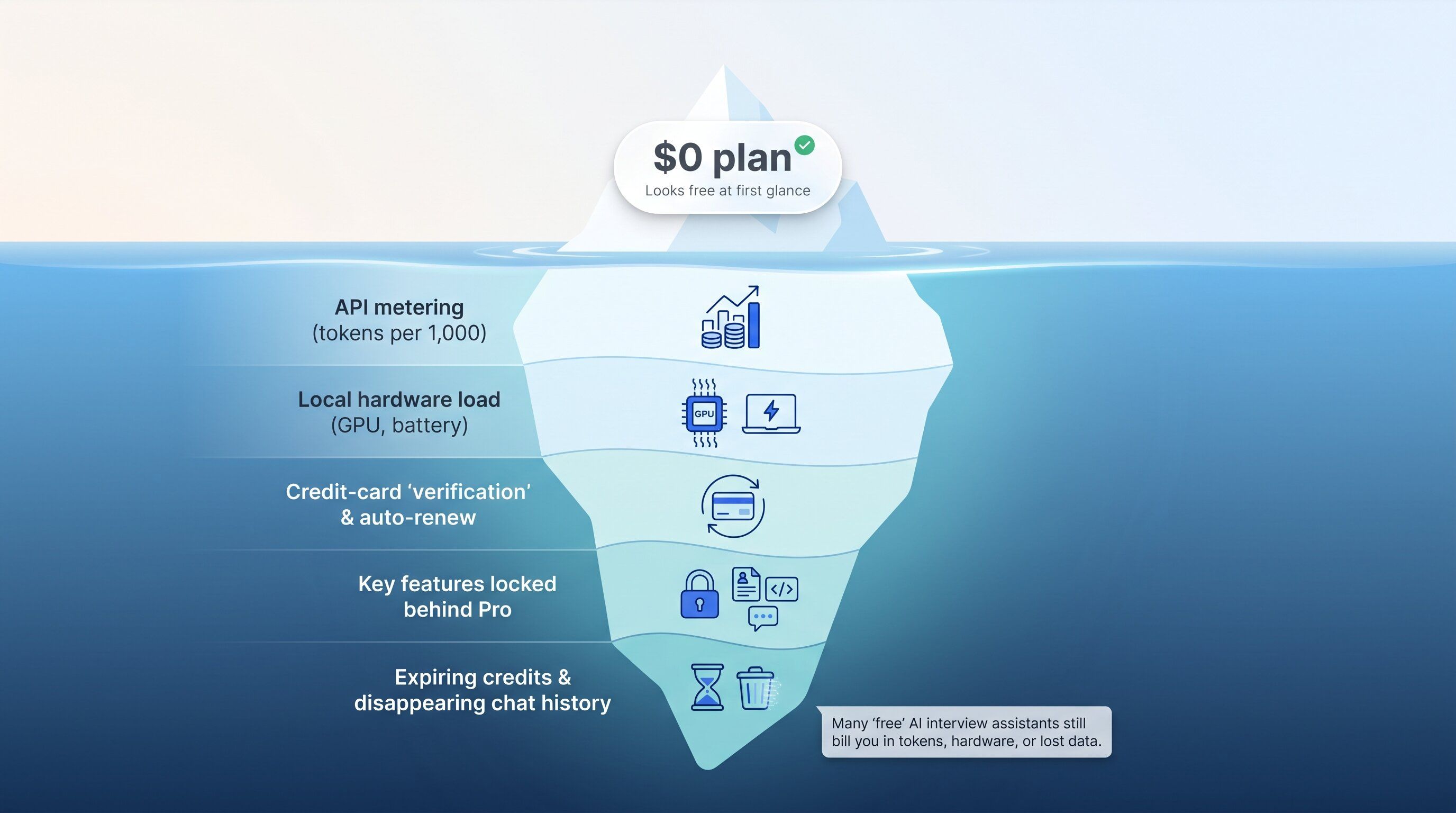
Bottom line: read every pricing page like a contract. If you need persistent notes, custom prompts, or unlimited exports, assume those features are paid until the vendor confirms otherwise.
What “undetectable” really means
Screen-share invisibility is only one layer
Many vendors claim their overlay “won’t show on Zoom,” but hiding from a shared application window is just step one. In practice, detection stacks up like this:
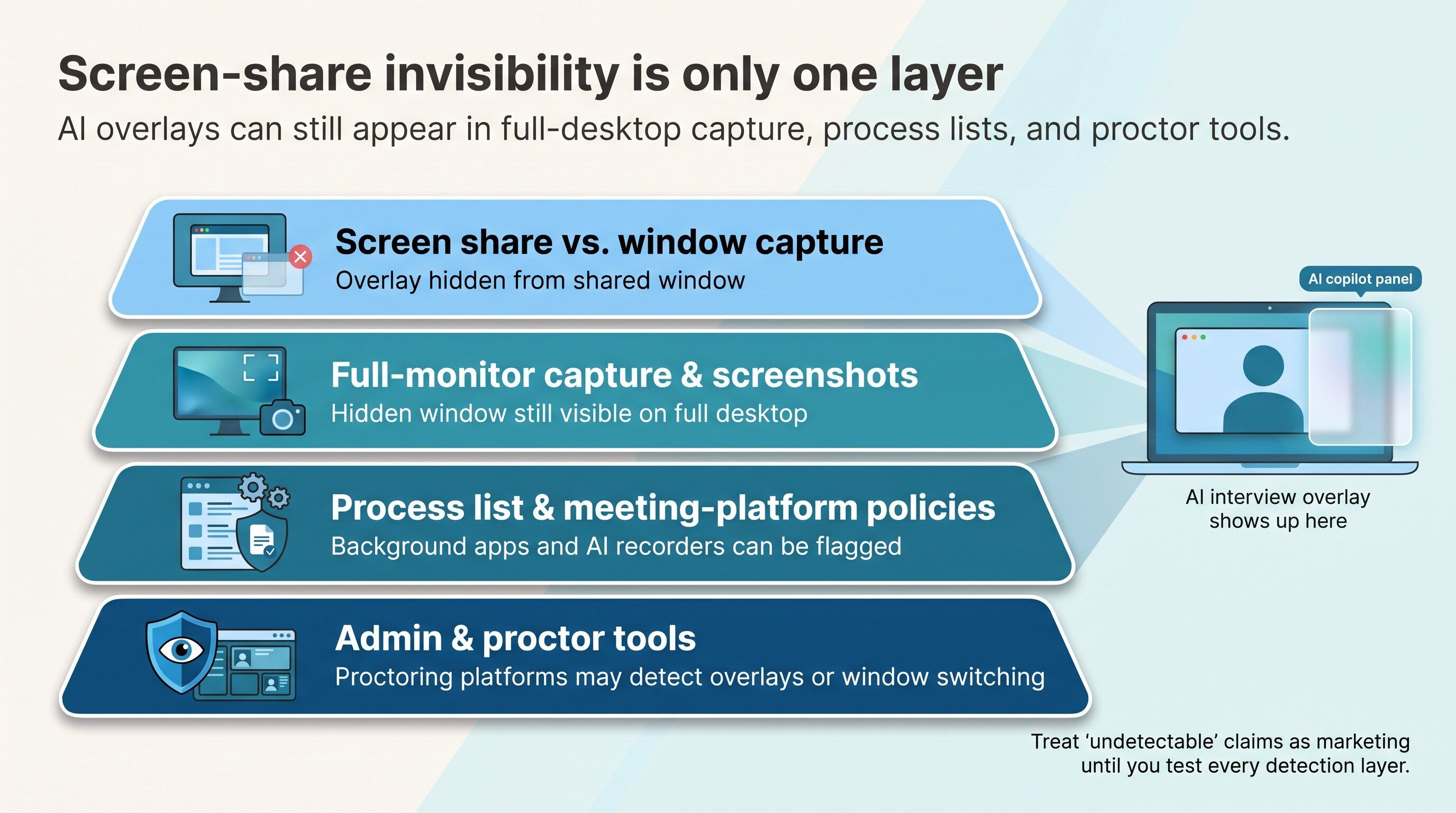
- Screen share vs. full-monitor capture. A hidden window can still appear in a full-desktop recording or an impromptu screenshot.
- Process list. Windows Task Manager and macOS Activity Monitor list background apps even when the icon is invisible (Microsoft support, Apple support).
- Meeting-platform policies. Microsoft Teams offers an optional policy that notifies attendees when third-party recorders or AI note-takers capture local audio (Microsoft Teams documentation).
- Admin or proctor tools. Coding platforms like HackerRank can flag invisible overlays or excessive window switching.
If a product addresses only the first layer, treat “undetectable” as marketing rather than a guarantee.
Policy shift: some interviews allow AI, while others police it
Know the rule hierarchy
- Employer instructions. If the job post, NDA, or pre-call email bans outside help, that order overrides everything else.
- Assessment-platform rules. Sites like HackerRank and Codility list approved tools; anything missing can trigger integrity flags or locked results.
- Meeting-host controls. Admins on Teams or Google Meet can block unknown bots, require explicit AI consent, or log full transcripts.
- Vendor marketing. “Undetectable” claims sit at the bottom of the stack, so trust them only after every higher layer checks out.
Follow this ladder and you will stay compliant, and employable, even as policies keep evolving.
How to choose the right free option in 60 seconds
Match the product to your immediate need and ignore everything that doesn’t help you today.
- Need repetitive practice? Pick Huru and loop questions until your story flows from memory. There’s no timer in mock mode.
- Need a short live taste test? LockedIn AI’s free 5-minute sessions (up to 60 minutes a day) or Beak’s 15 free minutes a month let you try a live overlay before paying.
- Need a full 60-minute run-through? Hosted freebies won’t last. Launch Natively with your own model or budget for a paid tier.
- Need coding help? First check that the assessment platform allows AI, then confirm the free tier unlocks “code mode.” Many hide it behind Pro plans.
- Need maximum stealth? A local overlay such as Natively is harder to spot than a bot that joins the call, but review the detection layers above before you rely on it.
Frequently asked questions
Is there any completely free assistant that lasts a full 60-minute live interview?
No hosted $0 plan covered here runs that long. Your closest option is a local or BYOK setup such as Natively, but you still pay in hardware wear or API tokens.
Which product offers the largest free allowance?
LockedIn AI allows up to 60 free minutes a day, so the theoretical total is high, but each session still ends at 5 minutes. Totals are meaningless if one session can’t match your longest interview.
Can Zoom, Teams, or Google Meet detect an interview copilot?
Zoom’s Active Apps Notifier lists Marketplace apps that access meeting content, a Microsoft Teams policy can alert participants when third-party software records local audio, and Google Meet hosts can block external bots entirely. A desktop overlay may dodge one layer and still fail another, so assume partial visibility unless you test.
Is a money-back guarantee the same as a free trial?
No. A guarantee charges your card first and refunds later if you meet the conditions. A true free tier never requests payment details.
Conclusion
In one line per goal:
- Endless rehearsal → Huru’s unlimited mock sessions
- Quick live demo → LockedIn AI’s free 5-minute sessions
- Unmetered 60-minute run-through → Natively with your own model or API key
Everything else is a short test drive, not a long haul. Review each pricing page and your interview’s AI rules before you commit. The best assistant is the one that stays awake until the final question.
Tag Terkait
AI ToolsKategori Terkait
Alat AITampilkan alat AImu di artikel seperti ini
Jangkau pengguna yang aktif menemukan alat AI di PoweredbyAI dan bangun backlink SEO yang meningkatkan visibilitasmu di Google.
Dipercaya 25,000+ alat AI dan startup yang sedang berkembang
Tampilkan Alat AImu di Blog & Artikel Traffic Tinggi
Tampil di PoweredByAI dan jangkau pengguna yang aktif mencari alat seperti milikmu. Bangun backlink SEO kuat yang membantu ranking di Google dan mendatangkan traffic organik yang konsisten.
Fitur blog tersponsor dengan jangkauan tertarget
Artikel tamu dengan backlink do-follow
Penempatan tautan kontekstual untuk dorongan SEO
Dipercaya 25,000+ alat AI dan startup yang sedang berkembang
Enjoyed this? Talk AI tools with other founders and builders.
Join our Slack community