
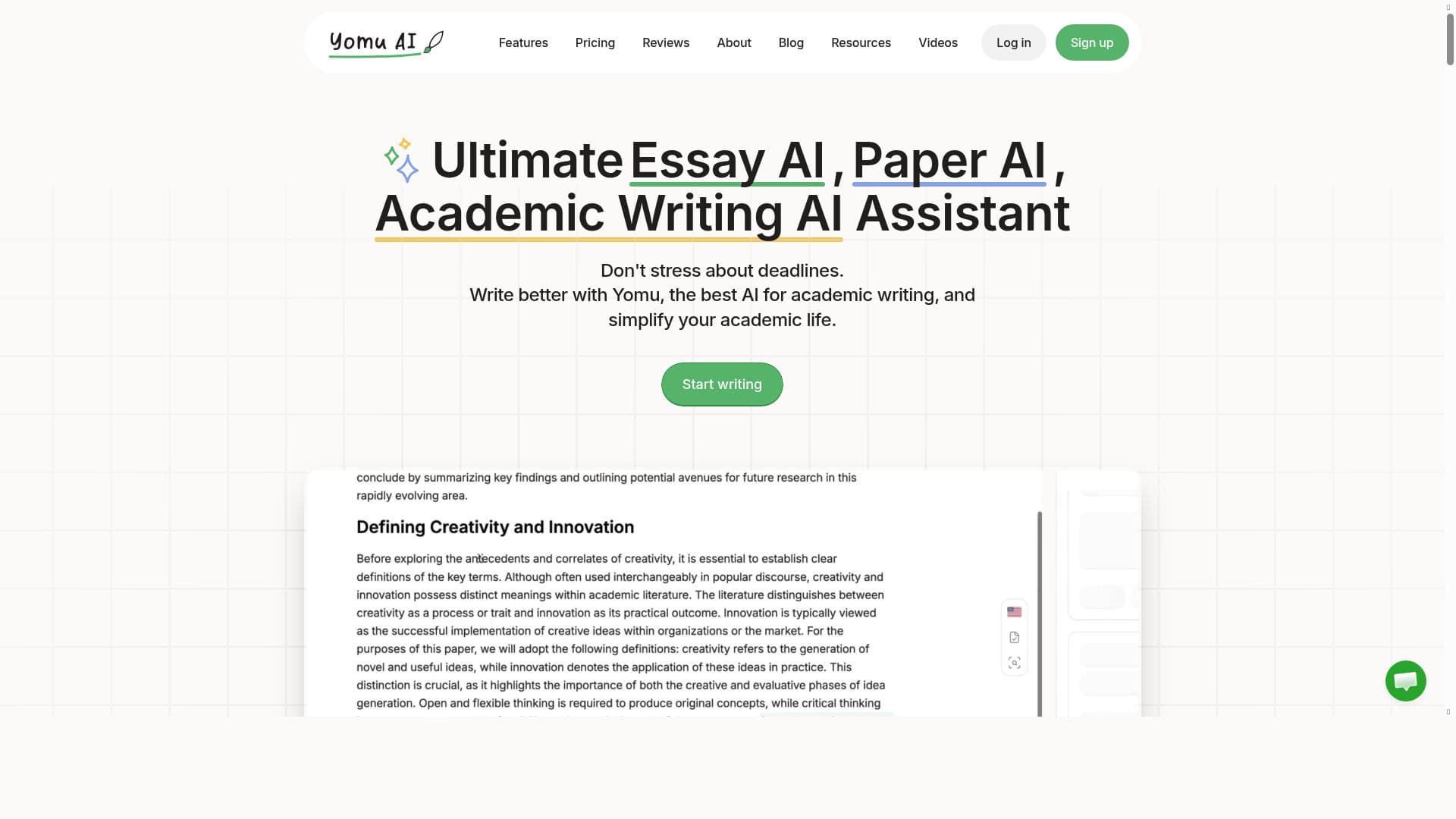


Yomu AI is a dedicated academic writing assistant that leverages fine-tuned large language models to streamline essay and paper creation with smart autocomplete, citation management, and plagiarism checking. Ideal for students and researchers, it uniquely supports scientific writing needs including figure and table formatting, making scholarly writing faster and more precise.

Descripción
Yomu AI is a writing assistant designed for academic writing, which facilitates essay and paper creation. It provides smart document assistance, AI-powered sentence and paragraph autocomplete, text enhancement features like paraphrasing and summarization, and a citation tool with easy citation formatting. The platform makes it very easy to add, caption, and reference your figures and tables in your scientific paper. The platform also includes an advanced plagiarism checker to ensure the originality and academic integrity of the user's work. Yomu uses Large Language Models (LLMs) fine-tuned specifically for scientific writing. Yomu also emphasizes speed and smoothness so that students and academics can enjoy quick and responsiveness of the website. Benefits of using Yomu compared to other AI and non-AI based writing editors include tailored writing commands for your academic needs, built-in formatting of citations in the editor, addition of figures and tables that comply with academic standards, and more features that you can try out on the website. We constantly improve Yomu and build features based on our deep roots in academia and by listening to our users.
Descripción detallada
Yomu AI is a specialized writing assistant designed specifically to support academic writing, streamlining the process of creating essays, research papers, and scientific documents. Its core purpose is to empower students, researchers, and academics by providing intelligent tools that enhance productivity and ensure academic rigor. Unlike general writing assistants, Yomu is fine-tuned using Large Language Models (LLMs) optimized for scientific and scholarly writing, which allows it to understand and assist with the unique demands of academic texts. This focus enables Yomu to offer tailored writing commands and features that address the nuances of academic style, structure, and citation requirements. At the heart of Yomu’s capabilities is its AI-powered sentence and paragraph autocomplete, which helps users write faster by predicting and suggesting contextually relevant continuations. This feature reduces writer’s block and speeds up drafting by offering smart completions that maintain academic tone and clarity. Additionally, Yomu includes advanced text enhancement tools such as paraphrasing and summarization, allowing users to refine their writing and condense complex information effectively. These tools are invaluable for improving readability and ensuring that content is both original and concise. A standout feature of Yomu is its integrated citation tool, which simplifies the often tedious task of formatting references. Users can easily add citations in various academic styles directly within the editor, ensuring compliance with publication standards. Moreover, Yomu facilitates the addition, captioning, and referencing of figures and tables, which is crucial for scientific papers that rely heavily on data visualization. This capability ensures that all visual elements meet academic formatting guidelines, saving users time and effort. Yomu also prioritizes academic integrity by incorporating an advanced plagiarism checker. This tool scans documents to detect potential overlaps with existing literature, helping users maintain originality and avoid unintentional plagiarism. The platform’s emphasis on speed and smoothness means that all these features operate responsively, providing a seamless writing experience that supports the fast-paced workflow of students and researchers. Yomu is best suited for university students, graduate researchers, and academic professionals who regularly produce scholarly documents. It is particularly useful for those working in scientific fields where precise formatting of figures, tables, and citations is critical. Use cases include drafting term papers, preparing journal submissions, writing theses, and conducting literature reviews. Its specialized AI models and academic-centric tools make it a superior choice compared to generic writing assistants that lack domain-specific knowledge. The platform operates on a freemium pricing model, allowing users to access basic features for free with options to upgrade for enhanced capabilities. This approach makes Yomu accessible to students and academics with varying budgets while providing premium features for power users who require advanced functionality. Compared to other AI writing tools and traditional editors, Yomu stands out due to its deep integration of academic writing requirements. While many tools offer general grammar and style suggestions, Yomu’s fine-tuned LLMs and built-in citation management provide a more comprehensive solution tailored to scholarly work. Its ability to manage figures and tables within the document editor is also a unique advantage, as many competitors require external handling of such elements. However, potential users should consider that Yomu’s specialization means it may not be as versatile for non-academic writing tasks. Additionally, as with any AI tool, the quality of suggestions depends on the input and context provided by the user, so critical review and editing remain essential. Users should also verify citation formats and plagiarism reports independently to ensure compliance with their institution’s standards. Overall, Yomu AI represents a powerful, academic-focused writing assistant that combines AI-driven productivity enhancements with domain-specific features. Its continuous development, grounded in academic feedback, ensures it remains aligned with the evolving needs of researchers and students, making it a valuable tool for anyone engaged in scholarly writing.
Características de la herramienta
- AI-powered productivity enhancement
- Automation of business workflows
- Integration with various business tools
Descripción
Yomu AI is a dedicated academic writing assistant that leverages fine-tuned large language models to streamline essay and paper creation with smart autocomplete, citation management, and plagiarism checking. Ideal for students and researchers, it uniquely supports scientific writing needs including figure and table formatting, making scholarly writing faster and more precise.
Yomu AI is a writing assistant designed for academic writing, which facilitates essay and paper creation. It provides smart document assistance, AI-powered sentence and paragraph autocomplete, text enhancement features like paraphrasing and summarization, and a citation tool with easy citation formatting. The platform makes it very easy to add, caption, and reference your figures and tables in your scientific paper. The platform also includes an advanced plagiarism checker to ensure the originality and academic integrity of the user's work. Yomu uses Large Language Models (LLMs) fine-tuned specifically for scientific writing. Yomu also emphasizes speed and smoothness so that students and academics can enjoy quick and responsiveness of the website. Benefits of using Yomu compared to other AI and non-AI based writing editors include tailored writing commands for your academic needs, built-in formatting of citations in the editor, addition of figures and tables that comply with academic standards, and more features that you can try out on the website. We constantly improve Yomu and build features based on our deep roots in academia and by listening to our users.
Descripción detallada
Yomu AI is a specialized writing assistant designed specifically to support academic writing, streamlining the process of creating essays, research papers, and scientific documents. Its core purpose is to empower students, researchers, and academics by providing intelligent tools that enhance productivity and ensure academic rigor. Unlike general writing assistants, Yomu is fine-tuned using Large Language Models (LLMs) optimized for scientific and scholarly writing, which allows it to understand and assist with the unique demands of academic texts. This focus enables Yomu to offer tailored writing commands and features that address the nuances of academic style, structure, and citation requirements. At the heart of Yomu’s capabilities is its AI-powered sentence and paragraph autocomplete, which helps users write faster by predicting and suggesting contextually relevant continuations. This feature reduces writer’s block and speeds up drafting by offering smart completions that maintain academic tone and clarity. Additionally, Yomu includes advanced text enhancement tools such as paraphrasing and summarization, allowing users to refine their writing and condense complex information effectively. These tools are invaluable for improving readability and ensuring that content is both original and concise. A standout feature of Yomu is its integrated citation tool, which simplifies the often tedious task of formatting references. Users can easily add citations in various academic styles directly within the editor, ensuring compliance with publication standards. Moreover, Yomu facilitates the addition, captioning, and referencing of figures and tables, which is crucial for scientific papers that rely heavily on data visualization. This capability ensures that all visual elements meet academic formatting guidelines, saving users time and effort. Yomu also prioritizes academic integrity by incorporating an advanced plagiarism checker. This tool scans documents to detect potential overlaps with existing literature, helping users maintain originality and avoid unintentional plagiarism. The platform’s emphasis on speed and smoothness means that all these features operate responsively, providing a seamless writing experience that supports the fast-paced workflow of students and researchers. Yomu is best suited for university students, graduate researchers, and academic professionals who regularly produce scholarly documents. It is particularly useful for those working in scientific fields where precise formatting of figures, tables, and citations is critical. Use cases include drafting term papers, preparing journal submissions, writing theses, and conducting literature reviews. Its specialized AI models and academic-centric tools make it a superior choice compared to generic writing assistants that lack domain-specific knowledge. The platform operates on a freemium pricing model, allowing users to access basic features for free with options to upgrade for enhanced capabilities. This approach makes Yomu accessible to students and academics with varying budgets while providing premium features for power users who require advanced functionality. Compared to other AI writing tools and traditional editors, Yomu stands out due to its deep integration of academic writing requirements. While many tools offer general grammar and style suggestions, Yomu’s fine-tuned LLMs and built-in citation management provide a more comprehensive solution tailored to scholarly work. Its ability to manage figures and tables within the document editor is also a unique advantage, as many competitors require external handling of such elements. However, potential users should consider that Yomu’s specialization means it may not be as versatile for non-academic writing tasks. Additionally, as with any AI tool, the quality of suggestions depends on the input and context provided by the user, so critical review and editing remain essential. Users should also verify citation formats and plagiarism reports independently to ensure compliance with their institution’s standards. Overall, Yomu AI represents a powerful, academic-focused writing assistant that combines AI-driven productivity enhancements with domain-specific features. Its continuous development, grounded in academic feedback, ensures it remains aligned with the evolving needs of researchers and students, making it a valuable tool for anyone engaged in scholarly writing.
Preguntas frecuentes
What is Yomu?
Yomu is an AI-powered writing assistant specifically designed for academic and scientific writing. It helps users create essays, papers, and research documents by offering smart autocomplete, text enhancement, citation formatting, and plagiarism checking tailored to scholarly work.
How much does Yomu cost?
Yomu operates on a freemium model, offering free access to basic features with options to upgrade for advanced capabilities. Detailed pricing and premium plan features can be found on their website.
Who is Yomu best for?
Yomu is best suited for university students, graduate researchers, academics, and professionals who regularly write scientific papers and scholarly documents requiring precise formatting and citation management.
What are the main features of Yomu?
Key features include AI-powered sentence and paragraph autocomplete, paraphrasing and summarization tools, an integrated citation manager with easy formatting, figure and table insertion with academic-standard captions and references, and an advanced plagiarism checker.
Does Yomu offer a free trial?
Yes, Yomu offers free access to its basic features, allowing users to try the platform before deciding to upgrade to premium plans for additional functionality.
What integrations does Yomu support?
Yomu supports integration with various business tools to automate workflows and enhance productivity, though specific integrations are detailed on their website and may evolve over time.
How does Yomu work?
Yomu uses large language models fine-tuned for academic writing to provide smart autocomplete and text enhancement. It operates through a responsive web platform where users can write, format citations, add figures and tables, and check for plagiarism seamlessly within their documents.
Redes sociales
Usar herramientaReseñas
Aún no hay reseñas. Sé el primero en compartir tu experiencia.




















































