Destacado en:Best AI Transcription Tools
Destácate →🚀 Zaprep: Tus redes sociales al máximo. Empezar gratis — automatiza 1,000 DMs/mes y convierte el engagement en leads. con 1,000 DMs automatizados/mes.
Enviar tu herramienta
25,000+ herramientas de IA ya listadas
25K+Herramientas
400K+/moVistas
105K+/moVisitantes


✦
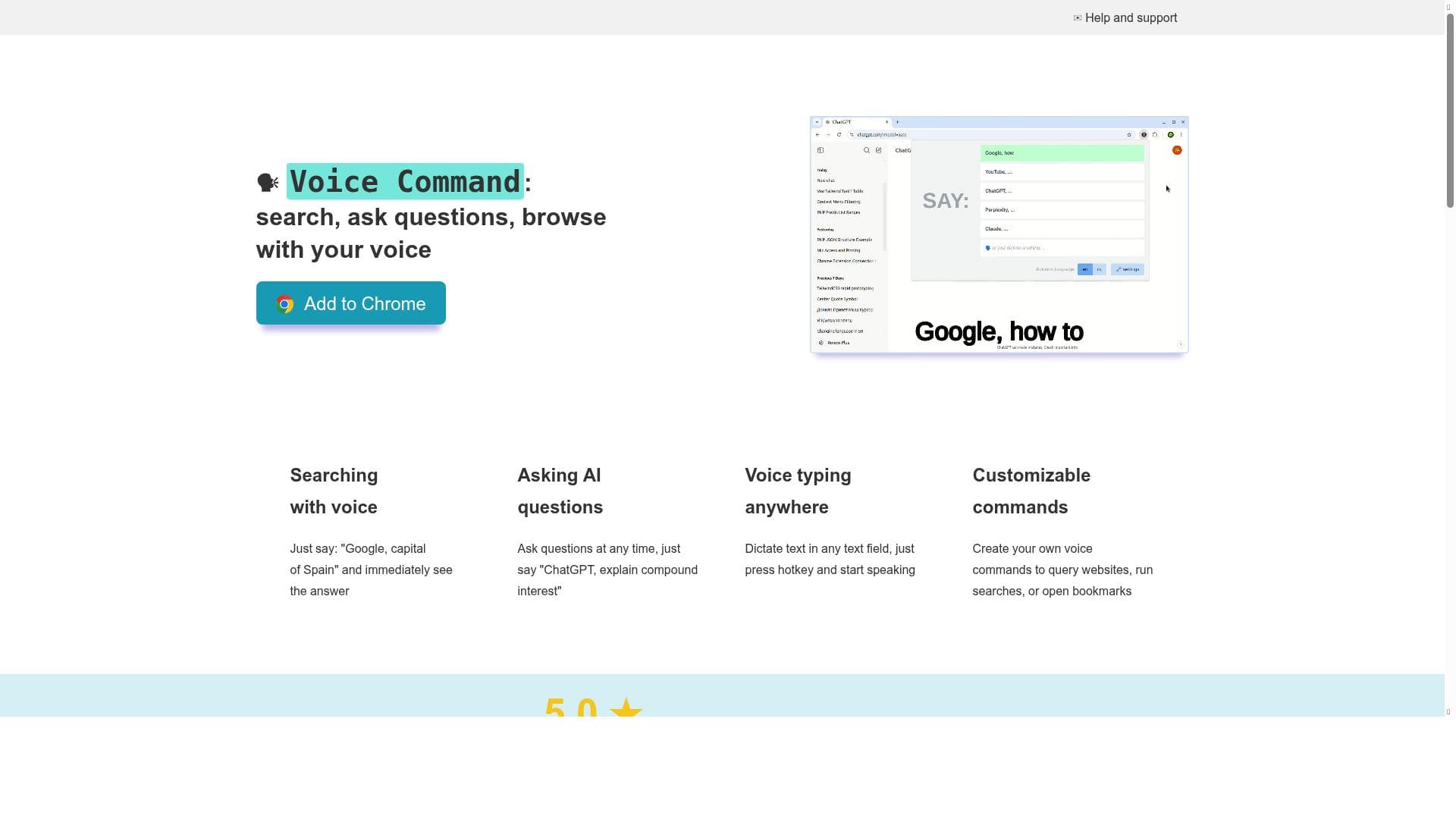
Voice Command transforms web browsing by enabling instant voice searches, AI question answering, and voice typing across any website. Ideal for multitaskers, accessibility users, and anyone looking to save time, it offers customizable commands and seamless integration with AI models like ChatGPT, all accessible via a simple hotkey or microphone icon.

Descripción
Voice Command is the easiest way to make instant searches, ask AI questions and navigate using your voice. Just say: - 'Google, how to bake a cake?' - 'ChatGPT, explain compound interest' - 'Wiki, Mariana Trench' And that's it! Additionally, you can use voice typing (dictation) in any input on any page. Save yourself hours of typing the queries and questions and get the answers immediately. Open Voice Command by pressing hotkey Ctrl-Shift-Z or clicking the microphone icon near the address bar. The commands are customizable: you can search on Google or Facebook, ask ChatGPT or Claude questions, or just use commands that are voice bookmarks. The free version includes 4 pre-configured and 1 customizable command, and is free forever.
Descripción detallada
Voice Command is an innovative AI-powered browser extension designed to revolutionize the way users interact with the web by enabling seamless voice-based navigation, search, and AI interaction. Its core purpose is to simplify and accelerate online queries and commands by allowing users to speak naturally rather than type, making it an invaluable tool for anyone looking to save time and enhance productivity. Whether you want to perform instant web searches, ask complex questions to AI models like ChatGPT or Claude, or dictate text directly into any input field on any webpage, Voice Command provides a streamlined, hands-free experience. This tool is particularly useful for multitaskers, individuals with accessibility needs, or anyone who prefers voice input over typing. At the heart of Voice Command are its robust features that empower users to interact with multiple platforms and AI assistants effortlessly. Users can initiate voice searches on popular search engines such as Google or social media platforms like Facebook simply by speaking commands like "Google, how to bake a cake?" or "Facebook, show my notifications." The extension supports asking AI models questions through voice commands, enabling quick explanations, summaries, or detailed responses without manual typing. Additionally, the dictation feature allows users to input text via voice in any text field on any website, which is ideal for composing emails, filling out forms, or writing content on the fly. One of the standout capabilities is the customization of voice commands; users can create personalized commands to search specific sites, interact with different AI models, or use voice bookmarks for frequently visited pages. The extension is easily accessible through a hotkey (Ctrl-Shift-Z) or by clicking the microphone icon near the browser's address bar, ensuring quick activation. Voice Command is best suited for a wide range of users including students, researchers, content creators, professionals, and individuals with physical disabilities who benefit from voice interaction. For students and researchers, it accelerates information retrieval and comprehension by querying AI assistants for explanations or summaries. Content creators and writers can dictate text directly into their workspaces, reducing typing fatigue and increasing efficiency. Professionals who multitask or need quick access to information while working on other tasks will find the voice commands invaluable. Furthermore, users with accessibility challenges gain a powerful tool to navigate and interact with the web more independently. The pricing model for Voice Command follows a freemium approach. The free version is generous, offering four pre-configured voice commands plus one customizable command, which is sufficient for casual users or those new to voice-controlled browsing. For power users or businesses requiring extensive customization, there are upgrade options that unlock unlimited custom commands. These upgrades are available through monthly, yearly, or lifetime licenses, providing flexibility depending on the user’s needs and budget. This tiered pricing ensures that Voice Command remains accessible to all while offering advanced capabilities for those who require them. Compared to alternatives, Voice Command stands out due to its combination of AI integration, customizable commands, and universal dictation capability across any website. While many voice assistants are limited to specific platforms or lack customization, Voice Command offers a versatile and user-friendly interface that adapts to individual preferences. Its support for multiple AI models like ChatGPT and Claude also provides a richer, more diverse AI interaction experience. However, unlike some standalone AI apps, it requires a compatible browser and installation as an extension, which may limit use in some environments. Notable limitations include the dependency on browser compatibility and internet connectivity, as the tool relies on cloud-based AI services and voice recognition. Background noise or poor microphone quality can affect voice recognition accuracy. Additionally, while the free version is functional, users needing extensive customization will need to invest in a paid plan. Privacy-conscious users should also review the extension’s data handling policies, as voice data is processed to deliver responses. Overall, Voice Command is a powerful, flexible voice interaction tool that significantly enhances web browsing and AI engagement, especially for users seeking hands-free convenience and efficiency.
Características de la herramienta
- Search the web with voice commands
- Ask AI questions using voice
- Dictate text in any text field on any website
- Create customizable voice commands
- Free version supports 5 voice commands and 1 custom command
- Upgrade options for unlimited custom commands via monthly, yearly, or lifetime licenses
Descripción
✦
Voice Command transforms web browsing by enabling instant voice searches, AI question answering, and voice typing across any website. Ideal for multitaskers, accessibility users, and anyone looking to save time, it offers customizable commands and seamless integration with AI models like ChatGPT, all accessible via a simple hotkey or microphone icon.
Voice Command is the easiest way to make instant searches, ask AI questions and navigate using your voice. Just say: - 'Google, how to bake a cake?' - 'ChatGPT, explain compound interest' - 'Wiki, Mariana Trench' And that's it! Additionally, you can use voice typing (dictation) in any input on any page. Save yourself hours of typing the queries and questions and get the answers immediately. Open Voice Command by pressing hotkey Ctrl-Shift-Z or clicking the microphone icon near the address bar. The commands are customizable: you can search on Google or Facebook, ask ChatGPT or Claude questions, or just use commands that are voice bookmarks. The free version includes 4 pre-configured and 1 customizable command, and is free forever.
Descripción detallada
Voice Command is an innovative AI-powered browser extension designed to revolutionize the way users interact with the web by enabling seamless voice-based navigation, search, and AI interaction. Its core purpose is to simplify and accelerate online queries and commands by allowing users to speak naturally rather than type, making it an invaluable tool for anyone looking to save time and enhance productivity. Whether you want to perform instant web searches, ask complex questions to AI models like ChatGPT or Claude, or dictate text directly into any input field on any webpage, Voice Command provides a streamlined, hands-free experience. This tool is particularly useful for multitaskers, individuals with accessibility needs, or anyone who prefers voice input over typing. At the heart of Voice Command are its robust features that empower users to interact with multiple platforms and AI assistants effortlessly. Users can initiate voice searches on popular search engines such as Google or social media platforms like Facebook simply by speaking commands like "Google, how to bake a cake?" or "Facebook, show my notifications." The extension supports asking AI models questions through voice commands, enabling quick explanations, summaries, or detailed responses without manual typing. Additionally, the dictation feature allows users to input text via voice in any text field on any website, which is ideal for composing emails, filling out forms, or writing content on the fly. One of the standout capabilities is the customization of voice commands; users can create personalized commands to search specific sites, interact with different AI models, or use voice bookmarks for frequently visited pages. The extension is easily accessible through a hotkey (Ctrl-Shift-Z) or by clicking the microphone icon near the browser's address bar, ensuring quick activation. Voice Command is best suited for a wide range of users including students, researchers, content creators, professionals, and individuals with physical disabilities who benefit from voice interaction. For students and researchers, it accelerates information retrieval and comprehension by querying AI assistants for explanations or summaries. Content creators and writers can dictate text directly into their workspaces, reducing typing fatigue and increasing efficiency. Professionals who multitask or need quick access to information while working on other tasks will find the voice commands invaluable. Furthermore, users with accessibility challenges gain a powerful tool to navigate and interact with the web more independently. The pricing model for Voice Command follows a freemium approach. The free version is generous, offering four pre-configured voice commands plus one customizable command, which is sufficient for casual users or those new to voice-controlled browsing. For power users or businesses requiring extensive customization, there are upgrade options that unlock unlimited custom commands. These upgrades are available through monthly, yearly, or lifetime licenses, providing flexibility depending on the user’s needs and budget. This tiered pricing ensures that Voice Command remains accessible to all while offering advanced capabilities for those who require them. Compared to alternatives, Voice Command stands out due to its combination of AI integration, customizable commands, and universal dictation capability across any website. While many voice assistants are limited to specific platforms or lack customization, Voice Command offers a versatile and user-friendly interface that adapts to individual preferences. Its support for multiple AI models like ChatGPT and Claude also provides a richer, more diverse AI interaction experience. However, unlike some standalone AI apps, it requires a compatible browser and installation as an extension, which may limit use in some environments. Notable limitations include the dependency on browser compatibility and internet connectivity, as the tool relies on cloud-based AI services and voice recognition. Background noise or poor microphone quality can affect voice recognition accuracy. Additionally, while the free version is functional, users needing extensive customization will need to invest in a paid plan. Privacy-conscious users should also review the extension’s data handling policies, as voice data is processed to deliver responses. Overall, Voice Command is a powerful, flexible voice interaction tool that significantly enhances web browsing and AI engagement, especially for users seeking hands-free convenience and efficiency.
Preguntas frecuentes
What is Voice Command?
Voice Command is a browser extension that allows users to perform instant web searches, ask AI questions, and dictate text using voice commands. It supports customizable commands and integrates with AI models like ChatGPT and Claude to provide quick, hands-free interaction.
How much does Voice Command cost?
Voice Command offers a free version with four pre-configured voice commands and one customizable command. For unlimited custom commands, users can upgrade via monthly, yearly, or lifetime licenses.
Who is Voice Command best for?
Voice Command is ideal for students, professionals, content creators, multitaskers, and individuals with accessibility needs who want to save time and interact with the web and AI assistants using voice instead of typing.
What are the main features of Voice Command?
Key features include voice-activated web searches, AI question answering, voice dictation in any text field on any website, customizable voice commands, and easy activation via hotkey or microphone icon.
Does Voice Command offer a free trial?
Yes, the free version of Voice Command is available forever and includes basic functionality with pre-configured and customizable commands, allowing users to try the tool without any time restrictions.
What integrations does Voice Command support?
Voice Command integrates with popular search engines like Google, social platforms like Facebook, and AI models including ChatGPT and Claude, enabling versatile voice interactions across multiple services.
How does Voice Command work?
Users activate Voice Command by pressing Ctrl-Shift-Z or clicking the microphone icon in the browser. They then speak commands to search the web, ask AI questions, or dictate text, with the extension processing voice input and executing the requested action.
Redes sociales
Usar herramientaReseñas
0 reseñas
Aún no hay reseñas. Sé el primero en compartir tu experiencia.
Herramientas patrocinadas











































Herramientas recomendadas
Mantente al día con las últimas herramientas de IA
Obtén las últimas novedades, únete a nuestro boletín
Leído y confiado por 50,000+ lectores
Únete a la comunidad de IA más grande
¡Nuestra comunidad y equipo están aquí para ayudarte!
Tus comentarios ayudarán a Alice AI a mejorar en futuras versiones.








Enviar tu herramienta


PoweredByAI.app es un directorio de herramientas de IA que ayuda a personas, empresas y creadores a descubrir las mejores herramientas de IA para escritura, programación, diseño, productividad y más.
© 2026 , Producto de011BQ. Todos los derechos reservados.