Destacado en:Best AI Transcription Tools
Destácate →🚀 Zaprep: Tus redes sociales al máximo. Empezar gratis — automatiza 1,000 DMs/mes y convierte el engagement en leads. con 1,000 DMs automatizados/mes.
Enviar tu herramienta
25,000+ herramientas de IA ya listadas
25K+Herramientas
400K+/moVistas
105K+/moVisitantes



✦
Video to Text is a versatile AI transcription tool that converts video and audio into text across 99 languages, featuring speaker diarization and timestamps for enhanced clarity. Ideal for content creators, journalists, and businesses, it offers a free, web-based solution that combines accuracy with ease of use for global transcription needs.
Descripción
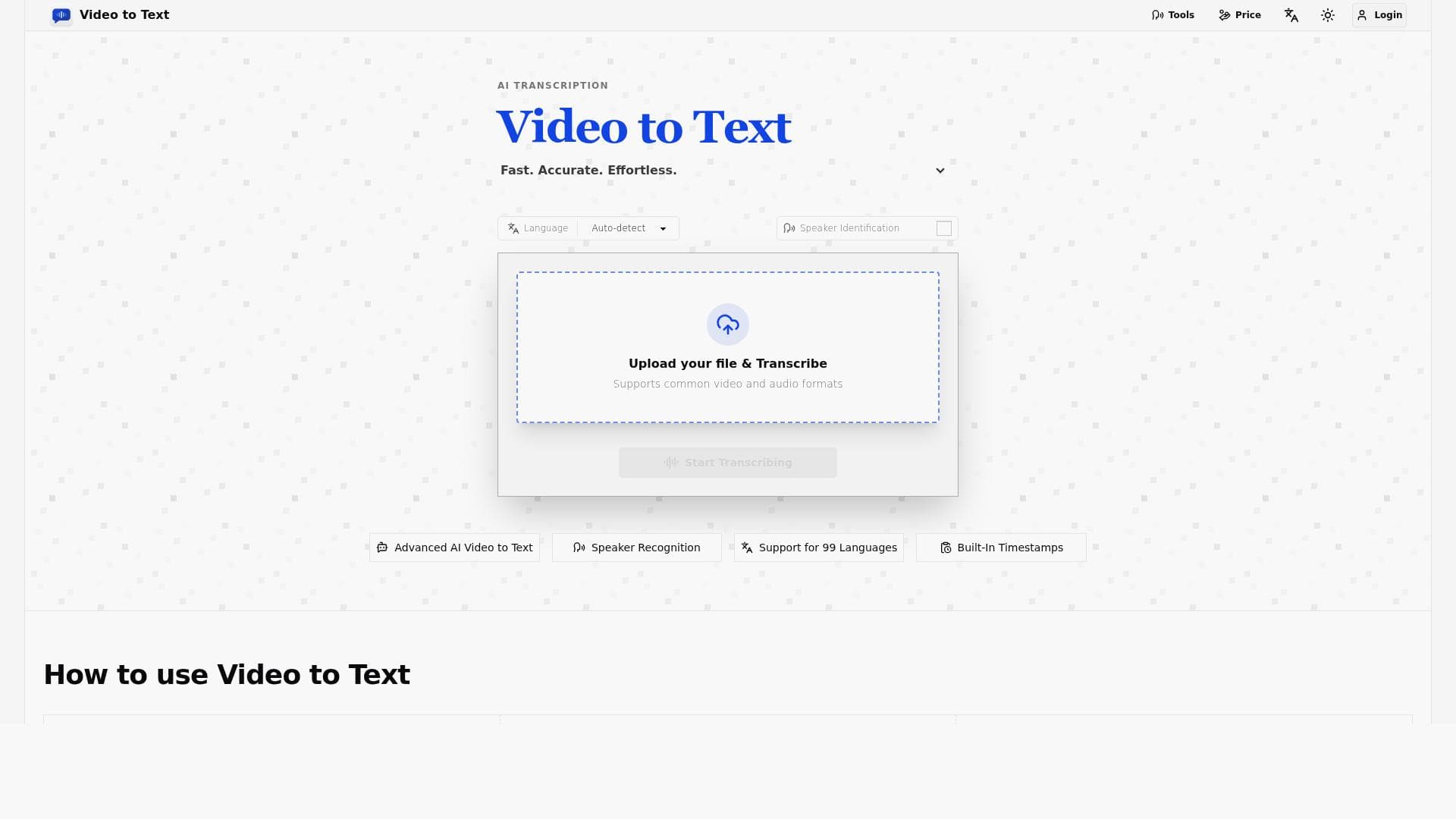
Video to Text is an AI-powered transcription tool that converts video and audio content into text. It supports 99 languages including English, Spanish, and Portuguese, and features speaker diarization and timestamps for accurate and organized transcriptions.
Descripción detallada
Video to Text is a sophisticated AI-powered transcription tool designed to convert video and audio content into accurate, readable text. Its core purpose is to simplify the process of extracting spoken words from multimedia files, making content more accessible, searchable, and easier to repurpose. By leveraging advanced artificial intelligence, Video to Text supports transcription in 99 languages, including widely spoken ones such as English, Spanish, and Portuguese, catering to a global audience. This extensive language support ensures users from diverse linguistic backgrounds can utilize the tool effectively for their transcription needs. One of the standout features of Video to Text is its ability to perform speaker diarization, which means it can distinguish and label different speakers within the audio or video. This is particularly useful for interviews, meetings, podcasts, and panel discussions where multiple participants are involved. Additionally, the tool includes timestamps in the transcriptions, allowing users to easily navigate the text and correlate it with specific moments in the original media. This feature enhances usability for content creators, editors, and researchers who need to reference precise parts of the audio or video. The tool’s AI-driven transcription engine is optimized for accuracy and speed, making it suitable for a variety of use cases. Content creators can generate subtitles and captions to improve video accessibility and engagement. Journalists and researchers benefit from quick and reliable transcription of interviews and lectures. Businesses can transcribe meetings and conference calls for documentation and compliance purposes. Educators and students can convert lectures and seminars into text for study and review. The broad language support further expands its applicability in multinational and multilingual environments. Video to Text is offered as a web-based application, which means it is accessible from any device with internet connectivity without the need for software installation. According to available information, the tool is free to use, making it an attractive option for individuals and organizations seeking cost-effective transcription solutions. While detailed pricing plans or premium tiers are not explicitly mentioned, the free access combined with high-quality features positions Video to Text as a competitive choice in the transcription market. When compared to alternatives, Video to Text stands out due to its extensive language support and inclusion of advanced features like speaker diarization and timestamping, which are often limited or absent in other free transcription tools. Many competing services either restrict the number of languages or charge for features such as speaker identification. Video to Text’s web-based platform also offers convenience and ease of use without requiring downloads or complex setups. However, users should consider certain limitations. As with any AI transcription tool, accuracy can vary depending on audio quality, background noise, speaker accents, and technical jargon. While Video to Text supports many languages, the quality of transcription may differ across languages due to varying AI model maturity. Additionally, the lack of detailed pricing information and potential limits on usage or file size for the free version may affect heavy users or enterprises requiring large-scale transcription services. Integration options with other software platforms are not clearly stated, which might be a consideration for users seeking seamless workflow automation. In summary, Video to Text is a powerful, accessible transcription tool ideal for individuals and organizations needing fast, multilingual transcription with advanced features like speaker diarization and timestamps. Its free availability and web-based convenience make it a practical choice for a wide range of transcription tasks, though users should evaluate its fit based on their specific volume and integration needs.
Características de la herramienta
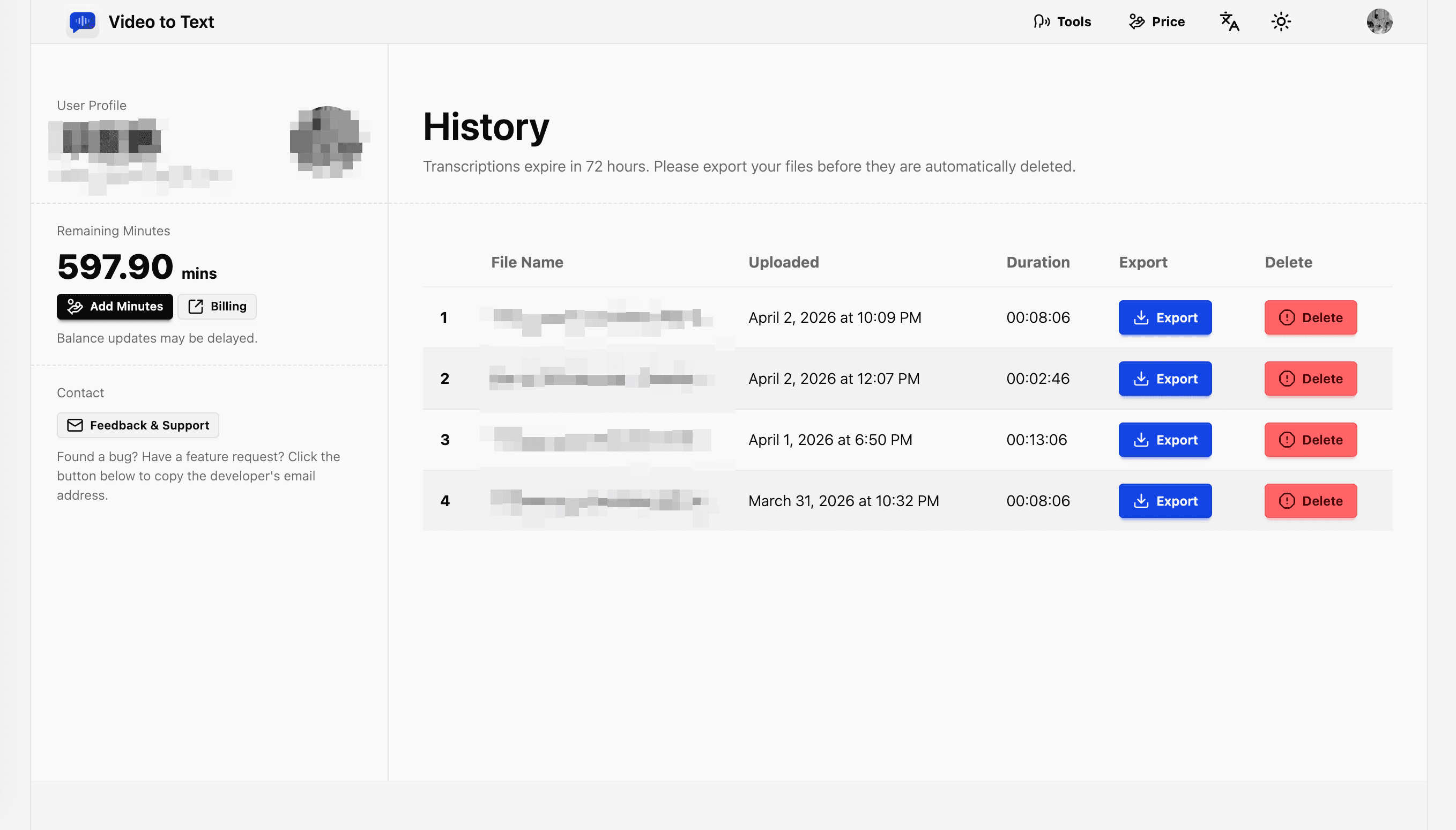
- Transcribe video and audio to text with AI
- Supports 99 languages including English, Spanish, Portuguese and more
- Features speaker diarization
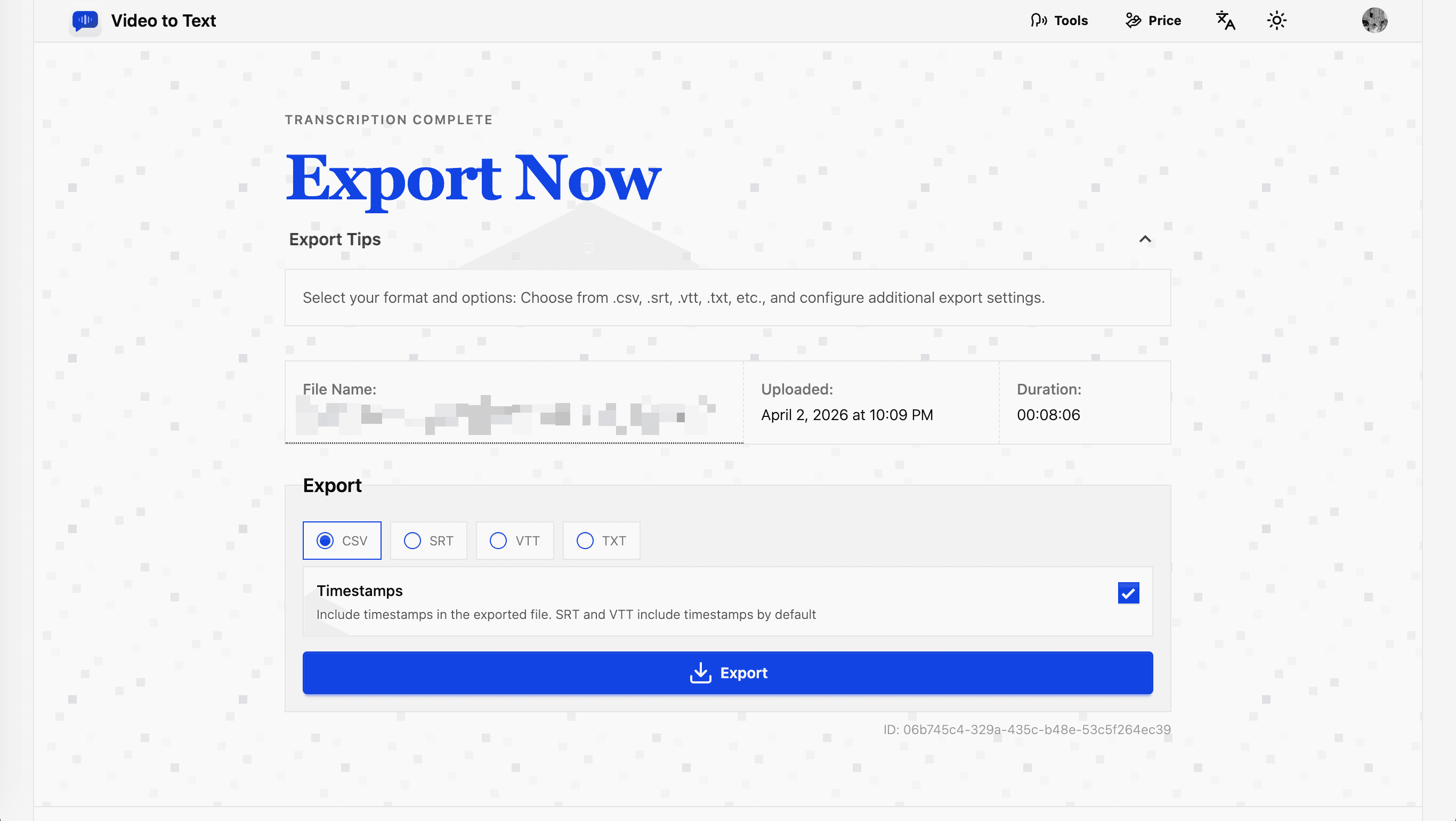
- Includes timestamps in transcriptions
Descripción
✦
Video to Text is a versatile AI transcription tool that converts video and audio into text across 99 languages, featuring speaker diarization and timestamps for enhanced clarity. Ideal for content creators, journalists, and businesses, it offers a free, web-based solution that combines accuracy with ease of use for global transcription needs.
Video to Text is an AI-powered transcription tool that converts video and audio content into text. It supports 99 languages including English, Spanish, and Portuguese, and features speaker diarization and timestamps for accurate and organized transcriptions.
Descripción detallada
Video to Text is a sophisticated AI-powered transcription tool designed to convert video and audio content into accurate, readable text. Its core purpose is to simplify the process of extracting spoken words from multimedia files, making content more accessible, searchable, and easier to repurpose. By leveraging advanced artificial intelligence, Video to Text supports transcription in 99 languages, including widely spoken ones such as English, Spanish, and Portuguese, catering to a global audience. This extensive language support ensures users from diverse linguistic backgrounds can utilize the tool effectively for their transcription needs. One of the standout features of Video to Text is its ability to perform speaker diarization, which means it can distinguish and label different speakers within the audio or video. This is particularly useful for interviews, meetings, podcasts, and panel discussions where multiple participants are involved. Additionally, the tool includes timestamps in the transcriptions, allowing users to easily navigate the text and correlate it with specific moments in the original media. This feature enhances usability for content creators, editors, and researchers who need to reference precise parts of the audio or video. The tool’s AI-driven transcription engine is optimized for accuracy and speed, making it suitable for a variety of use cases. Content creators can generate subtitles and captions to improve video accessibility and engagement. Journalists and researchers benefit from quick and reliable transcription of interviews and lectures. Businesses can transcribe meetings and conference calls for documentation and compliance purposes. Educators and students can convert lectures and seminars into text for study and review. The broad language support further expands its applicability in multinational and multilingual environments. Video to Text is offered as a web-based application, which means it is accessible from any device with internet connectivity without the need for software installation. According to available information, the tool is free to use, making it an attractive option for individuals and organizations seeking cost-effective transcription solutions. While detailed pricing plans or premium tiers are not explicitly mentioned, the free access combined with high-quality features positions Video to Text as a competitive choice in the transcription market. When compared to alternatives, Video to Text stands out due to its extensive language support and inclusion of advanced features like speaker diarization and timestamping, which are often limited or absent in other free transcription tools. Many competing services either restrict the number of languages or charge for features such as speaker identification. Video to Text’s web-based platform also offers convenience and ease of use without requiring downloads or complex setups. However, users should consider certain limitations. As with any AI transcription tool, accuracy can vary depending on audio quality, background noise, speaker accents, and technical jargon. While Video to Text supports many languages, the quality of transcription may differ across languages due to varying AI model maturity. Additionally, the lack of detailed pricing information and potential limits on usage or file size for the free version may affect heavy users or enterprises requiring large-scale transcription services. Integration options with other software platforms are not clearly stated, which might be a consideration for users seeking seamless workflow automation. In summary, Video to Text is a powerful, accessible transcription tool ideal for individuals and organizations needing fast, multilingual transcription with advanced features like speaker diarization and timestamps. Its free availability and web-based convenience make it a practical choice for a wide range of transcription tasks, though users should evaluate its fit based on their specific volume and integration needs.
Preguntas frecuentes
What is Video to Text?
Video to Text is an AI-powered transcription tool that converts video and audio content into text. It supports 99 languages and includes advanced features like speaker diarization and timestamps to improve transcription accuracy and usability.
How much does Video to Text cost?
Video to Text is available as a free web-based application. While detailed pricing or premium plans are not explicitly provided, the tool offers transcription services at no cost, making it accessible to a wide range of users.
Who is Video to Text best for?
Video to Text is ideal for content creators, journalists, researchers, educators, and businesses who need accurate and fast transcription of video and audio files. Its multilingual support and advanced features make it suitable for global and multilingual users.
What are the main features of Video to Text?
Key features include AI-powered transcription supporting 99 languages, speaker diarization to identify different speakers, and timestamps embedded in the transcription to link text to specific moments in the media.
Does Video to Text offer a free trial?
Video to Text is offered as a free service, so users can access its transcription capabilities without needing a trial period or subscription.
What integrations does Video to Text support?
There is no specific information available about integrations with other software platforms. Video to Text is primarily a web-based tool accessed through its website.
How does Video to Text work?
Users upload their video or audio files to the Video to Text platform, where AI algorithms transcribe the spoken content into text. The tool processes multiple languages, distinguishes speakers, and adds timestamps to enhance the transcription's clarity and usability.
Reseñas
0 reseñas
Aún no hay reseñas. Sé el primero en compartir tu experiencia.
Herramientas patrocinadas











































Herramientas recomendadas
Mantente al día con las últimas herramientas de IA
Obtén las últimas novedades, únete a nuestro boletín
Leído y confiado por 50,000+ lectores
Únete a la comunidad de IA más grande
¡Nuestra comunidad y equipo están aquí para ayudarte!
Tus comentarios ayudarán a Alice AI a mejorar en futuras versiones.








Enviar tu herramienta


PoweredByAI.app es un directorio de herramientas de IA que ayuda a personas, empresas y creadores a descubrir las mejores herramientas de IA para escritura, programación, diseño, productividad y más.
© 2026 , Producto de011BQ. Todos los derechos reservados.