

¿Es esta tu herramienta de IA? Reclámala hoy.
Verifica la propiedad, gestiona tu perfil y desbloquea funciones de crecimiento.
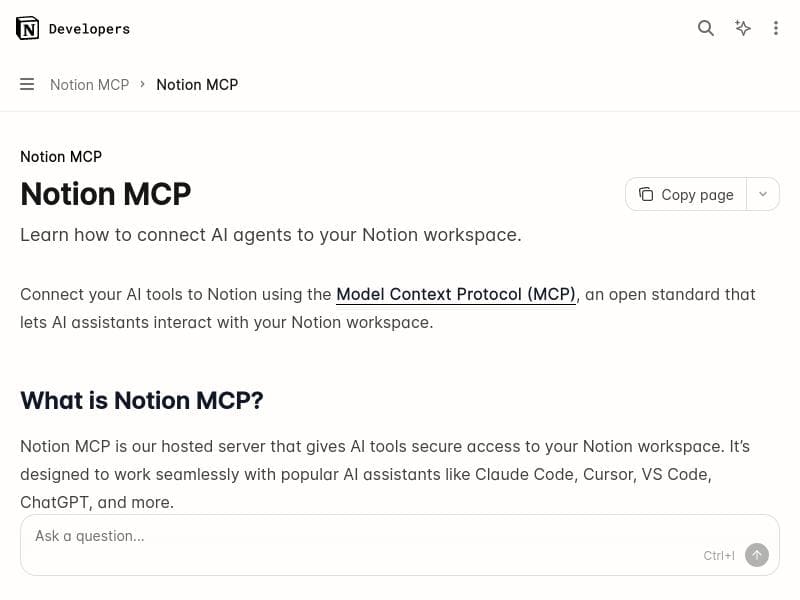
Notion MCP uniquely connects AI agents like ChatGPT and Claude directly to your Notion workspace, enabling real-time, context-aware automation of documents, tasks, and databases. Ideal for professionals and teams seeking to transform scattered data into actionable workflows, it enhances productivity through seamless AI integration—all offered for free.

Descripción
Notion MCP connects AI tools like ChatGPT, Claude, and Cursor directly to your workspace, enabling real-time read/write access to your notes, docs, and databases. Built for AI agents, it delivers context-aware automation for creating docs, managing tasks, generating reports, and organizing knowledge turning scattered data into actionable workflows.
Descripción detallada
Notion MCP is an innovative integration platform designed to seamlessly connect powerful AI tools such as ChatGPT, Claude, and Cursor directly to your Notion workspace. Its core purpose is to enable real-time read and write access to your notes, documents, and databases within Notion, transforming the way users interact with their data. By bridging AI agents with Notion's flexible workspace, MCP empowers users to automate complex workflows, generate content, manage tasks, and organize knowledge more efficiently than ever before. This tool is built specifically for AI agents, allowing them to operate with contextual awareness and deliver intelligent automation tailored to your unique workspace environment. At the heart of Notion MCP are several key features that enhance productivity and data management. First, it allows AI agents to connect directly to your Notion workspace, enabling them to read existing content and write new information dynamically. This capability facilitates real-time collaboration between AI and users, making it possible to create documents, update databases, and manage projects without manual input. Second, the tool offers robust workflow automation within Notion, allowing repetitive or complex tasks to be streamlined through AI-driven processes. Whether generating detailed reports, summarizing meeting notes, or organizing scattered data, MCP helps convert raw information into actionable workflows. Third, it improves data management by enabling AI to intelligently categorize, tag, and link related content, which enhances knowledge organization and retrieval. This contextual understanding reduces clutter and ensures that important information is always accessible and up to date. Notion MCP is ideally suited for professionals, teams, and organizations that rely heavily on Notion for knowledge management, project tracking, and documentation. Content creators, project managers, researchers, and product teams can all benefit from the AI-powered automation and enhanced data handling capabilities. For example, a product team can use MCP to automatically generate progress reports based on database entries, while a content creator might leverage it to draft and organize articles with AI assistance. Its real-time integration also makes it valuable for collaborative environments where multiple users and AI agents need to interact fluidly within the same workspace. One of the most attractive aspects of Notion MCP is its pricing model—it is offered for free, making it accessible to a wide range of users without financial barriers. This free access encourages experimentation and adoption, especially for smaller teams or individual users who want to enhance their Notion experience with AI capabilities. Since it is built on the official Notion API, users can trust in its reliability and security, which is critical when dealing with sensitive or proprietary information. When compared to alternative solutions, Notion MCP stands out due to its direct and native integration with Notion, unlike third-party automation tools that may require complex setups or lack real-time interaction. Its ability to connect multiple AI agents simultaneously and provide context-aware automation gives it an edge over simpler Notion add-ons or generic AI integrations. However, users should note that its effectiveness depends on the quality of the AI models connected and the structure of their Notion workspace. Additionally, while it supports popular AI tools like ChatGPT and Claude, integration with other AI platforms may require additional development. Some limitations to consider include the dependency on Notion's API capabilities and rate limits, which could affect performance for very large or complex workspaces. Also, as an AI-driven tool, the accuracy and relevance of the automated outputs depend heavily on the input data quality and the AI models' training. Users should be prepared to review and validate AI-generated content to maintain high standards. Lastly, while the tool is free, advanced customization or enterprise-level support might require additional resources or third-party services. In summary, Notion MCP is a powerful and versatile platform that brings AI directly into your Notion workspace, enabling smarter, faster, and more efficient management of your notes, documents, and databases. Its real-time AI integration and workflow automation capabilities make it an invaluable asset for anyone looking to leverage AI to enhance productivity and knowledge organization within Notion.
Características de la herramienta
- Connect AI agents to Notion workspace
- Enhance productivity with AI integration
- Automate workflows within Notion
- Improve data management and organization
Descripción
Notion MCP uniquely connects AI agents like ChatGPT and Claude directly to your Notion workspace, enabling real-time, context-aware automation of documents, tasks, and databases. Ideal for professionals and teams seeking to transform scattered data into actionable workflows, it enhances productivity through seamless AI integration—all offered for free.
Notion MCP connects AI tools like ChatGPT, Claude, and Cursor directly to your workspace, enabling real-time read/write access to your notes, docs, and databases. Built for AI agents, it delivers context-aware automation for creating docs, managing tasks, generating reports, and organizing knowledge turning scattered data into actionable workflows.
Descripción detallada
Notion MCP is an innovative integration platform designed to seamlessly connect powerful AI tools such as ChatGPT, Claude, and Cursor directly to your Notion workspace. Its core purpose is to enable real-time read and write access to your notes, documents, and databases within Notion, transforming the way users interact with their data. By bridging AI agents with Notion's flexible workspace, MCP empowers users to automate complex workflows, generate content, manage tasks, and organize knowledge more efficiently than ever before. This tool is built specifically for AI agents, allowing them to operate with contextual awareness and deliver intelligent automation tailored to your unique workspace environment. At the heart of Notion MCP are several key features that enhance productivity and data management. First, it allows AI agents to connect directly to your Notion workspace, enabling them to read existing content and write new information dynamically. This capability facilitates real-time collaboration between AI and users, making it possible to create documents, update databases, and manage projects without manual input. Second, the tool offers robust workflow automation within Notion, allowing repetitive or complex tasks to be streamlined through AI-driven processes. Whether generating detailed reports, summarizing meeting notes, or organizing scattered data, MCP helps convert raw information into actionable workflows. Third, it improves data management by enabling AI to intelligently categorize, tag, and link related content, which enhances knowledge organization and retrieval. This contextual understanding reduces clutter and ensures that important information is always accessible and up to date. Notion MCP is ideally suited for professionals, teams, and organizations that rely heavily on Notion for knowledge management, project tracking, and documentation. Content creators, project managers, researchers, and product teams can all benefit from the AI-powered automation and enhanced data handling capabilities. For example, a product team can use MCP to automatically generate progress reports based on database entries, while a content creator might leverage it to draft and organize articles with AI assistance. Its real-time integration also makes it valuable for collaborative environments where multiple users and AI agents need to interact fluidly within the same workspace. One of the most attractive aspects of Notion MCP is its pricing model—it is offered for free, making it accessible to a wide range of users without financial barriers. This free access encourages experimentation and adoption, especially for smaller teams or individual users who want to enhance their Notion experience with AI capabilities. Since it is built on the official Notion API, users can trust in its reliability and security, which is critical when dealing with sensitive or proprietary information. When compared to alternative solutions, Notion MCP stands out due to its direct and native integration with Notion, unlike third-party automation tools that may require complex setups or lack real-time interaction. Its ability to connect multiple AI agents simultaneously and provide context-aware automation gives it an edge over simpler Notion add-ons or generic AI integrations. However, users should note that its effectiveness depends on the quality of the AI models connected and the structure of their Notion workspace. Additionally, while it supports popular AI tools like ChatGPT and Claude, integration with other AI platforms may require additional development. Some limitations to consider include the dependency on Notion's API capabilities and rate limits, which could affect performance for very large or complex workspaces. Also, as an AI-driven tool, the accuracy and relevance of the automated outputs depend heavily on the input data quality and the AI models' training. Users should be prepared to review and validate AI-generated content to maintain high standards. Lastly, while the tool is free, advanced customization or enterprise-level support might require additional resources or third-party services. In summary, Notion MCP is a powerful and versatile platform that brings AI directly into your Notion workspace, enabling smarter, faster, and more efficient management of your notes, documents, and databases. Its real-time AI integration and workflow automation capabilities make it an invaluable asset for anyone looking to leverage AI to enhance productivity and knowledge organization within Notion.
Preguntas frecuentes
What is Notion MCP?
Notion MCP is an integration platform that connects AI tools such as ChatGPT, Claude, and Cursor directly to your Notion workspace, allowing AI agents to read and write notes, documents, and databases in real time to automate workflows and improve productivity.
How much does Notion MCP cost?
Notion MCP is available for free, providing users with access to its AI integration and automation features without any subscription fees.
Who is Notion MCP best for?
Notion MCP is best suited for professionals, teams, and organizations that use Notion extensively for knowledge management, project tracking, and documentation, including content creators, project managers, researchers, and product teams.
What are the main features of Notion MCP?
Key features include connecting AI agents to your Notion workspace, enabling real-time read/write access, automating workflows within Notion, enhancing productivity through AI integration, and improving data management and organization.
Does Notion MCP offer a free trial?
Notion MCP is offered entirely for free, so there is no need for a separate free trial to access its features.
What integrations does Notion MCP support?
Notion MCP supports integration with AI tools such as ChatGPT, Claude, and Cursor, enabling these AI agents to interact directly with your Notion workspace.
How does Notion MCP work?
Notion MCP works by connecting AI agents to your Notion workspace via the Notion API, allowing these agents to read existing content and write new data in real time. This enables context-aware automation for creating documents, managing tasks, generating reports, and organizing knowledge within Notion.
Redes sociales
Usar herramientaReseñas
Aún no hay reseñas. Sé el primero en compartir tu experiencia.




















































