

¿Es esta tu herramienta de IA? Reclámala hoy.
Verifica la propiedad, gestiona tu perfil y desbloquea funciones de crecimiento.
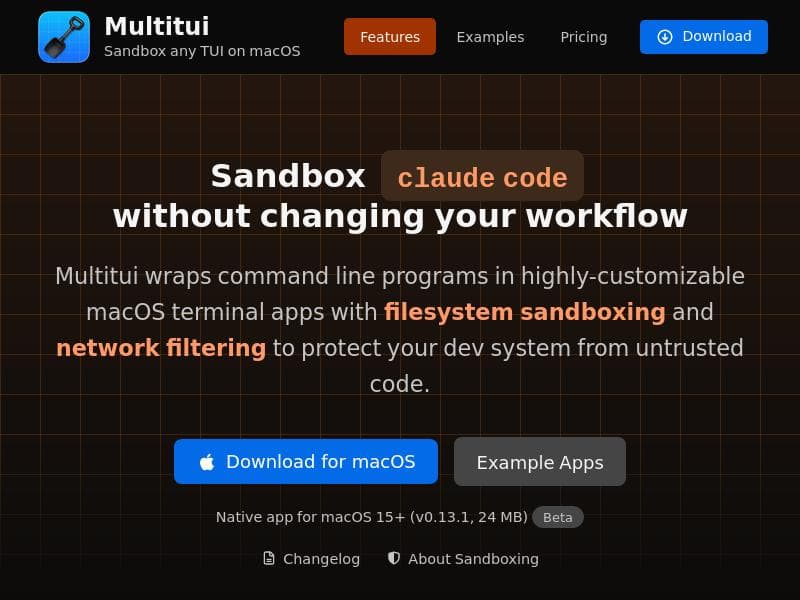
Multitui transforms TUI programs into dedicated, secure, and highly customizable native macOS apps, enhancing usability and system protection. It’s perfect for developers and power users who want to streamline their command-line tools with sandboxing and network filtering features.

Descripción
Multitui is a macOS app factory that generates individual terminal apps for TUI programs, with optional sandbox. Create dedicated native apps for claude code, codex, gemini, lazygit, harlequin, or any TUI.
Descripción detallada
Multitui is a specialized macOS application factory designed to streamline the creation of dedicated terminal apps for Text User Interface (TUI) programs. Its core purpose is to transform command-line tools and TUI applications into standalone native macOS apps, enhancing usability, security, and customization. By generating individual terminal apps tailored for specific TUI programs such as Claude Code, Codex, Gemini, Lazygit, Harlequin, or any other TUI-based tool, Multitui offers developers and power users a seamless way to interact with these tools outside the traditional terminal environment. This approach not only simplifies access but also provides a more integrated and polished user experience on macOS devices. One of the standout features of Multitui is its ability to implement filesystem sandboxing. This optional security layer restricts the app's access to the filesystem, protecting the developer’s system from unintended changes or potential vulnerabilities that might arise from running terminal-based applications. Complementing this is network filtering, which helps safeguard the development environment by controlling and limiting network access for the generated terminal apps. These security features make Multitui particularly valuable for developers who prioritize system integrity and data protection while working with various command-line tools. Customization is another key strength of Multitui. Users can tailor the appearance and behavior of the generated macOS terminal apps to suit their preferences and workflows. This includes adjusting interface elements, configuring command execution parameters, and optimizing the app’s integration with macOS features. Such flexibility ensures that each terminal app feels native and intuitive, enhancing productivity and reducing the friction often associated with managing multiple command-line tools. Multitui is best suited for developers, system administrators, and technical users who regularly rely on TUI programs and command-line utilities. It is ideal for those who want to isolate specific tools into dedicated apps to avoid clutter in their terminal sessions and to improve security through sandboxing and network controls. Use cases include managing version control with Lazygit, interacting with AI models like Claude Code or Codex, or running custom TUI applications in a controlled environment. By converting these tools into standalone apps, users can launch and manage them more efficiently, benefiting from macOS’s native app management features such as windowing, notifications, and app switching. Regarding pricing, Multitui follows a freemium model. This means users can access a basic set of features for free, which is sufficient for many casual or initial use cases. For advanced features such as enhanced sandboxing options, network filtering, or additional customization capabilities, users can upgrade to a paid plan. This flexible pricing structure allows individuals and teams to scale their usage according to their needs and budget. When compared to alternatives, Multitui stands out by focusing exclusively on macOS and delivering a high degree of customization and security for terminal apps. While other tools may offer generic terminal emulation or containerization, Multitui’s approach of generating dedicated native apps with sandboxing and network filtering is unique. This specialization makes it a compelling choice for macOS users who want to integrate TUI programs seamlessly into their desktop environment without compromising on security or usability. However, there are some considerations to keep in mind. Since Multitui is macOS-specific, it is not suitable for users on other operating systems. Additionally, while the freemium model is accessible, some advanced features require payment, which may be a limitation for users seeking a completely free solution. Finally, the tool’s effectiveness depends on the compatibility of the TUI programs with the app generation process, so some niche or highly customized TUI tools might require additional configuration or may not be fully supported out of the box. Overall, Multitui offers a powerful and secure way to manage TUI programs on macOS by converting them into dedicated, customizable native apps. Its focus on security, customization, and seamless macOS integration makes it a valuable tool for developers and technical users looking to optimize their command-line workflows.
Características de la herramienta
- Generates individual terminal apps for TUI programs
- Filesystem sandboxing for security
- Network filtering to protect dev system
- Creates dedicated native apps for command-line tools
- Highly customizable macOS terminal apps
Descripción
Multitui transforms TUI programs into dedicated, secure, and highly customizable native macOS apps, enhancing usability and system protection. It’s perfect for developers and power users who want to streamline their command-line tools with sandboxing and network filtering features.
Multitui is a macOS app factory that generates individual terminal apps for TUI programs, with optional sandbox. Create dedicated native apps for claude code, codex, gemini, lazygit, harlequin, or any TUI.
Descripción detallada
Multitui is a specialized macOS application factory designed to streamline the creation of dedicated terminal apps for Text User Interface (TUI) programs. Its core purpose is to transform command-line tools and TUI applications into standalone native macOS apps, enhancing usability, security, and customization. By generating individual terminal apps tailored for specific TUI programs such as Claude Code, Codex, Gemini, Lazygit, Harlequin, or any other TUI-based tool, Multitui offers developers and power users a seamless way to interact with these tools outside the traditional terminal environment. This approach not only simplifies access but also provides a more integrated and polished user experience on macOS devices. One of the standout features of Multitui is its ability to implement filesystem sandboxing. This optional security layer restricts the app's access to the filesystem, protecting the developer’s system from unintended changes or potential vulnerabilities that might arise from running terminal-based applications. Complementing this is network filtering, which helps safeguard the development environment by controlling and limiting network access for the generated terminal apps. These security features make Multitui particularly valuable for developers who prioritize system integrity and data protection while working with various command-line tools. Customization is another key strength of Multitui. Users can tailor the appearance and behavior of the generated macOS terminal apps to suit their preferences and workflows. This includes adjusting interface elements, configuring command execution parameters, and optimizing the app’s integration with macOS features. Such flexibility ensures that each terminal app feels native and intuitive, enhancing productivity and reducing the friction often associated with managing multiple command-line tools. Multitui is best suited for developers, system administrators, and technical users who regularly rely on TUI programs and command-line utilities. It is ideal for those who want to isolate specific tools into dedicated apps to avoid clutter in their terminal sessions and to improve security through sandboxing and network controls. Use cases include managing version control with Lazygit, interacting with AI models like Claude Code or Codex, or running custom TUI applications in a controlled environment. By converting these tools into standalone apps, users can launch and manage them more efficiently, benefiting from macOS’s native app management features such as windowing, notifications, and app switching. Regarding pricing, Multitui follows a freemium model. This means users can access a basic set of features for free, which is sufficient for many casual or initial use cases. For advanced features such as enhanced sandboxing options, network filtering, or additional customization capabilities, users can upgrade to a paid plan. This flexible pricing structure allows individuals and teams to scale their usage according to their needs and budget. When compared to alternatives, Multitui stands out by focusing exclusively on macOS and delivering a high degree of customization and security for terminal apps. While other tools may offer generic terminal emulation or containerization, Multitui’s approach of generating dedicated native apps with sandboxing and network filtering is unique. This specialization makes it a compelling choice for macOS users who want to integrate TUI programs seamlessly into their desktop environment without compromising on security or usability. However, there are some considerations to keep in mind. Since Multitui is macOS-specific, it is not suitable for users on other operating systems. Additionally, while the freemium model is accessible, some advanced features require payment, which may be a limitation for users seeking a completely free solution. Finally, the tool’s effectiveness depends on the compatibility of the TUI programs with the app generation process, so some niche or highly customized TUI tools might require additional configuration or may not be fully supported out of the box. Overall, Multitui offers a powerful and secure way to manage TUI programs on macOS by converting them into dedicated, customizable native apps. Its focus on security, customization, and seamless macOS integration makes it a valuable tool for developers and technical users looking to optimize their command-line workflows.
Preguntas frecuentes
What is Multitui?
Multitui is a macOS app factory that generates individual native terminal applications for Text User Interface (TUI) programs, enabling users to run command-line tools as dedicated apps with optional sandboxing and network filtering for enhanced security.
How much does Multitui cost?
Multitui operates on a freemium model, offering basic features for free and premium features such as advanced sandboxing and network filtering through paid plans.
Who is Multitui best for?
Multitui is ideal for developers, system administrators, and technical users on macOS who frequently use TUI programs and want to improve security, customization, and usability by converting these tools into dedicated native apps.
What are the main features of Multitui?
Key features include generating individual terminal apps for TUI programs, filesystem sandboxing for security, network filtering to protect the development system, creating dedicated native apps for command-line tools, and offering high customization options for macOS terminal apps.
Does Multitui offer a free trial?
Yes, Multitui offers a freemium version that allows users to try basic features at no cost before opting for paid plans with additional capabilities.
What integrations does Multitui support?
Multitui supports any TUI program or command-line tool, including popular ones like Claude Code, Codex, Gemini, Lazygit, and Harlequin, by generating dedicated native macOS apps for them.
How does Multitui work?
Multitui works by taking a TUI program or command-line tool and generating a standalone native macOS terminal app for it, optionally applying filesystem sandboxing and network filtering to enhance security and allowing users to customize the app’s appearance and behavior.
Redes sociales
Usar herramientaReseñas
Aún no hay reseñas. Sé el primero en compartir tu experiencia.




















































