

¿Es esta tu herramienta de IA? Reclámala hoy.
Verifica la propiedad, gestiona tu perfil y desbloquea funciones de crecimiento.
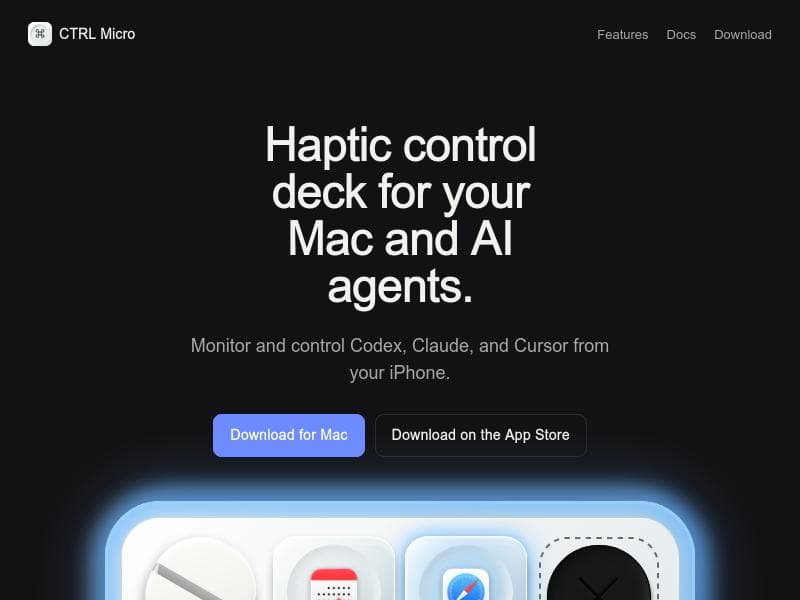
CTRL Micro revolutionizes AI interaction for Mac users by offering a haptic control deck that lets you monitor and command AI agents like Codex, Claude, and Cursor directly from your iPhone. Ideal for developers and AI enthusiasts, it delivers a tactile, intuitive interface that enhances productivity and engagement with AI models.

Descripción
Codex Micro ran out of stock, so we built one for your phone using Apple Taptic Engine. Turn your iPhone or iPad into a tactile control deck for your Mac. Monitor Codex, Claude, and Cursor, open a live Desktop View, use Trackpad and Keyboard, and dictate locally using Whisper. Works nearby or through end-to-end encrypted Remote Anywhere. You can also build your own custom controls to make the deck work on any app you want. Give it a try and keep your agents in sight from anywhere.
Descripción detallada
CTRL Micro is an innovative haptic control deck designed specifically for Mac users who want to seamlessly monitor and control AI agents such as Codex, Claude, and Cursor. Its core purpose is to provide a tactile, physical interface that enhances the way users interact with AI models and applications, moving beyond traditional keyboard and mouse inputs. By leveraging an iPhone as a remote control device, CTRL Micro enables users to manage AI agents directly from their mobile device, offering convenience and a novel user experience that integrates haptic feedback for more intuitive control. The tool’s key features include a dedicated haptic control deck that connects with Mac computers, allowing real-time monitoring and interaction with popular AI agents like Codex, Claude, and Cursor. This tactile interface is designed to give users physical feedback, improving precision and engagement when working with AI-driven tasks. Users can download the software both on their Mac and iPhone, ensuring a smooth setup and cross-device functionality. The iPhone app acts as a remote control, enabling users to send commands, adjust settings, and receive feedback from AI agents without interrupting their workflow on the Mac. CTRL Micro is best suited for developers, AI researchers, and tech enthusiasts who frequently work with AI agents and require a more interactive and responsive control mechanism. For instance, software developers using Codex for code generation can benefit from the tactile controls to quickly toggle commands or monitor AI outputs without switching windows. Similarly, AI researchers experimenting with Claude or Cursor can use the deck to streamline their testing and interaction processes. The tool also appeals to Mac users who value ergonomic and innovative hardware solutions that enhance productivity and user experience. Regarding pricing, CTRL Micro offers free downloads for both Mac and iPhone platforms, making it accessible for users to try and integrate into their workflows without upfront costs. While the current information does not specify premium plans or subscription models, the availability of the app on the Apple App Store suggests ease of access and potential updates or expansions in features over time. When compared to alternatives, CTRL Micro stands out by combining haptic feedback with remote control capabilities via an iPhone, a feature not commonly found in other AI control tools. Most AI interaction platforms rely on software-only interfaces or keyboard shortcuts, whereas CTRL Micro provides a physical, tactile dimension that can improve accuracy and user engagement. This unique approach differentiates it from generic AI dashboards or command-line tools, offering a more immersive and user-friendly experience. However, some limitations to consider include its exclusive compatibility with Mac systems and iPhones, which may restrict users on other platforms. Additionally, the reliance on physical hardware and mobile app connectivity means users must have both devices available and properly configured, which could introduce setup complexity or connectivity issues. The tool’s focus on specific AI agents like Codex, Claude, and Cursor may also limit its utility for users working with other AI models or platforms. Despite these considerations, CTRL Micro presents a compelling solution for Mac users seeking enhanced, tactile control over AI agents in their workflows.
Características de la herramienta
- Haptic control deck for Mac
- Monitor AI agents Codex, Claude, and Cursor
- Control AI agents from iPhone
- Tactile interface for AI interaction
- Download available for Mac and iPhone
Descripción
CTRL Micro revolutionizes AI interaction for Mac users by offering a haptic control deck that lets you monitor and command AI agents like Codex, Claude, and Cursor directly from your iPhone. Ideal for developers and AI enthusiasts, it delivers a tactile, intuitive interface that enhances productivity and engagement with AI models.
Codex Micro ran out of stock, so we built one for your phone using Apple Taptic Engine. Turn your iPhone or iPad into a tactile control deck for your Mac. Monitor Codex, Claude, and Cursor, open a live Desktop View, use Trackpad and Keyboard, and dictate locally using Whisper. Works nearby or through end-to-end encrypted Remote Anywhere. You can also build your own custom controls to make the deck work on any app you want. Give it a try and keep your agents in sight from anywhere.
Descripción detallada
CTRL Micro is an innovative haptic control deck designed specifically for Mac users who want to seamlessly monitor and control AI agents such as Codex, Claude, and Cursor. Its core purpose is to provide a tactile, physical interface that enhances the way users interact with AI models and applications, moving beyond traditional keyboard and mouse inputs. By leveraging an iPhone as a remote control device, CTRL Micro enables users to manage AI agents directly from their mobile device, offering convenience and a novel user experience that integrates haptic feedback for more intuitive control. The tool’s key features include a dedicated haptic control deck that connects with Mac computers, allowing real-time monitoring and interaction with popular AI agents like Codex, Claude, and Cursor. This tactile interface is designed to give users physical feedback, improving precision and engagement when working with AI-driven tasks. Users can download the software both on their Mac and iPhone, ensuring a smooth setup and cross-device functionality. The iPhone app acts as a remote control, enabling users to send commands, adjust settings, and receive feedback from AI agents without interrupting their workflow on the Mac. CTRL Micro is best suited for developers, AI researchers, and tech enthusiasts who frequently work with AI agents and require a more interactive and responsive control mechanism. For instance, software developers using Codex for code generation can benefit from the tactile controls to quickly toggle commands or monitor AI outputs without switching windows. Similarly, AI researchers experimenting with Claude or Cursor can use the deck to streamline their testing and interaction processes. The tool also appeals to Mac users who value ergonomic and innovative hardware solutions that enhance productivity and user experience. Regarding pricing, CTRL Micro offers free downloads for both Mac and iPhone platforms, making it accessible for users to try and integrate into their workflows without upfront costs. While the current information does not specify premium plans or subscription models, the availability of the app on the Apple App Store suggests ease of access and potential updates or expansions in features over time. When compared to alternatives, CTRL Micro stands out by combining haptic feedback with remote control capabilities via an iPhone, a feature not commonly found in other AI control tools. Most AI interaction platforms rely on software-only interfaces or keyboard shortcuts, whereas CTRL Micro provides a physical, tactile dimension that can improve accuracy and user engagement. This unique approach differentiates it from generic AI dashboards or command-line tools, offering a more immersive and user-friendly experience. However, some limitations to consider include its exclusive compatibility with Mac systems and iPhones, which may restrict users on other platforms. Additionally, the reliance on physical hardware and mobile app connectivity means users must have both devices available and properly configured, which could introduce setup complexity or connectivity issues. The tool’s focus on specific AI agents like Codex, Claude, and Cursor may also limit its utility for users working with other AI models or platforms. Despite these considerations, CTRL Micro presents a compelling solution for Mac users seeking enhanced, tactile control over AI agents in their workflows.
Preguntas frecuentes
What is CTRL Micro?
CTRL Micro is a haptic control deck designed for Mac users that allows them to monitor and control AI agents such as Codex, Claude, and Cursor directly from an iPhone, providing a tactile interface to enhance AI interaction.
How much does CTRL Micro cost?
CTRL Micro is available as a free download for both Mac and iPhone, with no current information indicating any paid plans or subscriptions.
Who is CTRL Micro best for?
CTRL Micro is best suited for Mac users, particularly developers, AI researchers, and tech enthusiasts who work with AI agents and want a more interactive, tactile way to control and monitor these models.
What are the main features of CTRL Micro?
The main features include a haptic control deck for Mac, real-time monitoring and control of AI agents Codex, Claude, and Cursor, remote control via iPhone, and a tactile interface that enhances user interaction with AI models.
Does CTRL Micro offer a free trial?
CTRL Micro is available as a free download, effectively allowing users to try the tool without any cost or trial limitations.
What integrations does CTRL Micro support?
CTRL Micro supports integration with AI agents Codex, Claude, and Cursor, enabling users to monitor and control these specific AI models from their Mac and iPhone.
How does CTRL Micro work?
CTRL Micro works by connecting a haptic control deck on a Mac with an iPhone app that acts as a remote control, allowing users to send commands and receive tactile feedback while interacting with AI agents like Codex, Claude, and Cursor.
Redes sociales
Usar herramientaReseñas
Aún no hay reseñas. Sé el primero en compartir tu experiencia.




















































