

¿Es esta tu herramienta de IA? Reclámala hoy.
Verifica la propiedad, gestiona tu perfil y desbloquea funciones de crecimiento.
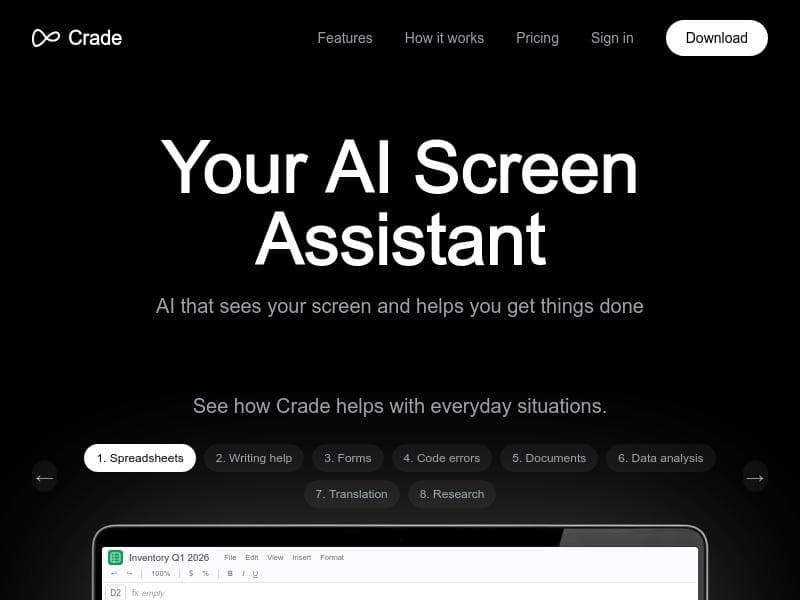
Crade AI is a desktop assistant for Mac and Windows that uniquely reads your screen in real time to provide instant help without screenshots or copy-pasting. Ideal for developers, analysts, and multilingual professionals, it delivers answers in a native overlay, streamlining workflows and boosting productivity.

Descripción
Tired of sending screenshots to AI? Crade is a desktop AI assistant for Mac and Windows that already sees your screen. Stuck on a bug, an Excel formula, a German invoice, or a weird error message? Just ask — no copy-paste, no uploading, no browser tab. The answer appears in a native overlay window above whatever you're doing. Free tier with 200 credits/day. Pro at $7.99/mo gets you 1000 credits and smarter AI on complex tasks.
Descripción detallada
Crade AI is an innovative desktop AI assistant designed specifically for Mac and Windows users who want seamless, context-aware help without the hassle of switching apps or uploading content. Unlike traditional AI tools that require users to take screenshots, copy-paste text, or open browser tabs, Crade AI directly 'sees' the content on your screen in real time. This unique capability allows it to provide instant assistance with a wide range of tasks, from debugging code and resolving error messages to interpreting foreign-language documents and analyzing complex Excel formulas. The AI responds through a native overlay window that appears above your current work, enabling a smooth, uninterrupted workflow. At its core, Crade AI aims to eliminate the friction commonly associated with AI-powered help tools. By integrating directly with your desktop environment, it removes the need for manual data transfer, making it faster and more intuitive to get answers. This is particularly useful for professionals who frequently encounter technical issues, language barriers, or complicated data formats. Whether you're a software developer stuck on a bug, an accountant dealing with invoices in German, or a data analyst working with intricate spreadsheets, Crade AI offers tailored support that adapts to your screen content. Key features of Crade AI include its ability to recognize and interpret screen content without screenshots or tab-switching, making interactions fluid and natural. It excels in assisting with Excel formulas, helping users understand and correct errors without leaving the spreadsheet. For developers, it provides code debugging and error resolution directly from the visible code snippets. The AI also supports foreign-language document assistance, which is invaluable for users handling international paperwork or communications. Additionally, Crade AI can analyze PDFs and other document types, extracting relevant information and answering queries based on the content displayed. Crade AI is delivered as a native application for both Mac and Windows platforms, ensuring optimal performance and integration with the operating system. Users receive daily credits that govern how much they can interact with the AI: the free tier offers 200 credits per day, suitable for casual or light users, while the Pro plan, priced at $7.99 per month, increases the allowance to 1000 credits and enhances the AI's capabilities for handling more complex tasks. This tiered approach makes Crade AI accessible to a broad audience, from students and freelancers to professionals in tech, finance, and international business. Compared to other AI assistants that rely heavily on browser-based interfaces or require manual input of data, Crade AI stands out due to its seamless screen-reading technology and native overlay responses. This reduces context switching and accelerates problem-solving. While some competitors may offer broader integrations or cloud-based collaboration features, Crade AI’s focus on desktop integration and real-time screen analysis provides a unique value proposition for users prioritizing speed and convenience. However, users should consider that Crade AI’s credit system may limit extensive use for free-tier users, and the AI’s effectiveness depends on the clarity and complexity of the screen content it analyzes. Additionally, as a relatively new tool, it may have fewer third-party integrations compared to more established AI platforms. Privacy-conscious users should review how screen data is processed and stored, although the native app approach suggests local processing to some extent. In summary, Crade AI is a powerful, user-friendly AI assistant that transforms how users interact with their desktop environments by providing instant, context-aware help without the usual interruptions. Its specialized features for code debugging, Excel assistance, language translation, and document analysis make it an indispensable tool for professionals and power users seeking efficient problem-solving directly from their screens.
Características de la herramienta
- Sees your screen content without screenshots or tab-switching
- Helps with Excel formulas and error messages
- Assists with foreign-language documents
- Supports code debugging and error resolution
- Analyzes PDFs and other documents
- Native application for Mac and Windows
- Offers daily credits with free and pro plans
Descripción
Crade AI is a desktop assistant for Mac and Windows that uniquely reads your screen in real time to provide instant help without screenshots or copy-pasting. Ideal for developers, analysts, and multilingual professionals, it delivers answers in a native overlay, streamlining workflows and boosting productivity.
Tired of sending screenshots to AI? Crade is a desktop AI assistant for Mac and Windows that already sees your screen. Stuck on a bug, an Excel formula, a German invoice, or a weird error message? Just ask — no copy-paste, no uploading, no browser tab. The answer appears in a native overlay window above whatever you're doing. Free tier with 200 credits/day. Pro at $7.99/mo gets you 1000 credits and smarter AI on complex tasks.
Descripción detallada
Crade AI is an innovative desktop AI assistant designed specifically for Mac and Windows users who want seamless, context-aware help without the hassle of switching apps or uploading content. Unlike traditional AI tools that require users to take screenshots, copy-paste text, or open browser tabs, Crade AI directly 'sees' the content on your screen in real time. This unique capability allows it to provide instant assistance with a wide range of tasks, from debugging code and resolving error messages to interpreting foreign-language documents and analyzing complex Excel formulas. The AI responds through a native overlay window that appears above your current work, enabling a smooth, uninterrupted workflow. At its core, Crade AI aims to eliminate the friction commonly associated with AI-powered help tools. By integrating directly with your desktop environment, it removes the need for manual data transfer, making it faster and more intuitive to get answers. This is particularly useful for professionals who frequently encounter technical issues, language barriers, or complicated data formats. Whether you're a software developer stuck on a bug, an accountant dealing with invoices in German, or a data analyst working with intricate spreadsheets, Crade AI offers tailored support that adapts to your screen content. Key features of Crade AI include its ability to recognize and interpret screen content without screenshots or tab-switching, making interactions fluid and natural. It excels in assisting with Excel formulas, helping users understand and correct errors without leaving the spreadsheet. For developers, it provides code debugging and error resolution directly from the visible code snippets. The AI also supports foreign-language document assistance, which is invaluable for users handling international paperwork or communications. Additionally, Crade AI can analyze PDFs and other document types, extracting relevant information and answering queries based on the content displayed. Crade AI is delivered as a native application for both Mac and Windows platforms, ensuring optimal performance and integration with the operating system. Users receive daily credits that govern how much they can interact with the AI: the free tier offers 200 credits per day, suitable for casual or light users, while the Pro plan, priced at $7.99 per month, increases the allowance to 1000 credits and enhances the AI's capabilities for handling more complex tasks. This tiered approach makes Crade AI accessible to a broad audience, from students and freelancers to professionals in tech, finance, and international business. Compared to other AI assistants that rely heavily on browser-based interfaces or require manual input of data, Crade AI stands out due to its seamless screen-reading technology and native overlay responses. This reduces context switching and accelerates problem-solving. While some competitors may offer broader integrations or cloud-based collaboration features, Crade AI’s focus on desktop integration and real-time screen analysis provides a unique value proposition for users prioritizing speed and convenience. However, users should consider that Crade AI’s credit system may limit extensive use for free-tier users, and the AI’s effectiveness depends on the clarity and complexity of the screen content it analyzes. Additionally, as a relatively new tool, it may have fewer third-party integrations compared to more established AI platforms. Privacy-conscious users should review how screen data is processed and stored, although the native app approach suggests local processing to some extent. In summary, Crade AI is a powerful, user-friendly AI assistant that transforms how users interact with their desktop environments by providing instant, context-aware help without the usual interruptions. Its specialized features for code debugging, Excel assistance, language translation, and document analysis make it an indispensable tool for professionals and power users seeking efficient problem-solving directly from their screens.
Preguntas frecuentes
What is Crade AI?
Crade AI is a desktop AI assistant for Mac and Windows that can see and interpret your screen content in real time, providing instant help with tasks like debugging, Excel formulas, foreign-language documents, and error messages without requiring screenshots or switching apps.
How much does Crade AI cost?
Crade AI offers a freemium pricing model with a free tier providing 200 credits per day. The Pro plan costs $7.99 per month and includes 1000 credits per day along with smarter AI capabilities for handling more complex tasks.
Who is Crade AI best for?
Crade AI is best suited for professionals and power users such as software developers, data analysts, accountants, and anyone who frequently deals with technical issues, complex spreadsheets, foreign-language documents, or error messages and wants quick, context-aware assistance.
What are the main features of Crade AI?
Key features include real-time screen content recognition without screenshots, assistance with Excel formulas and error messages, code debugging and error resolution, support for foreign-language documents, PDF and document analysis, and a native application for Mac and Windows with daily credit-based usage.
Does Crade AI offer a free trial?
Yes, Crade AI offers a free tier that provides 200 credits per day, allowing users to try the tool and access its core features without any upfront cost.
What integrations does Crade AI support?
Crade AI operates as a native desktop application that interacts directly with your screen content, so it does not require traditional third-party integrations or browser extensions to function.
How does Crade AI work?
Crade AI works by continuously analyzing the content displayed on your screen in real time, enabling it to understand context such as code snippets, spreadsheets, documents, or error messages. Users simply ask questions or request help via a native overlay window, and the AI provides instant, relevant answers without needing to copy, paste, or upload data.
Reseñas
Aún no hay reseñas. Sé el primero en compartir tu experiencia.




















































