Uitgelicht in:Best AI Transcription Tools
Word uitgelicht →🚀 Zaprep: je socials on steroids. Start gratis — automatiseer 1.000 DM's/maand en zet engagement om in leads. met 1.000 geautomatiseerde DM's/maand.



Is dit jouw AI-tool? Claim hem vandaag.
Verifieer eigenaarschap, beheer je profiel en ontgrendel groeifeatures.
✦
Loqui revolutionizes speech-to-text by delivering punctuated, tone-aware text directly into any Mac or Windows application with a simple key hold. Ideal for professionals and students seeking fast, natural dictation without typing, it boosts productivity by capturing your voice exactly as you speak.

Beschrijving
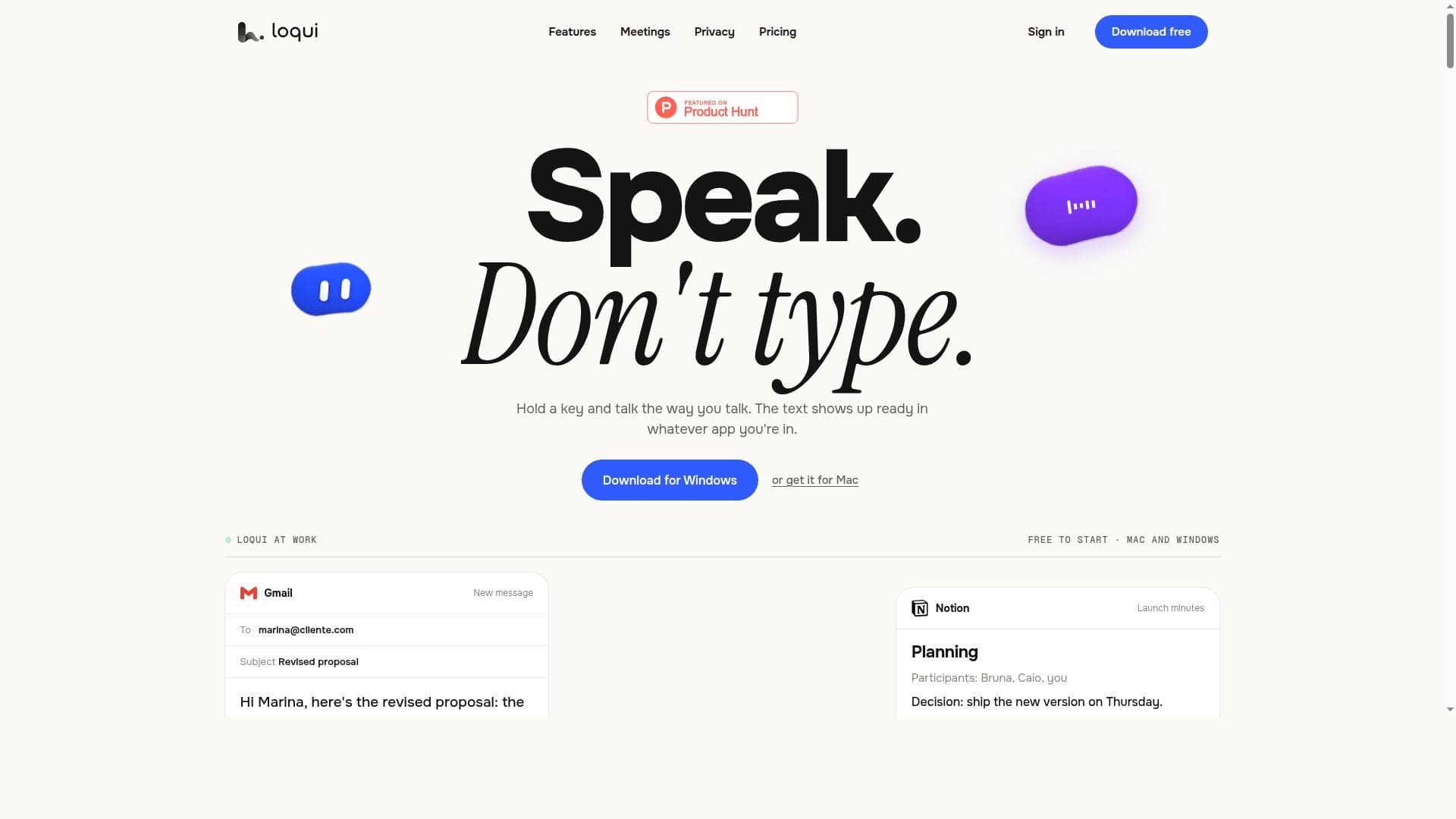
Loqui turns your voice into clean, ready-to-send text in any app on your Mac. Hold a shortcut, speak, and the text lands at your cursor in the tone you pick. It also transcribes meetings and writes the minutes. 90+ languages. Free plan, no card needed.
Gedetailleerde beschrijving
Loqui is an advanced speech-to-text software designed to transform spoken language into punctuated, ready-to-use text seamlessly across any application on Mac and Windows platforms. Its core purpose is to enhance productivity by allowing users to dictate naturally without the interruption of typing, making it an ideal tool for professionals, students, writers, and anyone who frequently needs to convert speech into written content quickly and accurately. By holding down a designated key, users can speak in their natural tone and style, and Loqui captures this speech, delivering text that is not only accurate but also properly punctuated and formatted, ready to be used immediately in emails, documents, chat applications, or any other software where text input is required. One of Loqui's standout features is its ability to work universally across all applications on both Mac and Windows operating systems. This cross-platform compatibility ensures that users do not need to switch between specialized apps or interfaces; instead, they can dictate directly into their preferred software environment. The tool intelligently captures the natural tone and style of the speaker, which means the output text reflects the speaker’s intended emphasis and flow, reducing the need for extensive editing after dictation. Activation is streamlined by a simple mechanism: users hold a key to start dictation, allowing for seamless, hands-free typing without the need to toggle modes or click buttons, which significantly speeds up the workflow. Loqui is particularly suited for professionals who need to draft emails, reports, or notes quickly, such as journalists, content creators, and business executives. It also benefits students and researchers who want to transcribe lectures or brainstorming sessions efficiently. Additionally, individuals with physical disabilities that make typing difficult will find Loqui a valuable accessibility tool. Use cases include real-time note-taking during meetings, composing lengthy documents without keyboard fatigue, and even creative writing where maintaining a natural voice is crucial. Regarding pricing, Loqui offers a straightforward approach, typically providing a free trial period for users to test its capabilities before committing. After the trial, subscription plans are available that cater to different user needs, ranging from individual licenses to business packages with enhanced support and features. Pricing details are accessible on their official website, ensuring transparency and flexibility for users. Compared to other speech-to-text solutions, Loqui stands out due to its unique activation method and its focus on delivering punctuated, contextually accurate text that reflects natural speech patterns. While many dictation tools require manual punctuation or post-processing, Loqui automates these steps, saving time and reducing errors. Its universal application compatibility also gives it an edge over tools limited to specific software or platforms. However, users should consider that like all speech recognition technologies, accuracy can be influenced by background noise, microphone quality, and speech clarity. While Loqui performs well in typical environments, extremely noisy settings may require additional adjustments. In summary, Loqui is a powerful, user-friendly speech-to-text tool that enhances productivity by enabling natural, fluid dictation across any application on Mac and Windows. Its key strengths lie in its ease of use, accurate punctuation, and ability to capture the speaker’s tone, making it an excellent choice for professionals, students, and anyone looking to reduce typing effort. Potential users should explore its free trial to experience firsthand how it can fit into their workflow and consider their specific environment to maximize accuracy and efficiency.
Toolfeatures
- Converts spoken words into punctuated, ready-to-use text
- Works across any application on Mac and Windows
- Captures natural speech tone and style
- Activated by holding a key for seamless dictation
Beschrijving
✦
Loqui revolutionizes speech-to-text by delivering punctuated, tone-aware text directly into any Mac or Windows application with a simple key hold. Ideal for professionals and students seeking fast, natural dictation without typing, it boosts productivity by capturing your voice exactly as you speak.
Loqui turns your voice into clean, ready-to-send text in any app on your Mac. Hold a shortcut, speak, and the text lands at your cursor in the tone you pick. It also transcribes meetings and writes the minutes. 90+ languages. Free plan, no card needed.
Gedetailleerde beschrijving
Loqui is an advanced speech-to-text software designed to transform spoken language into punctuated, ready-to-use text seamlessly across any application on Mac and Windows platforms. Its core purpose is to enhance productivity by allowing users to dictate naturally without the interruption of typing, making it an ideal tool for professionals, students, writers, and anyone who frequently needs to convert speech into written content quickly and accurately. By holding down a designated key, users can speak in their natural tone and style, and Loqui captures this speech, delivering text that is not only accurate but also properly punctuated and formatted, ready to be used immediately in emails, documents, chat applications, or any other software where text input is required. One of Loqui's standout features is its ability to work universally across all applications on both Mac and Windows operating systems. This cross-platform compatibility ensures that users do not need to switch between specialized apps or interfaces; instead, they can dictate directly into their preferred software environment. The tool intelligently captures the natural tone and style of the speaker, which means the output text reflects the speaker’s intended emphasis and flow, reducing the need for extensive editing after dictation. Activation is streamlined by a simple mechanism: users hold a key to start dictation, allowing for seamless, hands-free typing without the need to toggle modes or click buttons, which significantly speeds up the workflow. Loqui is particularly suited for professionals who need to draft emails, reports, or notes quickly, such as journalists, content creators, and business executives. It also benefits students and researchers who want to transcribe lectures or brainstorming sessions efficiently. Additionally, individuals with physical disabilities that make typing difficult will find Loqui a valuable accessibility tool. Use cases include real-time note-taking during meetings, composing lengthy documents without keyboard fatigue, and even creative writing where maintaining a natural voice is crucial. Regarding pricing, Loqui offers a straightforward approach, typically providing a free trial period for users to test its capabilities before committing. After the trial, subscription plans are available that cater to different user needs, ranging from individual licenses to business packages with enhanced support and features. Pricing details are accessible on their official website, ensuring transparency and flexibility for users. Compared to other speech-to-text solutions, Loqui stands out due to its unique activation method and its focus on delivering punctuated, contextually accurate text that reflects natural speech patterns. While many dictation tools require manual punctuation or post-processing, Loqui automates these steps, saving time and reducing errors. Its universal application compatibility also gives it an edge over tools limited to specific software or platforms. However, users should consider that like all speech recognition technologies, accuracy can be influenced by background noise, microphone quality, and speech clarity. While Loqui performs well in typical environments, extremely noisy settings may require additional adjustments. In summary, Loqui is a powerful, user-friendly speech-to-text tool that enhances productivity by enabling natural, fluid dictation across any application on Mac and Windows. Its key strengths lie in its ease of use, accurate punctuation, and ability to capture the speaker’s tone, making it an excellent choice for professionals, students, and anyone looking to reduce typing effort. Potential users should explore its free trial to experience firsthand how it can fit into their workflow and consider their specific environment to maximize accuracy and efficiency.
Veelgestelde vragen
What is Loqui?
Loqui is a speech-to-text tool that converts spoken words into ready-to-use, punctuated text in real time, allowing users to dictate naturally across any application on Mac and Windows platforms.
How much does Loqui cost?
Loqui offers a free trial period, after which users can choose from various subscription plans tailored for individuals or businesses. Detailed pricing information is available on their official website.
Who is Loqui best for?
Loqui is ideal for professionals, students, writers, and individuals who want to increase productivity by dictating text naturally without typing, including those with physical disabilities affecting typing.
What are the main features of Loqui?
Key features include converting speech into punctuated, ready-to-use text, working seamlessly across any application on Mac and Windows, capturing natural speech tone and style, and activation via holding a key for smooth dictation.
Does Loqui offer a free trial?
Yes, Loqui provides a free trial period allowing users to test its speech-to-text capabilities before subscribing to a paid plan.
What integrations does Loqui support?
Loqui works universally across all applications on Mac and Windows, meaning it integrates with any software that accepts text input without requiring specific plugins or extensions.
How does Loqui work?
Users hold down a designated key to activate Loqui’s dictation mode, then speak naturally. The tool captures the speech, converts it into punctuated text that reflects the speaker's tone, and inputs it directly into the active application.
Reviews
0 reviews
Nog geen reviews. Wees de eerste die je ervaring deelt.
Gesponsorde tools













































Aanbevolen tools
Blijf op de hoogte van de nieuwste AI-tools
Krijg de laatste inzichten, schrijf je in voor onze nieuwsbrief
Gelezen en vertrouwd door 50,000+ lezers
Word lid van de grootste AI-community
Onze community en ons team staan voor je klaar!
Jouw feedback helpt Alice AI te verbeteren in toekomstige versies.








Dien je tool in


PoweredByAI.app is een AI-toolsdirectory die individuen, bedrijven en creators helpt de beste AI-tools te ontdekken voor schrijven, coderen, design, productiviteit en meer.
© 2026 , Een product van011BQ. Alle rechten voorbehouden.