

Is dit jouw AI-tool? Claim hem vandaag.
Verifieer eigenaarschap, beheer je profiel en ontgrendel groeifeatures.
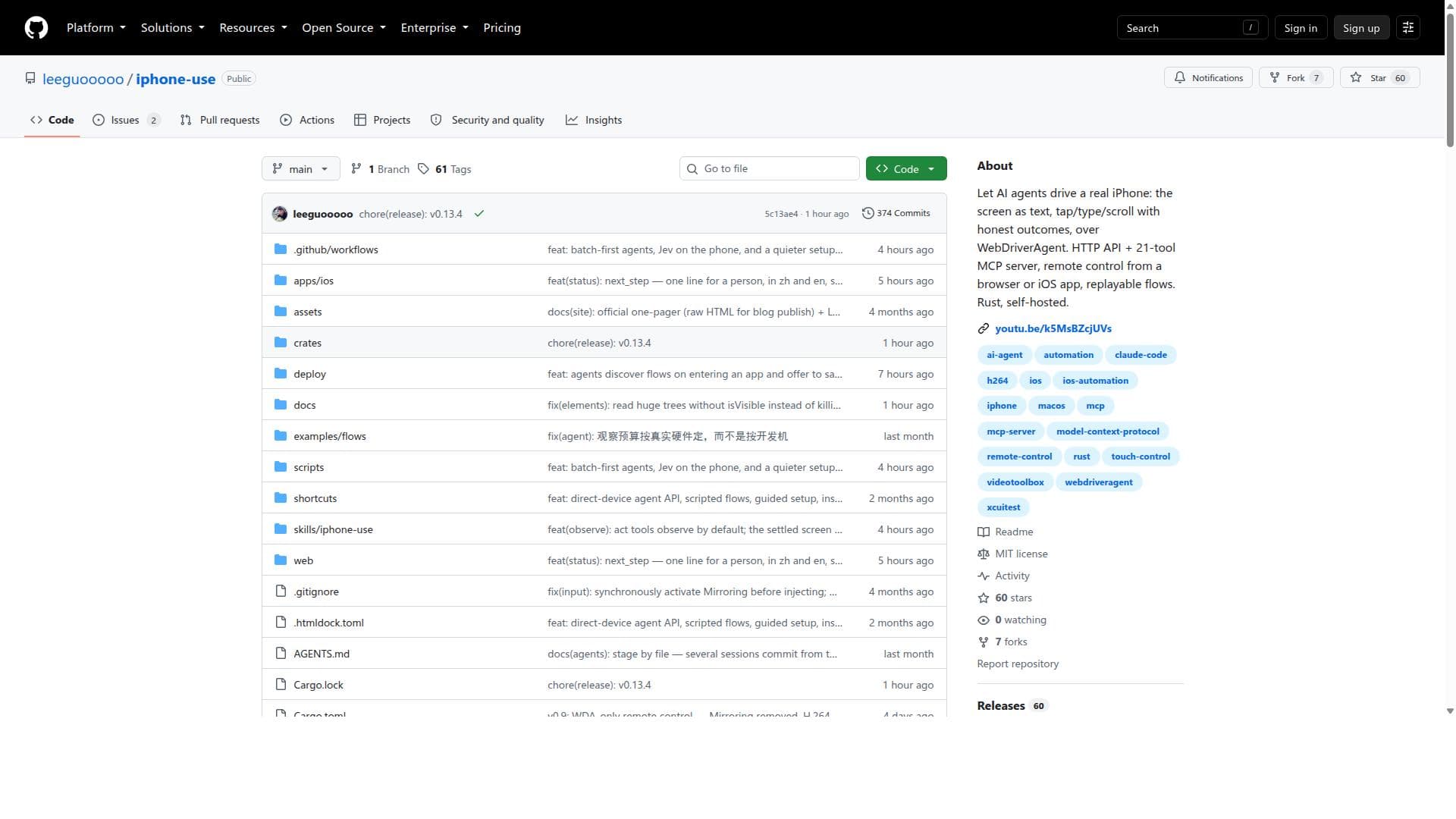
iphone-use is a Rust-based, self-hosted tool that enables AI agents to control real iPhones by interpreting screen content as text and performing genuine tap, type, and scroll actions. Perfect for developers and testers needing authentic device automation, it offers remote control via HTTP API and replayable flows, delivering unmatched real-device interaction fidelity.

Beschrijving
iphone-use gives an AI agent a real iPhone: the screen as text, tap, type and scroll over WebDriverAgent, with an honest answer for every action (applied, not sent, or unknown). Payment apps that block screenshots come back as a wireframe. A task done once becomes a flow that replays with no model. HTTP API, a 21-tool MCP server for Claude Code, and remote control from a browser or iOS app. Open source, MIT.
Gedetailleerde beschrijving
iphone-use is a sophisticated, self-hosted automation tool built with Rust that empowers AI agents to control a real iPhone by interpreting the device's screen content as text and executing physical interactions such as taps, typing, and scrolling. Unlike traditional simulators or emulators, iphone-use operates on actual hardware, providing authentic interaction outcomes. This capability is achieved through integration with WebDriverAgent, a well-known framework for automating iOS devices, which allows iphone-use to communicate with the iPhone and perform precise UI actions programmatically. The tool exposes an HTTP API and runs a 21-tool MCP (Mission Control Protocol) server, enabling remote control and orchestration of iPhone actions from various clients, including browsers and iOS apps. Additionally, it supports replayable flows, allowing users to record, save, and replay sequences of interactions, which is invaluable for testing, demonstrations, or repetitive tasks. Key features of iphone-use include its ability to let AI agents interpret the iPhone screen as text, which means it can understand the UI context dynamically rather than relying solely on static element identifiers. This leads to more reliable and context-aware automation. The tool supports fundamental interaction types such as tap, type, and scroll, ensuring comprehensive control over the device. Operating over WebDriverAgent ensures compatibility with iOS devices and leverages an established automation protocol. The HTTP API and MCP server architecture provide flexibility for developers and users to integrate iphone-use into custom workflows or third-party applications. Remote control capability from browsers or iOS apps means users can manage their iPhones from anywhere, facilitating remote testing or device management. Replayable flows enhance productivity by automating repetitive sequences without manual intervention. Being self-hosted and written in Rust, iphone-use offers performance benefits, security, and full control over the environment without reliance on cloud services. iphone-use is best suited for developers, QA engineers, and AI researchers who require precise, automated control of real iPhone devices. It is particularly useful for automated testing of iOS applications where real-device behavior is critical, as well as for AI-driven interaction experiments that need genuine device feedback. Enterprises or teams managing fleets of iPhones for testing or deployment can leverage iphone-use for remote device management and automation. Its replayable flow feature is ideal for demoing app features or automating routine device operations. Moreover, AI developers can integrate it into their agent frameworks to enable intelligent, context-aware iPhone control. As an open-source, self-hosted solution, iphone-use is free to use, with no subscription or licensing fees. Users need to provide their own iPhone devices and infrastructure to run the tool and its dependencies. This model is advantageous for organizations prioritizing data privacy and control but requires technical expertise to deploy and maintain. There are no official paid plans or hosted versions, emphasizing its appeal to technically proficient users comfortable with self-hosting. Compared to alternatives like cloud-based device farms or simulator-based automation tools, iphone-use stands out by offering direct control over physical iPhones without intermediaries. This eliminates discrepancies between simulated and real device behavior and avoids potential latency or privacy concerns associated with cloud services. Its Rust-based implementation ensures high performance and reliability. However, unlike some commercial platforms, it lacks a polished user interface and extensive customer support, positioning it as a tool for users with technical backgrounds. Notable limitations include the requirement to set up and maintain the WebDriverAgent environment and the need for physical iPhone hardware, which may be a barrier for some users. The tool’s reliance on screen text interpretation means it may face challenges with non-standard UI elements or dynamic graphics. Additionally, as a self-hosted open-source project, users must handle updates, security, and troubleshooting independently. Despite these considerations, iphone-use offers a powerful, flexible, and authentic iPhone automation experience unmatched by many alternatives.
Toolfeatures
- AI agents drive a real iPhone using screen as text
- Supports tap, type, and scroll actions with honest outcomes
- Operates over WebDriverAgent
- Provides HTTP API and 21-tool MCP server
- Enables remote control from browser or iOS app
- Supports replayable flows
- Self-hosted and built with Rust
Beschrijving
iphone-use is a Rust-based, self-hosted tool that enables AI agents to control real iPhones by interpreting screen content as text and performing genuine tap, type, and scroll actions. Perfect for developers and testers needing authentic device automation, it offers remote control via HTTP API and replayable flows, delivering unmatched real-device interaction fidelity.
iphone-use gives an AI agent a real iPhone: the screen as text, tap, type and scroll over WebDriverAgent, with an honest answer for every action (applied, not sent, or unknown). Payment apps that block screenshots come back as a wireframe. A task done once becomes a flow that replays with no model. HTTP API, a 21-tool MCP server for Claude Code, and remote control from a browser or iOS app. Open source, MIT.
Gedetailleerde beschrijving
iphone-use is a sophisticated, self-hosted automation tool built with Rust that empowers AI agents to control a real iPhone by interpreting the device's screen content as text and executing physical interactions such as taps, typing, and scrolling. Unlike traditional simulators or emulators, iphone-use operates on actual hardware, providing authentic interaction outcomes. This capability is achieved through integration with WebDriverAgent, a well-known framework for automating iOS devices, which allows iphone-use to communicate with the iPhone and perform precise UI actions programmatically. The tool exposes an HTTP API and runs a 21-tool MCP (Mission Control Protocol) server, enabling remote control and orchestration of iPhone actions from various clients, including browsers and iOS apps. Additionally, it supports replayable flows, allowing users to record, save, and replay sequences of interactions, which is invaluable for testing, demonstrations, or repetitive tasks. Key features of iphone-use include its ability to let AI agents interpret the iPhone screen as text, which means it can understand the UI context dynamically rather than relying solely on static element identifiers. This leads to more reliable and context-aware automation. The tool supports fundamental interaction types such as tap, type, and scroll, ensuring comprehensive control over the device. Operating over WebDriverAgent ensures compatibility with iOS devices and leverages an established automation protocol. The HTTP API and MCP server architecture provide flexibility for developers and users to integrate iphone-use into custom workflows or third-party applications. Remote control capability from browsers or iOS apps means users can manage their iPhones from anywhere, facilitating remote testing or device management. Replayable flows enhance productivity by automating repetitive sequences without manual intervention. Being self-hosted and written in Rust, iphone-use offers performance benefits, security, and full control over the environment without reliance on cloud services. iphone-use is best suited for developers, QA engineers, and AI researchers who require precise, automated control of real iPhone devices. It is particularly useful for automated testing of iOS applications where real-device behavior is critical, as well as for AI-driven interaction experiments that need genuine device feedback. Enterprises or teams managing fleets of iPhones for testing or deployment can leverage iphone-use for remote device management and automation. Its replayable flow feature is ideal for demoing app features or automating routine device operations. Moreover, AI developers can integrate it into their agent frameworks to enable intelligent, context-aware iPhone control. As an open-source, self-hosted solution, iphone-use is free to use, with no subscription or licensing fees. Users need to provide their own iPhone devices and infrastructure to run the tool and its dependencies. This model is advantageous for organizations prioritizing data privacy and control but requires technical expertise to deploy and maintain. There are no official paid plans or hosted versions, emphasizing its appeal to technically proficient users comfortable with self-hosting. Compared to alternatives like cloud-based device farms or simulator-based automation tools, iphone-use stands out by offering direct control over physical iPhones without intermediaries. This eliminates discrepancies between simulated and real device behavior and avoids potential latency or privacy concerns associated with cloud services. Its Rust-based implementation ensures high performance and reliability. However, unlike some commercial platforms, it lacks a polished user interface and extensive customer support, positioning it as a tool for users with technical backgrounds. Notable limitations include the requirement to set up and maintain the WebDriverAgent environment and the need for physical iPhone hardware, which may be a barrier for some users. The tool’s reliance on screen text interpretation means it may face challenges with non-standard UI elements or dynamic graphics. Additionally, as a self-hosted open-source project, users must handle updates, security, and troubleshooting independently. Despite these considerations, iphone-use offers a powerful, flexible, and authentic iPhone automation experience unmatched by many alternatives.
Veelgestelde vragen
What is iphone-use?
iphone-use is a self-hosted automation tool written in Rust that allows AI agents to drive a real iPhone by interpreting the screen as text and performing tap, type, and scroll actions. It operates over WebDriverAgent and provides an HTTP API and a 21-tool MCP server for remote control and replayable flows.
How much does iphone-use cost?
iphone-use is an open-source, self-hosted tool available for free. Users need to provide their own hardware and infrastructure to deploy and run the software.
Who is iphone-use best for?
iphone-use is ideal for developers, QA engineers, AI researchers, and teams who require precise, automated control of real iPhone devices for testing, AI-driven interaction, or remote device management.
What are the main features of iphone-use?
Key features include AI-driven control of real iPhones using screen text interpretation, support for tap, type, and scroll actions, operation over WebDriverAgent, an HTTP API and 21-tool MCP server for remote control, browser and iOS app access, replayable interaction flows, and a self-hosted Rust-based architecture.
Does iphone-use offer a free trial?
As an open-source project, iphone-use is free to use without any trial restrictions. Users can download and deploy it immediately.
What integrations does iphone-use support?
iphone-use integrates with WebDriverAgent to communicate with iPhones and exposes an HTTP API and MCP server, allowing integration with browsers, iOS apps, and custom automation workflows.
How does iphone-use work?
iphone-use works by interpreting the iPhone screen as text to understand the UI context, then performing physical interactions like tap, type, and scroll via WebDriverAgent. It exposes an HTTP API and MCP server for remote control and supports replayable flows to automate sequences of actions.
Socials
Tool gebruikenReviews
Nog geen reviews. Wees de eerste die je ervaring deelt.




















































