

Is dit jouw AI-tool? Claim hem vandaag.
Verifieer eigenaarschap, beheer je profiel en ontgrendel groeifeatures.
ilolink is a document registry platform that lets teams share Markdown, HTML, PDF, or .docx files as sign-in-free links while tracking how they’re read through analytics and heatmaps. Ideal for knowledge-driven teams, it ensures every teammate’s AI assistant accesses the same versioned content, boosting collaboration and consistency.

Beschrijving
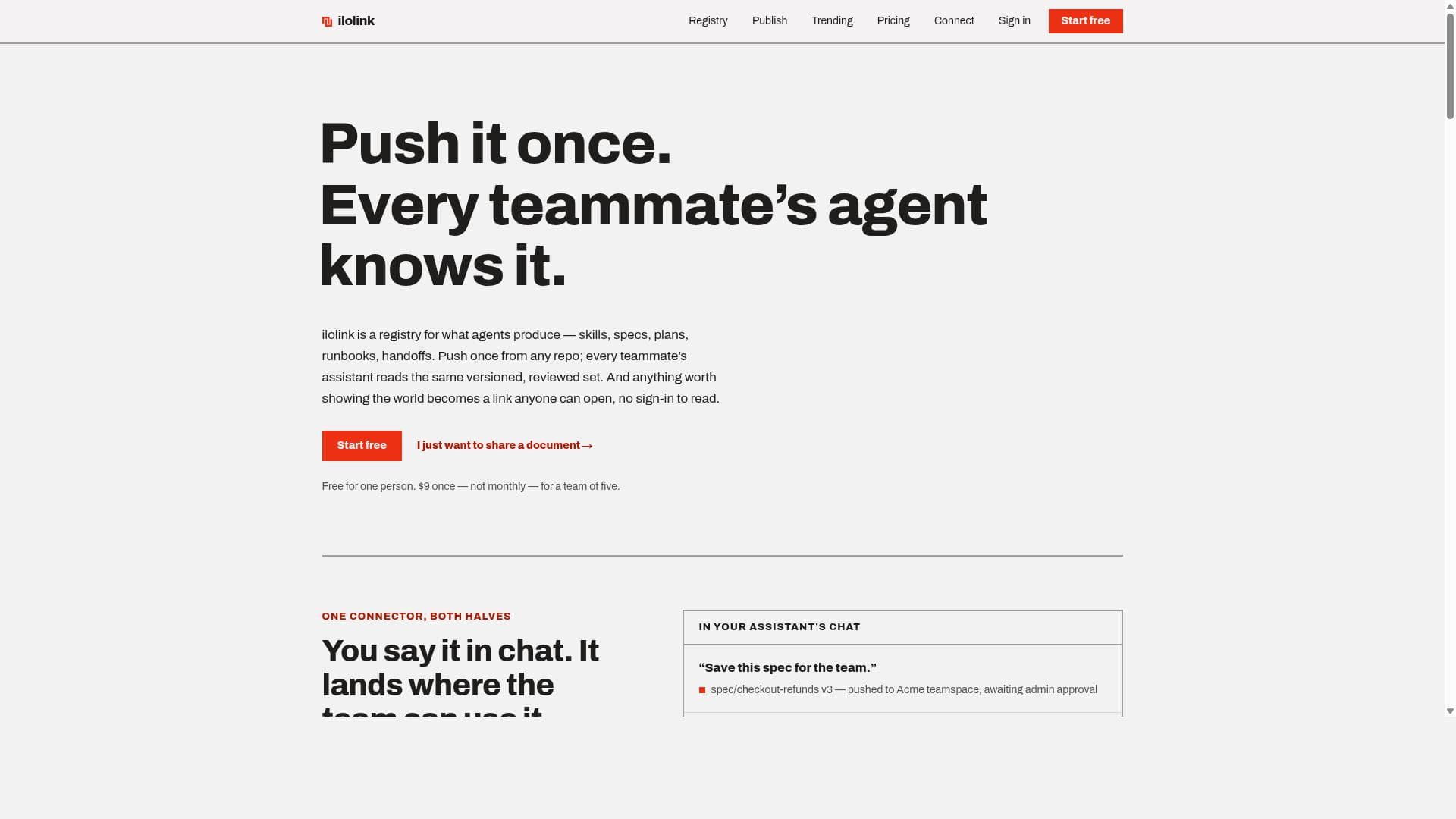
ilolink is a registry for what agents produce — skills, specs, plans, runbooks, handoffs. Push once from any repo; every teammate's assistant (Claude, Claude Code, ChatGPT — any MCP client) reads the same versioned, reviewed set. Free solo. $9 once for a team of five.
Gedetailleerde beschrijving
ilolink is a specialized registry platform designed to streamline the management, sharing, and collaboration of critical documents within teams. Its core purpose is to enable teams to publish and maintain a consistent, version-controlled set of documents such as Markdown files, HTML pages, PDFs, and .docx files, which can be shared as simple links accessible without any sign-in requirement. This unique approach ensures that every team member’s assistant or agent accesses the exact same reviewed and approved content, eliminating confusion caused by outdated or inconsistent information. By pushing content once from any repository, ilolink centralizes knowledge and operational documents, making it easier for teams to stay aligned and informed. Key features of ilolink include the ability to share documents as links that require no sign-in, making access frictionless for internal and external stakeholders. The platform provides detailed analytics such as views, read-through rates, and heatmaps, offering insights into how documents are consumed and which sections attract the most attention. This data-driven approach helps teams optimize their documentation and communication strategies. ilolink also functions as a registry for various document types including skills, specifications, plans, runbooks, and handoffs, all maintained with strict version control to ensure accuracy and traceability. Another standout capability is the integration with modern AI assistants like Claude, ChatGPT, or any MCP-compatible assistant, allowing teams to add ilolink as a connector. This integration enables seamless workflows where content can be saved, retrieved, or published directly from chat interfaces, with an admin approval workflow ensuring compliance and quality control before agents act on proposals. ilolink is best suited for knowledge-intensive teams that rely heavily on precise, up-to-date documentation to operate efficiently. This includes software development teams managing specs and runbooks, customer support teams handling handoffs and session transfers, and any collaborative environment where consistent communication of skills and plans is critical. Its no-sign-in access model also makes it ideal for sharing documentation with external partners or clients without the hassle of account management. The platform’s registry approach ensures that every team member and their AI assistants are aligned on the same information, reducing errors and improving productivity. Regarding pricing, ilolink offers a free tier for individual users, allowing one person to use the platform without cost. For teams, there is a one-time fee of $9 for up to five users, which is notably affordable compared to many subscription-based document management tools. This pricing model encourages adoption by small teams and startups looking for a cost-effective yet powerful document sharing and collaboration solution. Compared to alternatives, ilolink stands out by combining document sharing with detailed analytics and AI assistant integration in a single platform. Unlike traditional document management systems that require sign-ins or complex permissions, ilolink’s link-based access lowers barriers to sharing. Its fixed registry of ten document types enforces consistency, which many generic tools lack. The integration with MCP-compatible assistants is also a unique feature that bridges the gap between AI-driven workflows and document management, something not commonly found in other platforms. However, some limitations to consider include the fixed set of document types, which might restrict flexibility for teams with unconventional documentation needs. The platform’s reliance on AI assistant integration may require teams to be comfortable with MCP-compatible tools to fully leverage this feature. Additionally, while the one-time fee is attractive, larger teams or enterprises might find the pricing structure less scalable compared to subscription models offering broader enterprise features. Finally, as ilolink emphasizes version control and admin approval workflows, teams need to establish clear governance policies to maximize the platform’s benefits. In summary, ilolink is a robust, analytics-driven document registry and sharing platform designed for teams seeking consistent, accessible, and version-controlled knowledge management. Its unique blend of no-sign-in sharing, detailed consumption analytics, and AI assistant integration makes it a compelling choice for teams focused on operational excellence and seamless collaboration.
Toolfeatures
- Share Markdown, HTML, PDF, or .docx as a link anyone can open with no sign-in required
- See views, read-through, and heatmaps of shared documents
- Registry for skills, specs, plans, runbooks, and handoffs with version control
- Push content once from any repository; every teammate’s assistant reads the same versioned set
- Add ilolink as an MCP connector in Claude, ChatGPT, or any MCP-compatible assistant
- Admin approval workflow for proposals before agents obey policies
- Fixed list of ten kinds of documents to maintain consistency
- Free for one person; $9 one-time fee for a team of five
Beschrijving
ilolink is a document registry platform that lets teams share Markdown, HTML, PDF, or .docx files as sign-in-free links while tracking how they’re read through analytics and heatmaps. Ideal for knowledge-driven teams, it ensures every teammate’s AI assistant accesses the same versioned content, boosting collaboration and consistency.
ilolink is a registry for what agents produce — skills, specs, plans, runbooks, handoffs. Push once from any repo; every teammate's assistant (Claude, Claude Code, ChatGPT — any MCP client) reads the same versioned, reviewed set. Free solo. $9 once for a team of five.
Gedetailleerde beschrijving
ilolink is a specialized registry platform designed to streamline the management, sharing, and collaboration of critical documents within teams. Its core purpose is to enable teams to publish and maintain a consistent, version-controlled set of documents such as Markdown files, HTML pages, PDFs, and .docx files, which can be shared as simple links accessible without any sign-in requirement. This unique approach ensures that every team member’s assistant or agent accesses the exact same reviewed and approved content, eliminating confusion caused by outdated or inconsistent information. By pushing content once from any repository, ilolink centralizes knowledge and operational documents, making it easier for teams to stay aligned and informed. Key features of ilolink include the ability to share documents as links that require no sign-in, making access frictionless for internal and external stakeholders. The platform provides detailed analytics such as views, read-through rates, and heatmaps, offering insights into how documents are consumed and which sections attract the most attention. This data-driven approach helps teams optimize their documentation and communication strategies. ilolink also functions as a registry for various document types including skills, specifications, plans, runbooks, and handoffs, all maintained with strict version control to ensure accuracy and traceability. Another standout capability is the integration with modern AI assistants like Claude, ChatGPT, or any MCP-compatible assistant, allowing teams to add ilolink as a connector. This integration enables seamless workflows where content can be saved, retrieved, or published directly from chat interfaces, with an admin approval workflow ensuring compliance and quality control before agents act on proposals. ilolink is best suited for knowledge-intensive teams that rely heavily on precise, up-to-date documentation to operate efficiently. This includes software development teams managing specs and runbooks, customer support teams handling handoffs and session transfers, and any collaborative environment where consistent communication of skills and plans is critical. Its no-sign-in access model also makes it ideal for sharing documentation with external partners or clients without the hassle of account management. The platform’s registry approach ensures that every team member and their AI assistants are aligned on the same information, reducing errors and improving productivity. Regarding pricing, ilolink offers a free tier for individual users, allowing one person to use the platform without cost. For teams, there is a one-time fee of $9 for up to five users, which is notably affordable compared to many subscription-based document management tools. This pricing model encourages adoption by small teams and startups looking for a cost-effective yet powerful document sharing and collaboration solution. Compared to alternatives, ilolink stands out by combining document sharing with detailed analytics and AI assistant integration in a single platform. Unlike traditional document management systems that require sign-ins or complex permissions, ilolink’s link-based access lowers barriers to sharing. Its fixed registry of ten document types enforces consistency, which many generic tools lack. The integration with MCP-compatible assistants is also a unique feature that bridges the gap between AI-driven workflows and document management, something not commonly found in other platforms. However, some limitations to consider include the fixed set of document types, which might restrict flexibility for teams with unconventional documentation needs. The platform’s reliance on AI assistant integration may require teams to be comfortable with MCP-compatible tools to fully leverage this feature. Additionally, while the one-time fee is attractive, larger teams or enterprises might find the pricing structure less scalable compared to subscription models offering broader enterprise features. Finally, as ilolink emphasizes version control and admin approval workflows, teams need to establish clear governance policies to maximize the platform’s benefits. In summary, ilolink is a robust, analytics-driven document registry and sharing platform designed for teams seeking consistent, accessible, and version-controlled knowledge management. Its unique blend of no-sign-in sharing, detailed consumption analytics, and AI assistant integration makes it a compelling choice for teams focused on operational excellence and seamless collaboration.
Veelgestelde vragen
What is ilolink?
ilolink is a registry platform that allows teams to manage, share, and collaborate on documents like Markdown, HTML, PDFs, and .docx files by publishing them as links accessible without sign-in. It ensures consistent, version-controlled content is available to all teammates and their AI assistants, with detailed analytics on document usage.
How much does ilolink cost?
ilolink offers a free plan for individual users. For teams of up to five people, there is a one-time fee of $9, which provides access to team features without any recurring subscription costs.
Who is ilolink best for?
ilolink is best suited for knowledge-intensive teams such as software developers, customer support groups, and any collaborative teams that rely on precise, version-controlled documentation and want to integrate document management with AI assistants for streamlined workflows.
What are the main features of ilolink?
The main features include sharing Markdown, HTML, PDF, or .docx documents as sign-in-free links, analytics with views, read-through rates, and heatmaps, a registry for skills, specs, plans, runbooks, and handoffs with version control, integration as an MCP connector in AI assistants like Claude and ChatGPT, and an admin approval workflow for content proposals.
Does ilolink offer a free trial?
Yes, ilolink offers a free plan for individual users, allowing them to use the platform without any cost to evaluate its features before committing to a team plan.
What integrations does ilolink support?
ilolink can be added as an MCP connector in AI assistants such as Claude, Claude Code, ChatGPT, or any MCP-compatible assistant, enabling seamless document management and publishing directly from chat interfaces.
How does ilolink work?
ilolink works by allowing teams to push documents from any repository into a centralized registry where they are version-controlled and reviewed. These documents can then be shared as simple links accessible without sign-in. The platform tracks how documents are read through analytics and heatmaps, and integrates with AI assistants to facilitate content saving, retrieval, and publishing workflows with admin approval.
Reviews
Nog geen reviews. Wees de eerste die je ervaring deelt.






















































