

Questo è il tuo strumento IA? Reclama oggi.
Verifica la titolarità, gestisci il profilo e sblocca funzioni di crescita.
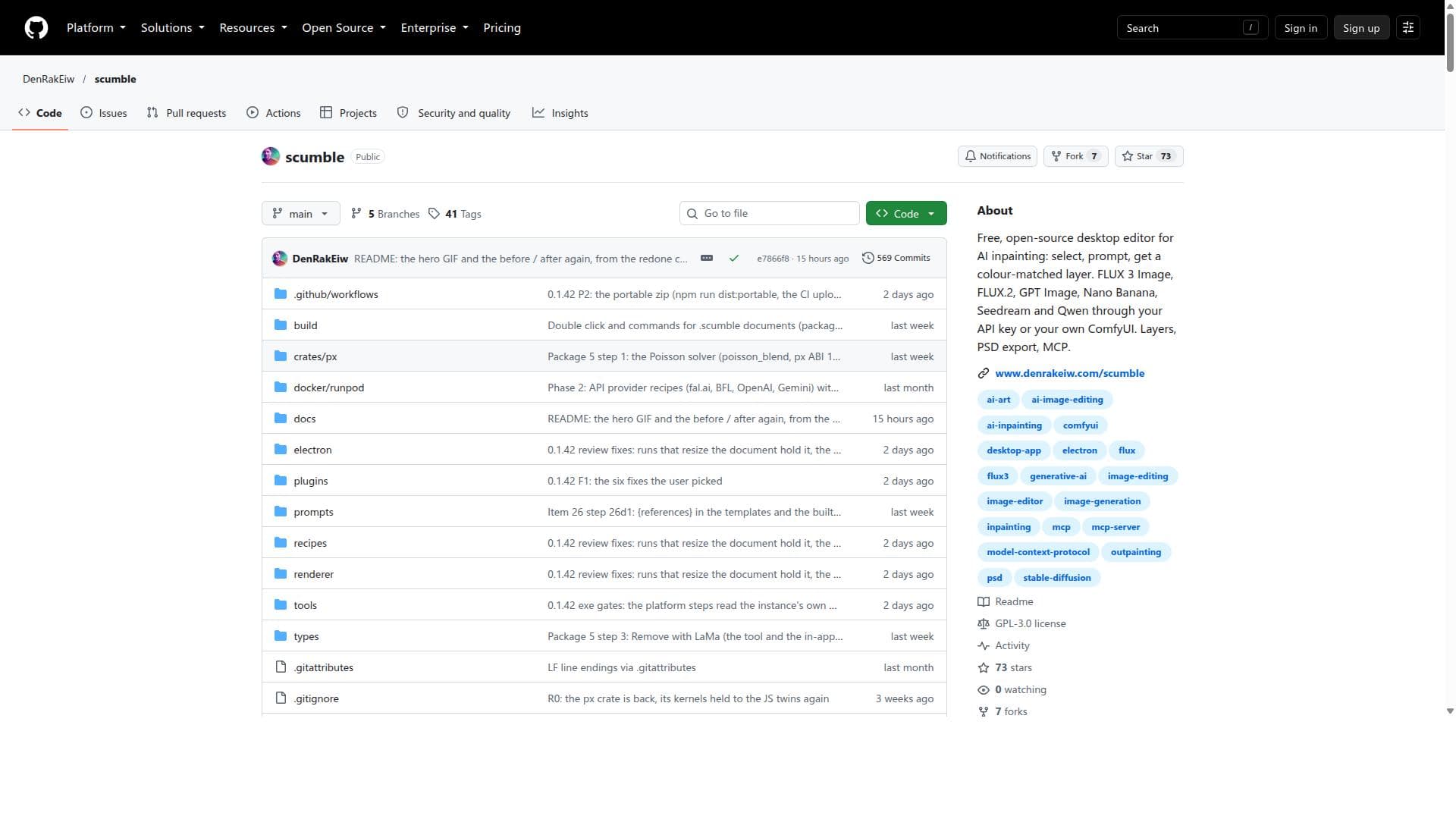
Scumble is a free, open-source desktop editor that empowers users to perform AI-driven image inpainting with support for multiple AI models and advanced editing features like layers and PSD export. Ideal for digital artists and AI enthusiasts, it offers a versatile, cost-free solution for creative and restorative image editing.

Descrizione
Scumble is a free, open-source desktop editor for AI inpainting. Select part of a picture, say what belongs there, and the result lands as its own colour-matched layer. Runs on your own ComfyUI or your own API keys: FLUX 3, GPT Image, Nano Banana and more.
Descrizione dettagliata
Scumble is a free, open-source desktop editor specifically designed for AI-assisted image inpainting, offering a powerful and versatile platform for creative professionals and hobbyists alike. Its core purpose is to enable users to seamlessly edit images by selecting specific areas and applying AI-driven inpainting techniques to generate color-matched layers that blend naturally with the original artwork. This approach allows for precise image modifications, restoration, and creative enhancements without the need for extensive manual editing skills. Scumble supports multiple AI models, providing users with flexibility and choice depending on their project requirements and desired output quality. One of the standout features of scumble is its support for a variety of AI models including FLUX 3 Image, FLUX.2, GPT Image, Nano Banana, Seedream, and Qwen. Users can access these models either through API keys or by integrating scumble with ComfyUI, an external user interface for AI model management. This multi-model support ensures that users can experiment with different AI engines to achieve the best results for their specific inpainting tasks. Additionally, scumble offers robust layer support, allowing users to work with multiple layers for complex editing workflows. This is particularly useful for artists and designers who want to maintain non-destructive editing practices and retain full control over each modification. Scumble also includes PSD export capabilities, enabling users to save their projects in the widely used Photoshop Document format. This feature facilitates seamless collaboration and further editing in other professional design software. Moreover, the tool incorporates MCP (Multi-Channel Processing) features, enhancing its functionality for advanced users who require more sophisticated editing options. Being open-source, scumble invites contributions from the community, ensuring continuous improvement and transparency in its development. This tool is best suited for digital artists, graphic designers, photographers, and AI enthusiasts who want to leverage AI inpainting to enhance or restore images quickly and efficiently. It is ideal for use cases such as retouching photographs, repairing damaged images, creating artistic effects, or experimenting with AI-generated content. Because it supports multiple AI models and offers integration with ComfyUI, it also appeals to developers and researchers interested in testing different AI inpainting algorithms within a user-friendly desktop environment. Scumble is completely free to use, with no subscription fees or premium plans. Its open-source nature means users can download, modify, and distribute the software without any cost, making it an accessible option for individuals and organizations with limited budgets. This contrasts with many commercial AI inpainting tools that often require paid licenses or subscriptions. When compared to alternatives, scumble stands out due to its multi-model support and open-source availability. Many AI inpainting tools are either limited to a single AI model or locked behind paywalls, whereas scumble offers a broad range of AI engines and free access. Its layer and PSD export support also provide a more professional editing experience compared to simpler, web-based AI inpainting services. However, unlike some commercial software with polished user interfaces and extensive customer support, scumble’s open-source nature means users might encounter a steeper learning curve and rely more on community support. Notable limitations include the requirement for users to manage API keys for some AI models and the need to set up ComfyUI integration for advanced workflows, which may be challenging for non-technical users. Additionally, as an open-source project, updates and feature enhancements depend on community contributions and may not be as frequent or predictable as commercial offerings. Despite these considerations, scumble remains a highly capable and flexible tool for anyone looking to harness AI for image inpainting without incurring costs.
Funzioni dello strumento
- AI inpainting with color-matched layers
- Supports multiple AI models including FLUX 3 Image, GPT Image, Nano Banana, Seedream, and Qwen
- Integration with ComfyUI
- Layer support for complex editing
- PSD export capability
- Open-source and free to use
Descrizione
Scumble is a free, open-source desktop editor that empowers users to perform AI-driven image inpainting with support for multiple AI models and advanced editing features like layers and PSD export. Ideal for digital artists and AI enthusiasts, it offers a versatile, cost-free solution for creative and restorative image editing.
Scumble is a free, open-source desktop editor for AI inpainting. Select part of a picture, say what belongs there, and the result lands as its own colour-matched layer. Runs on your own ComfyUI or your own API keys: FLUX 3, GPT Image, Nano Banana and more.
Descrizione dettagliata
Scumble is a free, open-source desktop editor specifically designed for AI-assisted image inpainting, offering a powerful and versatile platform for creative professionals and hobbyists alike. Its core purpose is to enable users to seamlessly edit images by selecting specific areas and applying AI-driven inpainting techniques to generate color-matched layers that blend naturally with the original artwork. This approach allows for precise image modifications, restoration, and creative enhancements without the need for extensive manual editing skills. Scumble supports multiple AI models, providing users with flexibility and choice depending on their project requirements and desired output quality. One of the standout features of scumble is its support for a variety of AI models including FLUX 3 Image, FLUX.2, GPT Image, Nano Banana, Seedream, and Qwen. Users can access these models either through API keys or by integrating scumble with ComfyUI, an external user interface for AI model management. This multi-model support ensures that users can experiment with different AI engines to achieve the best results for their specific inpainting tasks. Additionally, scumble offers robust layer support, allowing users to work with multiple layers for complex editing workflows. This is particularly useful for artists and designers who want to maintain non-destructive editing practices and retain full control over each modification. Scumble also includes PSD export capabilities, enabling users to save their projects in the widely used Photoshop Document format. This feature facilitates seamless collaboration and further editing in other professional design software. Moreover, the tool incorporates MCP (Multi-Channel Processing) features, enhancing its functionality for advanced users who require more sophisticated editing options. Being open-source, scumble invites contributions from the community, ensuring continuous improvement and transparency in its development. This tool is best suited for digital artists, graphic designers, photographers, and AI enthusiasts who want to leverage AI inpainting to enhance or restore images quickly and efficiently. It is ideal for use cases such as retouching photographs, repairing damaged images, creating artistic effects, or experimenting with AI-generated content. Because it supports multiple AI models and offers integration with ComfyUI, it also appeals to developers and researchers interested in testing different AI inpainting algorithms within a user-friendly desktop environment. Scumble is completely free to use, with no subscription fees or premium plans. Its open-source nature means users can download, modify, and distribute the software without any cost, making it an accessible option for individuals and organizations with limited budgets. This contrasts with many commercial AI inpainting tools that often require paid licenses or subscriptions. When compared to alternatives, scumble stands out due to its multi-model support and open-source availability. Many AI inpainting tools are either limited to a single AI model or locked behind paywalls, whereas scumble offers a broad range of AI engines and free access. Its layer and PSD export support also provide a more professional editing experience compared to simpler, web-based AI inpainting services. However, unlike some commercial software with polished user interfaces and extensive customer support, scumble’s open-source nature means users might encounter a steeper learning curve and rely more on community support. Notable limitations include the requirement for users to manage API keys for some AI models and the need to set up ComfyUI integration for advanced workflows, which may be challenging for non-technical users. Additionally, as an open-source project, updates and feature enhancements depend on community contributions and may not be as frequent or predictable as commercial offerings. Despite these considerations, scumble remains a highly capable and flexible tool for anyone looking to harness AI for image inpainting without incurring costs.
Domande frequenti
What is scumble?
Scumble is a free, open-source desktop editor designed for AI inpainting, allowing users to select areas of an image and generate color-matched layers using various AI models.
How much does scumble cost?
Scumble is completely free to use with no subscription or licensing fees, as it is an open-source project.
Who is scumble best for?
Scumble is best suited for digital artists, graphic designers, photographers, and AI enthusiasts who want to leverage AI inpainting for image restoration, enhancement, or creative editing.
What are the main features of scumble?
Key features include AI inpainting with color-matched layers, support for multiple AI models (FLUX 3 Image, GPT Image, Nano Banana, Seedream, Qwen), integration with ComfyUI, layer support, PSD export, and MCP capabilities.
Does scumble offer a free trial?
Since scumble is free and open-source, there is no need for a trial; users can download and use the full software at no cost.
What integrations does scumble support?
Scumble supports integration with ComfyUI for enhanced AI model management and can connect to various AI models through API keys.
How does scumble work?
Users select specific areas on an image within scumble, then prompt AI models to perform inpainting, generating new layers that match the original colors and textures, enabling seamless image editing.
Social
Usa lo strumentoRecensioni
Ancora nessuna recensione. Sii il primo a condividere la tua esperienza.




















































