

Questo è il tuo strumento IA? Reclama oggi.
Verifica la titolarità, gestisci il profilo e sblocca funzioni di crescita.
Parrot is a free, open-source AI meeting recorder and live assistant for Mac that automatically records and transcribes calls locally, ensuring privacy by keeping audio data on your device. It uniquely offers real-time suggestions from your own documents during calls, making it ideal for professionals who want seamless, secure meeting support without cloud dependency.

Descrizione
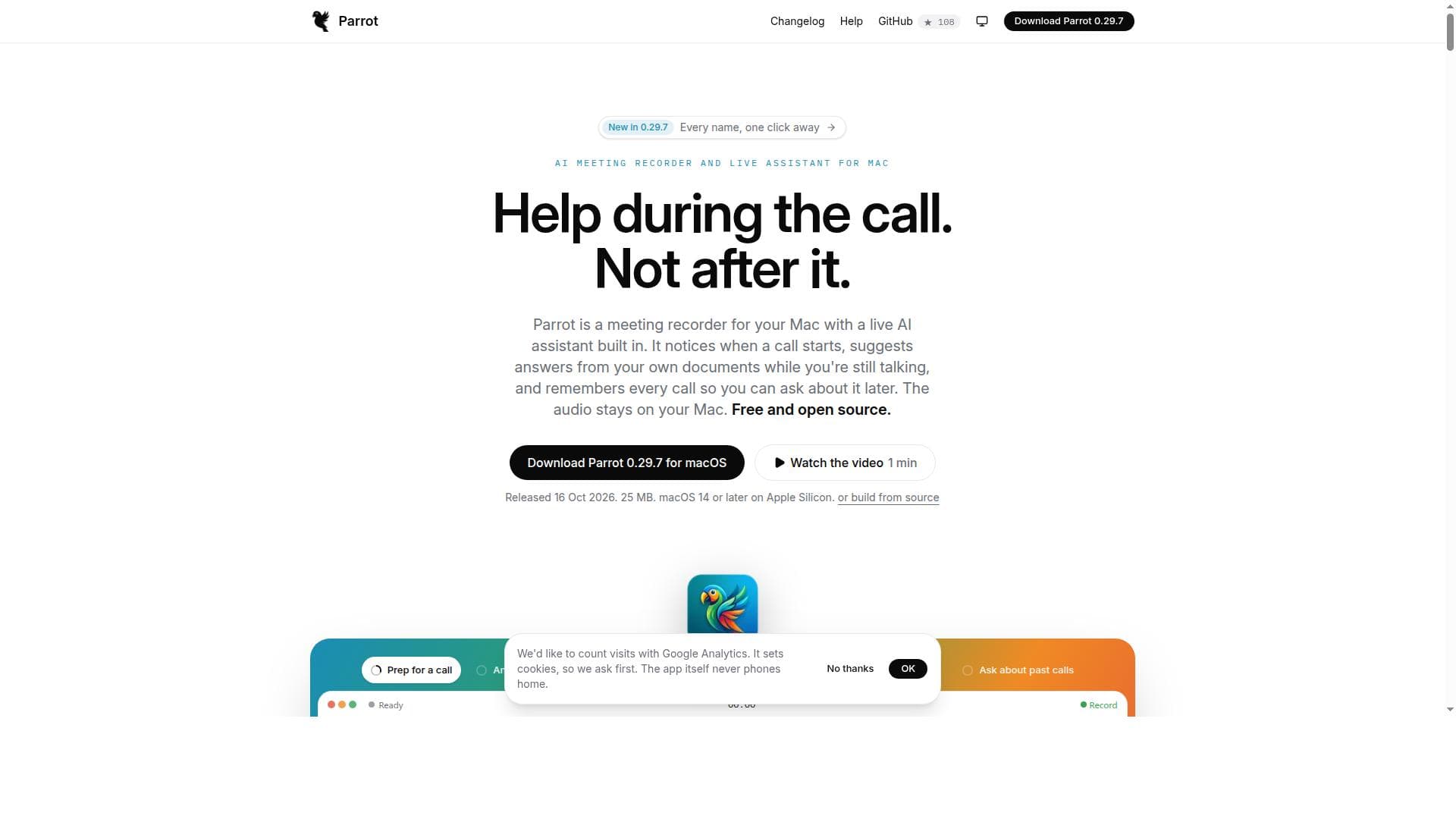
Parrot is a free, open-source meeting recorder for Mac that helps during the call, not after it. No bot joins: it records what your Mac hears and transcribes on device. When a client asks something your pricing sheet or FAQ covers, the answer appears with the file it came from. After the call you get a report of promises made and questions missed, and you can chat with all your meetings. Use Claude, a free local model with Ollama, or your own server. No account, no subscription.
Descrizione dettagliata
Parrot is a cutting-edge, free, and open-source AI meeting recorder and live assistant designed exclusively for Mac users. Its core purpose is to seamlessly capture and transcribe your calls while providing real-time assistance by suggesting answers from your own documents during the conversation. Unlike many other meeting recorders that rely on cloud processing or bots, Parrot operates locally on your Mac, ensuring that all audio data remains private and secure on your device. This unique approach makes Parrot an ideal tool for professionals who prioritize confidentiality and want to enhance their meeting productivity without compromising privacy. One of Parrot's standout features is its ability to automatically detect when a call starts and begin recording without the need for a bot or manual intervention. This hands-free operation means you never miss important details. The transcription process happens locally on your Mac, which not only speeds up the availability of meeting notes but also eliminates the risks associated with uploading sensitive audio to external servers. During the call, Parrot's AI assistant actively listens and can suggest relevant answers or information drawn from your own documents, allowing you to respond promptly and accurately without interrupting the flow of conversation. Every call is securely stored on your device, enabling you to revisit and query past meetings at any time. Parrot is particularly well-suited for business professionals, remote teams, consultants, and anyone who frequently participates in virtual meetings on macOS. Use cases include sales calls where quick access to product details is crucial, client consultations requiring precise recall of previous discussions, and team meetings where capturing action items and decisions is essential. Its open-source nature also appeals to developers and privacy-conscious users who want transparency and control over their meeting data. In terms of pricing, Parrot is completely free to use, with no hidden costs or subscription plans. Being open source, it encourages community contributions and continuous improvement, making it a sustainable choice for users who want a reliable meeting assistant without financial commitment. Compared to alternatives, Parrot stands out by combining local transcription and AI-powered live assistance without relying on cloud services. Many competitors either require cloud uploads for transcription or use bots that can disrupt the natural flow of conversation. Parrot’s privacy-first design and seamless integration into the Mac environment provide a smoother, more secure experience. However, since it is Mac-exclusive, users on other platforms will need to look elsewhere. Additionally, while Parrot excels in privacy and local processing, it may not yet have the extensive integrations or advanced AI capabilities found in some commercial SaaS meeting assistants. Potential limitations include its current restriction to macOS, which excludes Windows and Linux users. Also, as an open-source project, the user interface and feature set might not be as polished or extensive as some paid alternatives. Users should also consider that local transcription depends on their Mac’s processing power, which might affect performance on older devices. Despite these considerations, Parrot offers a compelling blend of privacy, automation, and AI assistance that is rare in the meeting recorder space, making it an excellent choice for Mac users seeking a trustworthy and efficient meeting companion.
Funzioni dello strumento
- Records calls automatically with no bot
- Transcribes audio locally on your Mac
- Suggests answers from your own documents mid-call
- Remembers every call for later reference
- Audio data stays on your Mac for privacy
- Free and open source
Descrizione
Parrot is a free, open-source AI meeting recorder and live assistant for Mac that automatically records and transcribes calls locally, ensuring privacy by keeping audio data on your device. It uniquely offers real-time suggestions from your own documents during calls, making it ideal for professionals who want seamless, secure meeting support without cloud dependency.
Parrot is a free, open-source meeting recorder for Mac that helps during the call, not after it. No bot joins: it records what your Mac hears and transcribes on device. When a client asks something your pricing sheet or FAQ covers, the answer appears with the file it came from. After the call you get a report of promises made and questions missed, and you can chat with all your meetings. Use Claude, a free local model with Ollama, or your own server. No account, no subscription.
Descrizione dettagliata
Parrot is a cutting-edge, free, and open-source AI meeting recorder and live assistant designed exclusively for Mac users. Its core purpose is to seamlessly capture and transcribe your calls while providing real-time assistance by suggesting answers from your own documents during the conversation. Unlike many other meeting recorders that rely on cloud processing or bots, Parrot operates locally on your Mac, ensuring that all audio data remains private and secure on your device. This unique approach makes Parrot an ideal tool for professionals who prioritize confidentiality and want to enhance their meeting productivity without compromising privacy. One of Parrot's standout features is its ability to automatically detect when a call starts and begin recording without the need for a bot or manual intervention. This hands-free operation means you never miss important details. The transcription process happens locally on your Mac, which not only speeds up the availability of meeting notes but also eliminates the risks associated with uploading sensitive audio to external servers. During the call, Parrot's AI assistant actively listens and can suggest relevant answers or information drawn from your own documents, allowing you to respond promptly and accurately without interrupting the flow of conversation. Every call is securely stored on your device, enabling you to revisit and query past meetings at any time. Parrot is particularly well-suited for business professionals, remote teams, consultants, and anyone who frequently participates in virtual meetings on macOS. Use cases include sales calls where quick access to product details is crucial, client consultations requiring precise recall of previous discussions, and team meetings where capturing action items and decisions is essential. Its open-source nature also appeals to developers and privacy-conscious users who want transparency and control over their meeting data. In terms of pricing, Parrot is completely free to use, with no hidden costs or subscription plans. Being open source, it encourages community contributions and continuous improvement, making it a sustainable choice for users who want a reliable meeting assistant without financial commitment. Compared to alternatives, Parrot stands out by combining local transcription and AI-powered live assistance without relying on cloud services. Many competitors either require cloud uploads for transcription or use bots that can disrupt the natural flow of conversation. Parrot’s privacy-first design and seamless integration into the Mac environment provide a smoother, more secure experience. However, since it is Mac-exclusive, users on other platforms will need to look elsewhere. Additionally, while Parrot excels in privacy and local processing, it may not yet have the extensive integrations or advanced AI capabilities found in some commercial SaaS meeting assistants. Potential limitations include its current restriction to macOS, which excludes Windows and Linux users. Also, as an open-source project, the user interface and feature set might not be as polished or extensive as some paid alternatives. Users should also consider that local transcription depends on their Mac’s processing power, which might affect performance on older devices. Despite these considerations, Parrot offers a compelling blend of privacy, automation, and AI assistance that is rare in the meeting recorder space, making it an excellent choice for Mac users seeking a trustworthy and efficient meeting companion.
Domande frequenti
What is Parrot?
Parrot is a free, open-source AI meeting recorder and live assistant designed for Mac users. It automatically records calls, transcribes audio locally on your Mac, and provides real-time suggestions from your own documents during meetings, all while keeping your audio data private on your device.
How much does Parrot cost?
Parrot is completely free to use with no subscription fees or hidden costs. Being an open-source project, it is available at no charge to all Mac users.
Who is Parrot best for?
Parrot is ideal for business professionals, remote teams, consultants, and anyone who frequently participates in virtual meetings on macOS and values privacy. It is especially useful for those who want real-time AI assistance and local transcription without relying on cloud services.
What are the main features of Parrot?
Key features include automatic call recording without bots, local audio transcription on your Mac, real-time AI suggestions from your own documents during calls, secure storage of all calls for later review, and a privacy-first design that keeps all audio data on your device.
Does Parrot offer a free trial?
Parrot is free and open source, so there is no need for a trial period. Users can download and use the full version without any cost or time limitations.
What integrations does Parrot support?
Parrot primarily integrates with your local documents on your Mac to provide real-time suggestions during calls. As an open-source tool, it may have community-driven integrations, but it does not currently offer extensive third-party app integrations like some commercial meeting assistants.
How does Parrot work?
Parrot automatically detects when a call starts and begins recording without requiring a bot. It transcribes the audio locally on your Mac to ensure privacy. During the call, its AI assistant analyzes the conversation and suggests relevant answers from your own documents in real time. All recordings and transcriptions are securely stored on your device for future reference.
Social
Usa lo strumento
Recensioni
Ancora nessuna recensione. Sii il primo a condividere la tua esperienza.




















































