🚀 Zaprep: i tuoi social a pieno regime. Inizia gratis — automatizza 1.000 DM/mese e trasforma l'engagement in lead. con 1.000 DM automatizzati al mese.


Questo è il tuo strumento IA? Reclama oggi.
Verifica la titolarità, gestisci il profilo e sblocca funzioni di crescita.
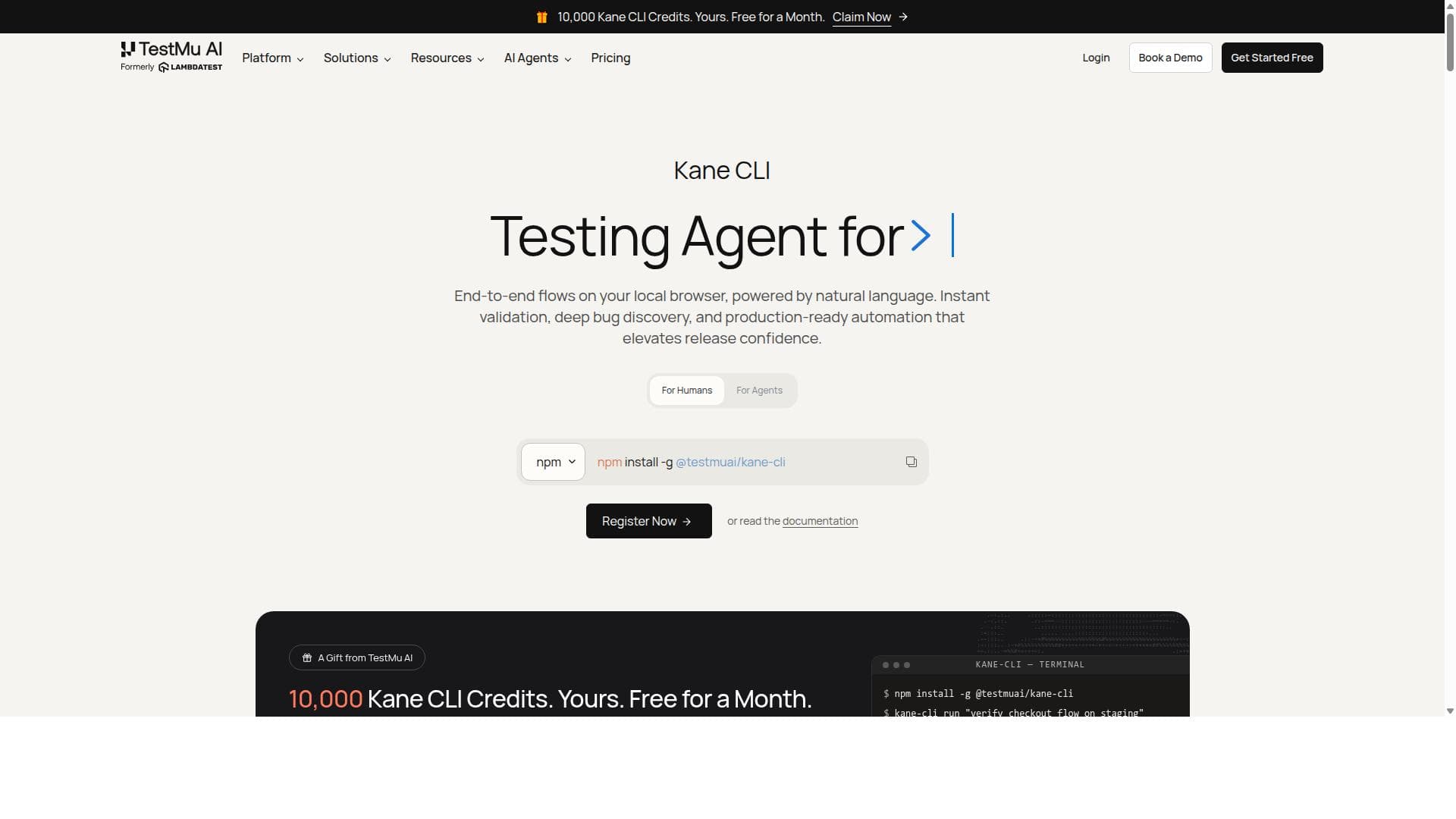
Kane CLI revolutionizes browser automation by allowing users to write tests in plain English that run on a real Chrome browser from the terminal. Ideal for developers, QA engineers, and AI agents, it eliminates brittle scripts and integrates seamlessly with CI/CD pipelines and the KaneAI dashboard for robust, scalable testing.

Descrizione
An agentic quality verifier for developers and AI coding agents. Describe a test in natural language, and Kane CLI runs it in a real Chrome browser and returns pass or fail with shareable proof. No selectors to write. Local-first, free to start.
Descrizione dettagliata
Kane CLI is a powerful command-line interface tool designed for AI-driven browser automation, enabling users to describe browser tests and interactions in natural language. Its core purpose is to simplify and streamline the process of automating web application testing and data extraction by eliminating the need for brittle scripts, selectors, or custom domain-specific languages. Instead, users can write plain English commands that Kane CLI translates into actions executed in a real Chrome browser instance directly from the terminal. This approach makes browser automation more accessible and resilient, especially for developers, QA engineers, and AI coding agents who require reliable and maintainable test automation solutions. The key features of Kane CLI include its ability to interpret natural language test descriptions and drive a real Chrome browser session from the command line. It returns clear pass or fail results for each test, making it easy to integrate into CI/CD pipelines where automated gating is critical. Kane CLI supports headless browser environments with authentication, allowing seamless execution in server or cloud environments without a graphical interface. Additionally, it integrates tightly with the KaneAI dashboard, providing centralized test management, detailed logs, and replay capabilities for all test runs triggered from the CLI. The CLI also exits with specific codes (0 for pass, 1 for fail, 2 for setup/auth errors, and 3 for timeouts), enabling precise pipeline control and error handling. Kane CLI is best suited for software developers, QA engineers, and AI agents who need to automate complex browser workflows without the overhead of writing fragile scripts or learning new languages. Use cases include end-to-end testing of web applications, automated data extraction, regression testing, and continuous integration scenarios where tests must be reliable and easy to maintain. Its natural language interface lowers the barrier for non-technical stakeholders to author or understand tests, while its robust execution engine ensures consistency across local and cloud environments. Regarding pricing, Kane CLI itself is free to install and use locally. Execution leverages the TestMu AI platform, where local runs incur no cost, but cloud executions on the TestMu AI grid are billed according to the user's TestMu AI subscription plan. This model allows users to start with free local testing and scale to cloud-based distributed testing as needed, paying only for the resources consumed. Compared to alternative browser automation tools like Selenium or Puppeteer, Kane CLI stands out by removing the need for manual scripting and selector maintenance. Its natural language-driven approach reduces the complexity and brittleness commonly associated with traditional automation frameworks. While Selenium and Puppeteer require coding expertise and ongoing maintenance of selectors and scripts, Kane CLI provides a more intuitive and resilient solution. However, it may not yet support the full breadth of custom scripting capabilities that those frameworks offer, which could be a consideration for highly specialized automation needs. Notable limitations include the dependency on the TestMu AI platform for cloud execution and the current focus on Chrome browser automation, which may restrict cross-browser testing scenarios. Additionally, while natural language commands simplify test creation, complex or highly customized workflows might require more detailed configuration or fallback to traditional scripting. Users should also consider the learning curve associated with integrating Kane CLI into existing CI/CD pipelines and workflows, although its exit codes and logging features facilitate this process. Overall, Kane CLI offers a modern, AI-powered approach to browser automation that significantly reduces the effort and fragility of test automation. Its natural language interface, real Chrome browser execution, and integration with a comprehensive test management dashboard make it a compelling choice for teams looking to enhance their testing efficiency and reliability.
Funzioni dello strumento
- Describe tests in plain English to automate browser actions
- Drives real Chrome browser from the terminal
- Returns pass or fail results for tests
- No need for selectors or brittle scripts
- Supports headless environment setup with authentication
- Integrates with KaneAI dashboard for test management and logs
- CLI exits with specific codes for CI/CD pipeline gating
- Free to install and use locally; cloud runs billed per TestMu AI plan
Descrizione
Kane CLI revolutionizes browser automation by allowing users to write tests in plain English that run on a real Chrome browser from the terminal. Ideal for developers, QA engineers, and AI agents, it eliminates brittle scripts and integrates seamlessly with CI/CD pipelines and the KaneAI dashboard for robust, scalable testing.
An agentic quality verifier for developers and AI coding agents. Describe a test in natural language, and Kane CLI runs it in a real Chrome browser and returns pass or fail with shareable proof. No selectors to write. Local-first, free to start.
Descrizione dettagliata
Kane CLI is a powerful command-line interface tool designed for AI-driven browser automation, enabling users to describe browser tests and interactions in natural language. Its core purpose is to simplify and streamline the process of automating web application testing and data extraction by eliminating the need for brittle scripts, selectors, or custom domain-specific languages. Instead, users can write plain English commands that Kane CLI translates into actions executed in a real Chrome browser instance directly from the terminal. This approach makes browser automation more accessible and resilient, especially for developers, QA engineers, and AI coding agents who require reliable and maintainable test automation solutions. The key features of Kane CLI include its ability to interpret natural language test descriptions and drive a real Chrome browser session from the command line. It returns clear pass or fail results for each test, making it easy to integrate into CI/CD pipelines where automated gating is critical. Kane CLI supports headless browser environments with authentication, allowing seamless execution in server or cloud environments without a graphical interface. Additionally, it integrates tightly with the KaneAI dashboard, providing centralized test management, detailed logs, and replay capabilities for all test runs triggered from the CLI. The CLI also exits with specific codes (0 for pass, 1 for fail, 2 for setup/auth errors, and 3 for timeouts), enabling precise pipeline control and error handling. Kane CLI is best suited for software developers, QA engineers, and AI agents who need to automate complex browser workflows without the overhead of writing fragile scripts or learning new languages. Use cases include end-to-end testing of web applications, automated data extraction, regression testing, and continuous integration scenarios where tests must be reliable and easy to maintain. Its natural language interface lowers the barrier for non-technical stakeholders to author or understand tests, while its robust execution engine ensures consistency across local and cloud environments. Regarding pricing, Kane CLI itself is free to install and use locally. Execution leverages the TestMu AI platform, where local runs incur no cost, but cloud executions on the TestMu AI grid are billed according to the user's TestMu AI subscription plan. This model allows users to start with free local testing and scale to cloud-based distributed testing as needed, paying only for the resources consumed. Compared to alternative browser automation tools like Selenium or Puppeteer, Kane CLI stands out by removing the need for manual scripting and selector maintenance. Its natural language-driven approach reduces the complexity and brittleness commonly associated with traditional automation frameworks. While Selenium and Puppeteer require coding expertise and ongoing maintenance of selectors and scripts, Kane CLI provides a more intuitive and resilient solution. However, it may not yet support the full breadth of custom scripting capabilities that those frameworks offer, which could be a consideration for highly specialized automation needs. Notable limitations include the dependency on the TestMu AI platform for cloud execution and the current focus on Chrome browser automation, which may restrict cross-browser testing scenarios. Additionally, while natural language commands simplify test creation, complex or highly customized workflows might require more detailed configuration or fallback to traditional scripting. Users should also consider the learning curve associated with integrating Kane CLI into existing CI/CD pipelines and workflows, although its exit codes and logging features facilitate this process. Overall, Kane CLI offers a modern, AI-powered approach to browser automation that significantly reduces the effort and fragility of test automation. Its natural language interface, real Chrome browser execution, and integration with a comprehensive test management dashboard make it a compelling choice for teams looking to enhance their testing efficiency and reliability.
Domande frequenti
What is Kane CLI?
Kane CLI is an AI-driven command-line tool that automates browser interactions by interpreting natural language test descriptions and executing them in a real Chrome browser. It is designed for developers, QA engineers, and AI coding agents to simplify web app testing and data extraction without writing fragile scripts.
How much does Kane CLI cost?
The Kane CLI tool itself is free to install and use locally. Running tests locally incurs no cost, but cloud executions on the TestMu AI platform are billed according to the user's TestMu AI subscription plan.
Who is Kane CLI best for?
Kane CLI is best suited for software developers, QA engineers, and AI coding agents who need reliable, maintainable browser automation without the complexity of scripting. It is particularly useful for teams integrating automated tests into CI/CD pipelines and those seeking to reduce test brittleness.
What are the main features of Kane CLI?
Key features include natural language test descriptions, driving a real Chrome browser from the terminal, pass/fail test results, no need for selectors or brittle scripts, headless environment support with authentication, integration with the KaneAI dashboard for test management and logs, and specific exit codes for CI/CD pipeline gating.
Does Kane CLI offer a free trial?
Yes. Since the CLI is free to install and use locally, users can try it without any cost. Cloud-based runs on the TestMu AI platform require an account and are billed according to the subscription plan, but local testing is free.
What integrations does Kane CLI support?
Kane CLI integrates with the KaneAI dashboard for centralized test management, logs, and replay. It also supports CI/CD pipeline integration through its exit codes and command-line options, enabling seamless automation within existing development workflows.
How does Kane CLI work?
Users describe browser tests in plain English via the command line. Kane CLI interprets these instructions and drives a real Chrome browser session to perform the specified actions. It then returns pass or fail results and uploads test run data to the KaneAI dashboard for analysis and management.
Social
Usa lo strumentoRecensioni
Ancora nessuna recensione. Sii il primo a condividere la tua esperienza.
Strumenti sponsorizzati













































Strumenti consigliati
Resta aggiornato sui nuovi strumenti IA
Ricevi gli ultimi insight, iscriviti alla newsletter
Letta e scelta da 50,000+ lettori
Unisciti alla più grande community IA
La nostra community e lo staff sono qui per aiutarti!
Il tuo feedback aiuterà Alice AI a migliorare nelle versioni future.








Invia il tuo strumento


PoweredByAI.app è un catalogo di strumenti IA che aiuta persone, aziende e creator a scoprire i migliori strumenti di IA per scrittura, coding, design, produttività e altro.
© 2026 , Prodotto di011BQ. Tutti i diritti riservati.