

Questo è il tuo strumento IA? Reclama oggi.
Verifica la titolarità, gestisci il profilo e sblocca funzioni di crescita.
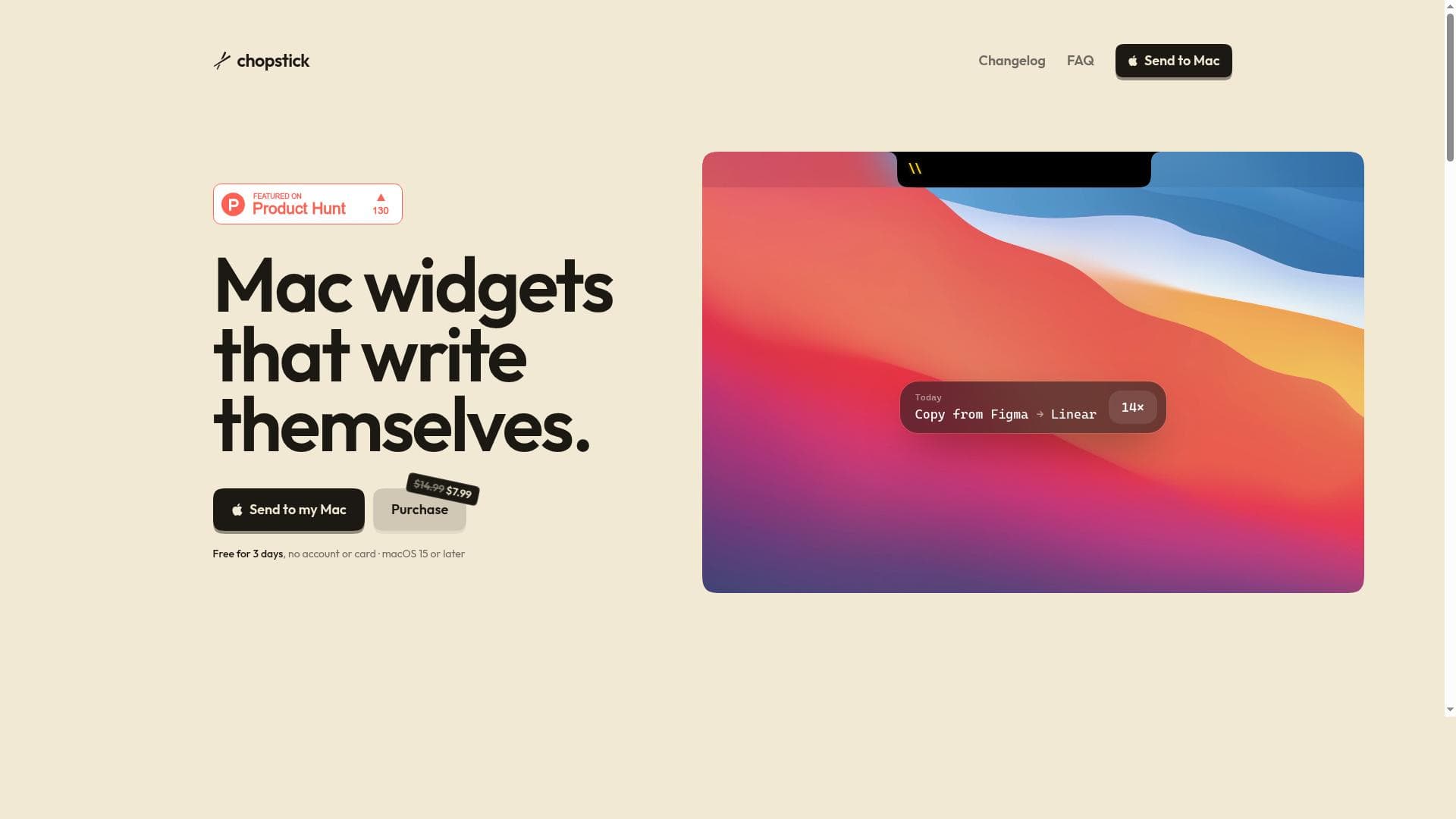
Chopstick is a macOS productivity app that automatically detects repetitive actions and creates self-writing notch widgets to automate them, all while keeping your data private and local. It's perfect for Mac users who want to boost efficiency without writing code manually, especially those with existing coding environments.

Descrizione
Chopstick notices what you repeat on your Mac and builds notch widgets for it, using the coding agent you already have. Your activity log stays local.
Descrizione dettagliata
Chopstick is a macOS productivity application designed to streamline and automate repetitive tasks by intelligently detecting patterns in user behavior. Its core purpose is to enhance workflow efficiency by creating custom notch widgets that automate frequent actions on your Mac. Unlike traditional automation tools that require manual setup or scripting, Chopstick leverages the coding agent already present on your system to build these widgets automatically, making it a seamless and user-friendly solution for macOS users. The app operates locally, ensuring that your activity log and data remain private and secure, which is a critical consideration for users concerned about data privacy. One of the standout features of Chopstick is its ability to automatically detect repetitive actions without requiring explicit user input. As you perform tasks on your Mac, Chopstick monitors these activities and identifies patterns that can be automated. It then generates notch widgets that effectively "write themselves," meaning the automation scripts or commands are created based on your existing coding environment and do not require you to write code manually. This feature significantly lowers the barrier to entry for automation, allowing users who may not be familiar with scripting languages to benefit from task automation. Chopstick also prioritizes privacy by keeping all activity logs and data local to your device. This approach eliminates the need to upload sensitive information to cloud servers, reducing the risk of data breaches or unauthorized access. Additionally, the app is specifically designed for macOS 15 or later, ensuring compatibility with the latest Mac hardware and software features. This tool is ideal for professionals, developers, and power users who frequently perform repetitive tasks on their Macs and want to save time by automating these workflows. Use cases include automating file management, launching specific applications with custom parameters, streamlining coding tasks, or any repetitive sequence of actions that can be encapsulated in a widget. It is particularly beneficial for users who already have coding agents or environments set up on their Macs, as Chopstick integrates with these to generate automation scripts. Chopstick is offered at a launch price of $7.99, which is a competitive rate compared to other macOS productivity and automation tools. This one-time purchase model makes it accessible without ongoing subscription fees. While the website does not explicitly mention a free trial, the pricing and feature set suggest a value-driven proposition for users looking to enhance productivity. Compared to alternatives like Automator, Keyboard Maestro, or Alfred, Chopstick distinguishes itself by automating the creation of automation widgets based on observed user behavior rather than requiring manual configuration. This unique approach reduces setup time and complexity. However, users who require highly customized or complex automation workflows might find Chopstick’s automatic widget generation less flexible than scripting directly in traditional automation tools. Potential limitations include its exclusive availability on macOS 15 or later, which may exclude users on older systems. Also, since it relies on the coding agent you already have, users without existing coding environments might need to set one up to fully leverage Chopstick’s capabilities. Lastly, while the local activity log enhances privacy, it may limit collaborative or cloud-based automation scenarios. Overall, Chopstick offers a novel and privacy-focused approach to Mac automation by combining intelligent pattern detection with seamless widget creation, making it a compelling choice for macOS users seeking to optimize repetitive workflows with minimal manual effort.
Funzioni dello strumento
- Automatically detects repetitive actions on your Mac
- Builds notch widgets that write themselves
- Uses the coding agent you already have
- Keeps your activity log local for privacy
- Designed for macOS 15 or later
Descrizione
Chopstick is a macOS productivity app that automatically detects repetitive actions and creates self-writing notch widgets to automate them, all while keeping your data private and local. It's perfect for Mac users who want to boost efficiency without writing code manually, especially those with existing coding environments.
Chopstick notices what you repeat on your Mac and builds notch widgets for it, using the coding agent you already have. Your activity log stays local.
Descrizione dettagliata
Chopstick is a macOS productivity application designed to streamline and automate repetitive tasks by intelligently detecting patterns in user behavior. Its core purpose is to enhance workflow efficiency by creating custom notch widgets that automate frequent actions on your Mac. Unlike traditional automation tools that require manual setup or scripting, Chopstick leverages the coding agent already present on your system to build these widgets automatically, making it a seamless and user-friendly solution for macOS users. The app operates locally, ensuring that your activity log and data remain private and secure, which is a critical consideration for users concerned about data privacy. One of the standout features of Chopstick is its ability to automatically detect repetitive actions without requiring explicit user input. As you perform tasks on your Mac, Chopstick monitors these activities and identifies patterns that can be automated. It then generates notch widgets that effectively "write themselves," meaning the automation scripts or commands are created based on your existing coding environment and do not require you to write code manually. This feature significantly lowers the barrier to entry for automation, allowing users who may not be familiar with scripting languages to benefit from task automation. Chopstick also prioritizes privacy by keeping all activity logs and data local to your device. This approach eliminates the need to upload sensitive information to cloud servers, reducing the risk of data breaches or unauthorized access. Additionally, the app is specifically designed for macOS 15 or later, ensuring compatibility with the latest Mac hardware and software features. This tool is ideal for professionals, developers, and power users who frequently perform repetitive tasks on their Macs and want to save time by automating these workflows. Use cases include automating file management, launching specific applications with custom parameters, streamlining coding tasks, or any repetitive sequence of actions that can be encapsulated in a widget. It is particularly beneficial for users who already have coding agents or environments set up on their Macs, as Chopstick integrates with these to generate automation scripts. Chopstick is offered at a launch price of $7.99, which is a competitive rate compared to other macOS productivity and automation tools. This one-time purchase model makes it accessible without ongoing subscription fees. While the website does not explicitly mention a free trial, the pricing and feature set suggest a value-driven proposition for users looking to enhance productivity. Compared to alternatives like Automator, Keyboard Maestro, or Alfred, Chopstick distinguishes itself by automating the creation of automation widgets based on observed user behavior rather than requiring manual configuration. This unique approach reduces setup time and complexity. However, users who require highly customized or complex automation workflows might find Chopstick’s automatic widget generation less flexible than scripting directly in traditional automation tools. Potential limitations include its exclusive availability on macOS 15 or later, which may exclude users on older systems. Also, since it relies on the coding agent you already have, users without existing coding environments might need to set one up to fully leverage Chopstick’s capabilities. Lastly, while the local activity log enhances privacy, it may limit collaborative or cloud-based automation scenarios. Overall, Chopstick offers a novel and privacy-focused approach to Mac automation by combining intelligent pattern detection with seamless widget creation, making it a compelling choice for macOS users seeking to optimize repetitive workflows with minimal manual effort.
Domande frequenti
What is Chopstick?
Chopstick is a productivity application for macOS that automatically identifies repetitive actions on your Mac and creates notch widgets to automate those tasks using your existing coding agent, all while keeping your activity data local for privacy.
How much does Chopstick cost?
Chopstick is available for a launch price of $7.99 as a one-time purchase, making it an affordable option for Mac users seeking automation solutions.
Who is Chopstick best for?
Chopstick is ideal for macOS users, including professionals, developers, and power users, who perform repetitive tasks and want to automate workflows without manually writing code.
What are the main features of Chopstick?
Key features include automatic detection of repetitive actions, self-writing notch widget creation, integration with your existing coding agent, local activity logging for privacy, and compatibility with macOS 15 or later.
Does Chopstick offer a free trial?
There is no explicit mention of a free trial on the Chopstick website; however, the app is offered at a competitive launch price to encourage adoption.
What integrations does Chopstick support?
Chopstick integrates with the coding agent you already have on your Mac, leveraging your existing development environment to build automation widgets.
How does Chopstick work?
Chopstick monitors your Mac usage to detect repetitive actions and then automatically generates notch widgets that automate these tasks by utilizing your existing coding agent, all while keeping your data stored locally for privacy.
Recensioni
Ancora nessuna recensione. Sii il primo a condividere la tua esperienza.