🚀 Zaprep : tes réseaux sociaux sous stéroïdes. Commencer gratuitement — automatise 1 000 DM/mois et transforme l'engagement en leads. avec 1 000 DM automatisés/mois.


C'est ton outil IA ? Réclame-le dès aujourd'hui.
Vérifie la propriété, gère ton profil et débloque des fonctionnalités de croissance.
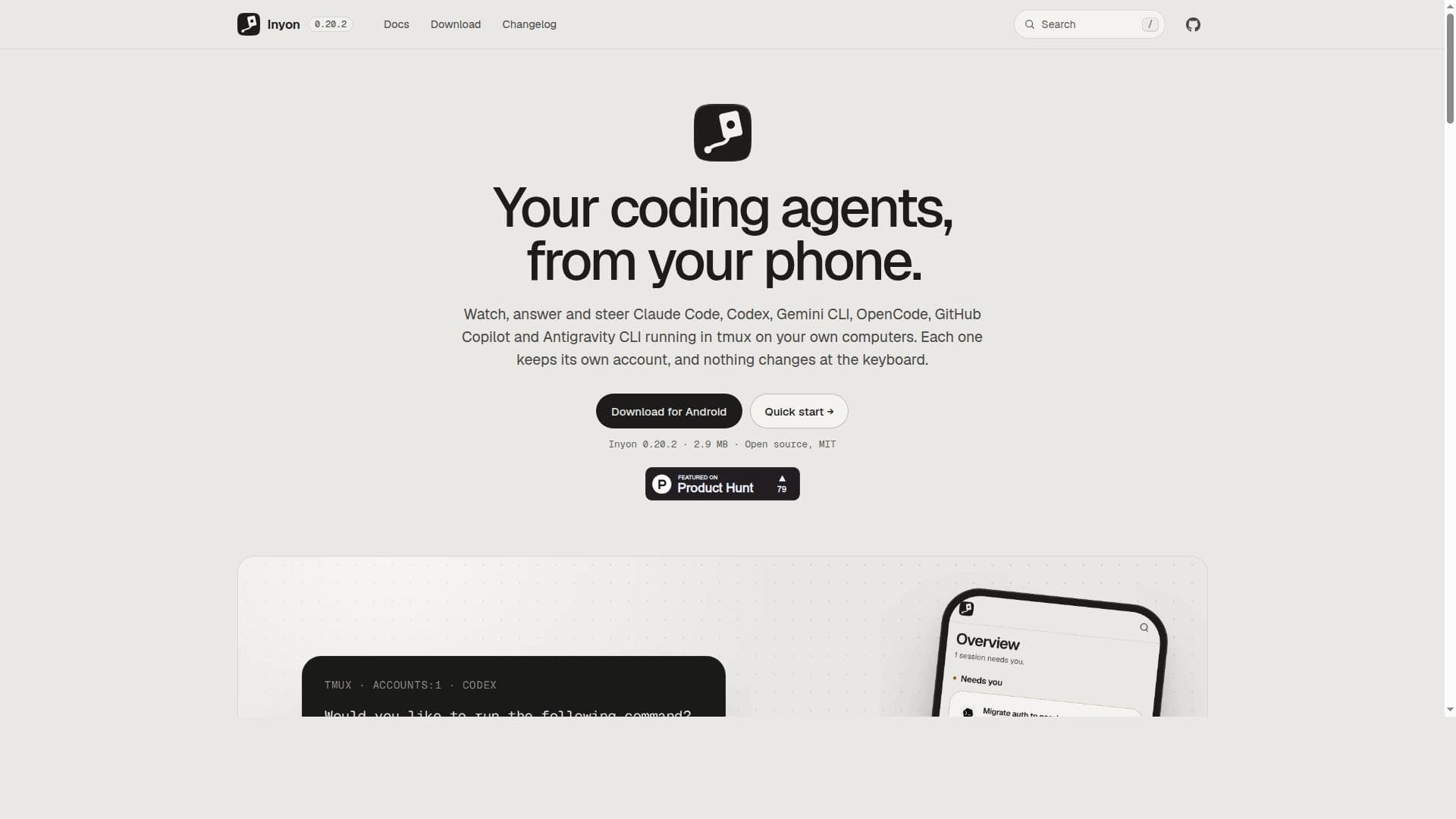
Inyon empowers developers to remotely watch and control multiple AI coding agents running locally on their computers via tmux, accessible from any browser or Android device. It’s perfect for developers seeking seamless, secure, and private AI-assisted coding without changing their existing workflows.

Description
Inyon shows the coding agents already running in tmux on your machines (Claude Code, Codex, Gemini CLI, OpenCode, Copilot CLI, Antigravity) as chats on your phone or in a browser. When one asks something, you answer with a tap and it's typed into the same pane, so nothing changes when you sit back down. No account and nothing to host: pair the Android app by QR code and it reaches your computers over an end-to-end encrypted tunnel or your VPN. Free, open source, MIT.
Description détaillée
Inyon is a powerful developer tool designed to provide seamless remote control and interaction with multiple AI-powered coding agents running on your own computers. Its core purpose is to enable developers to watch, answer, and steer coding assistants such as Claude Code, Codex, Gemini CLI, OpenCode, GitHub Copilot, and Antigravity CLI, all within tmux sessions. This unique approach allows users to maintain full control over their coding environments without altering keyboard inputs or workflows, making remote coding assistance both intuitive and efficient. One of Inyon's standout features is its ability to support multiple coding agents simultaneously, allowing developers to monitor and interact with them from any browser or directly from a lightweight Android app. The tool runs entirely on the user's own machines, leveraging tmux to manage sessions, which ensures that no external servers interfere with the coding process. Installation is straightforward, requiring only a single command line on macOS, Linux, or Windows, which sets up the environment and generates a QR code for easy pairing with the mobile app. For users who prefer web access, Inyon offers an optional hub server that facilitates browser-based interaction from anywhere. Inyon's feature set includes real-time watching and steering of coding agents, multi-agent support, and seamless integration with popular AI coding assistants. The Android app is lightweight and optimized for quick downloads and updates, while the open-source nature of the project under the MIT license encourages community contributions and transparency. The tool also emphasizes security and privacy by keeping all sessions on the user's own hardware, avoiding cloud dependencies. This tool is ideal for developers, AI researchers, and coding enthusiasts who rely on AI assistants for code generation, debugging, and learning. It is particularly useful for those who want to maintain control over their coding environment while benefiting from AI assistance remotely, such as developers working across multiple devices or those who prefer mobile interaction without sacrificing desktop capabilities. Inyon also suits teams that want to integrate AI coding agents into their workflows without exposing code or data to third-party cloud services. Inyon is completely free to use, with no pricing tiers or subscription plans, making it accessible to individual developers and organizations alike. Its open-source status ensures ongoing improvements and community-driven enhancements. Compared to alternatives that require cloud hosting or proprietary platforms, Inyon stands out by offering local control, privacy, and support for a wide range of coding agents in a unified interface. While Inyon excels in remote control and multi-agent management, it does require users to be comfortable with command-line operations and tmux sessions. The setup process, although simple, involves terminal commands and QR code scanning, which might present a learning curve for less technical users. Additionally, since it relies on local machines, users must ensure their computers are online and accessible for remote connections. The tool currently supports Android for mobile access, with no mention of iOS support, which could limit users on Apple devices. Overall, Inyon offers a unique and efficient way to harness the power of AI coding agents remotely, combining ease of use, privacy, and flexibility. Its open-source nature and zero cost make it an attractive option for developers seeking to enhance their coding workflows with AI assistance without compromising control or security.
Fonctionnalités de l'outil
- Watch and control multiple coding agents remotely from your phone or browser
- Supports agents like Claude Code, Codex, Gemini CLI, OpenCode, GitHub Copilot, and Antigravity CLI
- Runs on your own computers using tmux sessions without altering keyboard input
- Easy setup with a single command line installation on macOS, Linux, or Windows
- Optional hub server to use the web app from any browser
- Open source under the MIT license
- Lightweight Android app available for download
Description
Inyon empowers developers to remotely watch and control multiple AI coding agents running locally on their computers via tmux, accessible from any browser or Android device. It’s perfect for developers seeking seamless, secure, and private AI-assisted coding without changing their existing workflows.
Inyon shows the coding agents already running in tmux on your machines (Claude Code, Codex, Gemini CLI, OpenCode, Copilot CLI, Antigravity) as chats on your phone or in a browser. When one asks something, you answer with a tap and it's typed into the same pane, so nothing changes when you sit back down. No account and nothing to host: pair the Android app by QR code and it reaches your computers over an end-to-end encrypted tunnel or your VPN. Free, open source, MIT.
Description détaillée
Inyon is a powerful developer tool designed to provide seamless remote control and interaction with multiple AI-powered coding agents running on your own computers. Its core purpose is to enable developers to watch, answer, and steer coding assistants such as Claude Code, Codex, Gemini CLI, OpenCode, GitHub Copilot, and Antigravity CLI, all within tmux sessions. This unique approach allows users to maintain full control over their coding environments without altering keyboard inputs or workflows, making remote coding assistance both intuitive and efficient. One of Inyon's standout features is its ability to support multiple coding agents simultaneously, allowing developers to monitor and interact with them from any browser or directly from a lightweight Android app. The tool runs entirely on the user's own machines, leveraging tmux to manage sessions, which ensures that no external servers interfere with the coding process. Installation is straightforward, requiring only a single command line on macOS, Linux, or Windows, which sets up the environment and generates a QR code for easy pairing with the mobile app. For users who prefer web access, Inyon offers an optional hub server that facilitates browser-based interaction from anywhere. Inyon's feature set includes real-time watching and steering of coding agents, multi-agent support, and seamless integration with popular AI coding assistants. The Android app is lightweight and optimized for quick downloads and updates, while the open-source nature of the project under the MIT license encourages community contributions and transparency. The tool also emphasizes security and privacy by keeping all sessions on the user's own hardware, avoiding cloud dependencies. This tool is ideal for developers, AI researchers, and coding enthusiasts who rely on AI assistants for code generation, debugging, and learning. It is particularly useful for those who want to maintain control over their coding environment while benefiting from AI assistance remotely, such as developers working across multiple devices or those who prefer mobile interaction without sacrificing desktop capabilities. Inyon also suits teams that want to integrate AI coding agents into their workflows without exposing code or data to third-party cloud services. Inyon is completely free to use, with no pricing tiers or subscription plans, making it accessible to individual developers and organizations alike. Its open-source status ensures ongoing improvements and community-driven enhancements. Compared to alternatives that require cloud hosting or proprietary platforms, Inyon stands out by offering local control, privacy, and support for a wide range of coding agents in a unified interface. While Inyon excels in remote control and multi-agent management, it does require users to be comfortable with command-line operations and tmux sessions. The setup process, although simple, involves terminal commands and QR code scanning, which might present a learning curve for less technical users. Additionally, since it relies on local machines, users must ensure their computers are online and accessible for remote connections. The tool currently supports Android for mobile access, with no mention of iOS support, which could limit users on Apple devices. Overall, Inyon offers a unique and efficient way to harness the power of AI coding agents remotely, combining ease of use, privacy, and flexibility. Its open-source nature and zero cost make it an attractive option for developers seeking to enhance their coding workflows with AI assistance without compromising control or security.
Questions fréquentes
What is Inyon?
Inyon is a developer tool that allows you to remotely watch, answer, and steer AI coding agents like Claude Code, Codex, Gemini CLI, OpenCode, GitHub Copilot, and Antigravity CLI running in tmux sessions on your own computers, accessible from your phone or any browser.
How much does Inyon cost?
Inyon is completely free to use and open source under the MIT license, with no subscription fees or paid plans.
Who is Inyon best for?
Inyon is best suited for developers, AI researchers, and coding enthusiasts who want to remotely interact with AI coding agents running locally, maintain full control over their coding environment, and access these agents from mobile devices or browsers.
What are the main features of Inyon?
Key features include remote watching and control of multiple AI coding agents, support for popular agents like Claude Code and GitHub Copilot, running on your own computers using tmux without altering keyboard input, easy single-command installation, an optional hub server for web access, and a lightweight Android app.
Does Inyon offer a free trial?
Inyon is fully free and open source, so there is no need for a trial period; you can use all features without any cost.
What integrations does Inyon support?
Inyon supports integration with several AI coding agents including Claude Code, Codex, Gemini CLI, OpenCode, GitHub Copilot, and Antigravity CLI, all running within tmux sessions on your own machines.
How does Inyon work?
Inyon runs coding agents inside tmux sessions on your local computers. You install Inyon with a single command, which generates a QR code to pair your phone or browser. From there, you can remotely watch, answer, and steer the AI agents in real time without changing your keyboard input or workflow.
Réseaux
Utiliser l'outilAvis
Pas encore d'avis. Sois le premier à partager ton expérience.
Outils sponsorisés











































Outils recommandés
Reste au courant des derniers outils IA
Reçois les derniers insights, rejoins notre newsletter
Lu et approuvé par 50,000+ lecteurs
Rejoins la plus grande communauté IA
Notre communauté et notre équipe sont là pour t'aider !
Tes retours aideront Alice AI à s'améliorer dans les prochaines versions.








Soumettre ton outil


PoweredByAI.app est un annuaire d'outils IA qui aide les particuliers, les entreprises et les créateurs à découvrir les meilleurs outils IA pour la rédaction, le code, le design, la productivité, et plus encore.
© 2026 , Un produit de011BQ. Tous droits réservés.