🚀 Zaprep : tes réseaux sociaux sous stéroïdes. Commencer gratuitement — automatise 1 000 DM/mois et transforme l'engagement en leads. avec 1 000 DM automatisés/mois.


C'est ton outil IA ? Réclame-le dès aujourd'hui.
Vérifie la propriété, gère ton profil et débloque des fonctionnalités de croissance.
CodeCrab is a native desktop AI tool that revolutionizes Pull Request reviews by running entirely on your local machine, ensuring your code never leaves your environment. Ideal for privacy-conscious developers and teams, it combines your local command line tools with AI-powered insights to deliver fast, secure, and intelligent code reviews.

Description
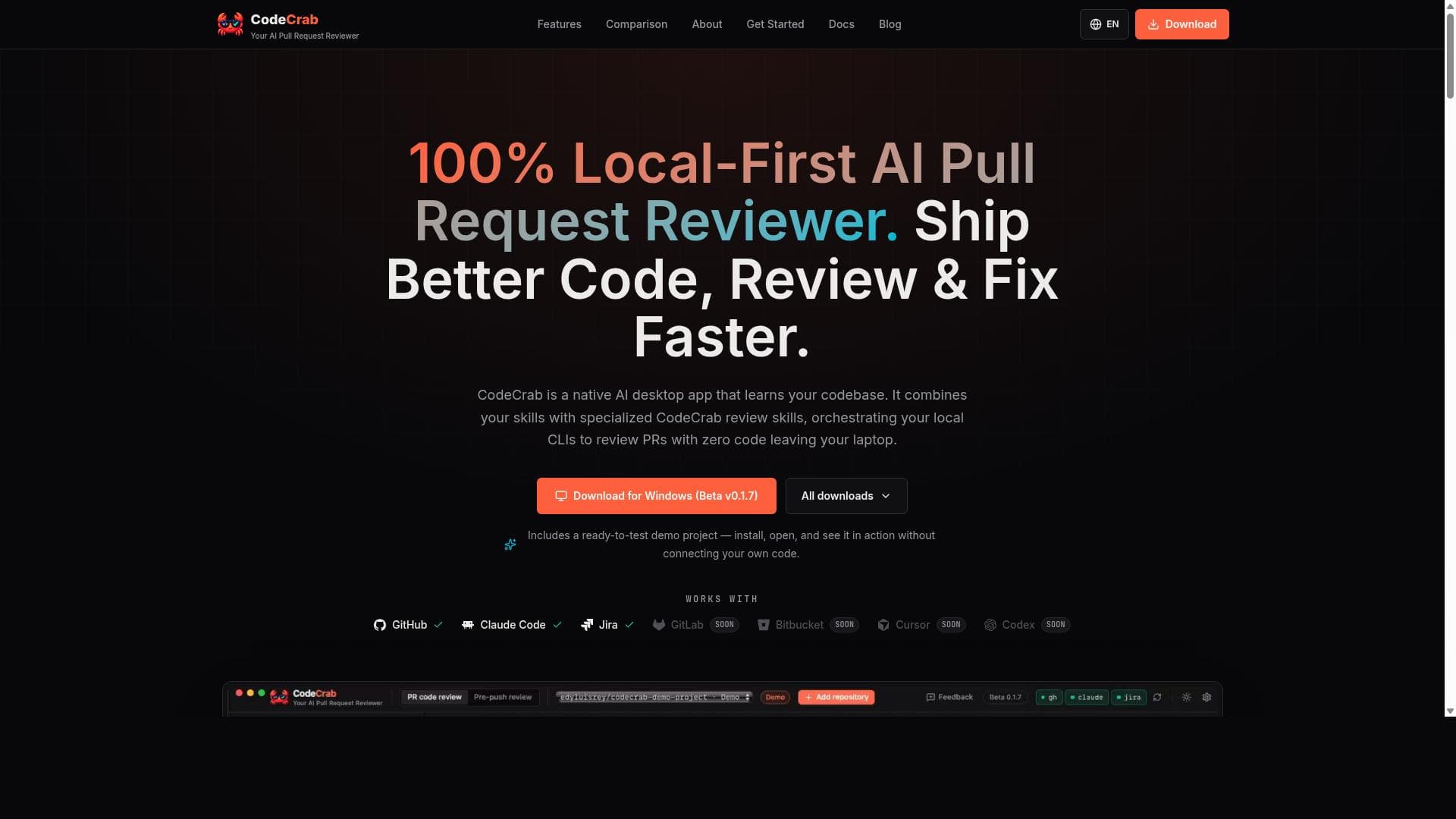
CodeCrab is a native desktop app that reviews Pull Requests in seconds using your local CLIs. 100% client-side — your code never leaves your machine.
Description détaillée
CodeCrab is a native desktop AI application specifically designed to streamline and enhance the process of reviewing Pull Requests (PRs) in software development projects. Its core purpose is to combine the power of artificial intelligence with the developer's local command line interfaces (CLIs) to deliver fast, accurate, and privacy-conscious code reviews. Unlike cloud-based code review tools, CodeCrab operates 100% client-side, meaning that all processing happens locally on the developer's machine. This ensures that sensitive code never leaves the user's environment, addressing common privacy and security concerns associated with cloud uploads. One of the standout features of CodeCrab is its native desktop application architecture, which allows it to seamlessly integrate with local development environments and orchestrate existing command line tools to analyze Pull Requests. This local-first approach enables CodeCrab to provide instant feedback on code changes by leveraging the developer’s own toolchain, including linters, test runners, and static analysis tools, all orchestrated under an AI-driven review process. The tool includes a live execution console that allows developers to see real-time outputs and diagnostics as the review progresses, enhancing transparency and control over the review process. CodeCrab also offers inline AI observations directly within the code review interface, providing contextual suggestions, potential bug identifications, style improvements, and performance tips. These AI insights are designed to complement the developer’s expertise, helping teams ship better code faster by catching issues early and reducing manual review overhead. Additionally, CodeCrab includes a ready-to-test demo project, enabling users to quickly experience its capabilities without needing to configure complex environments. This tool is ideal for individual developers, small teams, and enterprises that prioritize code security and want to maintain full control over their source code during the review process. It is particularly useful for organizations with strict compliance requirements or those working with proprietary or sensitive codebases. Use cases include accelerating the Pull Request review cycle, improving code quality through AI-assisted feedback, and integrating seamlessly into existing local development workflows without relying on external servers. Regarding pricing, CodeCrab currently offers a beta version available for download on Windows, with plans for additional platform support and pricing tiers likely to be announced as the product matures. The beta release allows users to explore the core functionalities at no cost, providing an opportunity to evaluate the tool’s fit for their workflow. Compared to alternatives, CodeCrab’s unique selling point is its 100% client-side operation, which contrasts with many AI code review tools that require uploading code to cloud servers. This local-first design significantly reduces security risks and latency, making it a compelling choice for privacy-conscious developers. While cloud-based solutions may offer broader integrations and collaborative features, CodeCrab excels in providing fast, private, and developer-centric AI reviews that leverage existing local tools. However, some limitations to consider include its current availability primarily on Windows in beta form, which may restrict access for developers on other operating systems. Additionally, as a relatively new tool, its ecosystem of integrations and community support may be less mature compared to established cloud-based code review platforms. Users should also ensure their local CLIs and toolchains are properly configured to maximize CodeCrab’s effectiveness. In summary, CodeCrab is a powerful AI-driven desktop application that revolutionizes Pull Request reviews by combining local command line tools with advanced AI insights, all while maintaining strict code privacy. It is best suited for developers and teams seeking fast, secure, and intelligent code reviews without relying on cloud services.
Fonctionnalités de l'outil
- Native desktop app for Pull Request reviews
- 100% client-side processing with zero code uploads
- Orchestrates local CLIs to review PRs
- Live execution console
- Inline AI observations
- Includes a ready-to-test demo project
Description
CodeCrab is a native desktop AI tool that revolutionizes Pull Request reviews by running entirely on your local machine, ensuring your code never leaves your environment. Ideal for privacy-conscious developers and teams, it combines your local command line tools with AI-powered insights to deliver fast, secure, and intelligent code reviews.
CodeCrab is a native desktop app that reviews Pull Requests in seconds using your local CLIs. 100% client-side — your code never leaves your machine.
Description détaillée
CodeCrab is a native desktop AI application specifically designed to streamline and enhance the process of reviewing Pull Requests (PRs) in software development projects. Its core purpose is to combine the power of artificial intelligence with the developer's local command line interfaces (CLIs) to deliver fast, accurate, and privacy-conscious code reviews. Unlike cloud-based code review tools, CodeCrab operates 100% client-side, meaning that all processing happens locally on the developer's machine. This ensures that sensitive code never leaves the user's environment, addressing common privacy and security concerns associated with cloud uploads. One of the standout features of CodeCrab is its native desktop application architecture, which allows it to seamlessly integrate with local development environments and orchestrate existing command line tools to analyze Pull Requests. This local-first approach enables CodeCrab to provide instant feedback on code changes by leveraging the developer’s own toolchain, including linters, test runners, and static analysis tools, all orchestrated under an AI-driven review process. The tool includes a live execution console that allows developers to see real-time outputs and diagnostics as the review progresses, enhancing transparency and control over the review process. CodeCrab also offers inline AI observations directly within the code review interface, providing contextual suggestions, potential bug identifications, style improvements, and performance tips. These AI insights are designed to complement the developer’s expertise, helping teams ship better code faster by catching issues early and reducing manual review overhead. Additionally, CodeCrab includes a ready-to-test demo project, enabling users to quickly experience its capabilities without needing to configure complex environments. This tool is ideal for individual developers, small teams, and enterprises that prioritize code security and want to maintain full control over their source code during the review process. It is particularly useful for organizations with strict compliance requirements or those working with proprietary or sensitive codebases. Use cases include accelerating the Pull Request review cycle, improving code quality through AI-assisted feedback, and integrating seamlessly into existing local development workflows without relying on external servers. Regarding pricing, CodeCrab currently offers a beta version available for download on Windows, with plans for additional platform support and pricing tiers likely to be announced as the product matures. The beta release allows users to explore the core functionalities at no cost, providing an opportunity to evaluate the tool’s fit for their workflow. Compared to alternatives, CodeCrab’s unique selling point is its 100% client-side operation, which contrasts with many AI code review tools that require uploading code to cloud servers. This local-first design significantly reduces security risks and latency, making it a compelling choice for privacy-conscious developers. While cloud-based solutions may offer broader integrations and collaborative features, CodeCrab excels in providing fast, private, and developer-centric AI reviews that leverage existing local tools. However, some limitations to consider include its current availability primarily on Windows in beta form, which may restrict access for developers on other operating systems. Additionally, as a relatively new tool, its ecosystem of integrations and community support may be less mature compared to established cloud-based code review platforms. Users should also ensure their local CLIs and toolchains are properly configured to maximize CodeCrab’s effectiveness. In summary, CodeCrab is a powerful AI-driven desktop application that revolutionizes Pull Request reviews by combining local command line tools with advanced AI insights, all while maintaining strict code privacy. It is best suited for developers and teams seeking fast, secure, and intelligent code reviews without relying on cloud services.
Questions fréquentes
What is CodeCrab?
CodeCrab is a native desktop AI application designed to review Pull Requests quickly by leveraging your local command line interfaces. It operates 100% client-side, ensuring your code stays on your machine while providing AI-powered code review insights.
How much does CodeCrab cost?
CodeCrab is currently available as a free beta release for Windows users. Pricing plans for future versions have not yet been announced.
Who is CodeCrab best for?
CodeCrab is best suited for individual developers, small teams, and organizations that prioritize code privacy and want to integrate AI-assisted Pull Request reviews into their local development workflows.
What are the main features of CodeCrab?
Key features include a native desktop app for Pull Request reviews, 100% client-side processing with zero code uploads, orchestration of local command line tools, a live execution console, inline AI observations, and a ready-to-test demo project.
Does CodeCrab offer a free trial?
Yes, the current beta version of CodeCrab is available for free download, allowing users to try out its core features without any cost.
What integrations does CodeCrab support?
CodeCrab integrates with your existing local command line interfaces and toolchains, orchestrating linters, test runners, and static analysis tools installed on your machine to perform AI-assisted code reviews.
How does CodeCrab work?
CodeCrab works by running locally on your desktop, orchestrating your installed command line tools to analyze Pull Requests. It combines these results with AI-powered insights to provide inline observations and suggestions, all while ensuring your code never leaves your device.
Avis
Pas encore d'avis. Sois le premier à partager ton expérience.
Outils sponsorisés











































Outils recommandés
Reste au courant des derniers outils IA
Reçois les derniers insights, rejoins notre newsletter
Lu et approuvé par 50,000+ lecteurs
Rejoins la plus grande communauté IA
Notre communauté et notre équipe sont là pour t'aider !
Tes retours aideront Alice AI à s'améliorer dans les prochaines versions.








Soumettre ton outil


PoweredByAI.app est un annuaire d'outils IA qui aide les particuliers, les entreprises et les créateurs à découvrir les meilleurs outils IA pour la rédaction, le code, le design, la productivité, et plus encore.
© 2026 , Un produit de011BQ. Tous droits réservés.