

C'est ton outil IA ? Réclame-le dès aujourd'hui.
Vérifie la propriété, gère ton profil et débloque des fonctionnalités de croissance.
Attyn is a cutting-edge personal AI assistant that integrates directly with your computer’s cursor, enabling seamless writing, speaking, and action-taking across all your apps without switching tabs or copying and pasting. Ideal for professionals and creatives seeking to boost productivity, Attyn offers voice dictation, inline text rewriting, and contextual screen assistance—all controlled securely by the user.

Description
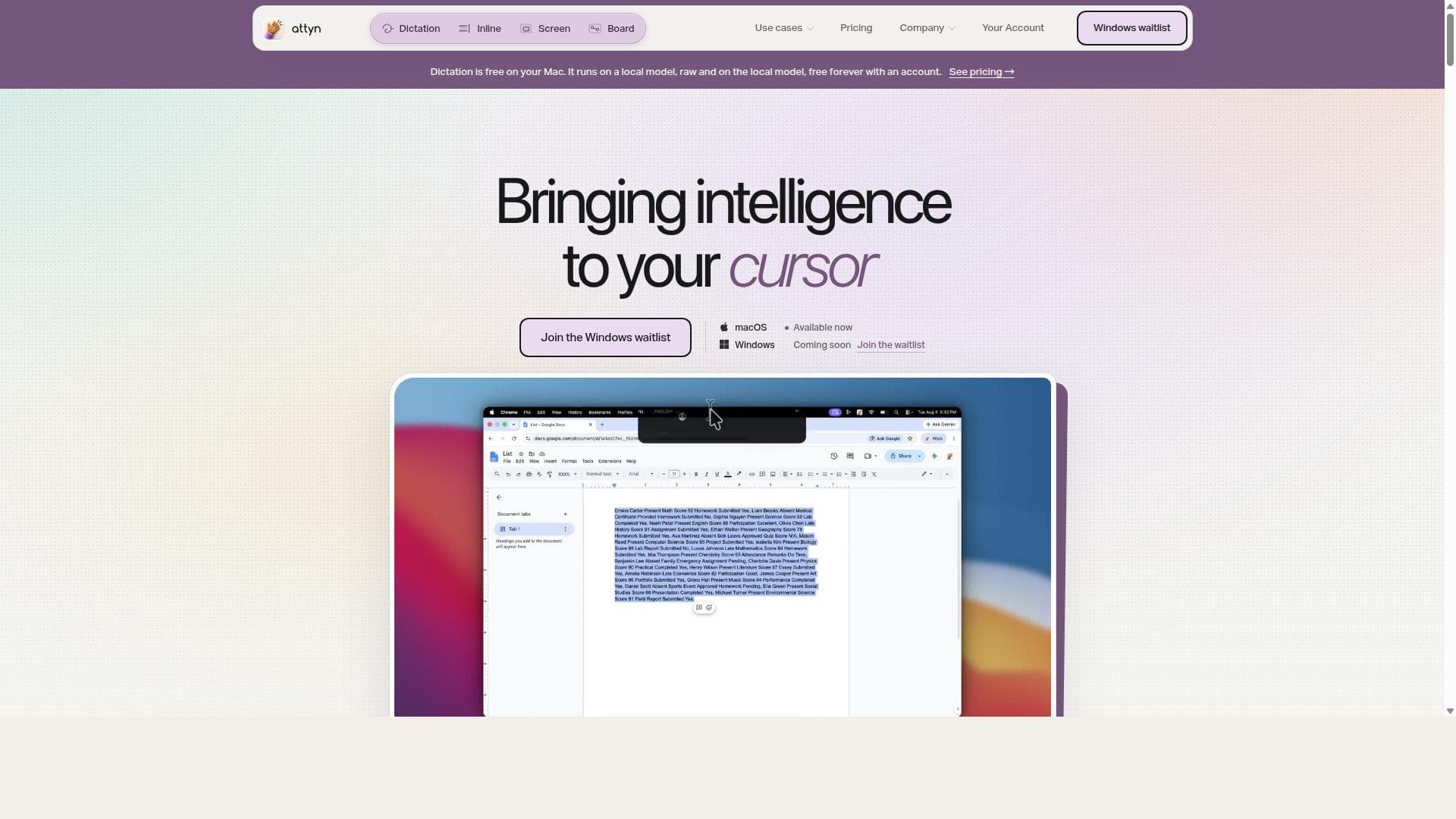
Attyn brings intelligence to the cursor inside the apps you already use. Rewrite selected text with Inline Assist, speak finished words with Realtime Dictation, ask about what is on screen with Screen Assist, and turn questions into visual explanations with Blackboard. Use Attyn Credits, bring a provider key, or run a supported local model. Attyn is bootstrapped and independent. Available for macOS today, with Windows on the way. Every new account starts with 500 launch credits.
Description détaillée
Attyn is an innovative personal AI assistant designed to seamlessly integrate with your computer workflow, enabling you to write, speak, and take action across the applications you already use without the need to switch between AI tabs or copy and paste content. Its core purpose is to bring AI-powered intelligence directly to your cursor, making interaction with your computer more fluid and efficient. Available now on macOS, with Windows support coming soon, Attyn aims to transform how users interact with their devices by embedding AI assistance directly where they work, rather than forcing them to leave their current context. The tool offers a rich set of features that enhance productivity and streamline multitasking. One of its standout capabilities is voice dictation integrated right at your cursor, allowing users to dictate text directly into any application without switching interfaces. This feature is particularly useful for those who prefer speaking over typing or need hands-free input. Additionally, Attyn provides inline assistance, enabling users to rewrite or improve text in place with a single key press, which helps in refining writing without disrupting the workflow. The screen assist feature allows users to ask questions about selected screen content, providing contextual AI support based on what is currently visible on the screen. Another critical feature is AI approvals, which ensure that any AI-powered actions are held under the user's control, preventing unintended or unauthorized changes. This combination of voice, text, and action capabilities makes Attyn a versatile assistant that adapts to various user needs. Attyn is best suited for professionals, creatives, writers, developers, and anyone who frequently switches between multiple applications and desires a more integrated AI experience. For example, content creators can use Attyn to dictate blog posts, rewrite paragraphs, or gather information from on-screen content without interrupting their creative flow. Developers can benefit from inline assistance to generate or refine code snippets directly in their IDEs. Business professionals can streamline email composition and data entry tasks across multiple apps. Essentially, anyone looking to boost productivity by reducing context switching and leveraging AI assistance directly within their existing tools will find Attyn valuable. Regarding pricing, Attyn’s website does not explicitly list detailed pricing plans, suggesting that it may currently be in a launch or early access phase with potential subscription or licensing models to be announced. Interested users should visit the official website or join the waitlist for Windows support to receive the latest updates on pricing and availability. Given the advanced nature of the tool, it is likely to offer tiered plans catering to individual users and enterprise customers, though this remains to be confirmed. Compared to alternatives, Attyn differentiates itself by embedding AI assistance directly at the cursor across all applications, eliminating the need to toggle between separate AI tools or browser tabs. While many AI writing assistants or dictation tools operate within specific apps or require manual copy-pasting, Attyn’s seamless integration and multi-modal input (voice, text, and screen-based queries) provide a more unified and efficient experience. Its AI approvals feature also adds a layer of security and user control that is often missing in other AI assistants. However, as it is currently macOS-exclusive with Windows support forthcoming, users on other platforms may need to wait or consider alternatives in the interim. Notable limitations include its current availability only on macOS, which restricts access for Windows and Linux users until support expands. Additionally, as a relatively new tool, it may have evolving features and require user adaptation to fully leverage its capabilities. Users should also consider privacy and data security aspects, especially since Attyn interacts deeply with on-screen content and user input. Overall, Attyn represents a significant step forward in personal AI assistance by embedding intelligence directly into the user’s workflow, promising to enhance productivity and reduce friction in daily computer use.
Fonctionnalités de l'outil
- Write, speak, and take action across applications without switching tabs
- Voice dictation integrated at your cursor
- Inline assist to rewrite text in place with a single key
- Screen assist to ask questions about selected screen content
- AI approvals to protect actions under your control
- Works seamlessly on macOS with Windows support coming soon
- No need for copying and pasting between apps
Description
Attyn is a cutting-edge personal AI assistant that integrates directly with your computer’s cursor, enabling seamless writing, speaking, and action-taking across all your apps without switching tabs or copying and pasting. Ideal for professionals and creatives seeking to boost productivity, Attyn offers voice dictation, inline text rewriting, and contextual screen assistance—all controlled securely by the user.
Attyn brings intelligence to the cursor inside the apps you already use. Rewrite selected text with Inline Assist, speak finished words with Realtime Dictation, ask about what is on screen with Screen Assist, and turn questions into visual explanations with Blackboard. Use Attyn Credits, bring a provider key, or run a supported local model. Attyn is bootstrapped and independent. Available for macOS today, with Windows on the way. Every new account starts with 500 launch credits.
Description détaillée
Attyn is an innovative personal AI assistant designed to seamlessly integrate with your computer workflow, enabling you to write, speak, and take action across the applications you already use without the need to switch between AI tabs or copy and paste content. Its core purpose is to bring AI-powered intelligence directly to your cursor, making interaction with your computer more fluid and efficient. Available now on macOS, with Windows support coming soon, Attyn aims to transform how users interact with their devices by embedding AI assistance directly where they work, rather than forcing them to leave their current context. The tool offers a rich set of features that enhance productivity and streamline multitasking. One of its standout capabilities is voice dictation integrated right at your cursor, allowing users to dictate text directly into any application without switching interfaces. This feature is particularly useful for those who prefer speaking over typing or need hands-free input. Additionally, Attyn provides inline assistance, enabling users to rewrite or improve text in place with a single key press, which helps in refining writing without disrupting the workflow. The screen assist feature allows users to ask questions about selected screen content, providing contextual AI support based on what is currently visible on the screen. Another critical feature is AI approvals, which ensure that any AI-powered actions are held under the user's control, preventing unintended or unauthorized changes. This combination of voice, text, and action capabilities makes Attyn a versatile assistant that adapts to various user needs. Attyn is best suited for professionals, creatives, writers, developers, and anyone who frequently switches between multiple applications and desires a more integrated AI experience. For example, content creators can use Attyn to dictate blog posts, rewrite paragraphs, or gather information from on-screen content without interrupting their creative flow. Developers can benefit from inline assistance to generate or refine code snippets directly in their IDEs. Business professionals can streamline email composition and data entry tasks across multiple apps. Essentially, anyone looking to boost productivity by reducing context switching and leveraging AI assistance directly within their existing tools will find Attyn valuable. Regarding pricing, Attyn’s website does not explicitly list detailed pricing plans, suggesting that it may currently be in a launch or early access phase with potential subscription or licensing models to be announced. Interested users should visit the official website or join the waitlist for Windows support to receive the latest updates on pricing and availability. Given the advanced nature of the tool, it is likely to offer tiered plans catering to individual users and enterprise customers, though this remains to be confirmed. Compared to alternatives, Attyn differentiates itself by embedding AI assistance directly at the cursor across all applications, eliminating the need to toggle between separate AI tools or browser tabs. While many AI writing assistants or dictation tools operate within specific apps or require manual copy-pasting, Attyn’s seamless integration and multi-modal input (voice, text, and screen-based queries) provide a more unified and efficient experience. Its AI approvals feature also adds a layer of security and user control that is often missing in other AI assistants. However, as it is currently macOS-exclusive with Windows support forthcoming, users on other platforms may need to wait or consider alternatives in the interim. Notable limitations include its current availability only on macOS, which restricts access for Windows and Linux users until support expands. Additionally, as a relatively new tool, it may have evolving features and require user adaptation to fully leverage its capabilities. Users should also consider privacy and data security aspects, especially since Attyn interacts deeply with on-screen content and user input. Overall, Attyn represents a significant step forward in personal AI assistance by embedding intelligence directly into the user’s workflow, promising to enhance productivity and reduce friction in daily computer use.
Questions fréquentes
What is Attyn?
Attyn is a personal AI assistant for your computer that allows you to write, speak, and take actions across the applications you use without switching between AI tabs or copying and pasting. It integrates AI directly at your cursor to enhance productivity and streamline your workflow.
How much does Attyn cost?
Attyn’s pricing details are not publicly listed on their website at this time. It is recommended to visit their official site or join the waitlist for updates on pricing and plans as they become available.
Who is Attyn best for?
Attyn is best suited for professionals, writers, creatives, developers, and anyone who frequently works across multiple applications and wants to leverage AI assistance seamlessly within their existing workflow to save time and enhance productivity.
What are the main features of Attyn?
Key features include voice dictation integrated at your cursor, inline assistance to rewrite text with a single key, screen assist to ask questions about selected screen content, AI approvals to keep actions under your control, and seamless operation on macOS with Windows support coming soon.
Does Attyn offer a free trial?
There is no explicit information about a free trial on Attyn’s website. Interested users should check the official site or contact the team directly for any trial or demo availability.
What integrations does Attyn support?
Attyn works across the applications you already use on your computer by integrating AI assistance directly at your cursor, so it supports virtually any app on macOS without requiring specific integrations or switching between apps.
How does Attyn work?
Attyn embeds AI-powered features directly at your cursor, allowing you to dictate text, rewrite content inline, and ask questions about screen content without leaving your current application. AI approvals ensure that all actions are controlled and authorized by you, making the AI assistance seamless and secure.
Réseaux
Utiliser l'outilAvis
Pas encore d'avis. Sois le premier à partager ton expérience.






















































