

¿Es esta tu herramienta de IA? Reclámala hoy.
Verifica la propiedad, gestiona tu perfil y desbloquea funciones de crecimiento.
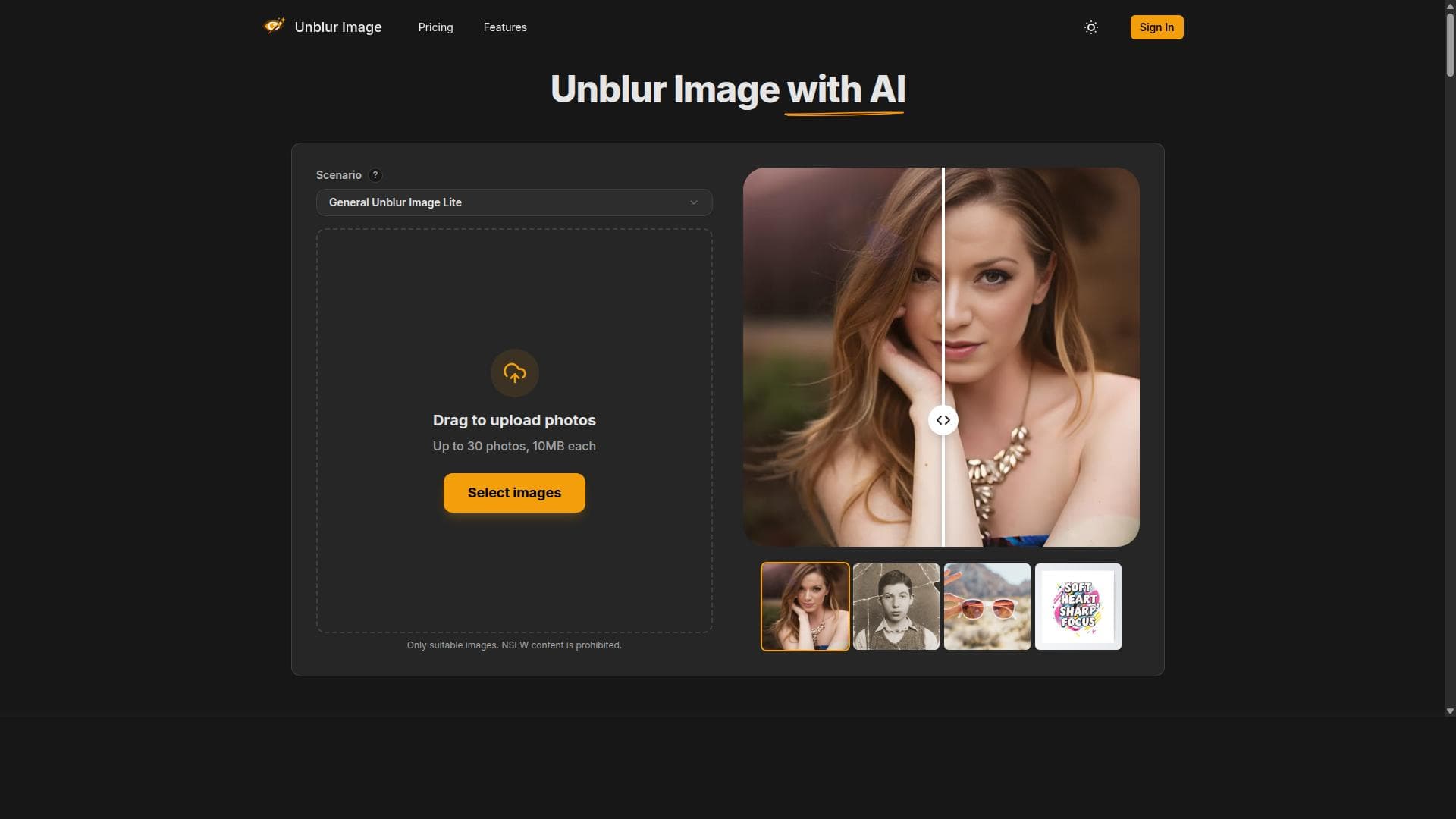
Unblur Image is a Chrome extension that uses AI to effortlessly enhance and unblur images, transforming low-resolution or blurry photos into clear, high-quality visuals. Perfect for photographers, marketers, and everyday users, it offers a quick, accessible way to improve image clarity directly in your browser.

Descripción
Enhance any blurry photo instantly with AI. Unblur images, restore details, and upscale resolution by 2×–4× directly in Chrome. Supports JPG, PNG, WEBP - perfect for photos, scans, and low-res visuals.
Descripción detallada
Unblur Image is a specialized Chrome extension designed to significantly enhance the quality of images by unblurring details and intelligently upscaling low-resolution photos using advanced AI technology. Its core purpose is to allow users to transform unclear or pixelated images into sharper, clearer versions without requiring complex photo editing skills or software. By integrating seamlessly into the Chrome browser, it provides a convenient and accessible solution for anyone needing to improve image clarity quickly and effectively. At the heart of Unblur Image is its ability to enhance image quality through AI-driven algorithms that analyze and reconstruct blurred or low-resolution pictures. The extension focuses on unblurring picture details that are often lost due to camera shake, low-quality lenses, or compression artifacts. Additionally, it offers AI upscaling capabilities that increase the resolution of images while preserving and enhancing fine details, resulting in visually appealing, high-definition photos. Users can expect to achieve clear photos anytime, whether for personal use, professional presentations, or social media sharing. The tool’s key features include automatic enhancement of image quality, precise unblurring of obscured details, and intelligent AI upscaling of low-resolution images. These features work together to restore and improve images that would otherwise appear unusable or unattractive. The extension’s user interface is designed for simplicity, enabling users to upload or select images directly within the browser and apply enhancements with minimal effort. This makes it ideal for quick fixes and on-the-fly improvements without the need for downloading large software packages or learning complex editing techniques. Unblur Image is best suited for a wide range of users including photographers, graphic designers, marketers, content creators, and everyday internet users who frequently work with images. Photographers can use it to salvage blurred shots, while marketers and content creators can enhance visuals for campaigns and social media posts. It is also valuable for students and professionals who need to improve image clarity for presentations or reports. The extension’s accessibility through Chrome makes it a handy tool for anyone who wants to improve image quality without investing in expensive software. Regarding pricing, Unblur Image is available as a free Chrome extension, making it accessible to a broad audience without upfront costs. While the base functionality is free, users should check the Chrome Web Store listing for any premium features or subscription plans that may be introduced to unlock advanced capabilities or higher processing limits. The free availability lowers the barrier to entry and encourages experimentation with AI-powered image enhancement. When compared to alternatives, Unblur Image stands out due to its integration as a lightweight browser extension, which eliminates the need for standalone software installation. Unlike traditional photo editing tools that require manual adjustments and technical knowledge, this extension leverages AI to automate the enhancement process, saving time and effort. However, compared to dedicated desktop applications with extensive editing suites, it may offer fewer customization options. Its focus on unblurring and upscaling makes it a niche but highly effective tool for specific image quality improvements. Notable limitations include potential variability in results depending on the original image quality and the extent of blurring or pixelation. Extremely degraded images may not be fully restored to perfect clarity. Additionally, as a browser extension, processing speed and performance may depend on internet connection and system resources. Users should also consider privacy and data security, as images processed through AI tools may be uploaded to external servers. It is advisable to review the extension’s privacy policy and terms of use before uploading sensitive images. Overall, Unblur Image is a powerful, easy-to-use Chrome extension that harnesses AI technology to improve image clarity and resolution. It is ideal for users seeking quick and effective image enhancement without complex software, offering a practical solution for a variety of personal and professional use cases.
Características de la herramienta
- Enhance image quality
- Unblur picture details
- AI upscale low-resolution photos
- Clear photo anytime
Descripción
Unblur Image is a Chrome extension that uses AI to effortlessly enhance and unblur images, transforming low-resolution or blurry photos into clear, high-quality visuals. Perfect for photographers, marketers, and everyday users, it offers a quick, accessible way to improve image clarity directly in your browser.
Enhance any blurry photo instantly with AI. Unblur images, restore details, and upscale resolution by 2×–4× directly in Chrome. Supports JPG, PNG, WEBP - perfect for photos, scans, and low-res visuals.
Descripción detallada
Unblur Image is a specialized Chrome extension designed to significantly enhance the quality of images by unblurring details and intelligently upscaling low-resolution photos using advanced AI technology. Its core purpose is to allow users to transform unclear or pixelated images into sharper, clearer versions without requiring complex photo editing skills or software. By integrating seamlessly into the Chrome browser, it provides a convenient and accessible solution for anyone needing to improve image clarity quickly and effectively. At the heart of Unblur Image is its ability to enhance image quality through AI-driven algorithms that analyze and reconstruct blurred or low-resolution pictures. The extension focuses on unblurring picture details that are often lost due to camera shake, low-quality lenses, or compression artifacts. Additionally, it offers AI upscaling capabilities that increase the resolution of images while preserving and enhancing fine details, resulting in visually appealing, high-definition photos. Users can expect to achieve clear photos anytime, whether for personal use, professional presentations, or social media sharing. The tool’s key features include automatic enhancement of image quality, precise unblurring of obscured details, and intelligent AI upscaling of low-resolution images. These features work together to restore and improve images that would otherwise appear unusable or unattractive. The extension’s user interface is designed for simplicity, enabling users to upload or select images directly within the browser and apply enhancements with minimal effort. This makes it ideal for quick fixes and on-the-fly improvements without the need for downloading large software packages or learning complex editing techniques. Unblur Image is best suited for a wide range of users including photographers, graphic designers, marketers, content creators, and everyday internet users who frequently work with images. Photographers can use it to salvage blurred shots, while marketers and content creators can enhance visuals for campaigns and social media posts. It is also valuable for students and professionals who need to improve image clarity for presentations or reports. The extension’s accessibility through Chrome makes it a handy tool for anyone who wants to improve image quality without investing in expensive software. Regarding pricing, Unblur Image is available as a free Chrome extension, making it accessible to a broad audience without upfront costs. While the base functionality is free, users should check the Chrome Web Store listing for any premium features or subscription plans that may be introduced to unlock advanced capabilities or higher processing limits. The free availability lowers the barrier to entry and encourages experimentation with AI-powered image enhancement. When compared to alternatives, Unblur Image stands out due to its integration as a lightweight browser extension, which eliminates the need for standalone software installation. Unlike traditional photo editing tools that require manual adjustments and technical knowledge, this extension leverages AI to automate the enhancement process, saving time and effort. However, compared to dedicated desktop applications with extensive editing suites, it may offer fewer customization options. Its focus on unblurring and upscaling makes it a niche but highly effective tool for specific image quality improvements. Notable limitations include potential variability in results depending on the original image quality and the extent of blurring or pixelation. Extremely degraded images may not be fully restored to perfect clarity. Additionally, as a browser extension, processing speed and performance may depend on internet connection and system resources. Users should also consider privacy and data security, as images processed through AI tools may be uploaded to external servers. It is advisable to review the extension’s privacy policy and terms of use before uploading sensitive images. Overall, Unblur Image is a powerful, easy-to-use Chrome extension that harnesses AI technology to improve image clarity and resolution. It is ideal for users seeking quick and effective image enhancement without complex software, offering a practical solution for a variety of personal and professional use cases.
Preguntas frecuentes
What is Unblur Image?
Unblur Image is a Chrome extension designed to enhance image quality by unblurring details and AI upscaling low-resolution photos, allowing users to achieve clearer and sharper images directly within their browser.
How much does Unblur Image cost?
Unblur Image is available for free as a Chrome extension. While the core features are free to use, users should check the Chrome Web Store for any premium plans or additional paid features that may be offered.
Who is Unblur Image best for?
It is best suited for photographers, graphic designers, marketers, content creators, students, and everyday users who need to quickly improve the clarity and resolution of images without complex editing software.
What are the main features of Unblur Image?
The main features include enhancing image quality, unblurring picture details, AI upscaling of low-resolution photos, and providing clear, high-definition images anytime through an easy-to-use Chrome extension.
Does Unblur Image offer a free trial?
As a free Chrome extension, Unblur Image does not require a trial period. Users can install and use the basic features at no cost immediately.
What integrations does Unblur Image support?
Unblur Image operates as a standalone Chrome extension and integrates directly into the Chrome browser. It does not currently offer integrations with other software or platforms.
How does Unblur Image work?
Unblur Image uses AI algorithms to analyze and reconstruct blurred or low-resolution images. It automatically enhances details and upscales photos to improve clarity, all processed within the Chrome browser for quick and easy use.
Redes sociales
Usar herramientaReseñas
Aún no hay reseñas. Sé el primero en compartir tu experiencia.




















































