Destacado en:Best AI Education Tools
Destácate →🚀 Zaprep: Tus redes sociales al máximo. Empezar gratis — automatiza 1,000 DMs/mes y convierte el engagement en leads. con 1,000 DMs automatizados/mes.
Enviar tu herramienta
25,000+ herramientas de IA ya listadas
25K+Herramientas
400K+/moVistas
105K+/moVisitantes


¿Es esta tu herramienta de IA? Reclámala hoy.
Verifica la propiedad, gestiona tu perfil y desbloquea funciones de crecimiento.
✦
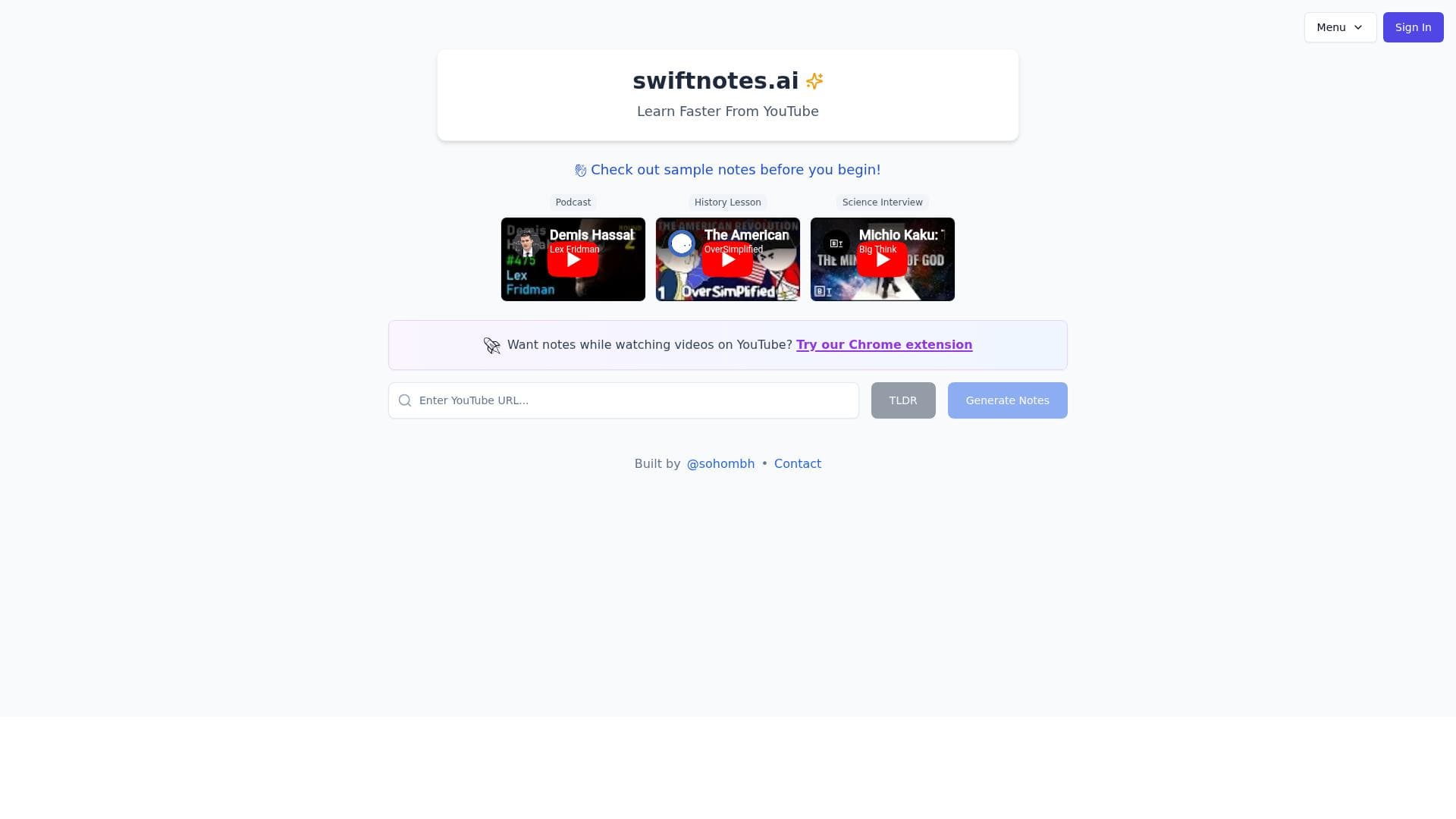
Swiftnotes.ai revolutionizes studying by instantly generating concise, AI-powered notes from YouTube videos, helping users save time and focus on learning. Ideal for students, educators, and professionals, it simplifies complex video content into essential takeaways with speed and ease.

Descripción
Save time and focus on learning
Descripción detallada
Swiftnotes.ai is an innovative AI-powered tool designed to streamline the note-taking process, particularly from YouTube videos, allowing users to save time and concentrate more effectively on learning. Its core purpose is to transform lengthy video content into concise, AI-generated notes that highlight the most important details, making study sessions more productive and less overwhelming. By automating the extraction of key information, swiftnotes.ai eliminates the need for manual note-taking, which can be time-consuming and prone to missing critical points. This tool is ideal for students, educators, professionals, and lifelong learners who frequently consume educational video content and want to maximize retention and comprehension without the hassle of traditional note-taking methods. One of the standout features of swiftnotes.ai is its ability to instantly generate notes from YouTube videos. Users simply input the video link, and the AI swiftly analyzes the content to produce clear, structured notes that summarize the main ideas and essential facts. This feature is particularly valuable for lengthy lectures, tutorials, or presentations where manually sifting through the entire video would be inefficient. Additionally, swiftnotes.ai simplifies studying by extracting important details and presenting them in an easy-to-digest format, which helps users focus on understanding rather than transcription. The platform is designed for speed and ease of use, ensuring that even users with minimal technical skills can quickly generate notes without a steep learning curve. Swiftnotes.ai is best suited for students at all levels who rely on video lectures as part of their curriculum, educators who want to provide summarized content to their students, and professionals who use video tutorials for skill development. For example, a university student preparing for exams can use swiftnotes.ai to quickly review key points from multiple recorded lectures, while a professional learning new software through YouTube tutorials can generate notes to reinforce their understanding. The tool also benefits content creators and researchers who need to extract insights from video sources efficiently. Regarding pricing, swiftnotes.ai operates on a freemium model, allowing users to access basic features for free with the option to upgrade for enhanced capabilities. The free tier typically includes a limited number of note generations per month, suitable for casual users or those wanting to try the service before committing. Paid plans unlock higher usage limits, priority processing, and possibly additional features such as exporting notes in various formats or integration with other productivity tools. This flexible pricing approach makes swiftnotes.ai accessible to a wide range of users, from students on a budget to professionals requiring more extensive use. Compared to alternative note-taking tools, swiftnotes.ai stands out due to its specific focus on YouTube video content and the speed of its AI-generated summaries. While many note-taking apps require manual input or rely on audio transcription services that can be slow or inaccurate, swiftnotes.ai leverages advanced AI to directly extract and condense information, saving users significant time. However, unlike some comprehensive study platforms that include flashcards, quizzes, or collaborative features, swiftnotes.ai is primarily centered on note generation, which may be a limitation for users seeking an all-in-one study solution. Notable considerations include the dependency on the quality and clarity of the source video; videos with poor audio or complex jargon may affect the accuracy of the generated notes. Additionally, as with any AI tool, users should review the notes for completeness and correctness, especially for critical academic or professional purposes. While the tool is fast and easy to use, users looking for deep customization or integration with extensive learning management systems might find swiftnotes.ai somewhat limited. Nonetheless, its core functionality delivers significant value by automating a traditionally tedious task, making it a compelling choice for anyone looking to enhance their learning efficiency through AI-assisted note-taking.
Características de la herramienta
- Instant AI-generated notes from YouTube videos
- Simplifies studying by extracting important details
- Fast and easy to use
Descripción
✦
Swiftnotes.ai revolutionizes studying by instantly generating concise, AI-powered notes from YouTube videos, helping users save time and focus on learning. Ideal for students, educators, and professionals, it simplifies complex video content into essential takeaways with speed and ease.
Save time and focus on learning
Descripción detallada
Swiftnotes.ai is an innovative AI-powered tool designed to streamline the note-taking process, particularly from YouTube videos, allowing users to save time and concentrate more effectively on learning. Its core purpose is to transform lengthy video content into concise, AI-generated notes that highlight the most important details, making study sessions more productive and less overwhelming. By automating the extraction of key information, swiftnotes.ai eliminates the need for manual note-taking, which can be time-consuming and prone to missing critical points. This tool is ideal for students, educators, professionals, and lifelong learners who frequently consume educational video content and want to maximize retention and comprehension without the hassle of traditional note-taking methods. One of the standout features of swiftnotes.ai is its ability to instantly generate notes from YouTube videos. Users simply input the video link, and the AI swiftly analyzes the content to produce clear, structured notes that summarize the main ideas and essential facts. This feature is particularly valuable for lengthy lectures, tutorials, or presentations where manually sifting through the entire video would be inefficient. Additionally, swiftnotes.ai simplifies studying by extracting important details and presenting them in an easy-to-digest format, which helps users focus on understanding rather than transcription. The platform is designed for speed and ease of use, ensuring that even users with minimal technical skills can quickly generate notes without a steep learning curve. Swiftnotes.ai is best suited for students at all levels who rely on video lectures as part of their curriculum, educators who want to provide summarized content to their students, and professionals who use video tutorials for skill development. For example, a university student preparing for exams can use swiftnotes.ai to quickly review key points from multiple recorded lectures, while a professional learning new software through YouTube tutorials can generate notes to reinforce their understanding. The tool also benefits content creators and researchers who need to extract insights from video sources efficiently. Regarding pricing, swiftnotes.ai operates on a freemium model, allowing users to access basic features for free with the option to upgrade for enhanced capabilities. The free tier typically includes a limited number of note generations per month, suitable for casual users or those wanting to try the service before committing. Paid plans unlock higher usage limits, priority processing, and possibly additional features such as exporting notes in various formats or integration with other productivity tools. This flexible pricing approach makes swiftnotes.ai accessible to a wide range of users, from students on a budget to professionals requiring more extensive use. Compared to alternative note-taking tools, swiftnotes.ai stands out due to its specific focus on YouTube video content and the speed of its AI-generated summaries. While many note-taking apps require manual input or rely on audio transcription services that can be slow or inaccurate, swiftnotes.ai leverages advanced AI to directly extract and condense information, saving users significant time. However, unlike some comprehensive study platforms that include flashcards, quizzes, or collaborative features, swiftnotes.ai is primarily centered on note generation, which may be a limitation for users seeking an all-in-one study solution. Notable considerations include the dependency on the quality and clarity of the source video; videos with poor audio or complex jargon may affect the accuracy of the generated notes. Additionally, as with any AI tool, users should review the notes for completeness and correctness, especially for critical academic or professional purposes. While the tool is fast and easy to use, users looking for deep customization or integration with extensive learning management systems might find swiftnotes.ai somewhat limited. Nonetheless, its core functionality delivers significant value by automating a traditionally tedious task, making it a compelling choice for anyone looking to enhance their learning efficiency through AI-assisted note-taking.
Preguntas frecuentes
What is swiftnotes.ai?
Swiftnotes.ai is an AI-powered tool that generates instant, concise notes from YouTube videos, helping users save time and focus on learning by extracting key information automatically.
How much does swiftnotes.ai cost?
Swiftnotes.ai offers a freemium pricing model, providing basic features for free with limited usage, and paid plans that unlock higher limits and additional capabilities.
Who is swiftnotes.ai best for?
It is best suited for students, educators, professionals, and anyone who frequently learns from YouTube videos and wants to efficiently capture important information.
What are the main features of swiftnotes.ai?
Key features include instant AI-generated notes from YouTube videos, simplification of studying by extracting important details, and a fast, easy-to-use interface.
Does swiftnotes.ai offer a free trial?
Yes, swiftnotes.ai provides a free tier that allows users to try out the core features with some usage limitations before opting for paid plans.
What integrations does swiftnotes.ai support?
Currently, swiftnotes.ai focuses on generating notes from YouTube videos and may offer export options, but specific integrations with other platforms are limited or not publicly detailed.
How does swiftnotes.ai work?
Users input a YouTube video link, and the AI analyzes the content to automatically extract and summarize key points into clear, concise notes for easy studying.
Reseñas
0 reseñas
Aún no hay reseñas. Sé el primero en compartir tu experiencia.
Herramientas patrocinadas











































Herramientas recomendadas
Mantente al día con las últimas herramientas de IA
Obtén las últimas novedades, únete a nuestro boletín
Leído y confiado por 50,000+ lectores
Únete a la comunidad de IA más grande
¡Nuestra comunidad y equipo están aquí para ayudarte!
Tus comentarios ayudarán a Alice AI a mejorar en futuras versiones.








Enviar tu herramienta


PoweredByAI.app es un directorio de herramientas de IA que ayuda a personas, empresas y creadores a descubrir las mejores herramientas de IA para escritura, programación, diseño, productividad y más.
© 2026 , Producto de011BQ. Todos los derechos reservados.