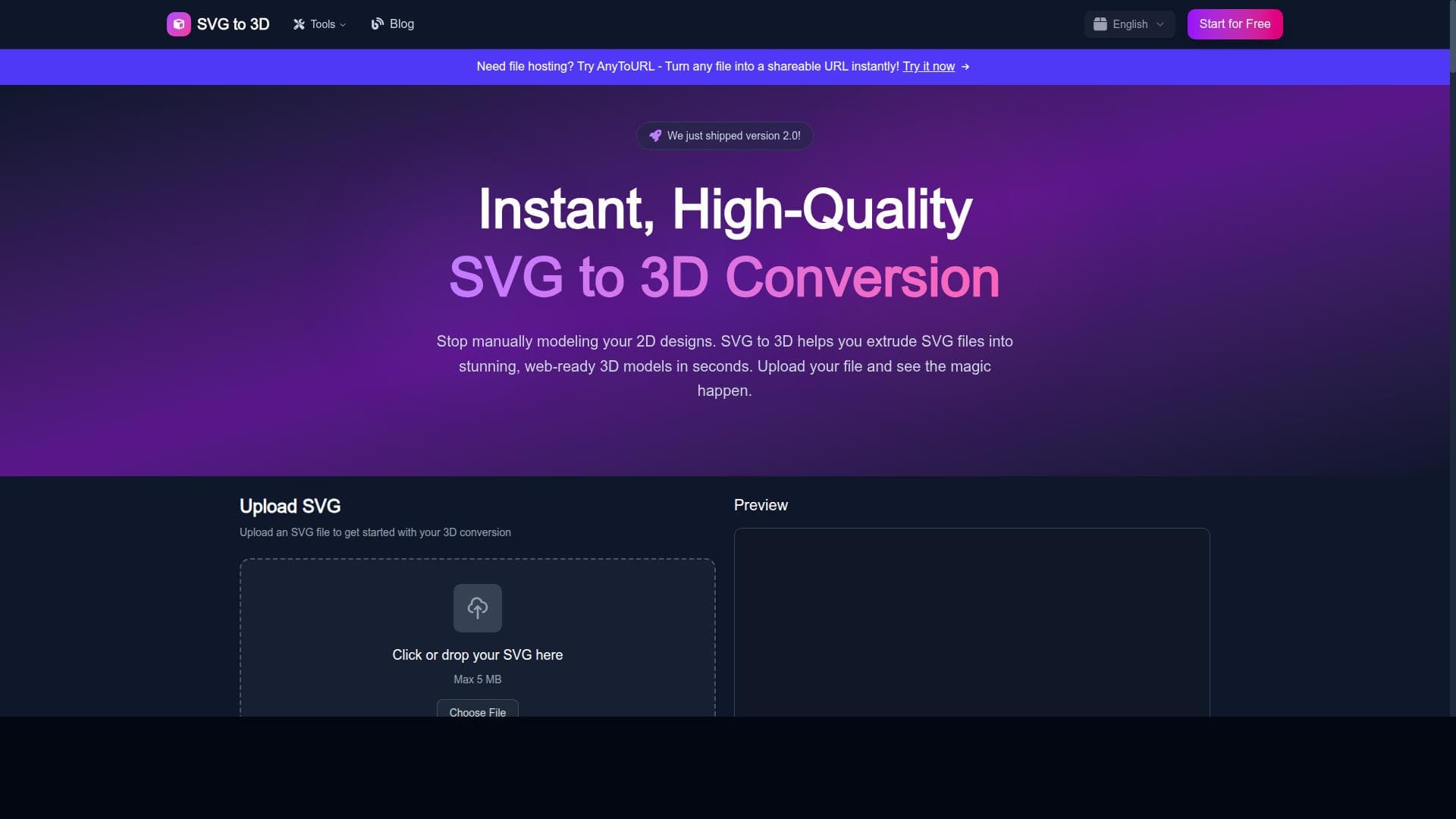


SVG to 3D Converter instantly transforms your 2D SVG designs into customizable, professional-quality 3D models with options for thickness, materials, and lighting—all for free. Perfect for designers, 3D printing enthusiasts, and educators seeking a fast, accessible way to bring vector graphics into the 3D world without complex software.

Descripción
SVG to 3D Converter: Transform Your 2D Designs to 3D Models
Descripción detallada
SVG to 3D Converter is a powerful web-based application designed to transform two-dimensional SVG (Scalable Vector Graphics) files into fully realized 3D models quickly and effortlessly. Its core purpose is to enable designers, artists, engineers, and hobbyists to convert their flat vector designs into three-dimensional objects that can be used for visualization, 3D printing, or digital presentations. By bridging the gap between 2D design and 3D modeling, this tool simplifies what traditionally has been a complex and time-consuming process, making 3D creation accessible to users without extensive technical expertise. The tool offers a robust set of features that cater to both beginners and professionals. Users can upload SVG files and instantly convert them into 3D models with customizable thickness, allowing precise control over the depth and volume of the resulting object. This thickness adjustment is crucial for creating models that meet specific design or manufacturing requirements. Additionally, SVG to 3D Converter supports exporting the generated models in multiple popular formats including GLB, STL, and PNG. GLB is ideal for web and augmented reality applications, STL is widely used for 3D printing, and PNG exports provide high-quality 2D previews or snapshots of the 3D model. Beyond basic conversion, the tool offers advanced customization options such as adjustable materials and lighting. Users can tweak the surface properties of their 3D models to simulate different textures and finishes, enhancing the visual realism and professional quality of the output. Lighting adjustments allow users to experiment with shadows and highlights, providing better depth perception and aesthetic appeal. These features make the tool suitable not only for prototyping but also for creating presentation-ready 3D visuals. SVG to 3D Converter is best suited for graphic designers, product developers, 3D printing enthusiasts, educators, and digital artists who want a fast and cost-effective way to bring their 2D designs into the 3D space. For example, a designer can convert a company logo into a 3D emblem for branding materials, while a hobbyist can prepare a vector-based model for 3D printing without needing complex CAD software. Educators can use it to demonstrate geometric concepts by converting simple SVG shapes into tangible 3D models. One of the most attractive aspects of SVG to 3D Converter is that it is completely free to use, with no hidden costs or subscription fees. This makes it highly accessible for individuals and small businesses who need professional-quality 3D conversions without investing in expensive software licenses. The tool’s web-based nature means it requires no installation and is compatible across different operating systems, further lowering the barrier to entry. Compared to alternatives, SVG to 3D Converter stands out for its simplicity and speed. While many 3D modeling programs require steep learning curves and manual modeling from scratch, this tool automates the conversion process directly from SVG files. Although some professional CAD tools offer more extensive modeling capabilities, they often come at a significant cost and complexity. SVG to 3D Converter strikes a balance by providing essential 3D conversion features with customization options in an intuitive interface. However, there are some limitations to consider. The tool primarily focuses on converting vector shapes into extruded 3D models, so it may not support highly complex or organic 3D modeling tasks. Users looking for detailed sculpting or animation features will need to complement this tool with more specialized software. Additionally, since it is web-based, performance can depend on internet connectivity and browser capabilities. Despite these considerations, SVG to 3D Converter remains a valuable resource for quick, free, and professional 3D model generation from SVG files.
Características de la herramienta
- Convert SVG files to 3D models instantly
- Export as GLB, STL, or PNG formats
- Customizable thickness for 3D models
- Adjustable materials and lighting for professional quality
- Free to use with no cost
Descripción
SVG to 3D Converter instantly transforms your 2D SVG designs into customizable, professional-quality 3D models with options for thickness, materials, and lighting—all for free. Perfect for designers, 3D printing enthusiasts, and educators seeking a fast, accessible way to bring vector graphics into the 3D world without complex software.
SVG to 3D Converter: Transform Your 2D Designs to 3D Models
Descripción detallada
SVG to 3D Converter is a powerful web-based application designed to transform two-dimensional SVG (Scalable Vector Graphics) files into fully realized 3D models quickly and effortlessly. Its core purpose is to enable designers, artists, engineers, and hobbyists to convert their flat vector designs into three-dimensional objects that can be used for visualization, 3D printing, or digital presentations. By bridging the gap between 2D design and 3D modeling, this tool simplifies what traditionally has been a complex and time-consuming process, making 3D creation accessible to users without extensive technical expertise. The tool offers a robust set of features that cater to both beginners and professionals. Users can upload SVG files and instantly convert them into 3D models with customizable thickness, allowing precise control over the depth and volume of the resulting object. This thickness adjustment is crucial for creating models that meet specific design or manufacturing requirements. Additionally, SVG to 3D Converter supports exporting the generated models in multiple popular formats including GLB, STL, and PNG. GLB is ideal for web and augmented reality applications, STL is widely used for 3D printing, and PNG exports provide high-quality 2D previews or snapshots of the 3D model. Beyond basic conversion, the tool offers advanced customization options such as adjustable materials and lighting. Users can tweak the surface properties of their 3D models to simulate different textures and finishes, enhancing the visual realism and professional quality of the output. Lighting adjustments allow users to experiment with shadows and highlights, providing better depth perception and aesthetic appeal. These features make the tool suitable not only for prototyping but also for creating presentation-ready 3D visuals. SVG to 3D Converter is best suited for graphic designers, product developers, 3D printing enthusiasts, educators, and digital artists who want a fast and cost-effective way to bring their 2D designs into the 3D space. For example, a designer can convert a company logo into a 3D emblem for branding materials, while a hobbyist can prepare a vector-based model for 3D printing without needing complex CAD software. Educators can use it to demonstrate geometric concepts by converting simple SVG shapes into tangible 3D models. One of the most attractive aspects of SVG to 3D Converter is that it is completely free to use, with no hidden costs or subscription fees. This makes it highly accessible for individuals and small businesses who need professional-quality 3D conversions without investing in expensive software licenses. The tool’s web-based nature means it requires no installation and is compatible across different operating systems, further lowering the barrier to entry. Compared to alternatives, SVG to 3D Converter stands out for its simplicity and speed. While many 3D modeling programs require steep learning curves and manual modeling from scratch, this tool automates the conversion process directly from SVG files. Although some professional CAD tools offer more extensive modeling capabilities, they often come at a significant cost and complexity. SVG to 3D Converter strikes a balance by providing essential 3D conversion features with customization options in an intuitive interface. However, there are some limitations to consider. The tool primarily focuses on converting vector shapes into extruded 3D models, so it may not support highly complex or organic 3D modeling tasks. Users looking for detailed sculpting or animation features will need to complement this tool with more specialized software. Additionally, since it is web-based, performance can depend on internet connectivity and browser capabilities. Despite these considerations, SVG to 3D Converter remains a valuable resource for quick, free, and professional 3D model generation from SVG files.
Preguntas frecuentes
What is SVG to 3D Converter?
SVG to 3D Converter is a free web-based tool that converts 2D SVG files into 3D models instantly, allowing users to customize thickness, materials, and lighting before exporting in formats like GLB, STL, or PNG.
How much does SVG to 3D Converter cost?
SVG to 3D Converter is completely free to use with no subscription fees or hidden costs.
Who is SVG to 3D Converter best for?
It is ideal for graphic designers, product developers, 3D printing hobbyists, educators, and digital artists who want an easy and fast way to convert 2D vector designs into 3D models.
What are the main features of SVG to 3D Converter?
Key features include instant SVG to 3D conversion, customizable model thickness, adjustable materials and lighting for enhanced visuals, and export options in GLB, STL, and PNG formats.
Does SVG to 3D Converter offer a free trial?
Since SVG to 3D Converter is free to use, there is no need for a trial period; all features are accessible without cost.
What integrations does SVG to 3D Converter support?
SVG to 3D Converter is a standalone web application and does not currently offer direct integrations with other software platforms.
How does SVG to 3D Converter work?
Users upload an SVG file to the web interface, adjust parameters like thickness, materials, and lighting, then the tool processes the file to generate a 3D model which can be exported in various formats for use in 3D printing, web applications, or digital presentations.
Reseñas
Aún no hay reseñas. Sé el primero en compartir tu experiencia.




















































