
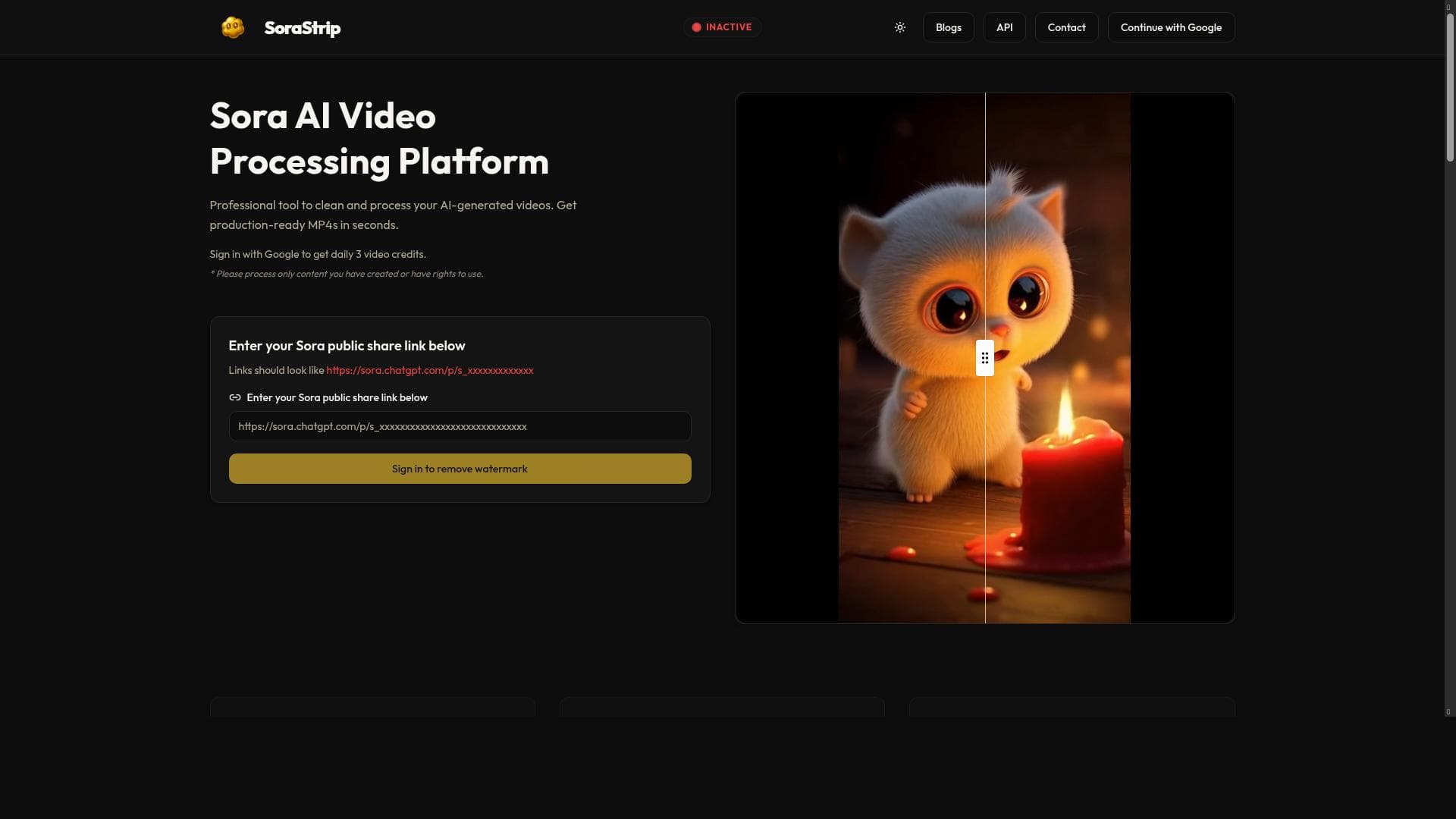


Sora Strip uniquely enables creators to instantly remove watermarks from Sora AI-generated videos by simply pasting the official share link, delivering high-quality, watermark-free MP4s without re-rendering. Ideal for social media managers, marketers, and freelancers, it streamlines video publishing with zero hassle and professional results.

Descripción
Sora creates AI videos, but that watermark? Not so stunning. SoraStrip lets creators paste any official Sora share link and instantly download a watermark-free MP4—no re-rendering, no quality loss, no hassle. Perfect for social media, client work, etc.
Descripción detallada
Sora Strip is a specialized AI-powered tool designed to enhance the usability and professionalism of AI-generated videos created with the Sora platform. While Sora enables creators to produce engaging AI videos, it automatically adds a watermark to all shared content, which can detract from the video's visual appeal and limit its use in professional or commercial contexts. Sora Strip addresses this challenge by allowing users to simply paste any official Sora share link and instantly download a watermark-free MP4 version of the video. This process requires no re-rendering, ensuring that the original video quality is preserved without any degradation or loss. The core purpose of Sora Strip is to streamline the workflow for content creators, marketers, social media managers, and client-facing professionals who rely on Sora for video generation but need clean, polished outputs for publishing and distribution. The key features of Sora Strip revolve around its ability to remove the OpenAI Sora watermark instantly and efficiently. Unlike traditional video editing or rendering tools that require time-consuming processes to remove watermarks or overlays, Sora Strip automates this step seamlessly. It cleans Sora AI-generated MP4 videos by stripping out the watermark layer, producing a ready-to-use video file that can be published directly on social media platforms, embedded in websites, or delivered to clients without any branding distractions. This feature is particularly valuable for creators who want to maintain brand consistency or present their work in a professional manner without the default Sora branding. Additionally, the tool’s simplicity—requiring only the official share link—makes it accessible to users of all technical skill levels, eliminating the need for complex software or technical know-how. Sora Strip is best suited for a variety of users including social media influencers, digital marketers, video content creators, freelance videographers, and agencies that utilize AI video generation for client projects. For social media professionals, the ability to quickly obtain watermark-free videos means faster turnaround times and higher engagement rates, as clean videos tend to perform better and look more credible. Freelancers and agencies benefit by delivering polished, client-ready videos without the extra step of manual watermark removal or re-editing. The tool also supports educational content creators and small businesses who want to leverage AI video technology but require professional-quality outputs for presentations, advertisements, or internal communications. In terms of pricing, Sora Strip operates on a freemium model, allowing users to access basic watermark removal features for free, which is ideal for casual users or those testing the service. For more frequent or professional use, premium plans may offer additional benefits such as higher download limits, faster processing speeds, or priority support, although specific pricing tiers and features should be checked directly on the official website. This pricing approach makes Sora Strip accessible to a wide range of users, from hobbyists to professionals. Compared to alternatives, Sora Strip stands out by focusing exclusively on the Sora AI video ecosystem, providing a niche yet highly effective solution. While other video editing tools or watermark removal software exist, they often require manual editing, re-rendering, or can compromise video quality. Sora Strip’s direct link-based approach eliminates these issues, offering a hassle-free, high-quality output that is difficult to match. However, it is important to note that Sora Strip’s functionality is limited to videos generated and shared via the official Sora platform, so it does not support watermark removal from videos created by other AI tools or platforms. Notable limitations include its dependency on the official Sora share links, meaning users must have access to the original Sora-generated video links to use the service. Additionally, while the tool removes watermarks without quality loss, it does not offer advanced video editing features such as trimming, adding effects, or audio adjustments. Users looking for a comprehensive video editing suite will need to complement Sora Strip with other software. Despite these considerations, Sora Strip remains a highly valuable tool for anyone needing quick and clean video outputs from the Sora AI video platform, significantly enhancing the content creation workflow.
Características de la herramienta
- Instant removal of OpenAI Sora watermarks from videos
- Cleans Sora AI generated MP4 videos
- Prepares videos for publishing without watermarks
Descripción
Sora Strip uniquely enables creators to instantly remove watermarks from Sora AI-generated videos by simply pasting the official share link, delivering high-quality, watermark-free MP4s without re-rendering. Ideal for social media managers, marketers, and freelancers, it streamlines video publishing with zero hassle and professional results.
Sora creates AI videos, but that watermark? Not so stunning. SoraStrip lets creators paste any official Sora share link and instantly download a watermark-free MP4—no re-rendering, no quality loss, no hassle. Perfect for social media, client work, etc.
Descripción detallada
Sora Strip is a specialized AI-powered tool designed to enhance the usability and professionalism of AI-generated videos created with the Sora platform. While Sora enables creators to produce engaging AI videos, it automatically adds a watermark to all shared content, which can detract from the video's visual appeal and limit its use in professional or commercial contexts. Sora Strip addresses this challenge by allowing users to simply paste any official Sora share link and instantly download a watermark-free MP4 version of the video. This process requires no re-rendering, ensuring that the original video quality is preserved without any degradation or loss. The core purpose of Sora Strip is to streamline the workflow for content creators, marketers, social media managers, and client-facing professionals who rely on Sora for video generation but need clean, polished outputs for publishing and distribution. The key features of Sora Strip revolve around its ability to remove the OpenAI Sora watermark instantly and efficiently. Unlike traditional video editing or rendering tools that require time-consuming processes to remove watermarks or overlays, Sora Strip automates this step seamlessly. It cleans Sora AI-generated MP4 videos by stripping out the watermark layer, producing a ready-to-use video file that can be published directly on social media platforms, embedded in websites, or delivered to clients without any branding distractions. This feature is particularly valuable for creators who want to maintain brand consistency or present their work in a professional manner without the default Sora branding. Additionally, the tool’s simplicity—requiring only the official share link—makes it accessible to users of all technical skill levels, eliminating the need for complex software or technical know-how. Sora Strip is best suited for a variety of users including social media influencers, digital marketers, video content creators, freelance videographers, and agencies that utilize AI video generation for client projects. For social media professionals, the ability to quickly obtain watermark-free videos means faster turnaround times and higher engagement rates, as clean videos tend to perform better and look more credible. Freelancers and agencies benefit by delivering polished, client-ready videos without the extra step of manual watermark removal or re-editing. The tool also supports educational content creators and small businesses who want to leverage AI video technology but require professional-quality outputs for presentations, advertisements, or internal communications. In terms of pricing, Sora Strip operates on a freemium model, allowing users to access basic watermark removal features for free, which is ideal for casual users or those testing the service. For more frequent or professional use, premium plans may offer additional benefits such as higher download limits, faster processing speeds, or priority support, although specific pricing tiers and features should be checked directly on the official website. This pricing approach makes Sora Strip accessible to a wide range of users, from hobbyists to professionals. Compared to alternatives, Sora Strip stands out by focusing exclusively on the Sora AI video ecosystem, providing a niche yet highly effective solution. While other video editing tools or watermark removal software exist, they often require manual editing, re-rendering, or can compromise video quality. Sora Strip’s direct link-based approach eliminates these issues, offering a hassle-free, high-quality output that is difficult to match. However, it is important to note that Sora Strip’s functionality is limited to videos generated and shared via the official Sora platform, so it does not support watermark removal from videos created by other AI tools or platforms. Notable limitations include its dependency on the official Sora share links, meaning users must have access to the original Sora-generated video links to use the service. Additionally, while the tool removes watermarks without quality loss, it does not offer advanced video editing features such as trimming, adding effects, or audio adjustments. Users looking for a comprehensive video editing suite will need to complement Sora Strip with other software. Despite these considerations, Sora Strip remains a highly valuable tool for anyone needing quick and clean video outputs from the Sora AI video platform, significantly enhancing the content creation workflow.
Preguntas frecuentes
What is Sora Strip?
Sora Strip is an AI-powered tool that allows users to remove the default OpenAI Sora watermark from AI-generated videos by pasting the official Sora share link, enabling instant download of watermark-free MP4 videos without any quality loss or re-rendering.
How much does Sora Strip cost?
Sora Strip offers a freemium pricing model, providing basic watermark removal features for free, with premium plans potentially available for users requiring higher usage limits or additional benefits. Exact pricing details can be found on their official website.
Who is Sora Strip best for?
Sora Strip is ideal for social media creators, digital marketers, freelance videographers, agencies, and small businesses who use Sora AI to generate videos and need clean, professional-quality outputs without watermarks for publishing or client delivery.
What are the main features of Sora Strip?
The main features include instant removal of OpenAI Sora watermarks from videos, cleaning Sora AI-generated MP4 files, and preparing videos for publishing without any branding or quality loss, all through a simple link-based interface.
Does Sora Strip offer a free trial?
Yes, Sora Strip operates on a freemium basis, allowing users to access its core watermark removal functionality for free, which effectively serves as a trial for casual or new users.
What integrations does Sora Strip support?
Sora Strip primarily integrates with the Sora AI video platform by accepting official Sora share links. It does not currently support integrations with other video platforms or AI tools.
How does Sora Strip work?
Users paste an official Sora share link into Sora Strip, which then processes the video to remove the embedded watermark instantly and provides a clean, watermark-free MP4 file for download without any re-rendering or quality degradation.
Reseñas
Aún no hay reseñas. Sé el primero en compartir tu experiencia.




















































