Destacado en:Best AI Education Tools
Destácate →🚀 Zaprep: Tus redes sociales al máximo. Empezar gratis — automatiza 1,000 DMs/mes y convierte el engagement en leads. con 1,000 DMs automatizados/mes.
Enviar tu herramienta
25,000+ herramientas de IA ya listadas
25K+Herramientas
400K+/moVistas
105K+/moVisitantes


✦
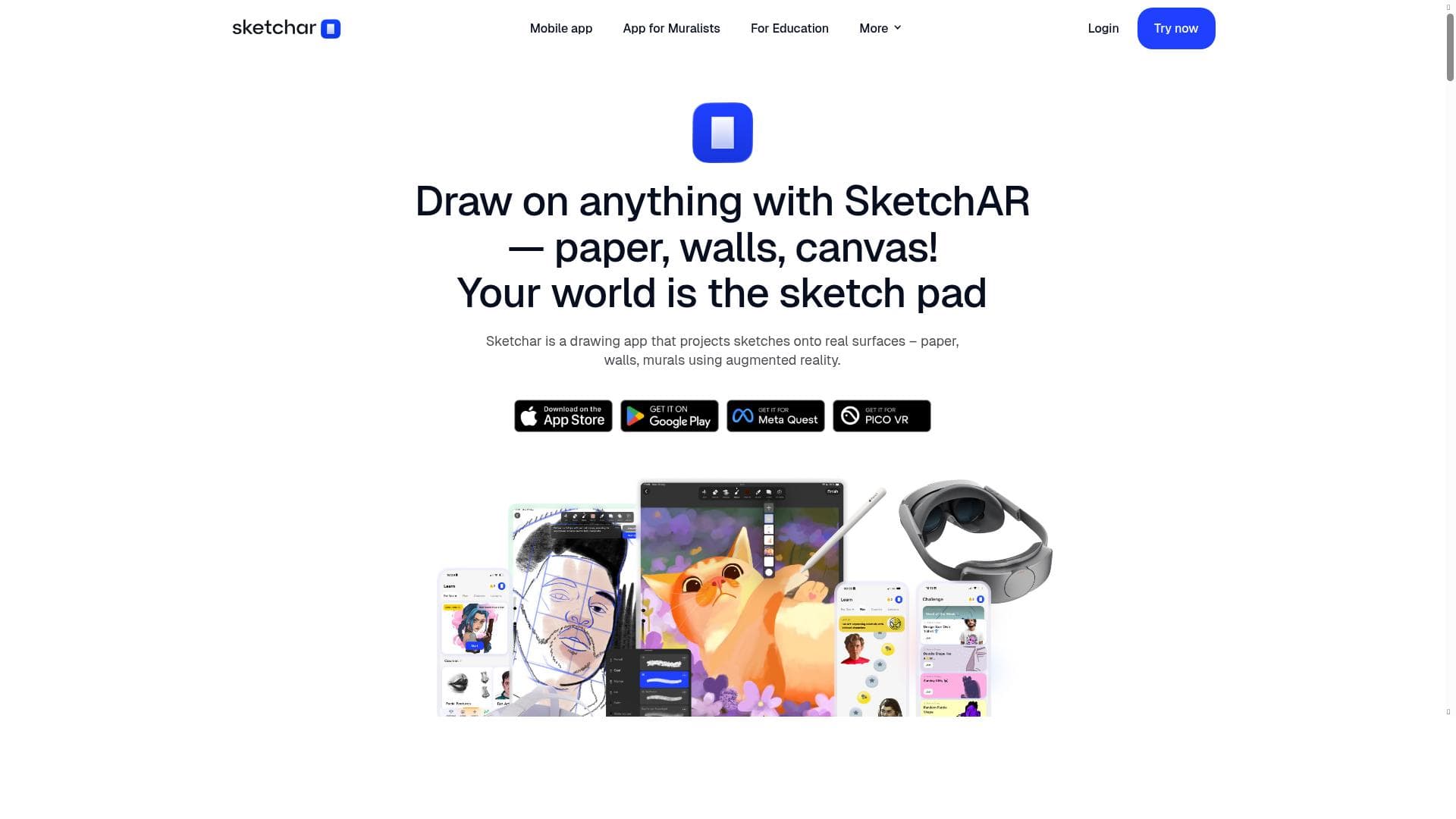
Sketchar transforms art learning by combining augmented reality with a powerful digital drawing platform, making creative skill development accessible and engaging for beginners and seasoned artists alike. Its unique AR tracing technology and extensive course library, supported by a massive community, set it apart as an ideal app for anyone eager to improve their drawing skills interactively.

Descripción
Art learning app that's changing how people learn creative skills
Descripción detallada
Sketchar is an innovative art learning application designed to revolutionize the way individuals acquire and refine creative drawing skills. By combining augmented reality (AR) technology with a comprehensive digital drawing platform, Sketchar offers an immersive and interactive learning experience that bridges traditional art techniques with modern digital tools. Its core purpose is to make art education accessible, engaging, and effective for users of all skill levels, from complete beginners to more advanced artists seeking structured guidance and community support. At the heart of Sketchar’s offering is its unique AR drawing technology, which allows users to project images directly onto real-world surfaces for tracing. This feature transforms any environment into a dynamic art studio, enabling learners to practice drawing with physical interaction and spatial awareness. Complementing this is an advanced digital drawing canvas equipped with multiple layers, customizable brushes, and the ability to import images, providing users with a versatile and professional-grade creative workspace. Sketchar also offers a rich library of step-by-step drawing courses covering diverse subjects such as anime, human anatomy, and animals, catering to varied artistic interests and skill development goals. To keep users motivated and continuously improving, Sketchar includes daily art challenges that encourage regular practice and skill enhancement. These challenges are designed to be approachable for beginners while still offering value to more experienced artists. The app’s guided lessons and intuitive tools make it especially suitable for novices who may feel intimidated by traditional art education methods. Furthermore, Sketchar fosters a vibrant community of over 12 million artists worldwide, enabling users to share their work, receive feedback, and collaborate, which adds a social dimension to the learning process. Sketchar is available on both iOS and Android platforms, ensuring broad accessibility for mobile users. The app operates on a freemium pricing model, offering essential features and courses for free while providing premium content and advanced tools through subscription plans. This approach allows users to explore the app’s capabilities without upfront costs and upgrade as their skills and needs evolve. Compared to other art learning apps, Sketchar stands out due to its integration of AR technology, which offers a tactile and engaging way to practice drawing that most competitors lack. While many apps focus solely on digital drawing or video tutorials, Sketchar’s blend of physical tracing and digital refinement provides a unique hybrid experience. Additionally, its extensive course offerings and large, active community contribute to a supportive environment that nurtures artistic growth. However, potential users should consider that the AR feature requires compatible hardware and sufficient space to project images effectively, which may limit usability in certain environments. Also, while the freemium model is generous, some advanced courses and tools require a paid subscription, which might be a consideration for budget-conscious learners. Despite these factors, Sketchar’s innovative approach and comprehensive feature set make it a compelling choice for anyone looking to develop their drawing skills in a modern, interactive way.
Características de la herramienta
- AR drawing technology to project images onto real surfaces for tracing
- Advanced drawing canvas with layers, custom brushes, and image import
- Step-by-step drawing courses including anime, human anatomy, and animals
- Daily art challenges to motivate and improve skills
- Suitable for beginners with guided lessons and tools
- Collaboration with a community of over 12 million artists
- Available on iOS and Android platforms
Descripción
✦
Sketchar transforms art learning by combining augmented reality with a powerful digital drawing platform, making creative skill development accessible and engaging for beginners and seasoned artists alike. Its unique AR tracing technology and extensive course library, supported by a massive community, set it apart as an ideal app for anyone eager to improve their drawing skills interactively.
Art learning app that's changing how people learn creative skills
Descripción detallada
Sketchar is an innovative art learning application designed to revolutionize the way individuals acquire and refine creative drawing skills. By combining augmented reality (AR) technology with a comprehensive digital drawing platform, Sketchar offers an immersive and interactive learning experience that bridges traditional art techniques with modern digital tools. Its core purpose is to make art education accessible, engaging, and effective for users of all skill levels, from complete beginners to more advanced artists seeking structured guidance and community support. At the heart of Sketchar’s offering is its unique AR drawing technology, which allows users to project images directly onto real-world surfaces for tracing. This feature transforms any environment into a dynamic art studio, enabling learners to practice drawing with physical interaction and spatial awareness. Complementing this is an advanced digital drawing canvas equipped with multiple layers, customizable brushes, and the ability to import images, providing users with a versatile and professional-grade creative workspace. Sketchar also offers a rich library of step-by-step drawing courses covering diverse subjects such as anime, human anatomy, and animals, catering to varied artistic interests and skill development goals. To keep users motivated and continuously improving, Sketchar includes daily art challenges that encourage regular practice and skill enhancement. These challenges are designed to be approachable for beginners while still offering value to more experienced artists. The app’s guided lessons and intuitive tools make it especially suitable for novices who may feel intimidated by traditional art education methods. Furthermore, Sketchar fosters a vibrant community of over 12 million artists worldwide, enabling users to share their work, receive feedback, and collaborate, which adds a social dimension to the learning process. Sketchar is available on both iOS and Android platforms, ensuring broad accessibility for mobile users. The app operates on a freemium pricing model, offering essential features and courses for free while providing premium content and advanced tools through subscription plans. This approach allows users to explore the app’s capabilities without upfront costs and upgrade as their skills and needs evolve. Compared to other art learning apps, Sketchar stands out due to its integration of AR technology, which offers a tactile and engaging way to practice drawing that most competitors lack. While many apps focus solely on digital drawing or video tutorials, Sketchar’s blend of physical tracing and digital refinement provides a unique hybrid experience. Additionally, its extensive course offerings and large, active community contribute to a supportive environment that nurtures artistic growth. However, potential users should consider that the AR feature requires compatible hardware and sufficient space to project images effectively, which may limit usability in certain environments. Also, while the freemium model is generous, some advanced courses and tools require a paid subscription, which might be a consideration for budget-conscious learners. Despite these factors, Sketchar’s innovative approach and comprehensive feature set make it a compelling choice for anyone looking to develop their drawing skills in a modern, interactive way.
Preguntas frecuentes
What is Sketchar?
Sketchar is an art learning app that uses augmented reality technology to project images onto real surfaces for tracing, combined with a digital drawing canvas and step-by-step courses to help users develop their creative skills.
How much does Sketchar cost?
Sketchar operates on a freemium model, offering free access to basic features and courses, with premium content and advanced tools available through subscription plans.
Who is Sketchar best for?
Sketchar is ideal for beginners seeking guided lessons and interactive tools, as well as intermediate and advanced artists looking for structured courses and a supportive community to enhance their drawing skills.
What are the main features of Sketchar?
Key features include AR drawing technology for projecting images onto real surfaces, an advanced drawing canvas with layers and custom brushes, step-by-step courses on various subjects, daily art challenges, and a community of over 12 million artists.
Does Sketchar offer a free trial?
Yes, Sketchar offers free access to essential features and some courses, allowing users to try the app before opting for premium subscriptions.
What integrations does Sketchar support?
Sketchar primarily functions as a standalone mobile app available on iOS and Android platforms, with features like image import for enhanced drawing capabilities, but it does not currently advertise integrations with other software.
How does Sketchar work?
Sketchar uses AR technology to project images onto physical surfaces for tracing, while also providing a digital canvas with layers and brushes for refining artwork. Users follow step-by-step courses and participate in daily challenges to improve their skills, supported by a large artist community.
Redes sociales
Usar herramientaReseñas
0 reseñas
Aún no hay reseñas. Sé el primero en compartir tu experiencia.
Herramientas patrocinadas











































Herramientas recomendadas
Mantente al día con las últimas herramientas de IA
Obtén las últimas novedades, únete a nuestro boletín
Leído y confiado por 50,000+ lectores
Únete a la comunidad de IA más grande
¡Nuestra comunidad y equipo están aquí para ayudarte!
Tus comentarios ayudarán a Alice AI a mejorar en futuras versiones.








Enviar tu herramienta


PoweredByAI.app es un directorio de herramientas de IA que ayuda a personas, empresas y creadores a descubrir las mejores herramientas de IA para escritura, programación, diseño, productividad y más.
© 2026 , Producto de011BQ. Todos los derechos reservados.