Destacado en:Best AI Writing Tools
Destácate →🚀 Zaprep: Tus redes sociales al máximo. Empezar gratis — automatiza 1,000 DMs/mes y convierte el engagement en leads. con 1,000 DMs automatizados/mes.
Enviar tu herramienta
25,000+ herramientas de IA ya listadas
25K+Herramientas
400K+/moVistas
105K+/moVisitantes


✦
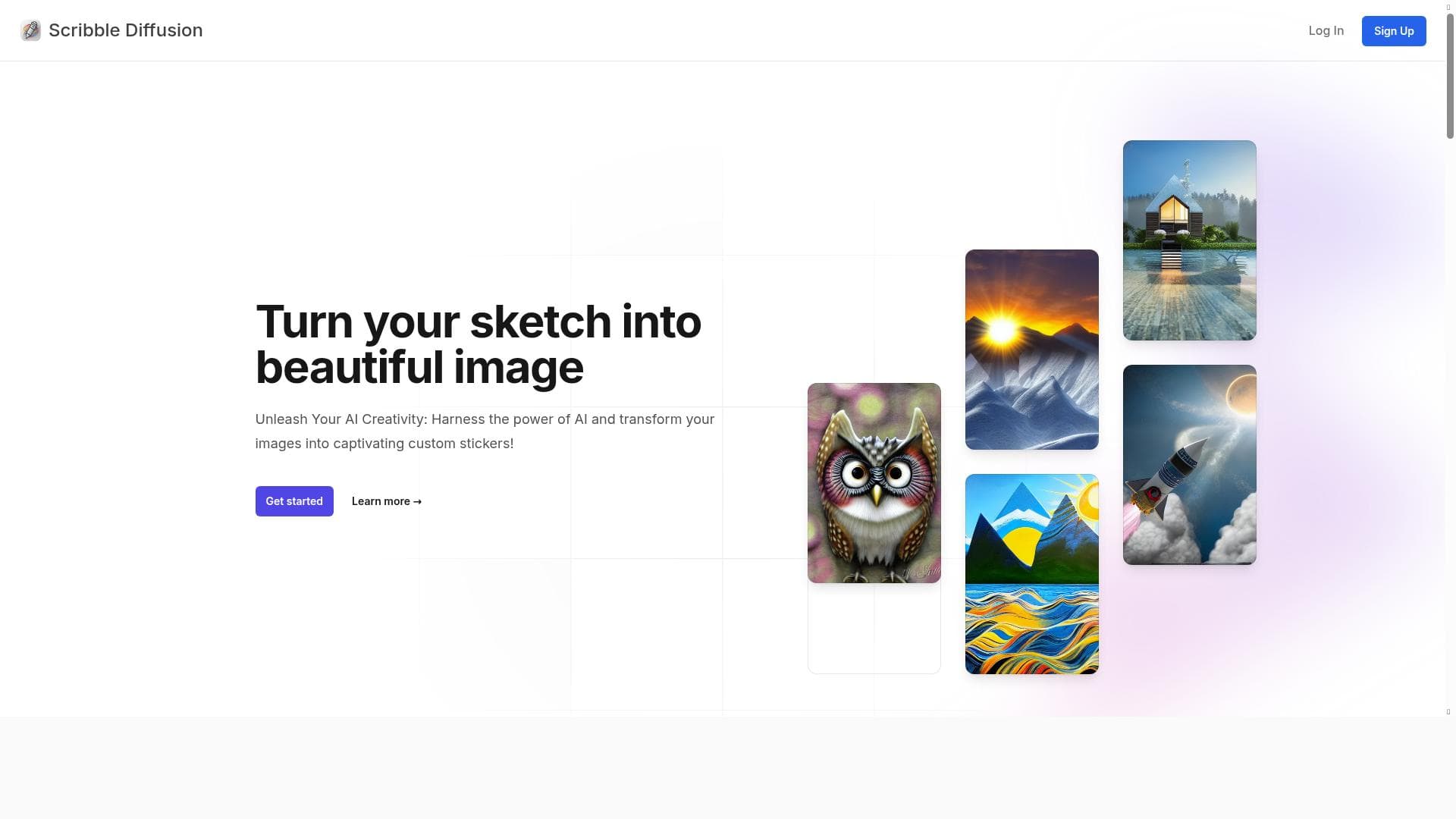
Scribble to Image uniquely transforms your simple scribbles into stunning custom AI-generated images, making creative image generation accessible and fun for everyone. Ideal for artists, content creators, and hobbyists, it offers a free, open-source platform that quickly turns rough sketches into captivating visuals and stickers.

Descripción
Discover Scribble to Image: Transform your scribbles into custom AI images effortlessly. Enjoy quick, fun image creation with our innovative AI model!
Descripción detallada
Scribble to Image is an innovative AI-powered tool designed to transform simple, rough sketches or scribbles into fully realized, custom AI-generated images. Its core purpose is to democratize creative image generation by allowing users to input minimal artistic effort—just a basic scribble—and receive a visually captivating image output. This tool harnesses advanced AI models to interpret and enhance user input, making the creative process both accessible and enjoyable for users of all skill levels. Whether you are an artist looking for inspiration, a content creator needing unique visuals, or simply someone who enjoys experimenting with AI art, Scribble to Image offers a seamless and engaging experience. One of the standout features of Scribble to Image is its ability to quickly convert rough sketches into detailed images, effectively bridging the gap between imagination and visual realization. The tool is open-source, which means its underlying technology is transparent and continuously improved by a community of developers and AI enthusiasts. This openness fosters innovation and trust, as users can explore and even contribute to the project. The AI models powering Scribble to Image are cutting-edge, designed specifically to understand and enhance user scribbles, resulting in images that are not only accurate to the input but also artistically appealing. Additionally, the tool supports the generation of custom stickers, providing users with unique, personalized graphic elements that can be used in messaging apps, social media, or digital design projects. Scribble to Image is ideal for a broad audience. Artists and illustrators can use it as a brainstorming tool to quickly visualize concepts without investing hours in detailed drawing. Content creators and marketers benefit from the ability to produce unique images that stand out in digital content, social media posts, or promotional materials. Educators and students can leverage the tool to explore creativity and AI technology in an interactive manner. Furthermore, hobbyists and casual users who enjoy experimenting with AI-generated art will find the tool intuitive and entertaining. Its quick turnaround time and fun interface make it suitable for spontaneous creativity and rapid prototyping. In terms of pricing, Scribble to Image is completely free to use, which significantly lowers the barrier to entry for anyone interested in AI-driven image generation. This free access is particularly valuable for students, educators, and independent creators who may have limited budgets but still want to explore AI art generation. The open-source nature of the project also means there are no hidden costs or subscription fees, making it a sustainable option for long-term use. When compared to other AI image generation tools, Scribble to Image stands out due to its unique focus on transforming user scribbles rather than relying solely on text prompts or photo inputs. This approach offers a more tactile and intuitive way to guide the AI, which can be especially appealing for users who prefer visual input methods. While many AI art tools require detailed descriptions or high-quality images to generate results, Scribble to Image lowers the entry threshold by accepting even the simplest sketches. However, this also means the quality of the output can depend heavily on the clarity and intent of the scribble provided. Despite its many strengths, there are some considerations to keep in mind. As an open-source project, the tool may not have the same level of commercial polish or customer support as proprietary platforms. Users might encounter occasional bugs or limitations in customization options. Additionally, while the AI is innovative, it may sometimes misinterpret ambiguous scribbles or produce results that require further refinement. Users seeking highly precise or professional-grade images might need to use Scribble to Image in conjunction with other graphic design tools. Nonetheless, its ease of use, free access, and creative potential make it a compelling choice for anyone interested in exploring AI-assisted image creation.
Características de la herramienta
- Transforms scribbles into custom AI images
- Open-source project
- Quick and fun image creation
- Uses innovative AI models
- Generates captivating custom stickers
Descripción
✦
Scribble to Image uniquely transforms your simple scribbles into stunning custom AI-generated images, making creative image generation accessible and fun for everyone. Ideal for artists, content creators, and hobbyists, it offers a free, open-source platform that quickly turns rough sketches into captivating visuals and stickers.
Discover Scribble to Image: Transform your scribbles into custom AI images effortlessly. Enjoy quick, fun image creation with our innovative AI model!
Descripción detallada
Scribble to Image is an innovative AI-powered tool designed to transform simple, rough sketches or scribbles into fully realized, custom AI-generated images. Its core purpose is to democratize creative image generation by allowing users to input minimal artistic effort—just a basic scribble—and receive a visually captivating image output. This tool harnesses advanced AI models to interpret and enhance user input, making the creative process both accessible and enjoyable for users of all skill levels. Whether you are an artist looking for inspiration, a content creator needing unique visuals, or simply someone who enjoys experimenting with AI art, Scribble to Image offers a seamless and engaging experience. One of the standout features of Scribble to Image is its ability to quickly convert rough sketches into detailed images, effectively bridging the gap between imagination and visual realization. The tool is open-source, which means its underlying technology is transparent and continuously improved by a community of developers and AI enthusiasts. This openness fosters innovation and trust, as users can explore and even contribute to the project. The AI models powering Scribble to Image are cutting-edge, designed specifically to understand and enhance user scribbles, resulting in images that are not only accurate to the input but also artistically appealing. Additionally, the tool supports the generation of custom stickers, providing users with unique, personalized graphic elements that can be used in messaging apps, social media, or digital design projects. Scribble to Image is ideal for a broad audience. Artists and illustrators can use it as a brainstorming tool to quickly visualize concepts without investing hours in detailed drawing. Content creators and marketers benefit from the ability to produce unique images that stand out in digital content, social media posts, or promotional materials. Educators and students can leverage the tool to explore creativity and AI technology in an interactive manner. Furthermore, hobbyists and casual users who enjoy experimenting with AI-generated art will find the tool intuitive and entertaining. Its quick turnaround time and fun interface make it suitable for spontaneous creativity and rapid prototyping. In terms of pricing, Scribble to Image is completely free to use, which significantly lowers the barrier to entry for anyone interested in AI-driven image generation. This free access is particularly valuable for students, educators, and independent creators who may have limited budgets but still want to explore AI art generation. The open-source nature of the project also means there are no hidden costs or subscription fees, making it a sustainable option for long-term use. When compared to other AI image generation tools, Scribble to Image stands out due to its unique focus on transforming user scribbles rather than relying solely on text prompts or photo inputs. This approach offers a more tactile and intuitive way to guide the AI, which can be especially appealing for users who prefer visual input methods. While many AI art tools require detailed descriptions or high-quality images to generate results, Scribble to Image lowers the entry threshold by accepting even the simplest sketches. However, this also means the quality of the output can depend heavily on the clarity and intent of the scribble provided. Despite its many strengths, there are some considerations to keep in mind. As an open-source project, the tool may not have the same level of commercial polish or customer support as proprietary platforms. Users might encounter occasional bugs or limitations in customization options. Additionally, while the AI is innovative, it may sometimes misinterpret ambiguous scribbles or produce results that require further refinement. Users seeking highly precise or professional-grade images might need to use Scribble to Image in conjunction with other graphic design tools. Nonetheless, its ease of use, free access, and creative potential make it a compelling choice for anyone interested in exploring AI-assisted image creation.
Preguntas frecuentes
What is Scribble to Image?
Scribble to Image is an AI-powered tool that converts rough sketches or scribbles into detailed, custom AI-generated images, enabling users to create unique visuals effortlessly.
How much does Scribble to Image cost?
Scribble to Image is completely free to use, with no subscription fees or hidden costs.
Who is Scribble to Image best for?
It is best suited for artists, content creators, educators, students, and anyone interested in quickly generating unique images from simple sketches.
What are the main features of Scribble to Image?
Key features include transforming scribbles into custom AI images, being an open-source project, enabling quick and fun image creation, using innovative AI models, and generating custom stickers.
Does Scribble to Image offer a free trial?
Since Scribble to Image is free to use, there is no need for a free trial.
What integrations does Scribble to Image support?
As an open-source web-based tool, Scribble to Image primarily operates independently and does not currently offer formal integrations with other platforms.
How does Scribble to Image work?
Users input a rough sketch or scribble, and the tool’s AI models interpret and enhance the input to generate a detailed, custom image or sticker based on the scribble.
Reseñas
0 reseñas
Aún no hay reseñas. Sé el primero en compartir tu experiencia.
Herramientas patrocinadas











































Herramientas recomendadas
Mantente al día con las últimas herramientas de IA
Obtén las últimas novedades, únete a nuestro boletín
Leído y confiado por 50,000+ lectores
Únete a la comunidad de IA más grande
¡Nuestra comunidad y equipo están aquí para ayudarte!
Tus comentarios ayudarán a Alice AI a mejorar en futuras versiones.








Enviar tu herramienta


PoweredByAI.app es un directorio de herramientas de IA que ayuda a personas, empresas y creadores a descubrir las mejores herramientas de IA para escritura, programación, diseño, productividad y más.
© 2026 , Producto de011BQ. Todos los derechos reservados.