
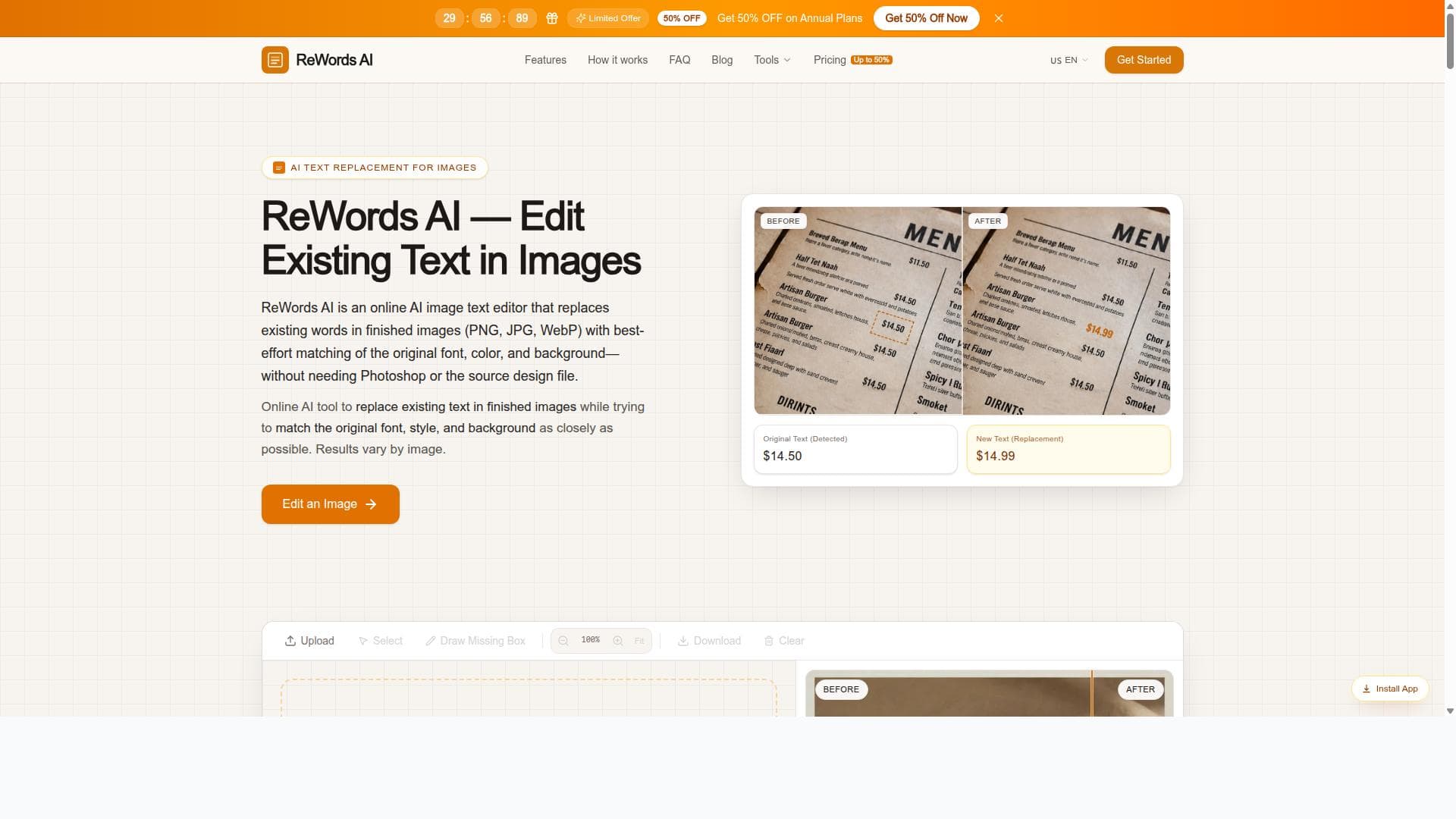


ReWords AI is a powerful online tool that lets users replace text in finished images while perfectly matching the original font, style, and background. Ideal for designers, marketers, and content creators, it simplifies editing text in screenshots, posters, and packaging without needing original design files or complex software.
Descripción
ReWords AI is an online image text editor that allows users to replace text in finished images while matching the original font, style, and background. It is ideal for editing text in screenshots, posters, or packaging, providing a seamless and professional look.
Descripción detallada
ReWords AI is a specialized online image text editor designed to seamlessly replace text within finished images while preserving the original font, style, and background. This tool addresses a common challenge faced by designers, marketers, and content creators: editing text in images where the original source files are unavailable. Whether you need to update a screenshot, correct a typo in a poster, or modify packaging text, ReWords AI offers a streamlined solution that maintains the visual integrity of the original image. Its core purpose is to enable precise text editing in raster images without the need for complex graphic design software or manual retouching. At the heart of ReWords AI are its advanced text recognition and matching algorithms. When a user uploads an image, the tool analyzes the text areas and identifies font characteristics, color, size, and background textures. It then allows users to input new text, which is automatically rendered to match the original style flawlessly. This includes replicating font weight, kerning, shadows, gradients, and even subtle background patterns behind the text, ensuring the edited image looks professional and untouched. The platform supports various image types and is optimized for common use cases such as screenshots from apps or websites, promotional posters, and product packaging labels. ReWords AI is particularly valuable for professionals who need quick and accurate text edits without access to the original design files. Graphic designers can use it to make last-minute text changes without reopening complex design software. Marketing teams can update promotional materials with new offers or dates efficiently. E-commerce businesses can modify product packaging images to reflect updated information or compliance details. Additionally, educators and content creators can edit screenshots or infographics to customize content for different audiences. The intuitive web-based interface requires no installation, making it accessible to users with varying levels of technical expertise. Regarding pricing, ReWords AI typically offers a tiered subscription model, including a free trial or limited free tier to test the core functionality. Paid plans usually unlock higher resolution exports, batch processing, and priority support. Pricing details may vary, but the tool aims to provide affordable options for individuals, small businesses, and enterprises alike. Users interested in extensive or commercial use are encouraged to review the latest pricing on the official website to choose a plan that fits their needs. When compared to alternatives, ReWords AI stands out due to its focus on text replacement within images rather than general image editing or graphic design. Unlike traditional photo editors that require manual cloning or masking, ReWords AI automates the process of matching fonts and backgrounds, saving significant time and effort. While some AI-powered tools offer text detection or translation, few provide the level of style matching and seamless integration that ReWords AI delivers. However, it may not replace full-featured design software for complex image manipulations beyond text editing. Notable limitations include dependency on the quality and clarity of the original image for accurate text recognition. Images with highly complex backgrounds or distorted text may pose challenges for perfect matching. Additionally, the tool is specialized for text replacement and may not support extensive graphic edits or multi-language font matching beyond common Latin scripts. Users should also consider privacy policies when uploading sensitive images. Despite these considerations, ReWords AI remains a powerful and user-friendly solution for anyone needing professional-grade text edits in images quickly and efficiently.
Características de la herramienta
- Replace text in finished images online
- Match original font, style, and background
- Edit text in screenshots, posters, or packaging
Descripción
ReWords AI is a powerful online tool that lets users replace text in finished images while perfectly matching the original font, style, and background. Ideal for designers, marketers, and content creators, it simplifies editing text in screenshots, posters, and packaging without needing original design files or complex software.
ReWords AI is an online image text editor that allows users to replace text in finished images while matching the original font, style, and background. It is ideal for editing text in screenshots, posters, or packaging, providing a seamless and professional look.
Descripción detallada
ReWords AI is a specialized online image text editor designed to seamlessly replace text within finished images while preserving the original font, style, and background. This tool addresses a common challenge faced by designers, marketers, and content creators: editing text in images where the original source files are unavailable. Whether you need to update a screenshot, correct a typo in a poster, or modify packaging text, ReWords AI offers a streamlined solution that maintains the visual integrity of the original image. Its core purpose is to enable precise text editing in raster images without the need for complex graphic design software or manual retouching. At the heart of ReWords AI are its advanced text recognition and matching algorithms. When a user uploads an image, the tool analyzes the text areas and identifies font characteristics, color, size, and background textures. It then allows users to input new text, which is automatically rendered to match the original style flawlessly. This includes replicating font weight, kerning, shadows, gradients, and even subtle background patterns behind the text, ensuring the edited image looks professional and untouched. The platform supports various image types and is optimized for common use cases such as screenshots from apps or websites, promotional posters, and product packaging labels. ReWords AI is particularly valuable for professionals who need quick and accurate text edits without access to the original design files. Graphic designers can use it to make last-minute text changes without reopening complex design software. Marketing teams can update promotional materials with new offers or dates efficiently. E-commerce businesses can modify product packaging images to reflect updated information or compliance details. Additionally, educators and content creators can edit screenshots or infographics to customize content for different audiences. The intuitive web-based interface requires no installation, making it accessible to users with varying levels of technical expertise. Regarding pricing, ReWords AI typically offers a tiered subscription model, including a free trial or limited free tier to test the core functionality. Paid plans usually unlock higher resolution exports, batch processing, and priority support. Pricing details may vary, but the tool aims to provide affordable options for individuals, small businesses, and enterprises alike. Users interested in extensive or commercial use are encouraged to review the latest pricing on the official website to choose a plan that fits their needs. When compared to alternatives, ReWords AI stands out due to its focus on text replacement within images rather than general image editing or graphic design. Unlike traditional photo editors that require manual cloning or masking, ReWords AI automates the process of matching fonts and backgrounds, saving significant time and effort. While some AI-powered tools offer text detection or translation, few provide the level of style matching and seamless integration that ReWords AI delivers. However, it may not replace full-featured design software for complex image manipulations beyond text editing. Notable limitations include dependency on the quality and clarity of the original image for accurate text recognition. Images with highly complex backgrounds or distorted text may pose challenges for perfect matching. Additionally, the tool is specialized for text replacement and may not support extensive graphic edits or multi-language font matching beyond common Latin scripts. Users should also consider privacy policies when uploading sensitive images. Despite these considerations, ReWords AI remains a powerful and user-friendly solution for anyone needing professional-grade text edits in images quickly and efficiently.
Preguntas frecuentes
What is ReWords AI?
ReWords AI is an online image text editor that enables users to replace text within finished images while matching the original font, style, and background, providing seamless and professional edits.
How much does ReWords AI cost?
ReWords AI offers a tiered pricing model, including a free trial or limited free tier, with paid plans unlocking additional features like higher resolution exports and batch processing. For the most current pricing, visit their official website.
Who is ReWords AI best for?
It is best suited for graphic designers, marketers, content creators, and businesses who need to edit text in images such as screenshots, posters, or packaging without access to original design files.
What are the main features of ReWords AI?
Key features include replacing text in finished images online, matching the original font and style, replicating background textures, and supporting edits in screenshots, posters, and packaging images.
Does ReWords AI offer a free trial?
Yes, ReWords AI typically offers a free trial or a limited free tier allowing users to test core functionalities before committing to a paid plan.
What integrations does ReWords AI support?
ReWords AI is primarily a standalone web-based tool and does not currently advertise integrations with other platforms or software.
How does ReWords AI work?
Users upload an image containing text, and ReWords AI analyzes the text's font, style, and background. The user inputs new text, which the tool then renders to match the original style seamlessly, enabling professional text replacement within the image.
Reseñas
Aún no hay reseñas. Sé el primero en compartir tu experiencia.




















































