Destacado en:Best AI Writing Tools
Destácate →🚀 Zaprep: Tus redes sociales al máximo. Empezar gratis — automatiza 1,000 DMs/mes y convierte el engagement en leads. con 1,000 DMs automatizados/mes.
Enviar tu herramienta
25,000+ herramientas de IA ya listadas
25K+Herramientas
400K+/moVistas
105K+/moVisitantes



✦
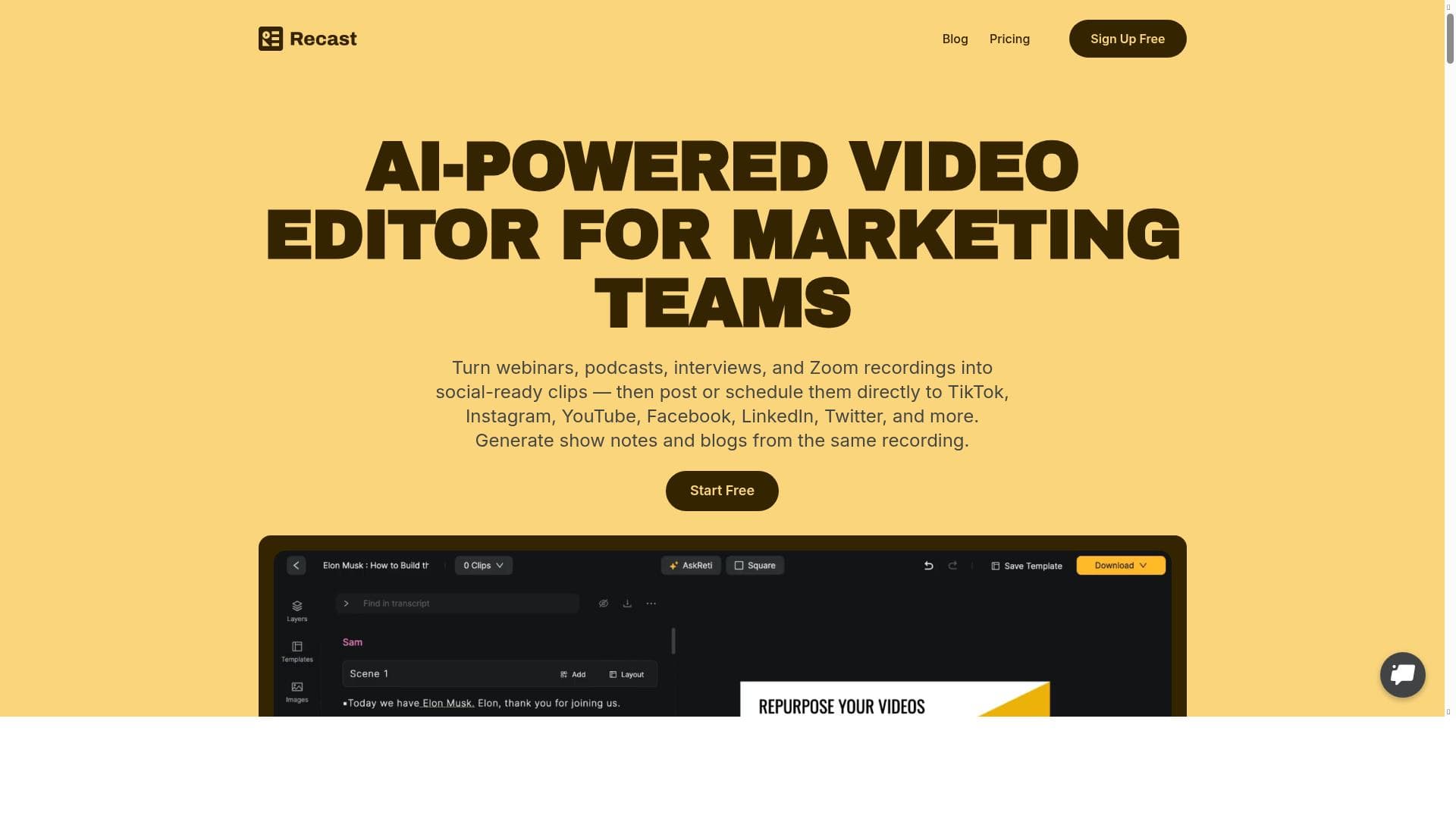
Recast Studio leverages AI to effortlessly transform podcasts and videos into short clips, show notes, blog posts, and social media content, saving creators hours of manual work. Ideal for podcasters and marketers, it streamlines content repurposing with automated transcription, highlight detection, and customizable video templates.

Views95
Impression80
Tool Pricingfree trial • $19 per month
Descripción
Recast Studio automatically turns your podcast episode into short video clips & writes show notes, blog posts, social media posts and more in minutes. Why Recast Studio? 🤔 Long-form content like podcasts and videos is filled with a wealth of reusable content that can last for months. Consider the possibility of effortlessly extracting and generating valuable content within minutes. Either you are not repurposing your existing podcast content or are burned out by spending hours and 💰 doing it yourself. The solution: 🙌 Recast Studio helps podcasters and creators turn their podcasts and videos into short video clips & write show notes, blog posts, and social media posts with the help of AI. How it works ⬇️ ⬆️ Upload your video or audio file. ✨ AI will transcribe and analyze your media to identify highlights. 📹 Turn highlights into engaging video clips for TikTok, Shorts, Instagram or any other social media platform in a single click. 🎨 Customize pre-built templates or create your own templates using an advanced editor. ✍️ AI will also write show notes, blog posts, email newsletters and social media posts for the episode. Key features of Recast: → Automatically generates a full transcript of your episode → Show notes with summary and timestamps → Captivating social media posts → An email with the key takeaways of the episode → Main highlights categorized by topic → Branded Audiogram/video clips in a single click
Descripción detallada
Recast Studio is an innovative AI-powered platform designed to transform long-form audio and video content, such as podcasts and videos, into a variety of engaging, shareable formats quickly and efficiently. Its core purpose is to help content creators, podcasters, and marketers maximize the value of their existing media by automatically generating short video clips, show notes, blog posts, social media posts, and email newsletters. This automation drastically reduces the time, effort, and cost traditionally associated with repurposing content, enabling creators to maintain a consistent and dynamic online presence without burnout or the need for extensive manual editing. At the heart of Recast Studio’s capabilities is its advanced AI transcription and analysis engine. Users simply upload their audio or video files, and the AI transcribes the episode in full, providing a comprehensive text version. Beyond transcription, the AI identifies key highlights and segments within the content, categorizing them by topic to facilitate targeted repurposing. These highlights can then be instantly converted into branded audiograms or short video clips optimized for popular social media platforms like TikTok, YouTube Shorts, and Instagram Reels, all with a single click. The platform offers customizable templates and an advanced editor, allowing users to tailor the visual style and branding of their clips to fit their unique aesthetic. In addition to video content creation, Recast Studio automatically generates detailed show notes complete with summaries and timestamps, making episodes more accessible and easier to navigate for listeners. It also crafts captivating social media posts and email newsletters that summarize key takeaways, helping creators engage their audience across multiple channels without additional content creation work. Notably, the platform incorporates cutting-edge features such as AI avatars for video creation and voice cloning technology, which further enhance the creative possibilities for users looking to produce professional-quality content efficiently. Recast Studio is ideally suited for podcasters, video creators, marketers, and social media managers who want to amplify their content reach without investing excessive time or resources. It is particularly beneficial for those who produce long-form content but struggle to consistently repurpose it into formats that perform well on social media or other digital channels. Use cases include turning podcast episodes into viral short clips, generating blog posts and newsletters from audio content, and creating branded video snippets to boost engagement and audience growth. The platform operates on a freemium pricing model, allowing users to access core features for free with the option to upgrade for advanced capabilities and higher usage limits. This makes it accessible for beginners and small creators while providing scalability for professional podcasters and businesses requiring more robust content production tools. Compared to alternatives, Recast Studio stands out due to its comprehensive suite of AI-driven features that cover transcription, highlight detection, video clip generation, and written content creation all in one place. While some competitors may focus solely on transcription or video editing, Recast Studio’s integrated approach streamlines the entire content repurposing workflow. However, users should consider that as an AI-based tool, the quality of transcription and highlight selection may vary depending on audio clarity and content complexity. Additionally, while the platform offers powerful customization options, users seeking highly specialized or manual editing might still need complementary software. In summary, Recast Studio offers a powerful, time-saving solution for content creators looking to unlock the full potential of their podcasts and videos. By automating the transformation of long-form media into multiple engaging formats, it empowers users to expand their audience reach and maintain consistent content output with minimal effort.
Características de la herramienta
- AI avatars for video creation
- Voice cloning technology
- Advanced video editing tools
- Efficient video content production
Descripción
✦
Recast Studio leverages AI to effortlessly transform podcasts and videos into short clips, show notes, blog posts, and social media content, saving creators hours of manual work. Ideal for podcasters and marketers, it streamlines content repurposing with automated transcription, highlight detection, and customizable video templates.
Recast Studio automatically turns your podcast episode into short video clips & writes show notes, blog posts, social media posts and more in minutes. Why Recast Studio? 🤔 Long-form content like podcasts and videos is filled with a wealth of reusable content that can last for months. Consider the possibility of effortlessly extracting and generating valuable content within minutes. Either you are not repurposing your existing podcast content or are burned out by spending hours and 💰 doing it yourself. The solution: 🙌 Recast Studio helps podcasters and creators turn their podcasts and videos into short video clips & write show notes, blog posts, and social media posts with the help of AI. How it works ⬇️ ⬆️ Upload your video or audio file. ✨ AI will transcribe and analyze your media to identify highlights. 📹 Turn highlights into engaging video clips for TikTok, Shorts, Instagram or any other social media platform in a single click. 🎨 Customize pre-built templates or create your own templates using an advanced editor. ✍️ AI will also write show notes, blog posts, email newsletters and social media posts for the episode. Key features of Recast: → Automatically generates a full transcript of your episode → Show notes with summary and timestamps → Captivating social media posts → An email with the key takeaways of the episode → Main highlights categorized by topic → Branded Audiogram/video clips in a single click
Descripción detallada
Recast Studio is an innovative AI-powered platform designed to transform long-form audio and video content, such as podcasts and videos, into a variety of engaging, shareable formats quickly and efficiently. Its core purpose is to help content creators, podcasters, and marketers maximize the value of their existing media by automatically generating short video clips, show notes, blog posts, social media posts, and email newsletters. This automation drastically reduces the time, effort, and cost traditionally associated with repurposing content, enabling creators to maintain a consistent and dynamic online presence without burnout or the need for extensive manual editing. At the heart of Recast Studio’s capabilities is its advanced AI transcription and analysis engine. Users simply upload their audio or video files, and the AI transcribes the episode in full, providing a comprehensive text version. Beyond transcription, the AI identifies key highlights and segments within the content, categorizing them by topic to facilitate targeted repurposing. These highlights can then be instantly converted into branded audiograms or short video clips optimized for popular social media platforms like TikTok, YouTube Shorts, and Instagram Reels, all with a single click. The platform offers customizable templates and an advanced editor, allowing users to tailor the visual style and branding of their clips to fit their unique aesthetic. In addition to video content creation, Recast Studio automatically generates detailed show notes complete with summaries and timestamps, making episodes more accessible and easier to navigate for listeners. It also crafts captivating social media posts and email newsletters that summarize key takeaways, helping creators engage their audience across multiple channels without additional content creation work. Notably, the platform incorporates cutting-edge features such as AI avatars for video creation and voice cloning technology, which further enhance the creative possibilities for users looking to produce professional-quality content efficiently. Recast Studio is ideally suited for podcasters, video creators, marketers, and social media managers who want to amplify their content reach without investing excessive time or resources. It is particularly beneficial for those who produce long-form content but struggle to consistently repurpose it into formats that perform well on social media or other digital channels. Use cases include turning podcast episodes into viral short clips, generating blog posts and newsletters from audio content, and creating branded video snippets to boost engagement and audience growth. The platform operates on a freemium pricing model, allowing users to access core features for free with the option to upgrade for advanced capabilities and higher usage limits. This makes it accessible for beginners and small creators while providing scalability for professional podcasters and businesses requiring more robust content production tools. Compared to alternatives, Recast Studio stands out due to its comprehensive suite of AI-driven features that cover transcription, highlight detection, video clip generation, and written content creation all in one place. While some competitors may focus solely on transcription or video editing, Recast Studio’s integrated approach streamlines the entire content repurposing workflow. However, users should consider that as an AI-based tool, the quality of transcription and highlight selection may vary depending on audio clarity and content complexity. Additionally, while the platform offers powerful customization options, users seeking highly specialized or manual editing might still need complementary software. In summary, Recast Studio offers a powerful, time-saving solution for content creators looking to unlock the full potential of their podcasts and videos. By automating the transformation of long-form media into multiple engaging formats, it empowers users to expand their audience reach and maintain consistent content output with minimal effort.
Preguntas frecuentes
What is Recast Studio?
Recast Studio is an AI-powered platform that automatically converts podcasts and videos into short video clips, show notes, blog posts, social media posts, and email newsletters, helping creators repurpose their long-form content efficiently.
How much does Recast Studio cost?
Recast Studio offers a freemium pricing model, allowing users to access basic features for free, with paid plans available for advanced features and higher usage limits.
Who is Recast Studio best for?
It is best suited for podcasters, video creators, marketers, and social media managers who want to repurpose long-form content into engaging short clips and written content without spending excessive time or resources.
What are the main features of Recast Studio?
Key features include automatic full transcription, highlight detection and categorization, creation of branded audiograms and video clips, customizable templates, AI-generated show notes, blog posts, social media posts, email newsletters, AI avatars for video creation, and voice cloning technology.
Does Recast Studio offer a free trial?
Yes, Recast Studio provides a freemium plan that allows users to try core features for free before upgrading to paid plans.
What integrations does Recast Studio support?
While specific third-party integrations are not detailed, Recast Studio supports exporting content optimized for major social media platforms such as TikTok, YouTube Shorts, and Instagram, facilitating easy sharing.
How does Recast Studio work?
Users upload their audio or video files, and the AI transcribes and analyzes the content to identify key highlights. These highlights can then be converted into short video clips using customizable templates, while the AI also generates show notes, blog posts, social media posts, and email newsletters automatically.
Redes sociales
Usar herramientaReseñas
0 reseñas
Aún no hay reseñas. Sé el primero en compartir tu experiencia.
Herramientas patrocinadas











































Herramientas recomendadas
Mantente al día con las últimas herramientas de IA
Obtén las últimas novedades, únete a nuestro boletín
Leído y confiado por 50,000+ lectores
Únete a la comunidad de IA más grande
¡Nuestra comunidad y equipo están aquí para ayudarte!
Tus comentarios ayudarán a Alice AI a mejorar en futuras versiones.








Enviar tu herramienta


PoweredByAI.app es un directorio de herramientas de IA que ayuda a personas, empresas y creadores a descubrir las mejores herramientas de IA para escritura, programación, diseño, productividad y más.
© 2026 , Producto de011BQ. Todos los derechos reservados.