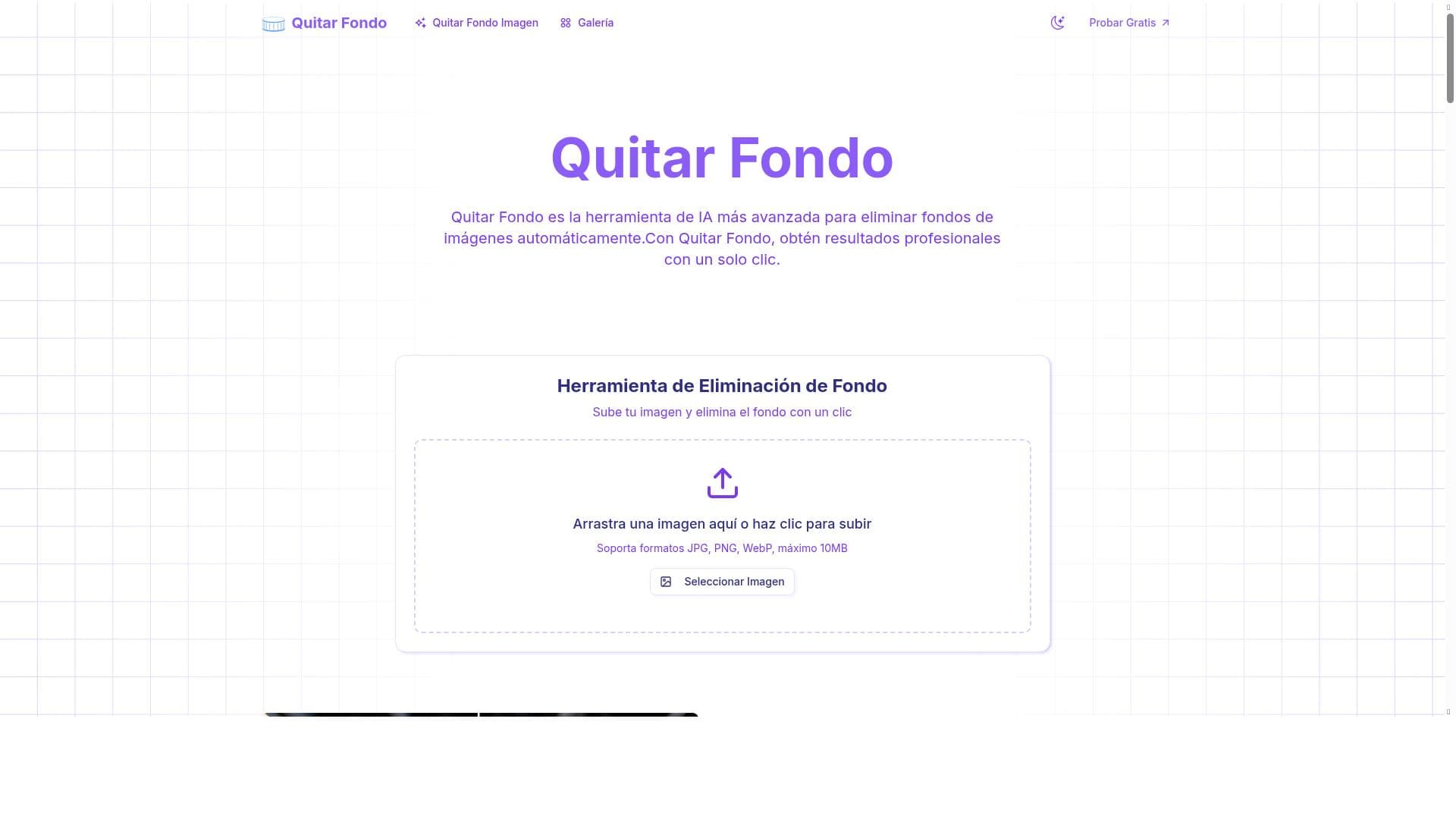


Quitar Fondo is an advanced AI tool that automates background removal from images with professional results in just one click. Ideal for e-commerce sellers, designers, and content creators, it offers a user-friendly interface and fast processing, making high-quality image editing accessible to all skill levels.

Descripción
Remove Background is the most advanced AI tool for automatically removing backgrounds from images. Professional results with a single click.
Descripción detallada
Quitar Fondo is a cutting-edge AI-powered tool designed specifically for the automatic removal of backgrounds from images. Its core purpose is to simplify and accelerate the process of isolating subjects from their backgrounds, enabling users to achieve professional-quality results with minimal effort. By leveraging advanced machine learning algorithms, Quitar Fondo intelligently detects and separates the foreground elements from the background in a wide variety of images, ranging from portraits and product photos to complex scenes. This automation eliminates the need for manual editing, which can be time-consuming and require specialized skills, making it accessible to both novices and professionals alike. One of the standout features of Quitar Fondo is its fully automatic background removal capability. Users simply upload an image, and with a single click, the AI processes the photo and delivers a clean, background-free version. The tool’s interface is designed to be intuitive and user-friendly, allowing users to quickly navigate and complete their tasks without a steep learning curve. Additionally, Quitar Fondo offers fast and efficient image editing, ensuring that users can handle multiple images in a short amount of time, which is particularly valuable for businesses and creatives working with large batches of photos. Quitar Fondo’s professional-grade results make it ideal for a variety of use cases. E-commerce sellers can use it to create clean product images that enhance their listings and attract customers. Photographers and graphic designers benefit from the tool’s precision when preparing images for portfolios or marketing materials. Social media managers and content creators can quickly generate eye-catching visuals without needing extensive photo editing experience. The tool’s versatility also extends to educational and personal projects where background removal is required. Regarding pricing, Quitar Fondo operates on a freemium model. This means users can access basic features and perform background removals for free, which is perfect for casual users or those wanting to test the tool’s capabilities. For more advanced features, higher resolution outputs, or bulk processing, premium plans are available at a cost. This tiered pricing structure allows users to choose a plan that best fits their needs and budget, making Quitar Fondo accessible to a broad audience. When compared to alternative background removal tools, Quitar Fondo stands out due to its simplicity, speed, and the quality of its AI-driven results. While some competitors may require manual adjustments or have more complex interfaces, Quitar Fondo’s one-click solution and clean design make it particularly appealing for users seeking efficiency without sacrificing quality. However, unlike some tools that offer extensive photo editing suites, Quitar Fondo focuses primarily on background removal, which may be a limitation for users looking for an all-in-one editing platform. Notable considerations include the fact that extremely complex images with intricate details or overlapping elements may occasionally challenge the AI’s accuracy, potentially requiring minor manual touch-ups post-processing. Additionally, while the free tier is generous, users with high-volume or professional needs will likely need to invest in a premium subscription to unlock the full potential of the tool. Overall, Quitar Fondo provides a powerful, accessible, and efficient solution for anyone needing quick and professional background removal from images.
Características de la herramienta
- Eliminación automática de fondos de imágenes
- Resultados profesionales con un solo clic
- Interfaz fácil de usar
- Edición rápida y eficiente de imágenes
Descripción
Quitar Fondo is an advanced AI tool that automates background removal from images with professional results in just one click. Ideal for e-commerce sellers, designers, and content creators, it offers a user-friendly interface and fast processing, making high-quality image editing accessible to all skill levels.
Remove Background is the most advanced AI tool for automatically removing backgrounds from images. Professional results with a single click.
Descripción detallada
Quitar Fondo is a cutting-edge AI-powered tool designed specifically for the automatic removal of backgrounds from images. Its core purpose is to simplify and accelerate the process of isolating subjects from their backgrounds, enabling users to achieve professional-quality results with minimal effort. By leveraging advanced machine learning algorithms, Quitar Fondo intelligently detects and separates the foreground elements from the background in a wide variety of images, ranging from portraits and product photos to complex scenes. This automation eliminates the need for manual editing, which can be time-consuming and require specialized skills, making it accessible to both novices and professionals alike. One of the standout features of Quitar Fondo is its fully automatic background removal capability. Users simply upload an image, and with a single click, the AI processes the photo and delivers a clean, background-free version. The tool’s interface is designed to be intuitive and user-friendly, allowing users to quickly navigate and complete their tasks without a steep learning curve. Additionally, Quitar Fondo offers fast and efficient image editing, ensuring that users can handle multiple images in a short amount of time, which is particularly valuable for businesses and creatives working with large batches of photos. Quitar Fondo’s professional-grade results make it ideal for a variety of use cases. E-commerce sellers can use it to create clean product images that enhance their listings and attract customers. Photographers and graphic designers benefit from the tool’s precision when preparing images for portfolios or marketing materials. Social media managers and content creators can quickly generate eye-catching visuals without needing extensive photo editing experience. The tool’s versatility also extends to educational and personal projects where background removal is required. Regarding pricing, Quitar Fondo operates on a freemium model. This means users can access basic features and perform background removals for free, which is perfect for casual users or those wanting to test the tool’s capabilities. For more advanced features, higher resolution outputs, or bulk processing, premium plans are available at a cost. This tiered pricing structure allows users to choose a plan that best fits their needs and budget, making Quitar Fondo accessible to a broad audience. When compared to alternative background removal tools, Quitar Fondo stands out due to its simplicity, speed, and the quality of its AI-driven results. While some competitors may require manual adjustments or have more complex interfaces, Quitar Fondo’s one-click solution and clean design make it particularly appealing for users seeking efficiency without sacrificing quality. However, unlike some tools that offer extensive photo editing suites, Quitar Fondo focuses primarily on background removal, which may be a limitation for users looking for an all-in-one editing platform. Notable considerations include the fact that extremely complex images with intricate details or overlapping elements may occasionally challenge the AI’s accuracy, potentially requiring minor manual touch-ups post-processing. Additionally, while the free tier is generous, users with high-volume or professional needs will likely need to invest in a premium subscription to unlock the full potential of the tool. Overall, Quitar Fondo provides a powerful, accessible, and efficient solution for anyone needing quick and professional background removal from images.
Preguntas frecuentes
What is Quitar Fondo?
Quitar Fondo is an AI-powered tool designed to automatically remove backgrounds from images, delivering professional-quality results quickly and easily with minimal user input.
How much does Quitar Fondo cost?
Quitar Fondo offers a freemium pricing model, allowing users to remove backgrounds for free with basic features, while premium plans with advanced capabilities and higher resolution outputs are available for a fee.
Who is Quitar Fondo best for?
Quitar Fondo is ideal for e-commerce sellers, photographers, graphic designers, social media managers, and anyone needing fast, professional background removal without extensive editing skills.
What are the main features of Quitar Fondo?
Key features include automatic background removal, professional-quality results with one click, a user-friendly interface, and fast, efficient image editing suitable for batch processing.
Does Quitar Fondo offer a free trial?
Yes, Quitar Fondo’s freemium model allows users to try the tool for free with access to basic background removal features before opting for premium plans.
What integrations does Quitar Fondo support?
Currently, Quitar Fondo primarily functions as a standalone web-based tool and does not list specific third-party integrations, focusing on ease of use through its online platform.
How does Quitar Fondo work?
Quitar Fondo uses advanced AI algorithms to analyze an uploaded image, automatically detect the foreground subject, and remove the background with a single click, producing a clean, isolated image.
Reseñas
Aún no hay reseñas. Sé el primero en compartir tu experiencia.




















































