🚀 Zaprep: Tus redes sociales al máximo. Empezar gratis — automatiza 1,000 DMs/mes y convierte el engagement en leads. con 1,000 DMs automatizados/mes.

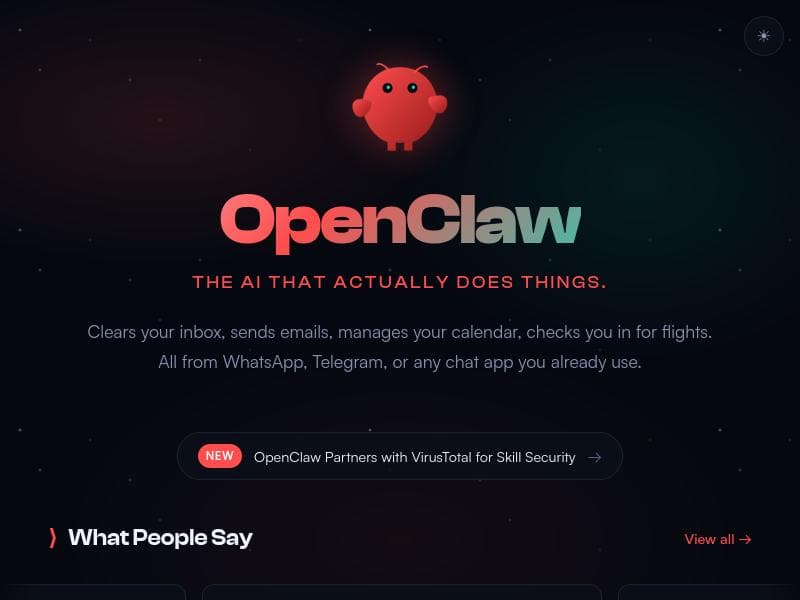


OpenClaw Hub is a robust discovery platform featuring over 1700 OpenClaw skills and tools, designed to help developers quickly find, deploy, and optimize capabilities across DevOps, AI, and automation. Its practical guides, deployment templates, and operational best practices make it an essential resource for developers seeking streamlined integration and rapid implementation within the OpenClaw ecosystem.
Descripción
OpenClaw Hub is a discovery platform for OpenClaw ecosystem, featuring 1700+ skills and tools. Help developers find, deploy, and explore OpenClaw capabilities. The platform aggregates OpenClaw skills across categories such as DevOps, AI tools, and automation. Developers can quickly discover and install capabilities using ready-to-run CLI commands.
Descripción detallada
OpenClaw Hub is a comprehensive discovery platform designed to serve the OpenClaw ecosystem by aggregating over 1700 skills and tools. Its core purpose is to streamline the process for developers and IT professionals to find, deploy, and explore a vast array of OpenClaw capabilities across multiple domains such as DevOps, AI tools, and automation. By centralizing these resources, OpenClaw Hub acts as a one-stop destination where users can quickly access and implement the functionalities they need without sifting through disparate sources or complex documentation. One of the standout features of OpenClaw Hub is its practical guides for installation, which provide step-by-step instructions to ensure smooth setup and integration of OpenClaw skills. These guides are designed to reduce the learning curve and minimize errors during deployment. Complementing this, the platform offers ready-to-use templates that simplify the deployment process, allowing users to implement solutions faster and more efficiently. These templates cover a broad spectrum of use cases, enabling developers to adapt and customize deployments according to their specific project requirements. Operational best practices are another critical aspect of OpenClaw Hub. The platform not only provides tools but also shares insights and recommendations on how to use these tools effectively in real-world scenarios. This guidance helps users optimize performance, maintain security, and ensure reliability in their deployments. Additionally, the platform includes reliable usage instructions that clarify how to operate each skill or tool correctly, further enhancing user confidence and reducing troubleshooting time. OpenClaw Hub is particularly well-suited for developers, DevOps engineers, and AI practitioners who are actively working within or exploring the OpenClaw ecosystem. It is ideal for those who require quick access to a broad range of capabilities and want to accelerate their development cycles with minimal friction. Use cases span from automating infrastructure management and deploying AI models to integrating advanced automation workflows. The platform’s CLI-based installation commands enable seamless integration into existing development pipelines, making it a valuable asset for teams focused on continuous integration and continuous deployment (CI/CD). Regarding pricing, OpenClaw Hub is offered free of charge, making it accessible to individual developers, startups, and enterprises alike. This no-cost model encourages widespread adoption and experimentation without financial barriers, fostering a vibrant community around the OpenClaw ecosystem. When compared to alternative platforms, OpenClaw Hub distinguishes itself through its extensive aggregation of over 1700 skills and tools, which is significantly larger than many niche repositories. Its focus on practical deployment templates and operational best practices sets it apart from platforms that merely list tools without offering actionable guidance. However, while the platform excels in breadth and usability, users should consider that its specialization in the OpenClaw ecosystem means it may not cover tools outside this environment, which could limit its utility for those seeking a more generalized tool discovery service. In terms of limitations, OpenClaw Hub’s reliance on CLI commands might present a learning curve for users unfamiliar with command-line interfaces, although the provided guides help mitigate this challenge. Additionally, as a free platform, it may not offer dedicated customer support or advanced enterprise features that some paid alternatives provide. Users should also be mindful that the quality and maintenance of individual OpenClaw skills can vary, requiring due diligence when selecting tools for critical applications. Overall, OpenClaw Hub is a powerful, user-friendly platform that significantly enhances the discoverability and deployment of OpenClaw ecosystem capabilities. Its extensive library, practical resources, and free access make it an invaluable resource for developers and teams looking to leverage OpenClaw’s diverse skill set efficiently and effectively.
Características de la herramienta
- Practical guides for installation
- Templates for deployment
- Operational best practices
- Reliable usage instructions
Descripción
OpenClaw Hub is a robust discovery platform featuring over 1700 OpenClaw skills and tools, designed to help developers quickly find, deploy, and optimize capabilities across DevOps, AI, and automation. Its practical guides, deployment templates, and operational best practices make it an essential resource for developers seeking streamlined integration and rapid implementation within the OpenClaw ecosystem.
OpenClaw Hub is a discovery platform for OpenClaw ecosystem, featuring 1700+ skills and tools. Help developers find, deploy, and explore OpenClaw capabilities. The platform aggregates OpenClaw skills across categories such as DevOps, AI tools, and automation. Developers can quickly discover and install capabilities using ready-to-run CLI commands.
Descripción detallada
OpenClaw Hub is a comprehensive discovery platform designed to serve the OpenClaw ecosystem by aggregating over 1700 skills and tools. Its core purpose is to streamline the process for developers and IT professionals to find, deploy, and explore a vast array of OpenClaw capabilities across multiple domains such as DevOps, AI tools, and automation. By centralizing these resources, OpenClaw Hub acts as a one-stop destination where users can quickly access and implement the functionalities they need without sifting through disparate sources or complex documentation. One of the standout features of OpenClaw Hub is its practical guides for installation, which provide step-by-step instructions to ensure smooth setup and integration of OpenClaw skills. These guides are designed to reduce the learning curve and minimize errors during deployment. Complementing this, the platform offers ready-to-use templates that simplify the deployment process, allowing users to implement solutions faster and more efficiently. These templates cover a broad spectrum of use cases, enabling developers to adapt and customize deployments according to their specific project requirements. Operational best practices are another critical aspect of OpenClaw Hub. The platform not only provides tools but also shares insights and recommendations on how to use these tools effectively in real-world scenarios. This guidance helps users optimize performance, maintain security, and ensure reliability in their deployments. Additionally, the platform includes reliable usage instructions that clarify how to operate each skill or tool correctly, further enhancing user confidence and reducing troubleshooting time. OpenClaw Hub is particularly well-suited for developers, DevOps engineers, and AI practitioners who are actively working within or exploring the OpenClaw ecosystem. It is ideal for those who require quick access to a broad range of capabilities and want to accelerate their development cycles with minimal friction. Use cases span from automating infrastructure management and deploying AI models to integrating advanced automation workflows. The platform’s CLI-based installation commands enable seamless integration into existing development pipelines, making it a valuable asset for teams focused on continuous integration and continuous deployment (CI/CD). Regarding pricing, OpenClaw Hub is offered free of charge, making it accessible to individual developers, startups, and enterprises alike. This no-cost model encourages widespread adoption and experimentation without financial barriers, fostering a vibrant community around the OpenClaw ecosystem. When compared to alternative platforms, OpenClaw Hub distinguishes itself through its extensive aggregation of over 1700 skills and tools, which is significantly larger than many niche repositories. Its focus on practical deployment templates and operational best practices sets it apart from platforms that merely list tools without offering actionable guidance. However, while the platform excels in breadth and usability, users should consider that its specialization in the OpenClaw ecosystem means it may not cover tools outside this environment, which could limit its utility for those seeking a more generalized tool discovery service. In terms of limitations, OpenClaw Hub’s reliance on CLI commands might present a learning curve for users unfamiliar with command-line interfaces, although the provided guides help mitigate this challenge. Additionally, as a free platform, it may not offer dedicated customer support or advanced enterprise features that some paid alternatives provide. Users should also be mindful that the quality and maintenance of individual OpenClaw skills can vary, requiring due diligence when selecting tools for critical applications. Overall, OpenClaw Hub is a powerful, user-friendly platform that significantly enhances the discoverability and deployment of OpenClaw ecosystem capabilities. Its extensive library, practical resources, and free access make it an invaluable resource for developers and teams looking to leverage OpenClaw’s diverse skill set efficiently and effectively.
Preguntas frecuentes
What is OpenClaw Hub?
OpenClaw Hub is a discovery platform that aggregates over 1700 skills and tools within the OpenClaw ecosystem, enabling developers to find, deploy, and explore a wide range of capabilities across categories like DevOps, AI tools, and automation.
How much does OpenClaw Hub cost?
OpenClaw Hub is completely free to use, allowing developers and organizations to access and deploy OpenClaw skills without any subscription or licensing fees.
Who is OpenClaw Hub best for?
OpenClaw Hub is ideal for developers, DevOps engineers, and AI practitioners who work within or want to explore the OpenClaw ecosystem, especially those looking for quick deployment and integration of diverse skills and tools.
What are the main features of OpenClaw Hub?
Key features include practical installation guides, deployment templates, operational best practices, and reliable usage instructions, all designed to simplify the discovery and implementation of OpenClaw skills.
Does OpenClaw Hub offer a free trial?
OpenClaw Hub is offered free of charge, so there is no need for a trial period; users can access all features and skills immediately without any cost.
What integrations does OpenClaw Hub support?
OpenClaw Hub supports integration through ready-to-run CLI commands that facilitate seamless deployment of OpenClaw skills into existing development and operational workflows.
How does OpenClaw Hub work?
OpenClaw Hub aggregates a vast collection of OpenClaw skills and tools, providing users with practical guides, deployment templates, and CLI commands to quickly discover, install, and operate these capabilities within their projects.
Redes sociales
Usar herramientaReseñas
Aún no hay reseñas. Sé el primero en compartir tu experiencia.
Herramientas patrocinadas











































Herramientas recomendadas
Mantente al día con las últimas herramientas de IA
Obtén las últimas novedades, únete a nuestro boletín
Leído y confiado por 50,000+ lectores
Únete a la comunidad de IA más grande
¡Nuestra comunidad y equipo están aquí para ayudarte!
Tus comentarios ayudarán a Alice AI a mejorar en futuras versiones.








Enviar tu herramienta


PoweredByAI.app es un directorio de herramientas de IA que ayuda a personas, empresas y creadores a descubrir las mejores herramientas de IA para escritura, programación, diseño, productividad y más.
© 2026 , Producto de011BQ. Todos los derechos reservados.